Steam Shaders not downloading/processing
This also happends to me on pop os 20.04 with rx 570
Not sure if this the same issue but when I launch Dota2 I see popup windows with "processing Vulkan shaders" but without progress bar.
Do you have something similar? Is this a separate problem?
Just like on this screen:
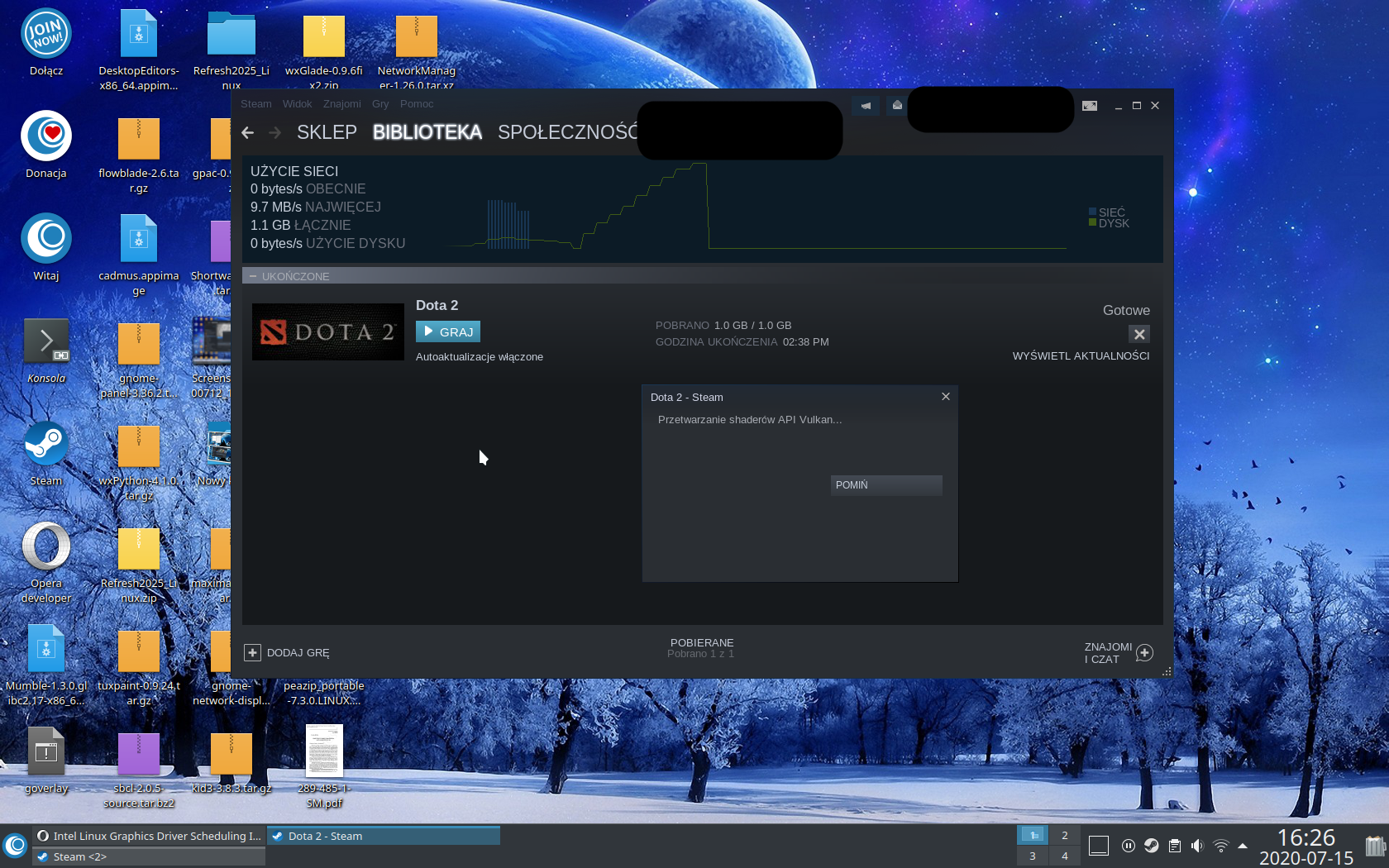
Not sure if this the same issue but when I launch Dota2 I see popup windows with "processing Vulkan shaders" but without progress bar.
Do you have something similar? Is this a separate problem?Just like on this screen:
Yeah that also happends to me, idk what happend but none of my games are prossesing shaders wich sucks cause its stuttering alot :/
Not sure if this the same issue but when I launch Dota2 I see popup windows with "processing Vulkan shaders" but without progress bar.
Do you have something similar? Is this a separate problem?
Just like on this screen:
Yeah that also happends to me, idk what happend but none of my games are prossesing shaders wich sucks cause its stuttering alot :/
Same... Did u find a fix?
Hello, per "Fixed a bug where Vulkan shader processing could sometimes get stuck" in the 2020-08-18 Steam client beta update, please opt into Steam's beta client and retest.
Hello, per "Fixed a bug where Vulkan shader processing could sometimes get stuck" in the 2020-08-18 Steam client beta update, please opt into Steam's beta client and retest.
Hi. Installed steam beta and it is a bit better. Progress bar (in processing shaders) works but still this processing sharders appears very often. For example every day when I start my PC and there is no new Dota2 update.
Somethimes when I close dota and after few minutes launch it again, then processing sharders start again (when no new dota update is available). Strange a bit but at some point it is better but still not perfect :)
Nothing extracted yet.
Your system information
Please describe your issue in as much detail as possible:
Steam doesn't download any new shaders on a fresh install. I've tried beta and stable and I have 11 games installed and a max of 27mb of shaders. CSGO is even stuttering. I had a look at the logs and I keep seeing similar errors as what I've linked. The size doesn't increase when compiling shaders during gaming either. My GPU is a GTX 1080ti. This worked on a previous manjaro install on the same hardware.
Sample of shader logs:
][2020-06-23 15:50:18] Crawling complete, found 3 different buckets:
[2020-06-23 15:50:18] ae16204e55f02d25 / L2:33aa3fb87a15bfa5f1f7b7b4d8a4bae4: 101 shaders.
[2020-06-23 15:50:18] Done; 0 already registered, 0 succeeded, 101 failed.
[2020-06-23 15:50:18] Server requested 0 shaders; uploading is enabled.
[2020-06-23 15:50:18] b6b2286ed6ebf797 / L2:ad4b934e19c9451ee3bd46c449bff6c8: 1276 shaders.
[2020-06-23 15:50:19] Done; 0 already registered, 0 succeeded, 1276 failed.
[2020-06-23 15:50:19] Server requested 0 shaders; uploading is enabled.
[2020-06-23 15:50:19] Reading 3292 hit entries from cache file /home/tla/.local/share/Steam/userdata/10119912/config/shaderhitcache/SteamSwarm/VulkanPipelinesV4/1237970.
[2020-06-23 15:50:19] SteamSwarm / G7:VulkanPipelinesV4: 3170 shaders.
[2020-06-23 15:50:21] Done; 0 already registered, 0 succeeded, 3170 failed.
[2020-06-23 15:50:21] Server requested 0 shaders; uploading is enabled.
Steps for reproducing this issue: