[beta] steam chat window is significantly CPU intensive, even idle and hidden
It's happening on the stable client as well. Checking htop, I'm seeing the same 20-30% CPU usage by various Steam processes.
~/.local/share/Steam/ubuntu12_32/steam and ~/.local/share/Steam/ubuntu12_64/steamwebhelper are the main culprits. Seconds after closing the chat window, CPU usage goes back down to normal.
The webhelper process spikes even higher when typing messages into the chat window.
PS: Gnome system monitor doesn't seem to pick up on this, it shows steamwebhelper at 1% CPU usage.
Steam on almost all graphics cards does not use hardware accelerated rendering. Avatar glitter animation causes that.
I wonder, are the new animated avatar backgrounds always playing? I'm also seeing extremely high usage with just the friends list and chat windows open.
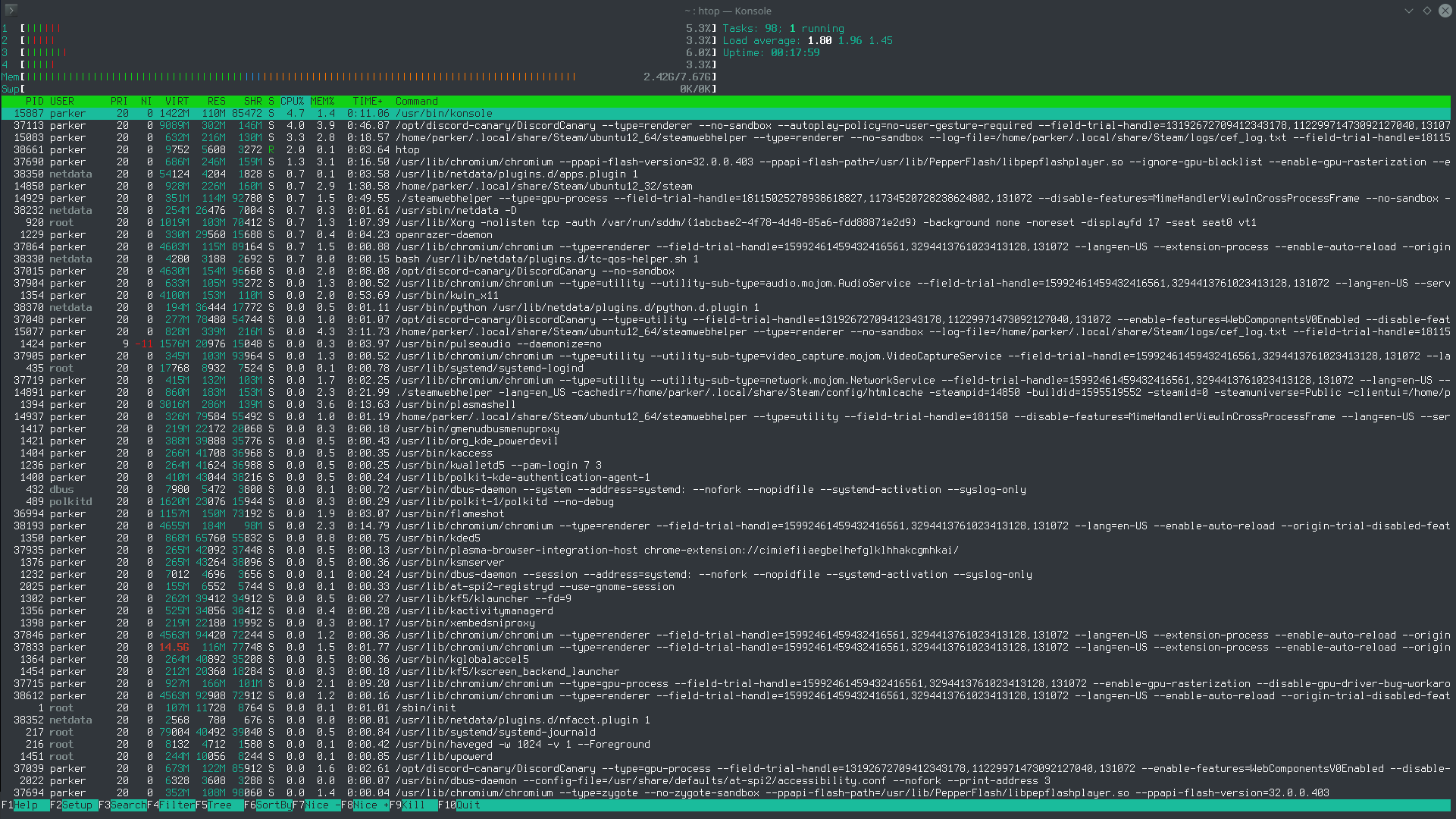

GPU rendering for web views on or off makes no difference.
Steam specs https://gist.github.com/parkerlreed/17e2478499ae43934bc88c8e3aae432f
Seems like this issue may not be unique to Steam for Linux:
https://steamcommunity.com/discussions/forum/11/2798376099463199982/
Even here, even more so for the golden profile, which makes it worse
Yes, I am seeing this too with any window that has animated avatar frames.
PLEASE give us an option to turn them off! It is incredibly annoying to have my laptop fan kick into high gear when all I'm doing is using the chat in Steam.
my old system did melt, literally. My new system is too beefy to show the cpu eating. I noticed some new options appearing in the steam chat client configuration related to this issue.
I can confirm that this is still the case today. I didn't realise this until this comment in #7372 but this was why I was having Steam using around %20-30 of CPU when idling in the background. As soon as I went offline on Steam Friends, the CPU usage went back to normal.
I can confirm that Version 1634158817 (Stable not Beta) consumes 5 cores while absolutely idle.
Closing the chat window (even with just one chat) removes all CPU load
Being offline mode might help
Been having some major fps drops in Dota 2 on linux when tabbing in and out to write messages to friends through steam. Looking at the process the steam process has very high CPU usage resulting in dota going from 100+ fps to >60 fps.
The problem goes away when shutting down the steam windows.
I temporarily resolved it by turning off all chat animations (avatars, backgrounds, whatnots), worth a shot
Strong chance this and #6630 are related. A video I added there also shows how bad the excess CPU consumption can be.
On my zen2: turning off the chat animation does spare off one ~1% cpu steamwebhelper, another ~0.2% cpu steamwebhelper and the 32bits steam process at ~0.3% cpu. An heavily animated profile costs one ~3% cpu steamwebhelper + another ~1% cpu steamwebhelper. If I select the library, I am back at 0%.
The teaching is: up to ~%5 cpu at doing nothing on beefy specs hardware, then on medium/low specs hardware... always have the library selected (or minimal mode, if still around) and do switch off chat.
Linux Mint 21, fresh install, 30% utilization across all cores on a 7950x. Toggling steam chat on and off multiple times changes the utilization accordingly. This is unreasonable.
Edit: Friends list -> settings -> Friends list -> last option (turn off) "Enable animated avatars..." This fixed the issue.
dota2 performance was significantly down.
Started to investigate and was lucky enough to find out it was the steam chat window: if opened, even "idling" and/or hidden, roughly 5 steam client related processes are eating each a steady 20-30% of CPU time (using "top" command). If I close the steam chat window, those processes have their CPU usage back to near 0.
I run an up-to-date beta steam client, onto a state of the art gfx stack, x11 native (no xwayland). I did disable GPU acceleration of the GUI, and even if I do enable GPU acceleration I don't want the steam chat window to use the CPU/GPU while hidden.