Processing Vulkan Shaders indefinitely
Hello @ShalokShalom, you can check if shader pre-caching is actually stuck at Steam -> Settings -> Shader Pre-Caching. If Steam is warming the shader cache for a game, it'll have Processing <game name>... (percentage) just under the Allow background processing of Vulkan shaders checkbox. Alternatively, you could monitor <steam dir>/logs/shader_log.txt.
Some games have a substantial amount of shaders and shader variations, and can take a significant amount of time to process. For what you've described, there isn't enough information to indicate an issue.
It has taken a few seconds before and takes an infinite time - hence the title - now.
Like that since 10 minutes:
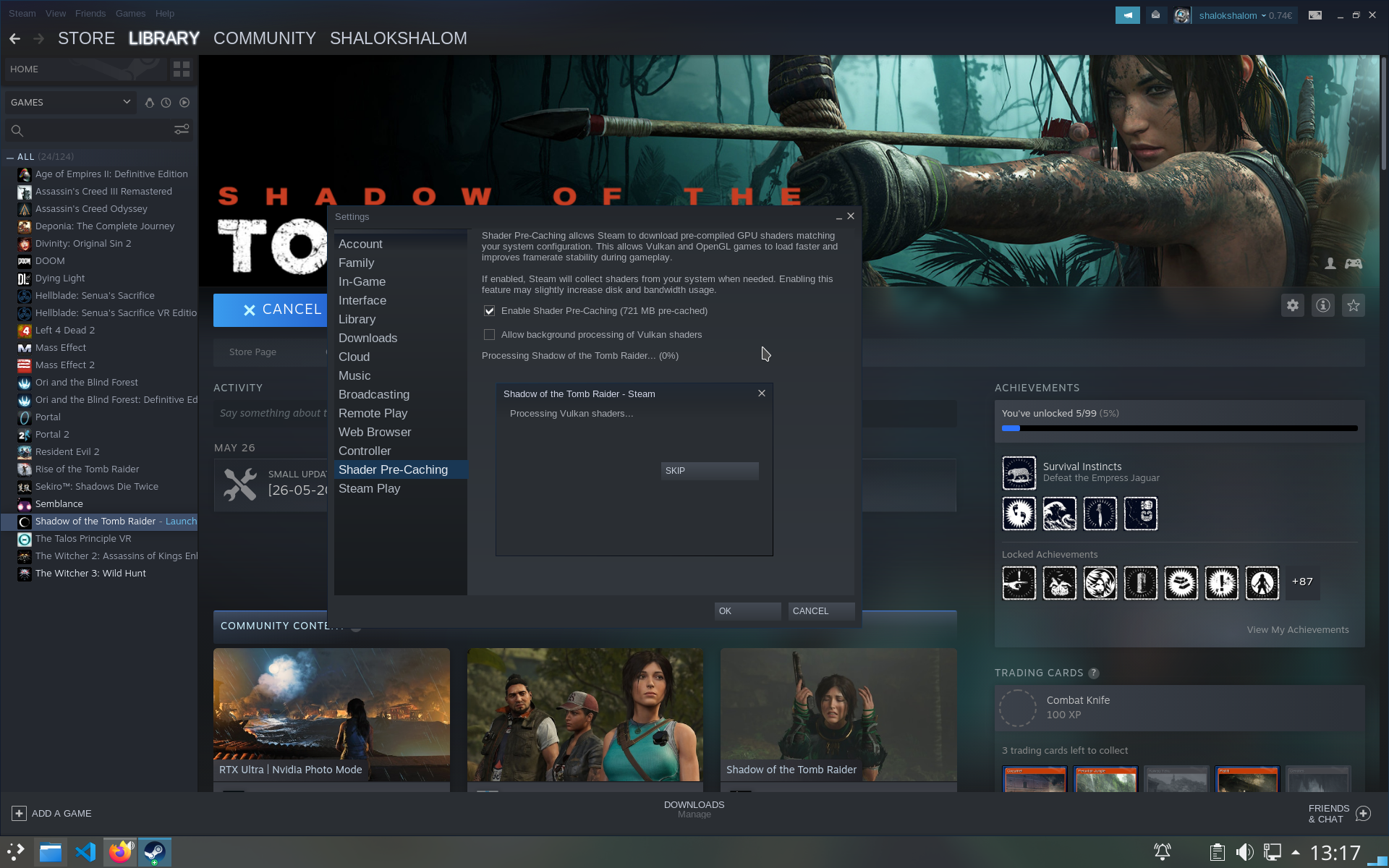
It seems like I had to reboot after the Flatpak had been updated.
Nothing extracted yet.
Your system information
Please describe your issue in as much detail as possible:
When I click "SKIP" the game starts.
I am on a RX 480
X.Org 1.20.8
Mesa 20.0.8