Might have found a solution to the problem after testing a few more things. Clearing the web cache and cookies of the client seem to have resolved the problem.
For future reference this is located under Settings -> Web browser -> Delete Web browser Cache/Cookies.
Sorry if I did too little research on this, but hopefully this can be useful for someone getting this problem in the future.
Nothing extracted yet.
Your system information
Package versions
lsof: 4.93.2-3
python: 3.8.5-1
lib32-gcc-libs: 10.1.0-2
lib32-libx11: 1.6.11-1
lib32-libxss: 1.2.3-1
lib32-alsa-plugins: 1.2.2-1
lib32-libgpg-error: 1.38-1
lib32-nss: 3.55-2
lib32-vulkan-icd-loader: 1.2.148-1
Please describe your issue in as much detail as possible:
Around a week ago I started having problems with the steam client not loading certain CSS styles correctly. This only happens in the store front page and the game pages. This happens every 3-4 page loads. Two screenshots showing the CSS problems are provided below:
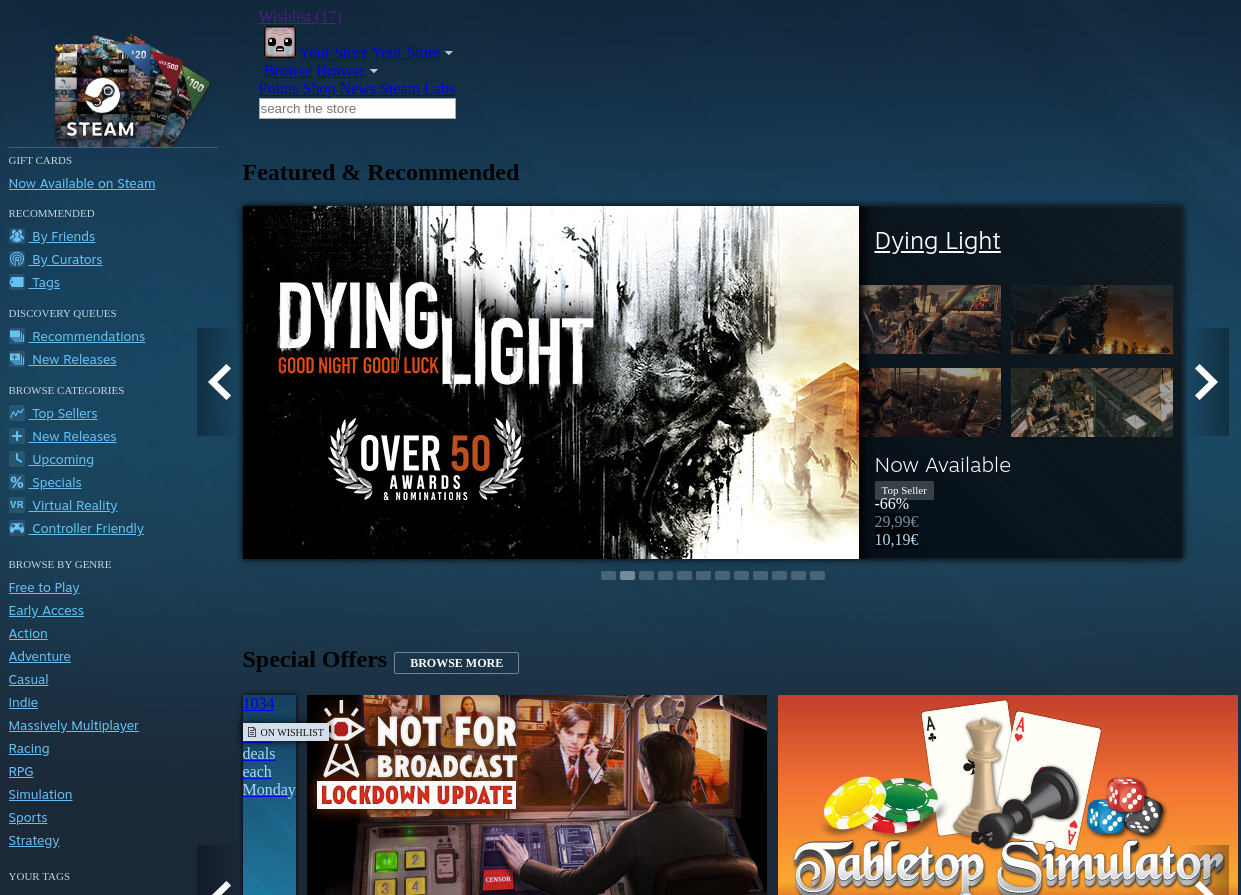
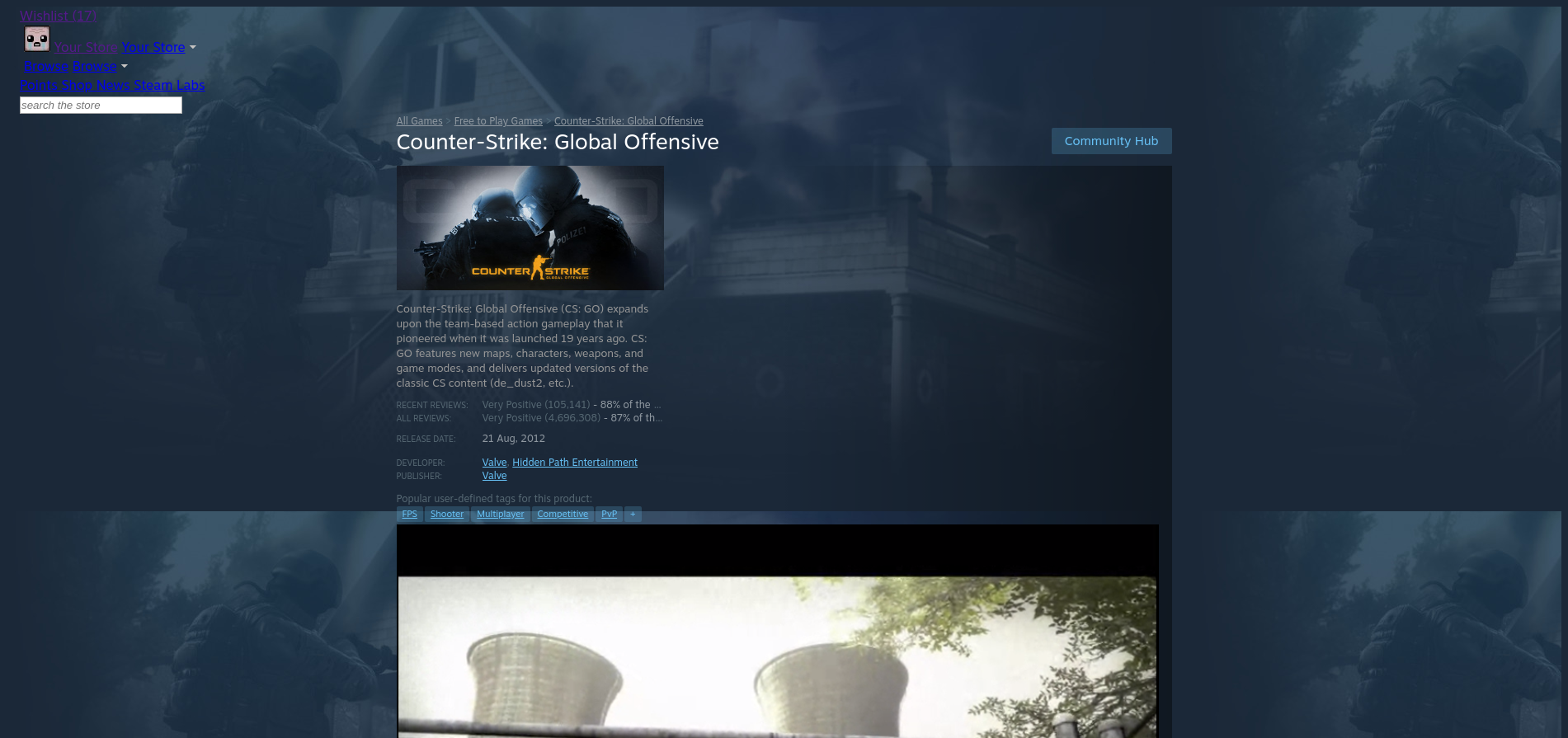
Notice that most of the CSS works in the store page, but the header is broken together with some fonts. In the game page it is very compact, as if it tries to load a mobile version of the page. It does not seem like the CSS styles fails to load on any other page other than these two. The problem does NOT occur on the website version of steam using Firefox.
If there are any logs which could help solve this problem, I will gladly provide them
Steps for reproducing this issue: