Why Does Steam Use its own FIle Browser than OS's? [Feature Request]
it would be pretty cool if steam would just use Thunar (or whatever your favourite file browser is) just like every other Program!
it would be pretty cool if steam would just use Thunar (or whatever your favourite file browser is) just like every other Program!
I agree! Currently i am Using Caja. I am Assuming Debian/Ubuntu Has a Call where it calls the Default FIle manager that is installed.
I think it's to keep the same UI as the Windows version
I think it's to keep the same UI as the Windows version
Well as i said. If Steam's browser was improved. i wouldn't mind it at all.
For the steam overlay, I can understand why we haven't done this yet, since it would draw focus away from the game window and for games that don't support alt-tab it would... Uh. Really f** things up.
Otherwise, I agree that perhaps it's a good idea to use the system's file manager for the built in browser when not in the steam overlay, this goes for Windows too by the way.
However, I also think that in order to improve the experience in-game, we should work on a new and better Steam file browser that can display thumbnails and such and also build it into source engine games if possible. It would really help with the overlay's web browser and also when searching for spray files or using the workshop upload dialog in TF2 or CS:GO.
Yup
we definetly need bookmarks!
I hate having to find my home directory every time I open the file manager
There is something called xdg on Linux, that allows you to communicate with programs like the file manager based on what the user set in their system settings.
A few more things the steam file request dialog does not do (at least in select-directory mode):
- select directory when pressing Return (aka Enter)
- not show hidden files (should be switchable via shortcut)
- make it possible to simply enter (or paste) a path as text. Ideally with auto-completion
The easiest way to get all this, is of course to just use the systems dialog.
we definetly need bookmarks!
I hate having to find my home directory every time I open the file manager
Yes, or at the very least the ability to type the path out.
Another issue Related to Steam's File Browser:
https://github.com/ValveSoftware/steam-for-linux/issues/8314 / https://github.com/ValveSoftware/steam-for-linux/issues/6698
Hello, the 2023-04-27 Steam client beta update should try to use xdg-desktop-portal where available.
Hello, the 2023-04-27 Steam client beta update should try to use xdg-desktop-portal where available.
I've started using the new steam beta client and "Upload a Screenshot" for me is currently doing nothing.
I've double checked that xdg-desktop-portal is installed and nothing new is output to the terminal if I try running steam via that then trying to upload.
In-case it helps, "add non-steam game -> browse" now does use my desktop file picker whereas before I'm pretty sure that also used the steam one.
Are there any logs I could share to help?
Hello, the 2023-04-27 Steam client beta update should try to use xdg-desktop-portal where available.
I have done a somewhat detailed check of what works and what doesn't:
I am Now using Ubuntu 23.04 (X11) Using Mesa Drivers.
This is the Current steam beta version i am using:

So just like @choskyo Mentioned. the OS's file browser is put into use in "Add non-steam game" > Browse:

However in steam chat:
Pressing 'Upload An Image' Does nothing. (Does not even open the old steam file browser)

And any other old prompts that likely used the old steam browser like 'Upload artwork' Also don't appear to do anything at all:
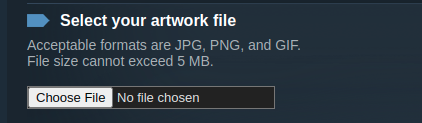
Thank you for your help.
As seen in recent developments in #9373 and that it is now confirmed working. after a few wayland tests and tests with Other DEs we could be able to finally close this issue :)
Confirmed working on Wayland. Steam Version: 1685072487
Hello, the 2023-04-27 Steam client beta update should try to use xdg-desktop-portal where available.
Well, now it simply doesn't open any file manager at all instead of using old one
Update: so, now if you have no xdg-desktop-portal installed, file browser in Steam simply doesn't work anymore...
Update 2: It seems to open my file browser now, but it doesn't load the file I chose anyway… Jeez, just make it optional or something, old file manager did its job just fine, and now it's all broken
Update 2: It seems to open my file browser now, but it doesn't load the file I chose anyway… Jeez, just make it optional or something, old file manager did its job just fine, and now it's all broken
Hey, What OS, File Manager, And Steam beta client version are you on?
Update 2: It seems to open my file browser now, but it doesn't load the file I chose anyway… Jeez, just make it optional or something, old file manager did its job just fine, and now it's all broken
Hey, What OS, File Manager, And Steam beta client version are you on?
Latest steam beta, Arch Linux, Thunar, i3wm
I'll Be closing this issue as File browser is working properly on Gnome/KDE in both X11/Wayland.
And signifies that valve's direction is to use Distro's file browser on Linux. (though it is likely a good idea to have it failsafe to steam's old browser in case it cannot find the Distro's file browser)
Thanks everyone!
If Your specific file browser/Distro has issues with this you should open up a new issue.
for me this is already implemented and working nicely.
Steam's File Browser is in need of serious Improvement. Searching and navigating is very painful in my opinion.

Theres no quick shortcuts to home folder or Other common folders other than Root.
There is no way to jump to a file based on its first letter (as in when you press J it would jump to files starting with J in that folder)
There is no search function.
And there is no Photo Preview (Very important for selecting profile image/Uploading a Photo in Steam chat)
How come Programs like Discord and Others are able to Utilize the OS's File browser to select a photo/file
But steam on Linux uses it's own browser?
in my Opinion The Steam file Browser should either be improved and made up-to-date. Or Steam should find a way to open The OS's File Browser Like Caja..and Other derivatives.
Note:I'm Running Ubuntu 20.10 With the Latest Steam Client (Beta)