Workshop download indefinitely, causing stutter ingame.
I've spent some time stepping through this issue to see if I can spot what's going on.
My observations so far.
- Has been around for a few months on normal and beta clients for Linux
- Removing all subscribed Workshop guides from Dota 2 mitigates the issue
- Some subscribed items are missing from the GUI (Settings and Workshop Subscriptions) (unrelated bug)
- These become visible again after a purge and reinstall of Dota 2 and can then be unsubscribed
- Any attempt to select a new custom guide in game will trigger the issue again, unsubscribe will work
- When a guide is selected Steam will immediately attempt and fail to download it
- The logs give "I/O Operation Failed" as the only notice; disk is not full, no apparmor or selinux faults
- There is an
EXDEVfault when trying torename()a manifest files across appdir and/tmp - The client does not give any error messages when running standard or beta clients
- On failure the download will be rescheduled for five minutes time from now
- Changing download region to several selected randomly around the world has no effect
- Clearing download cache, modifying config files, or complete reinstall has no effect
- Any attempt to force a Download now will attempt to download and re-queue for five minutes
- Changing
AutoUpdateBehaviorinappmanifest_570.acfbetween01and2has no effect - Changing
AllowOtherDownloadsWhileRunninginappmanifest_570.acfbetween0and1has no effect - Changing
ScheduledAutoUpdateinappmanifest_570.acfto a time in the past has no effect - Changes to a given guides' download state in
appworkshop_570.acfhas no effect
The output of various Steam client logs doesn't give much more than general support of the above.
workshop_log.txt
[2021-09-04 14:34:12] [AppID 570] Starting Workshop download job (downloading  )
[2021-09-04 14:34:13] [AppID 570] Get details for item 1468056754 failed : I/O Operation Failed
[2021-09-04 14:34:13] [AppID 570] Get details for item 134962374 failed : I/O Operation Failed
[2021-09-04 14:34:13] [AppID 570] Finished Workshop download job : No Error
[2021-09-04 14:34:13] [AppID 570] Delaying next workshop updated 5 minutes
content_log.txt
[2021-09-04 14:35:28] AppID 570 scheduler update : Priority First, timeSinceLastPlayed=1349, appDisableSecondsRemaining=0
[2021-09-04 14:35:28] AppID 570 state changed : Fully Installed,Update Queued, (Update delayed for 225 secs)
[2021-09-04 14:35:28] AppID 570 state changed : Fully Installed,Update Queued,Update Running,
[2021-09-04 14:35:28] AppID 570 update changed : Running,
[2021-09-04 14:35:28] AppID 570 update changed : Running,Reconfiguring,
[2021-09-04 14:35:28] AppID 570 update changed : Running,
[2021-09-04 14:35:28] AppID 570 update started : download 0/0, store 0/0, reuse 0/0, delta 0/0, stage 0/0
[2021-09-04 14:35:28] AppID 570 has no changes, active:  target:
[2021-09-04 14:35:28] AppID 570 update changed : Running,Staging,
[2021-09-04 14:35:28] AppID 570 update changed : Running,
[2021-09-04 14:35:28] AppID 570 update changed : Running,Committing,
[2021-09-04 14:35:28] AppID 570 starting commit from "/home/edward/.steam/debian-installation/steamapps/workshop/downloads/570" to "/home/edward/.steam/debian-installation/steamapps/workshop/content/570" : 0 updated, 0 moved, 0 deleted files
[2021-09-04 14:35:28] AppID 570 update changed : Running,
[2021-09-04 14:35:28] AppID 570 update changed : None
[2021-09-04 14:35:28] AppID 570 state changed : Fully Installed,Update Queued,
[2021-09-04 14:35:28] AppID 570 state changed : Fully Installed,
[2021-09-04 14:35:28] AppID 570 scheduler finished : removed from schedule (result No Error, state 0xc)
Digging into the "I/O Operation Failed" error I did find an EXDEV fault via Strace when Steam tries to rename the manifest appmanifest_570.acf.tmp.save into /tmp. Prior to this event Steam is happily creating and writing to various tmp, swap, and dated files. After the fault the download thread immediately runs unlink on the manifest and takes no further action. The other threads start accessing various registries, presumably resetting states ready for rescheduling the download.
strace -e trace=file ...
[pid 206755] access("/tmp", F_OK)       = 0
[pid 206755] access("/tmp/steamhgcEeE", F_OK) = -1 ENOENT (No such file or directory)
[pid 206755] faccessat2(0, "/tmp/steamhgcEeE", F_OK, AT_SYMLINK_NOFOLLOW) = -1 ENOENT (No such file or directory)
[pid 206755] openat(AT_FDCWD, "/tmp", O_RDONLY|O_NONBLOCK|O_LARGEFILE|O_CLOEXEC|O_DIRECTORY) = 139
[pid 206755] statx(139, "", AT_STATX_SYNC_AS_STAT|AT_NO_AUTOMOUNT|AT_EMPTY_PATH, STATX_BASIC_STATS, {stx_mask=STATX_BASIC_STATS|STATX_MNT_ID, stx_attributes=0, stx_mode=S_IFDIR|S_ISVTX|0777, stx_size=12288, ...}) = 0
[pid 206755] access("/home/edward/.steam/debian-installation/steamapps/appmanifest_570.acf.tmp.save", F_OK) = 0
[pid 206755] rename("/home/edward/.steam/debian-installation/steamapps/appmanifest_570.acf.tmp.save", "/tmp/steamhgcEeE") = -1 EXDEV (Invalid cross-device link)
[pid 206755] access("/home/edward/.steam/debian-installation/steamapps/appmanifest_570.acf.tmp.save", F_OK) = 0
[pid 206755] unlink("/home/edward/.steam/debian-installation/steamapps/appmanifest_570.acf.tmp.save") = 0
From what's visible this looks likely to either be the issue or part of the chain of events that causes it.
Hopefully the above information helps narrow down the bug. :rocket:
Your system information
- Steam client version (build number or date):
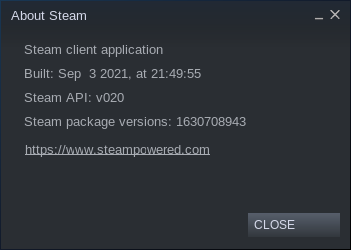
- Distribution (e.g. Ubuntu): Ubuntu 21.04
- Opted into Steam client beta?: Yes and No
- Have you checked for system updates?: Yes
Yup, it's the rename() across devices. This needs to be changed to a copy to avoid issues.
The following are cases where I can replicate the issue.
- Using
ecryptfsfor your home directory or.steamfolder - Storing your Steam Library on any other mount than
/tmp - Using
tmpfsfor your system/tmpdirectory
The following works around the issue for now.
- Exit Dota 2 and Steam client
mv ~/.steam/debian-installation/steamapps/workshop /tmpln -s /tmp/workshop ~/.steam/debian-installation/steamapps/- Run Steam and Dota 2 selecting community guides as normal
For distributions that clear /tmp on reboot you will be forced to re-download all Workshop content every time your computer is restarted. That may not be desirable for other games. You can avoid this by removing the workshop symlink and moving the workshop folder back into your Steam folder prior to restarting.
Undoing the work around.
- Exit Dota 2 and Steam client
rm ~/.steam/debian-installation/steamapps/workshopmv /tmp/workshop ~/.steam/debian-installation/steamapps/- Restart
@kisak-valve I notice someone has been patching Linux file permission issues in the Steam client beta over the last few days. Any chance this one could get snuck into the current sprint too? The required patch is described in my last post. :pray:
I have the same problem with workshop downloads using manjaro linux. Moving the workshop folder as described by epssy helps, but this is a crude workaround. I also need the fix.
So that’s what’s going on. I tried stracing it as well, but I must have missed the problem amongst all the nonsense.
I still don’t see failing renames when I strace it. I suspect that either there is more than one way this bug can happen (yay), or they fixed the first problem, exposing a different one. I guess that would be progress, of a sort.
I still don’t see failing renames when I strace it. I suspect that either there is more than one way this bug can happen (yay), or they fixed the first problem, exposing a different one. I guess that would be progress, of a sort.
The workaround keeps working for me.
Then I’m going to assume that there is more than one bug that can cause this, because the workaround doesn’t work for me. Yay.
For distributions that clear
/tmpon reboot you will be forced to re-download all Workshop content every time your computer is restarted. That may not be desirable for other games. You can avoid this by removing the workshop symlink and moving the workshop folder back into your Steam folder prior to restarting.
can be symlinked to /var/tmp which is supposed to be persistent between reboots. Overall many thanks for your post @epssy, did symlinking and workshop works now!
Nothing extracted yet.
Your system information
Please describe your issue in as much detail as possible:
Open Dota 2, go to guide page and select a guide.
recording: https://youtu.be/d9AH3UX971w
I've tried deleting/editing:
appworkshop_570.acfbut going to the guides page or opening the shop in-game automatically attempts to download guides and breaks everything again.