Runtime Information Tool No Longer Generates Reports in System Information Window
Does this still occur in a current Steam client? If yes, we'll need some more information.
If you run this in a terminal:
~/.steam/root/ubuntu12_32/steam-runtime/run.sh -- steam-runtime-system-info
does it produce a JSON report similar to the one you expected to see in Help -> System Information? Or, if it takes a long time (more than 1 minute), what output does it produce? (If there's a lot, the last 50 lines of output are probably enough.)
Similarly, if you run
/path/to/steamapps/common/SteamLinuxRuntime_soldier/run -- steam-runtime-system-info
replacing /path/to with the path to whatever Steam Library directory you used to install "Steam Linux Runtime - soldier" (usually ~/.local/share/Steam), does that produce a report? Or, if it takes more than 1 minute and still hasn't produced a report, what output does it give? (Again, if there's a lot, the last 50 lines should be enough.)
If one of those does not finish, you can stop it with Ctrl+C.
If you run one of those commands again with G_MESSAGES_DEBUG=all in the environment, that should produce a lot more output. The last 50 lines of that would be useful information - this is debug-level logging, so you might want to check that there's nothing there that you consider too personal, and if there is, replace it with XXX or similar.
@smcv
logs.zip
The issue does still occur in the Steam client, so I did as you suggested with the debug environment variable (doing otherwise didn't show anything) and attached the logs above in a zip file (the entirety of the terminal outputs)
The 2nd command (with SteamLinuxRuntime_soldier) did produce a JSON report but the first one didn't
The 2nd command (with SteamLinuxRuntime_soldier) did produce a JSON report but the first one didn't
OK, good. This is already progress: you've isolated the issue to the older LD_LIBRARY_PATH Steam Runtime environment (the one normally used for Steam, native Linux games and Proton <= 5.0), and it does not affect the soldier runtime environment (the one used for Proton >= 5.13, and for native Linux games if requested).
From the point at which the first command stopped, I think we are either getting stuck while enumerating .desktop files to find the URI handler for steam:, or while checking for xdg-desktop-portal, xdg-desktop-portal-gtk and xdg-desktop-portal-kde, or possibly while detecting CPU features (but that last one seems unlikely).
Is there anything known-broken or known to be unusual on your system that would affect one of those areas?
I noticed this:
pressure-vessel-wrap[783041]: W: Disabling gtk3-nocsd LD_PRELOAD: it is known to cause crashes.
If you disable this, perhaps by running the diagnostic tool as
env LD_PRELOAD= ~/.steam/root/ubuntu12_32/steam-runtime/run.sh -- steam-runtime-system-info
does it work any better?
pressure-vessel-wrap[783041]: W: Disabling gtk3-nocsd LD_PRELOAD: it is known to cause crashes.
"gtk3-nocsd" is a module for disabling GTK decorations in favor of KDE Plasma Qt window decorations
I could disable this but I'd have to uninstall it and see Edit: (didn't notice you mentioned that preload might do it)
I'll get back to you today on this as soon as I can
@smcv
Same result but I'll upload the log:
debug-steam-runtime-run_sh (without gtk-nocsd).log
Is there anything known-broken or known to be unusual on your system that would affect one of those areas?
As for this, I have no clue because I personally don't experience anything else on my system being broken
And the only thing I would think I have to be considered "unusual" for vanilla desktop installs would be gtk3-nocsd, and even removing it altogether didn't fix the issue
"gtk3-nocsd" is a module for disabling GTK decorations in favor of KDE Plasma Qt window decorations
I'm aware of what that module does. The reason I flagged it as potentially a problem is that the way it achieves that result involves overriding several low-level parts of GLib via ELF interposing, and assumptions that it makes while doing that can break both GTK and non-GTK programs that use GLib.
The runtime information tool is a non-GTK program that uses GLib, so, potentially quite relevant here!
I mean, that's understandable, but I did mention too that the problem still occurs even with it completely uninstalled :/
From the point at which the first command stopped, I think we are either getting stuck while enumerating .desktop files to find the URI handler for steam:, or while checking for xdg-desktop-portal, xdg-desktop-portal-gtk and xdg-desktop-portal-kde, or possibly while detecting CPU features (but that last one seems unlikely).
It must be while we're enumerating .desktop files. If we got as far as checking for x-d-p, your log would contain a DEBUG message with text similar to Looking for /.../x86_64-linux-gnu-check-xdg-portal.
We do log Found the default `steam:` handler, so we must have got into _srt_list_steam_desktop_entries(). The next things we do are g_app_info_get_all_for_type ("x-scheme-handler/steam"), and g_app_info_get_all ().
Can you think of any reason why listing .desktop files in your $XDG_DATA_HOME and $XDG_DATA_DIRS would be inexplicably slow? For instance, do you have NFS filesystems in the search paths, or anything like that?
I haven't the slightest idea, to be honest :/
Some versions back (I forget which it was) it was never an issue on this same system and I've always had xdg-desktop-portal, xdg-desktop-portal-kde, and xdg-user-dirs installed
That said, I have symlinks in some hidden directories like ~/.local/share and such to an external drive I have but this was never an issue before :/
My OS drive runs on BTRFS but the other drive I mentioned runs on EXT4
echo $XDG_DATA_DIRS produces:
/home/neko-san/.local/share/flatpak/exports/share /var/lib/flatpak/exports/share /usr/local/share /usr/share
and echo $XDG_DATA_HOME produces no output
@smcv
The problem no longer occurs for me, somehow :open_mouth:; I just tried again for the first time in a while and it even detects my motherboard correctly now (it used to always say unknown)
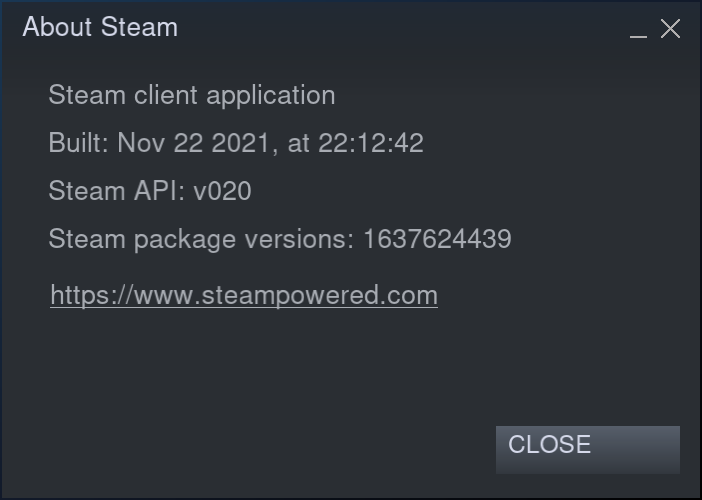
Closing per the last comment.
Nothing extracted yet.
Your system information
Please describe your issue in as much detail as possible:
The Runtime Information Tool in the System Information menu never finishes collecting the data it needs to finish generating a report:
This can be left alone for an indefinite period of time and it still won't finish.
Steps for reproducing this issue: