Steam client version (build number or date): 1626824053
Distribution (e.g. Ubuntu): Windows 10/Arch Linux
Opted into Steam client beta?: [Yes/No] No
Have you checked for system updates?: [Yes/No] Yes
Please describe your issue in as much detail as possible:
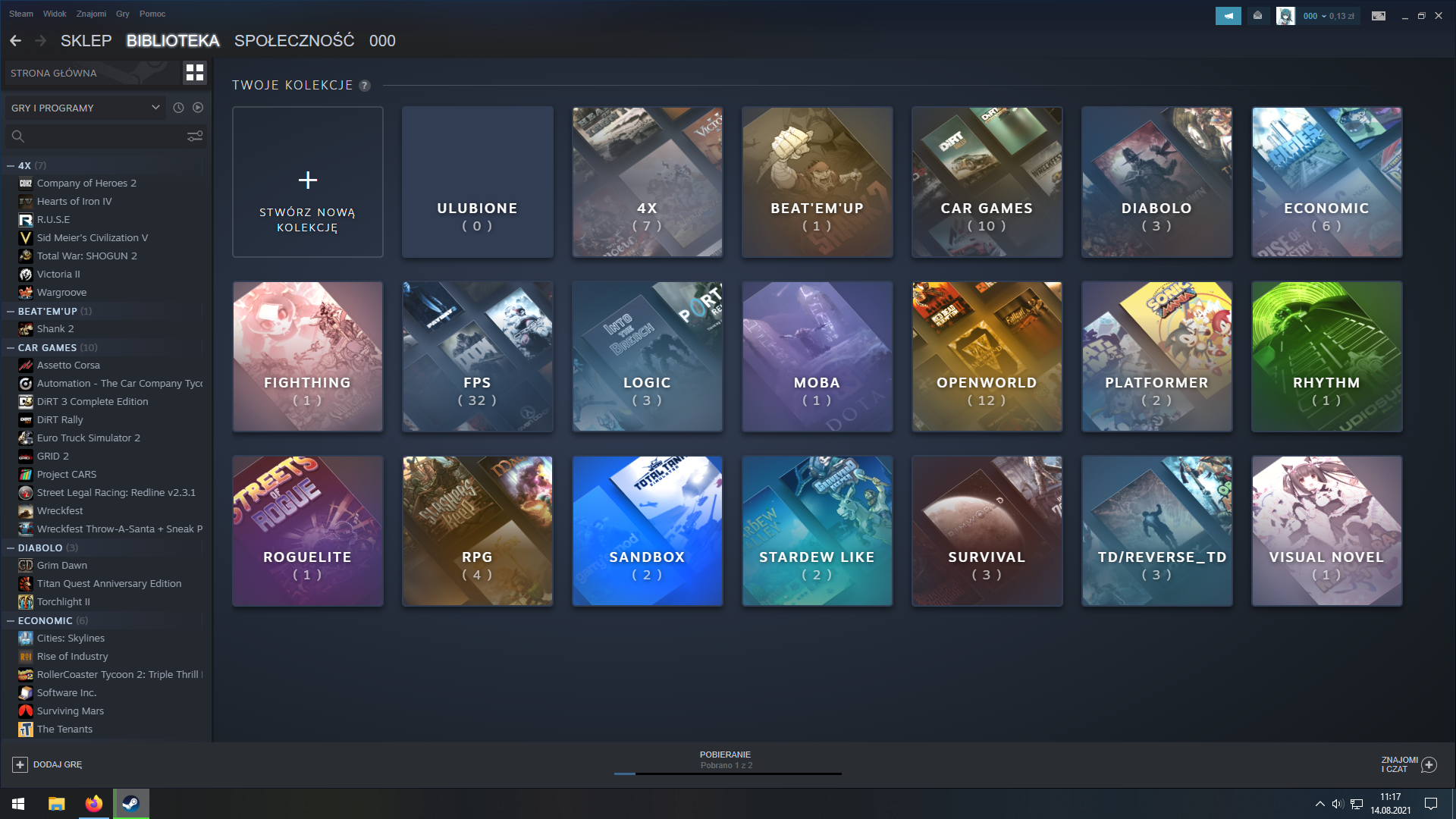
Desktop view: Cathegories easily accessible, case insensitive cathegory names, cathegories are visually emphasized.
Big Picture view: Cathegories are easily accessible in a filter view, case sensitive cathegory names, cathegories are visually unemphasized.
Steps for reproducing this issue:
Enter big picture mode.
Enter library view.
Possible solution:
Set the cathegory names to be case insensitive.
Pull the cathegories away from the filtering option, where they aren't as visually vibrant and easy to navigate(you also can't filter the cathegories by typing in it is name).
Cathegories button would be put on the left, clicking it would show off all of the game cathegories in place of the game tiles, the user can then navigate in and out of the cathegories back into the cathegory view/game view within the cathegory.
Of course this means that thumbnail generation of cathegories has to be created, and I don't have suggestions for that.
Your system information
Please describe your issue in as much detail as possible:
Desktop view: Cathegories easily accessible, case insensitive cathegory names, cathegories are visually emphasized.
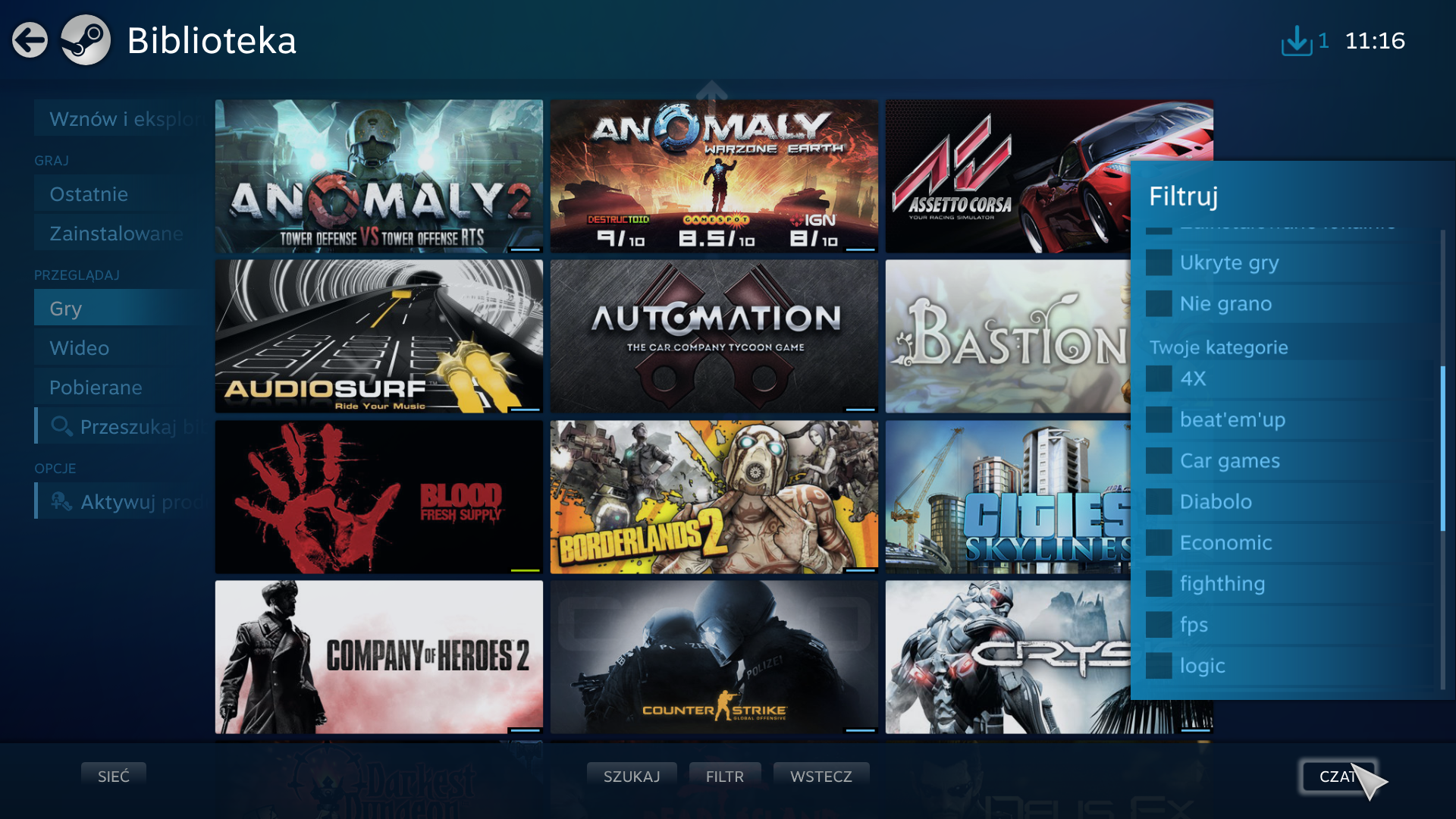
Big Picture view: Cathegories are easily accessible in a filter view, case sensitive cathegory names, cathegories are visually unemphasized.
Steps for reproducing this issue:
Possible solution: