Steam on Linux: Manjaro/Arch Black Screen Issue
Hello @JustKarkat, if you completely close Steam, then run steam-runtime from a terminal, does the terminal spew give any hints? Also, please copy ~/.local/share/Steam/logs/steamwebhelper.log to a gist and share a link or attach the log as a file.
Not the original reporter, but having the same issue on Arch. Started with the beta Steam client yesterday afternoon (PDT), which I then rolled back to non-beta. After that, it worked until the non-beta got updated later that night and now both the beta Steam client and the regular one exhibit this behavior.
steamwebhelper.log gist:
https://gist.github.com/stahara/650be6ac21a4f0d35566c13999109669
Trimmed entries from the end of the steam-runtime command-line spew:
(steam:94028): LIBDBUSMENU-GLIB-WARNING **: 09:32:48.883: Trying to remove a child that doesn't believe we're it's parent.
Installing breakpad exception handler for appid(steam)/version(1631237534)
Runtime for steamwebhelper: defaulting to /home/jjs/.local/share/Steam/ubuntu12_64/steam-runtime-heavy
/home/jjs/.local/share/Steam/ubuntu12_64/steamwebhelper.sh: line 48: FUNCNAME[0]: unbound variable
I had this same issue but got fixed with the most recent update.
Not the original reporter, but having the same issue on Arch. Started with the beta Steam client yesterday afternoon (PDT), which I then rolled back to non-beta. After that, it worked until the non-beta got updated later that night and now both the beta Steam client and the regular one exhibit this behavior.
steamwebhelper.loggist:
https://gist.github.com/stahara/650be6ac21a4f0d35566c13999109669Trimmed entries from the end of the
steam-runtimecommand-line spew:
(steam:94028): LIBDBUSMENU-GLIB-WARNING **: 09:32:48.883: Trying to remove a child that doesn't believe we're it's parent.
Installing breakpad exception handler for appid(steam)/version(1631237534)
Runtime for steamwebhelper: defaulting to /home/jjs/.local/share/Steam/ubuntu12_64/steam-runtime-heavy
/home/jjs/.local/share/Steam/ubuntu12_64/steamwebhelper.sh: line 48: FUNCNAME[0]: unbound variable
I'm basically on your same situation, I just performed a complete system upgrade today, and I just tried to downgrade freetype2, thinking as before, if it was the cause, but no chance, tried the beta, the non-beta, all the cases with the same result, Black Screen issue.
May I add my log too for extra help?
Thanks in advance ^^.
I confirm this issue. Eventually after keeping the program open the steam self updater popped up and updated steam which fixed the issue. For future readers who have this issue keep the client open and wait for the self updater to popup.
I confirm this issue. Eventually after keeping the program open the steam self updater popped up and updated steam which fixed the issue. For future readers who have this issue keep the client open and wait for the self updater to popup.
I second this fix, go to steam in the top left and select 'check for client updates'
I also have this symptom but I'm not on arch. All the embedded browser stuff is just black, no right click menu or anything. The address bar looks to always be in the loading state ("stop" x on the left, spinner on the right). I'm not on the beta track and hadn't updated my system when it started happening today (I have updated now to see if it would help).
Debian testing, X11, AMD graphics with mesa. Steam runtime steam-runtime_0.20210817.0. Built: Sep 10 2021, at 01:00:50. Package version 1631237534.
I tried checking for updates but it says "Your Steam client is already up-to-date".
I tried moving config/htmlcache out of the way to and that didn't help either.
I don't see any new errors on stdout or in the steamwebhelper logs (it complains about zenity not being available, but that isn't new). I tried with -no-cef-sandbox and it didn't help.
There is no new cef_log.txt files being created, there is a cef_log.previous.txt dated yesterday.
I also have this symptom but I'm not on arch. All the embedded browser stuff is just black, no right click menu or anything. The address bar looks to always be in the loading state ("stop" x on the left, spinner on the right). I'm not on the beta track and hadn't updated my system when it started happening today (I have updated now to see if it would help).
Debian testing, X11, AMD graphics with mesa. Steam runtime steam-runtime_0.20210817.0. Built: Sep 10 2021, at 01:00:50. Package version 1631237534.
I tried checking for updates but it says "Your Steam client is already up-to-date".
I tried moving config/htmlcache out of the way to and that didn't help either.I don't see any new errors on stdout or in the steamwebhelper logs (it complains about zenity not being available, but that isn't new). I tried with -no-cef-sandbox and it didn't help.
There is no new
cef_log.txtfiles being created, there is acef_log.previous.txtdated yesterday.
You may want to open a new issue or find a current issue for your system, as this issue has the 'Distro Family: Arch' tag
Hello @JustKarkat, I missed this detail earlier, but your Steam client is out of date and affected by #7935. Please update your Steam client.
Hello @toofar, you've encountered https://github.com/ValveSoftware/steam-runtime/issues/458. The zenity issue has been around for a while and causing trouble, but it was less visible.
@stahara, please open a new issue report focusing on the FUNCNAME[0]: unbound variable error message in your log. It might be a duplicate of #8054, but there's not enough info at this point to tell.
Closing as a duplicate of #7935.
I confirm this issue. Eventually after keeping the program open the steam self updater popped up and updated steam which fixed the issue. For future readers who have this issue keep the client open and wait for the self updater to popup.
I second this fix, go to steam in the top left and select 'check for client updates'
Hmmmmmm, I just did this and I got this.
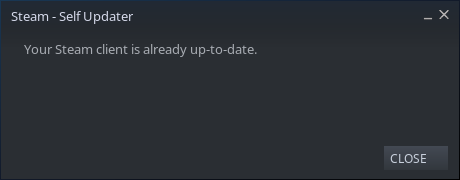
How can I bypass this issue then? Apart from waiting for Valve's fix I don't know when XD.
I confirm this issue. Eventually after keeping the program open the steam self updater popped up and updated steam which fixed the issue. For future readers who have this issue keep the client open and wait for the self updater to popup.
I second this fix, go to steam in the top left and select 'check for client updates'
Hello, I Had this issue on Manjaro and "check for updates" did the job as Kapral67 said :)
Upstream links
- ValveSoftware/steam-runtime/issues/458x1 2021-09
Your system information
Please describe your issue in as much detail as possible:
I expect to launch Steam and be greeted with the store front, and to be able to properly access different sections of the app (such as library, community, or profile). Instead, every single option is replaced with a completely black screen.
Steps for reproducing this issue: