[Feature Request] add "Verify integrity of game files" to the right-Click-Menu
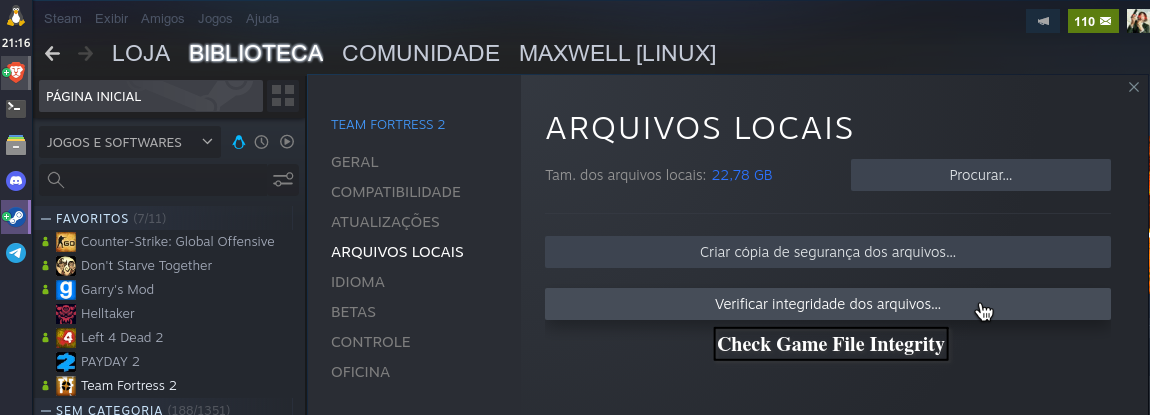
Already have this option in the Linux version, I think you couldn't find it.
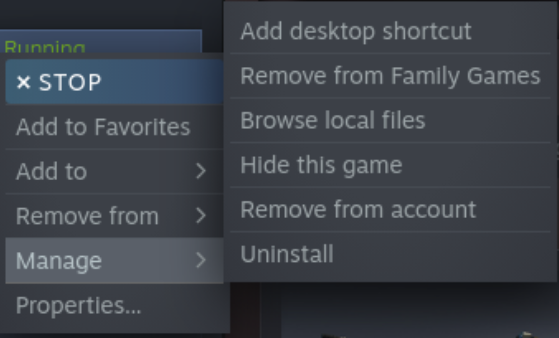
Right-click on the game, and look for ''manage''
Couldn't find it there:
I only know the way above with the properties->Local Files (which looks like your image), but it's complicated and requires several clicks. Given the fact that this function is needed very often from time to time it would be nice to have it directly in the right-Click-Context-Menu of the game for faster/easier access.
Replying to https://github.com/ValveSoftware/steam-for-linux/issues/8163#issuecomment-951129269
Try ''properties''
Lol. I wrote this in the second half of the first sentence, that it's there, but it's somehow complicated (requires at least 4 clicks (right click on the game-> left click on Properties->left click on Local Files-> Left click on verify integrity of Game Files) and you need to open an additional window (properties), which when you forgot to close it may mess up your Desktop...
Would be nice to have this in the right click menu when you right click a game in library.
Or even better: A way to add custom actions to this menu!