Same happens to me as well. What I also notice is, that the steam library on launch has a overlay bar at the bottom until I resize or move the steam window. And the web component only works on the third time. before the window is empty.
I assume this has to do with the chromium update.
Steam client version (build number or date): 1634882040
Distribution (e.g. Ubuntu): Arch Linux
Opted into Steam client beta?: [Yes/No] y
Have you checked for system updates?: [Yes/No] y
Same happens to me as well. What I also notice is, that the steam library on launch has a overlay bar at the bottom until I resize or move the steam window. And the web component only works on the third time. before the window is empty.
I assume this has to do with the chromium update.
Steam client version (build number or date): 1634882040
Distribution (e.g. Ubuntu): Arch Linux
Opted into Steam client beta?: [Yes/No] y
Have you checked for system updates?: [Yes/No] y
Exactly for me as well, I think these two bugs are related
Same here on Arch Linux.
for me the web content is just a small little box in the upper left corner.. once i resize the steam window it starts to render fine.
edit: it seems that it works when you turn on GPU and hardware acceleration from steam settings.
edit: it seems that it works when you turn on GPU and hardware acceleration from steam settings.
That's actually a bad idea, as this opens up a VRAM memory leak, which is present in Steam for almost 2 years.
Enabling hardware accel fixes the issue, but steam chat windows in the overlay are not usable at all...
I've got similar issues as well. Unfortunately I forget exactly when it started.
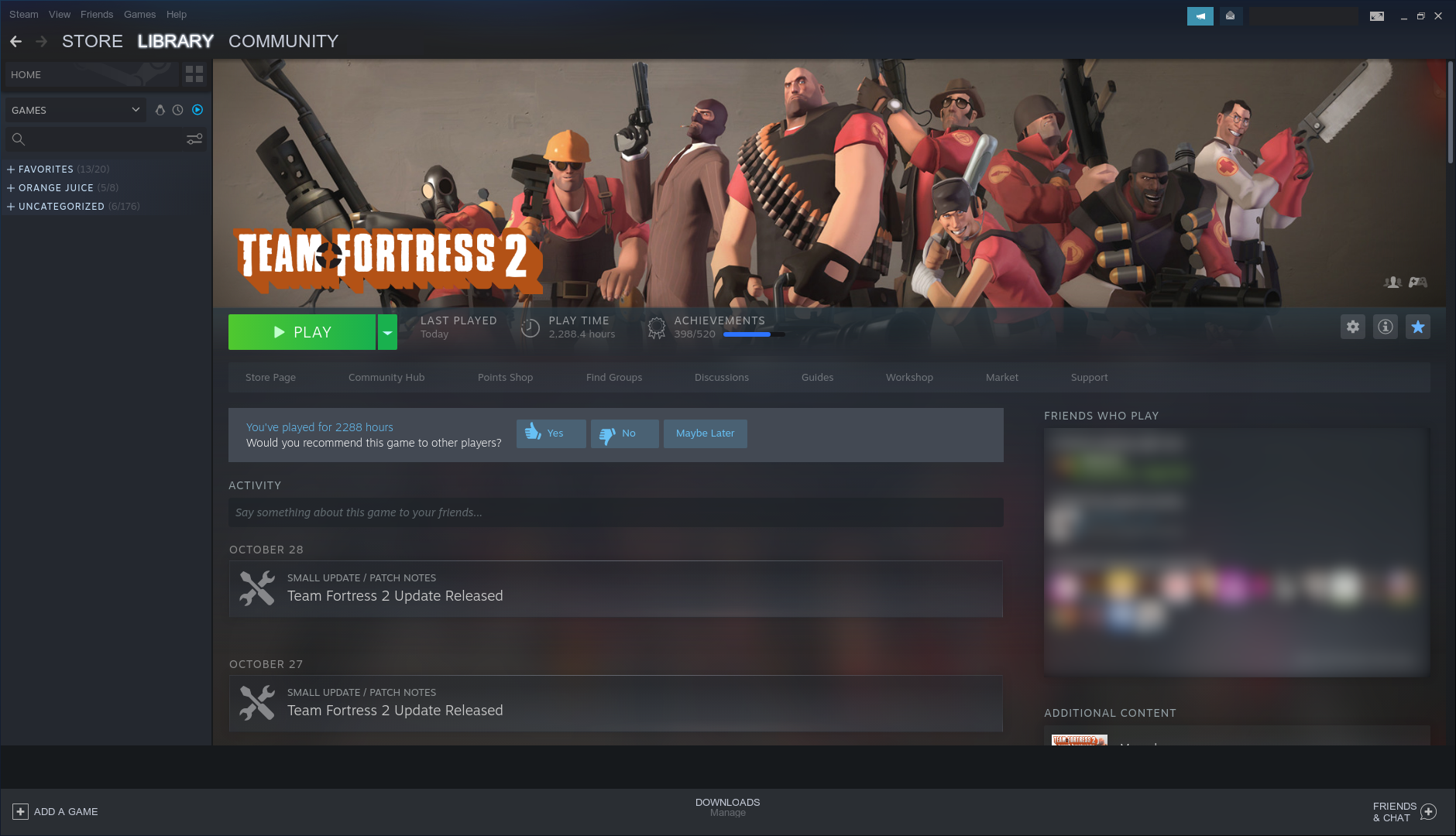
In the Library, there's this bar across the bottom between the bottom header and the content of the window. Changing games doesn't get rid of it.
Library screenshot
If I go to any Community tab, it renders this.
Activity screenshot
Resizing the window fixes both of these cases as long as Steam is still running. Closing and opening the window remains fixed.
Loading the Store page instead will fix Community tabs, but not the Library.
These issues are not present if "Enable GPU accelerated rendering in web views" is enabled. I've been keeping it disabled since it was breaking friend chat windows when enabled in the past, and there's that memory leak as well.
None of this occurs when opted out of Steam beta with "Enable GPU accelerated rendering in web views" disabled.
Hello, "Fix Steam chat and browser windows sometimes becoming unresponsive in Steam Overlay" in the 2021-11-19 Steam client beta update may be related to this issue. Please retest.
Yes, fixed for me.
yeah overlay seems fine now, but the web content not being rendered (small part on top left only renders) issue still remains with hardwarel accel off. have to resize the steam window once to make it show up. that needs different issue ticket maybe?
Closing as fixed in the 2021-11-23 Steam client update.

Your system information
If you move the windows they go back to normal. They also need to move in order for their contents to be updated.
Tested with TF2.