nVidia as primary GPU with hybrid graphics and PrefersNonDefaultGPU=1
Hello @bflanagin, did something change with the nVidia 495 series beta driver compared to older driver series? We've seen this before with some discussion on #7089 and it shouldn't be a version-specific quirk.
Just as reference, same problem here. NVidia GTX-3060 and Prime profile set at performance mode on a Ryzen 7 - 5800 laptop.
Setting PrefersNonDefaultGPU to false starts Steam.
I can confirm this on Fedora 35 as well.
I have both an integrated Intel and nvidia GPU. (don't know which one is primary or secondary).
Workaround:
Removing
PrefersNonDefaultGPUor setting it to false in the .desktop file found at /usr/share/applications/ allows the application to launch.
I'm running Arch / Ryzen 7 1700 / Nvidia Gtx 1070 / Cinnamon Desktop Environment
It's been months that I have this issue : https://github.com/ValveSoftware/steam-for-linux/issues/8359
Your workaround works like a charm.
This is weird because I only have one GPU, no integrated graphics in my CPU.
Thank you very much !
Linking this comment (https://github.com/ValveSoftware/steam-for-linux/issues/8555#issuecomment-1153257121), as this seems to be an issue with the Nvidia drivers when PrefersNonDefaultGPU=true.
Workaround:
Removing
PrefersNonDefaultGPUor setting it to false in the .desktop file found at /usr/share/applications/ allows the application to launch.
Almost February, 2023, and setting PrefersNonDefaultGPU=false on /usr/share/applications/steam.desktop is what fixed it for me.
Your system information
- Steam client version (build number or date):
- Build Date: Dec 15 2021 at 21:27:25
- Steam API v020
- Steam Package Version 1674790765
- GPU: NVIDIA Quadro T2000 - 4096 MB
- NVIDIA driver version 525.78.01
- Distribution (e.g. Ubuntu): Pop!_OS 20.04
- Opted into Steam client beta?: No
- Have you checked for system updates?: Yes
Also it randomly tells me that I don't have internet working: 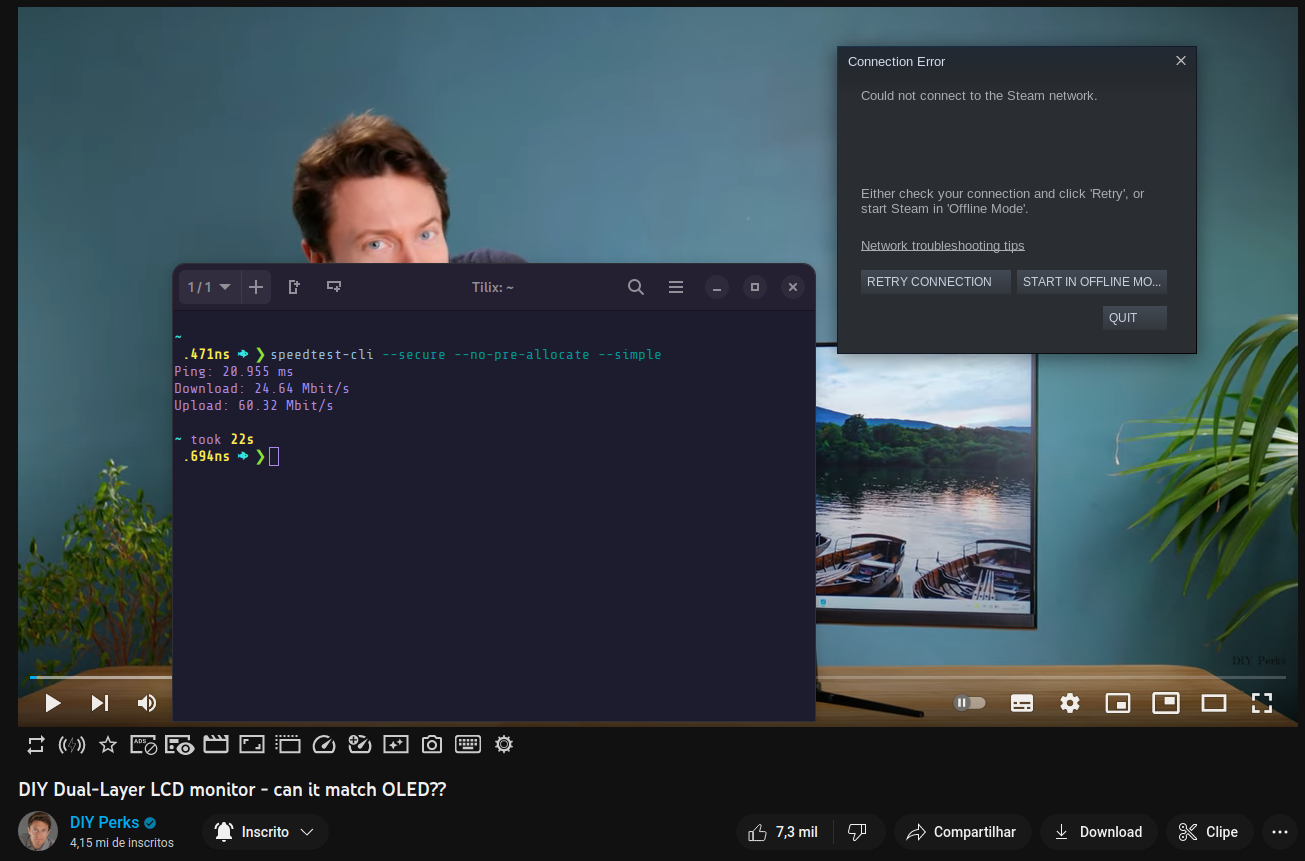
[Edit]
Running flatpak run com.valvesoftware.Steam it happens, but not with steam installed via dnf.
On Fedora 38 Beta fully updated and NVIDIA drivers 530.30.02, also beta, same settings, click on the .desktop file for the flatpak version opens Steam, BUT it takes about 15 seconds for it to feel my 16GB RAM completely. Sometime systemd-oomd service kills it, some times it doesn't and takes almost 5 minutes for me to get to tty4. Opening via terminal nothing like that happens. Things are in beta, but I thought I would let you know.
Operating System Version:
    Freedesktop.org SDK 22.08 (Flatpak runtime) (64 bit)
    Kernel Name:  Linux
    Kernel Version:  6.2.8-cbl1.0.fc38.x86_64
    X Server Vendor:  The X.Org Foundation
    X Server Release:  12014000
    X Window Manager:  GNOME Shell
    Steam Runtime Version:  steam-runtime_0.20230118.0
[Edit]
I forgot to mention that if I open it via the .desktop it shows the store correctly, if I run via terminal, the store is a blank white page.
Also, now with NVIDIA drivers 530.41.03, the memory leaks did not happen, but the store is blank doesn't matter which method I use to run Steam Flatpak.
Hi there, removing the PrefersNonDefaultGPU=true technically works but then Steam starts using the integrated GPU. I mean, for me starting Steam but without it using my RTX (my laptop's integrated GPU is shitty) isn't really a solution.
Isn't there any way to make Steam start using the discrete GPU ?
I tried using wayland or xorg, the flatpak or rpm steam, but no matter what it never starts. I have the nvidia drivers 535.
This is happening to me as well, but I'm on an AMD system. This issue occurs on Wayland as well as X11. Can confirm that setting PrefersNonDefaultGPU=false in the .desktop file works, as well as removing the setting entirely. Starts fine from the terminal (I assume this is using the iGPU by default). If I disable my iGPU in the UEFI, however, Steam runs just fine on my dedicated GPU.
Your system information
- Steam client version (build number or date):
- Steam Version: 1698777785
- Steam Client Build Date: Tue, Oct 31 3:09 AM UTC -08:00
- Steam Web Build Date: Sat, Oct 28 1:29 AM UTC -08:00
- Steam API Version: SteamClient020
- Distribution (e.g. Ubuntu): Fedora 38
- Opted into Steam client beta?: No
- Have you checked for system updates?: Yes
- GPU: AMD Radeon RX 7900 XT / AMD Ryzen 7 7700X (iGPU)
- GPU Driver: Mesa 23.1.9
I had this issue and managed to fix it by editing the following file ~/.steam/debian-installation/deb-installer/steam.desktop and changing PrefersNonDefaultGPU=true to PrefersNonDefaultGPU=false. I'm using Debian Trixie and checking the file /usr/share/applications/steam.desktop doesn't have the PrefersNonDefaultGPU=true option inside, so I guess that different distros store the steam.desktop file in different directories, for Debian it's inside the .steam directory for some reason, so if anyone's having this problem in Debian check inside the ~/.steam/debian-installation/deb-installer/ folder, the correct steam.desktop should be in there. Once edited I had to reboot before Steam would launch on the Integrated GPU.
this has been as issue for as long as i remember, using linux mint 21.2 at the moment, on a laptop using a gtx 1050ti.
killall -9 steam works wonders.
As other people mentioned, my guess would be that steam doesn not register GPUs correctly when switching from the intel iGPU to the nvidia gpu. so it tries to run on the intel gpu while the nvidia gpu is active, thus not rendering anything. works fine when in nvidia on demand mode but i dont like to use it as it doesnt always work well. Thanks to all of your input I know the fworkaround now but would be nice if this get fixed one day.
i am having a very similar issue but on a all amd system issue on gentoo, more info in the issue link
https://github.com/anyc/steam-overlay/issues/368
Hello @testc2n14, you're most likely looking for #9383 instead of this issue report.
Hello @testc2n14, you're most likely looking for [#9383](https://github.com/ValveSoftware/steam-for-linux/issues/9383) instead of this issue report.
no it's not that as dri_prime=1 didn't fix my issue
Related threads
- New steam UI does not open if run with DRI_PRIME=1steamopen same upstream bug
- steamwebhelper crashing on NVIDIA with GPU-accelerated web rendering (workaround in beta)steamopen same upstream bug
- steamwebhelper repeatedly crashessteamopen same upstream bug
- New Steam UI only opens after running `steam --reset`steamclosed same upstream bug
- Steam Won't Open On Linux Mint Cinnamon 21.2 Victoria (Except By Right-clicking & Selecting "Settings")steamclosed same upstream bug
- Steam will only start With Terminal and if Opened with Start icon will breaksteamclosed same upstream bug
- [BUG] With Hybrid Graphics, SteamVR and Steam Client need to use the same GPU otherwise invisible UI in SteamVRsteamvropen same upstream bug
- steam stopped working after recent updatesteamclosed same upstream bug
- [BUG] Steam crash in KDE plasmas 6 manjaro, Opening loop crashsteamclosed same upstream bug
- Steam Crashes after logging insteamclosed same upstream bug
Your system information
Please describe your issue in as much detail as possible:
When using applications / activities to launch steam while on systems with hybrid graphics running the 495.29.05 beta Nvidia driver steam fails to launch.
Reference: https://github.com/pop-os/nvidia-graphics-drivers/pull/122
Workaround:
Removing
PrefersNonDefaultGPUor setting it to false in the .desktop file found at /usr/share/applications/ allows the application to launch.Steps for reproducing this issue:
killall -9 steam