Blank menu in system tray
steamclosed
Steam clientDistro Family: Ubuntu
Hello @yav12, this reads like #5222. What are the contents of ~/.steam/steam/ubuntu12_32/steam-runtime/pinned_libs_*? If you completely close steam, then move or remove the pinned_libs folders, then restart steam, does the steam tray icon behave?
Hiya
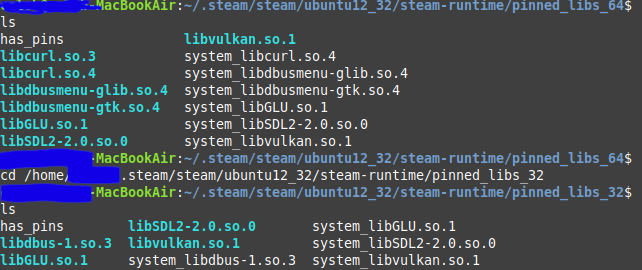
.../pinned_libs_32 & .../pinned_libs_64 both have several files in them:
After moving the pinned_libs folders and restarting steam, the tray icon works again :crab:
Thanks a bunch
Nothing extracted yet.
Your system information
Please describe your issue in as much detail as possible:
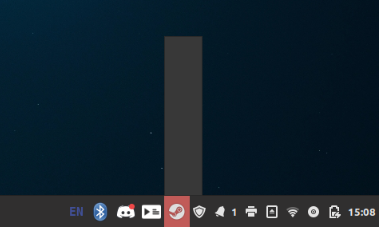
When I click the tray icon on the taskbar, a blank bar shows up instead of the normal options (store, library, friends, recent games etc.), as shown in this image.
When i run steam from the command line, a message pops up when i press the tray icon:
(the spelling error is really there too) :>
Steps for reproducing this issue: