Case misalignment in Record of Agarest War Mariage's launch config causes chdir to fail
It should do this, perhaps it is failing due to casing reasons, as the app config is Exe/ but the depot only has EXE as a folder.
Yes, this is a casing thing: I made a test case of several app launch configs.
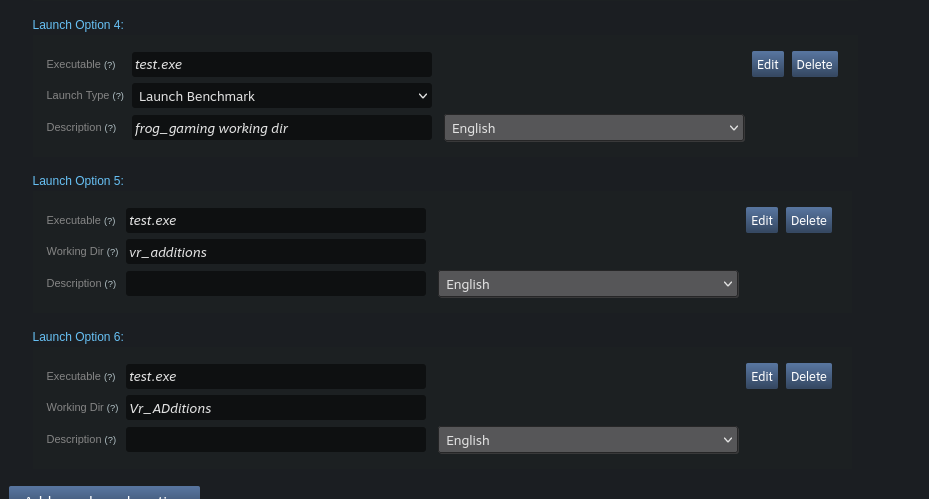
The first one gives:
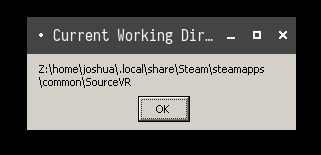
The second:
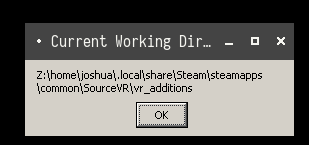
The third:
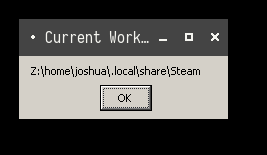
@kisak-valve, so is this considered a game bug for the developer side? It would be nice to have some checks for such issues on the Valve server when developers upload games.
Hello @zzhiyi, friendly reminder that I'm a moderator for Valve's issue trackers on Github, and not a Steam developer myself. We'll need to hear from a Steam dev on how they'd like to handle this particular issue.
@zzhiyi No, Steam just needs to do casefolding when setting working dir
By the way, other game configs seem also affected. For example, the steam cloud saves path as shown at https://github.com/ValveSoftware/steam-for-linux/issues/7512.
(fix is making it's way through the pipeline)
Thanks. Looks like it's fixed.
The original report is that Record of Agarest War Mariage (740550) doesn't start. It is caused by the current directory being set to ~/.local/share/Steam/. The game won't run even on Windows if the current directory is set to any other directory because it's calling CreateFileW() with relative paths, for example ../Data/PROJECT.PAC. The patch for Proton makes the fake steam.exe launch the game in the game directory. However, on second thought, I don't think the current directory should be set in steam.exe. Rather, the Steam Linux client should set the current directory before running the proton script. The reason is that the Steam Linux client or native steam client can add non-steam games to its library, and creating shortcuts with "Start In" can be set to any directory. If the current directory is set by fake steam.exe, it will overwrite the settings from the Steam Linux client.
@kisak-valve