the content of rendered Steam client area goes blank in maximized window mode
Hello @Frambooisier, your system information tells us that 32 bit OpenGL on your system is unhealthy. Something's gone wrong with your installation of the NVIDIA proprietary driver and the system is using llvmpipe as a fallback to render 32 bit OpenGL on the cpu.
It looks like the NVIDIA driver packaging for OpenSUSE was recently split into separate 32 bit and 64 bit userspace packages. Please verify that all the relevant 32 bit packages are installed (similar to the discussion on #8608).
yes, I have installed the 32bit part of the Nvidia driver when solving this problem https://github.com/ValveSoftware/halflife/issues/3279
after installation of the 32bit Nvidia package, the game's framerate is reasonably high now
Assuming that the NVIDIA driver is otherwise sane, for some reason, 32 bit libglvnd is picking llvmpipe over the NVIDIA driver. This is abnormal and I don't know what could make that happen, especially since it started behaving as expected elsewhere.
Any chance that Steam has been running since before the package adjustment you made earlier today and it's remembering llvmpipe as the only available choice? If that's the case, please restart Steam and recheck the 32 bit glx/gl section of the extended diagnostics information in Steam's system information.
yes, you are 100% about steam not knowing about the change, I forgot to restart the system after 32bit installation as I frequently use the sleep option. Throughout my limited understanding, after system restart, the renderer seems to be using Nvidia now, despite all of that the problem still occurs. I can confirm now that problem occure after a system sleep cycle. Do I understand correctly, this part tells me that if a "null" value is present then the CPU renderer is in use?
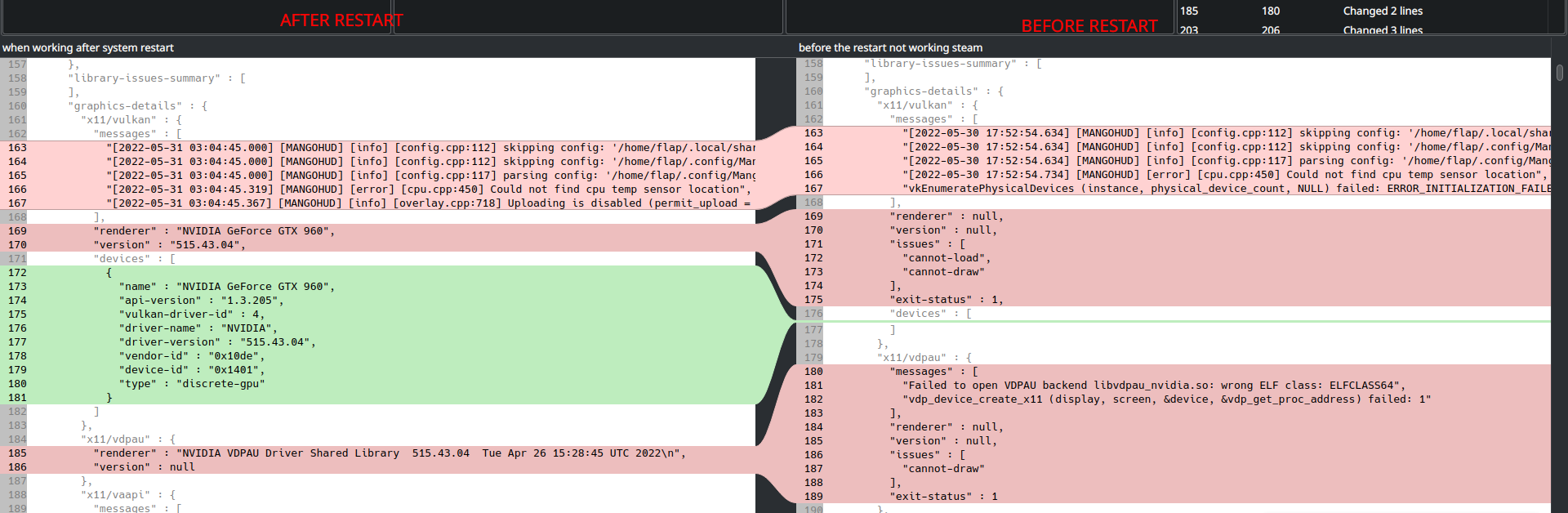
Steam system info after restart:
https://gist.github.com/Frambooisier/52f10226d3b8ec5fbbe565131488890d
Thanks for checking.
I read "version" : null as the diagnostics utility checked for a value for version with the driver and that particular render path, and there was nothing there (null). That's not an indicator of an issue by itself.
#8182 is possibly related to this issue report, but that issue report describes a much more severe behavior.
I also noticed, that at the same time when the above-mentioned problem occurs, some parts of the in-game steam overlay are not rendered, also in-game web content is not rendered (blank) playing Coh2 via proton experimental. The issue happens at the same time as the previous one, restarting the Steam fixes the problem.
Proton versions
proton experimentalx1 2022-06
Your system information
Please describe your issue in as much detail as possible:
The content of the Steam window becomes blank when put to maximized window mode, system was in sleep before the problem might have something to do with it. Closing the Steam window and bringing it back does not solve the problem, Steam restart solves it.
Video of the issue
https://user-images.githubusercontent.com/15931041/171070635-fd0525c6-9f98-4b89-af59-a787bfdaf820.mp4
System information
https://gist.github.com/Frambooisier/6b47b15fa639ae15fbe157b9c44f0292