[Steam Deck] Global setting to disable updates for all offline games
Hello @ruineka, I don't understand the scenario here. In general, Steam's game updates are non-blocking and pause when you tell Steam to start a game (unless explicitly allowed to continue during gameplay). Only the specific game you want to play has to be updated. Is there a specific example where this is not true?
If you're asking for game updates to be disabled outright, please see https://github.com/ValveSoftware/steam-for-linux/issues/8711#issuecomment-1197050595.
Hello @ruineka, I don't understand the scenario here. In general, Steam's game updates are non-blocking and pause when you tell Steam to start a game (unless explicitly allowed to continue during gameplay). Only the specific game you want to play has to be updated. Is there a specific example where this is not true?
If you're asking for game updates to be disabled outright, please see https://github.com/ValveSoftware/steam-for-linux/issues/8711#issuecomment-1197050595.
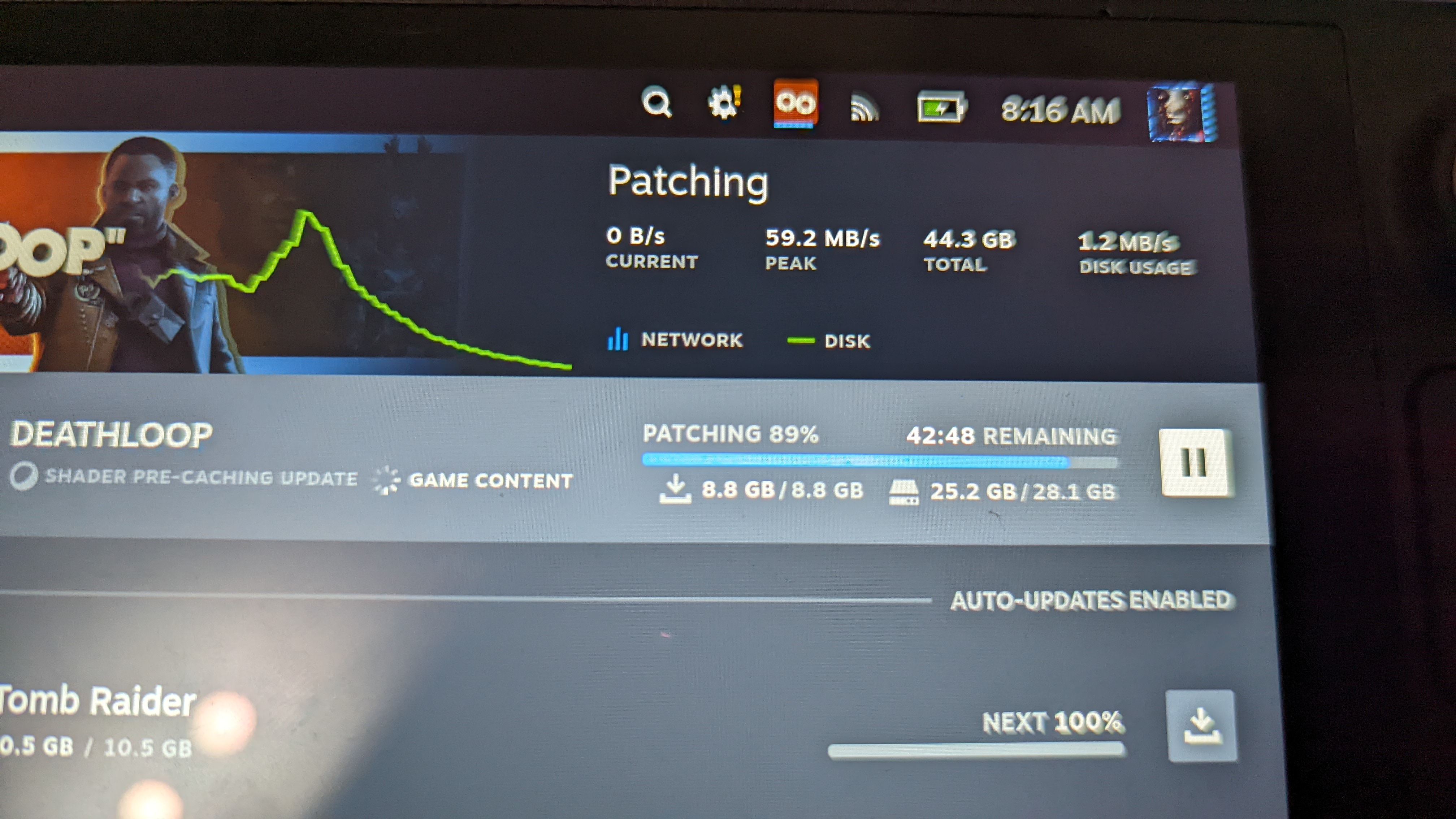 Here is an example. When I want to play a game and it has an update I'll be waiting for up to hours for it to finish before I can launch the game.
I read #8711 and I understand the reasoning for this, the only thing I can suggest is to have a discussion about this. The Steam Deck changes things a bit here I think. Especially when you are working with limited storage and likely to have to use an SD Card to store games. It is definitely the biggest complaint I have with the Steam Deck by far. I just want to pick up and play, you know? :)
The screenshot looks like you're showing poor write performance of the SD card. That behavior might be temporarily mitigated by running fstrim on the SD card's partition.
For the main part of this issue report, this is a duplicate of #8711.
The screenshot looks like you're showing poor write performance of the SD card. That behavior might be temporarily mitigated by running fstrim on the SD card's partition.
For the main part of this issue report, this is a duplicate of #8711.
I saw this idea tossed around before by the Steam community, I'll give it a shot.
It didn't help, hooking up a Type C reader makes the SD card read/write much faster. It appears to be a common problem people talk about.
The idea with the steam deck is to just pick up and play, but it's hard to do that when you turn your system on and all your games are trying to update. When your time is limited you are likely to just shut it off and give up on the idea.
This brings me to my suggestion: Settings>General>Turn off automatic game updates
You can currently do this per game, but this is less than ideal and a pain to deal with. If I recall correctly it'll attempt to update when you launch the game anyway.
This also drains your battery waiting for up to HOURS for a game to update from an SD card. In most cases it's 20-40 minutes for larger games, but still.