Hmm. I dont have Deck, but it seems that theres an issue with that on Desktop Client also. in the Beta channel, Nothing happens with "Browse Local Files". Nothing in the steam log either. In stable channel all works as intended.
Happens with both Steam games and non-steam games
Hello, per "Fixed regression where Browse Local Files was no longer working" in the 2022-10-10 Steam client beta and 2022-10-10 Steam Deck client beta update, please retest this issue.
Hello, per "Fixed regression where Browse Local Files was no longer working" in the 2022-10-10 Steam client beta and 2022-10-10 Steam Deck client beta update, please retest this issue.
Works without issues now. Thank you for the update!
edit: I'm confirming the Desktop client issue is fixed.
Hello, per "Fixed regression where Browse Local Files was no longer working" in the 2022-10-10 Steam client beta and 2022-10-10 Steam Deck client beta update, please retest this issue.
Still doesn't work in game mode with steam client 1668457868 1668654410 1669935636 1671485780 ...five months later... 1682708537 ...three months later... 1691097434 ...four months later... 1696080661 ...three years later... 1782257239.
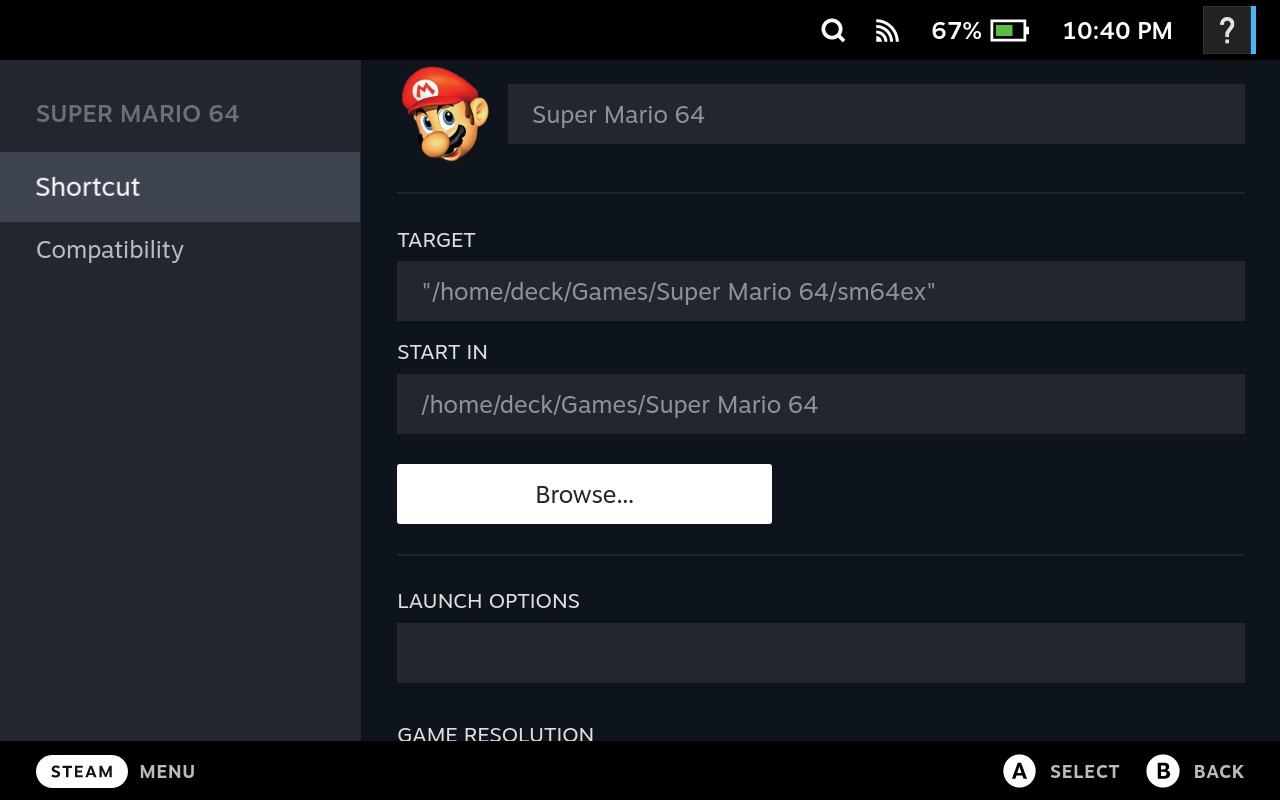
And now there's two browse buttons that don't work.
was this ever fixed? Or had on unofficial fix found? These buttons have never worked for me in Game Mode on the Steam Deck at all.
Nothing extracted yet.
Your system information
Please describe your issue in as much detail as possible:
In game mode, the "Browse..." button in the properties for non-steam games does nothing when tapped or clicked.
Steps for reproducing this issue: