SP Controller Configurator window is blank
Can confirm issue on Nvidia RTX 2070 with latest closed drivers. Controller configurator window comes up blank and is unusable.
Confirming issue on Nvidia RTX 1650. I'm specifically using i3 as my WM if that makes a difference.
Launching General Controller Settings, and configurations for Big Picture and Desktop does work, it's only configuration for individual games that seem to be having this issue.
Same issue here, I'm on windows 10 using an i7-8700 and a 1060 6GB
Same here: Linux openSUSE Tumbleweed (kernel 6.0.8), AMD CPU (2xOpteron 6386SE, 32 core), 32GB RAM, nVidia GTX970 (driver version, 525.53).
Same issue on Linux Mint 21, AMD Ryzen 7 5700G, 16 GB of RAM, and GTX 1080 using driver version 520. Works on Big Picture, but that's annoying to use on a desktop.
I was able to work around this issue by entering big picture mode to adjust the settings.
I was able to work around this issue by entering big picture mode to adjust the settings.
It was mentioned on my initial report. Thank you for testing though. What distro are you using?
Last week-end I had to replace my grafics card, a 6 years old nVidia GTX 970, due to a hardware failure.
I replaced it with an AMD RX 6600. Now this issue is disappeared, so I think that this issue is related to nVidia drivers.
I was able to work around this issue by entering big picture mode to adjust the settings.
It was mentioned on my initial report. Thank you for testing though. What distro are you using?
Arch 6.0.8-arch1
Issue is no longer present on my device as of Dec. 17th on the latest Steam Beta Update.
Distribution: Arch Linux x86_64
Kernel: 6.0.12.zen1-1
NVIDIA Driver: 525.60.11-1
Graphics Card: GeForce GTX 970
I still have the issue in Steam beta and even in Big picture
I still have the issue in Steam beta and even in Big picture
I tried it based on the suggestion by @ShaneTRS and it worked for me. It was necessary to restart Steam a couple of times though.
had the same issue, updated to beta steam seems to work, its a whole new app layout for configuring controllers
UPDATE, its broken again
I still have this issue in Steam Beta in AMD GPU if not in Big Picture mode. Also Big Picture Mode seems broken in latest Beta.
I can confirm it works for me when opting into beta (Fedora 36, Nvidia proprietary 525.ish). Big Picture Mode work for me too.
its broken again for me for some reason, only thing that could have changed was i had a big system update.
Same problem Endeavour OS (Arch based), NVIDIA proprietary. Big picture mode works for me but outside of it, I get the empty window when I open controller layout.
Same problem Endeavour OS (Arch based), NVIDIA proprietary. Big picture mode works for me but outside of it, I get the empty window when I open controller layout.
Yep, im on the same setup Endeavour OS & nvidia. the only work around i got so far is to launch big picture mode and then configure controller.
Same problem Endeavour OS (Arch based), NVIDIA proprietary. Big picture mode works for me but outside of it, I get the empty window when I open controller layout.
Yep, im on the same setup Endeavour OS & nvidia. the only work around i got so far is to launch big picture mode and then configure controller.
That would be a fantastic solution, but big picture crashes on me.
I can also confirm this issue. The controller configurator shows a transparent window on the latest stable Steam client. With the current beta I get an all black window instead.
Distribution: Arch Linux
Kernel: 6.1.7
Graphics card: Nvidia GeForce GTX 970
Nvidia Driver Version: 525.85.05
Windowing system: X11
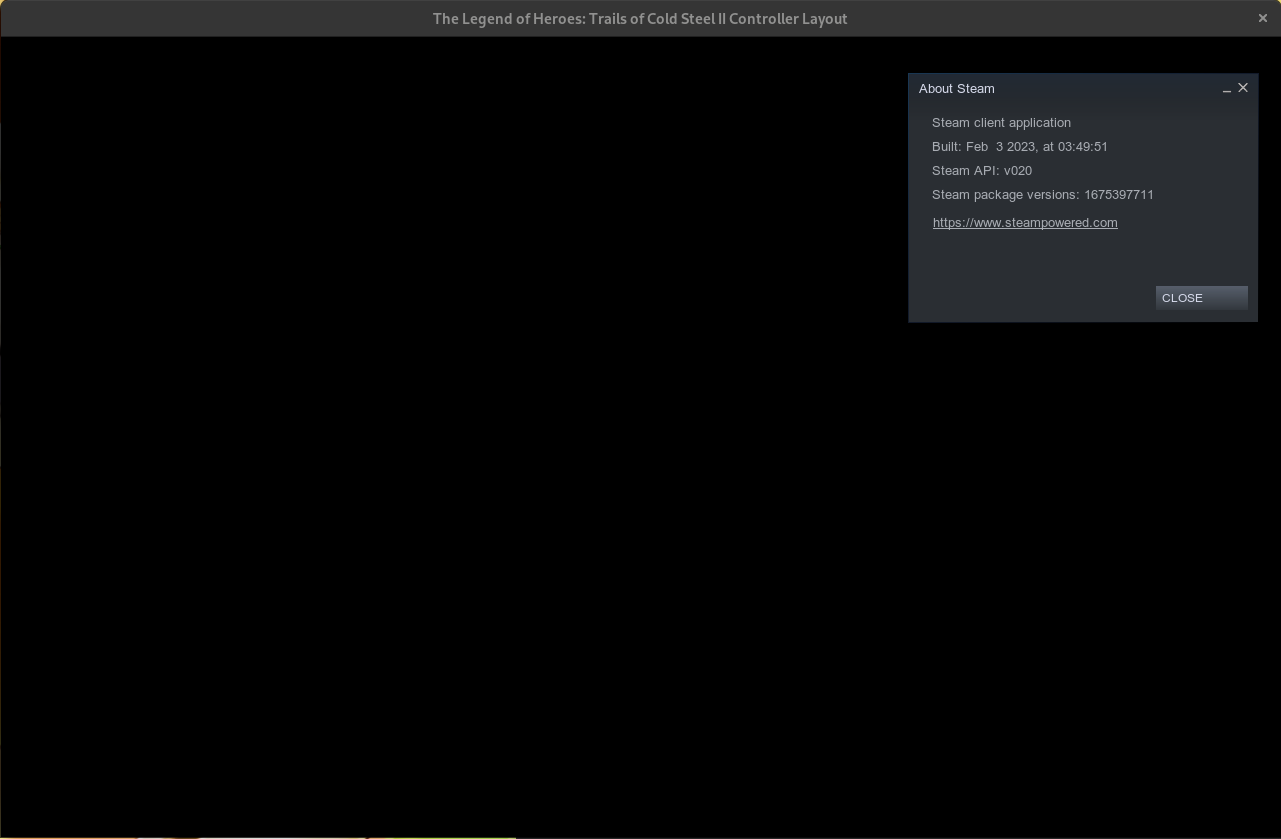
I have the same problem, almost an identical system to mcgrew above me except that I'm running Debian Sid. It's also been broken on Nvidia 515 and 510 drivers. I haven't tried in a while, but last time I checked the new big picture mode had the same problem.
Has anyone encountered this issue recently?
Chiming in to say this issue is still cropping up here, without any sign of being accessible even through big picture mode.
Any game for which it doesnt work fires off a lot of assertion failures in src/steamUI/controllerconfig.h ("CPrepareConfigWorker failed for AppID...") if i look at the console while the game is booting up
NAME="Linux Mint"
VERSION="22.2 (Zara)"
ID=linuxmint
UBUNTU_CODENAME=noble
nvidia-driver-580-open (580.95.05-0ubuntu0.24.04.2)
GeForce RTX2060
EDIT: Looking at the screenshots earlier in this thread, I'm not sure this is the same issue; in my case it does work (for some games) but importantly even in cases it doesn't work it still renders the bottom UI toolbar (MENU, [B] BACK, [A] ACCEPT) and the background is a steam-y grey color instead of pure black; but maybe that's just how the issue shows itself these days
UPDATE 2: Managed to find an old windows copy of my workshop folders and cloned a file that was not present on my linux install and that seemingly solved the issue, as reccomended by https://steamcommunity.com/app/221410/discussions/0/802322896293869462/
The file seems to be a copy of a regular controller layout vdf file. Either way, seemingly works now.
Nothing extracted yet.
Your system information
Please describe your issue in as much detail as possible:
I am expecting to be able to access the controller configuration through the game settings or within the game. Interestingly, the controller configuration works when accessed through Big Picture.
Additionally, I checked whether some libraries were missing or not using
lddandlddtree. Everything seems in order.Steps for reproducing this issue:
Or
Screenshot