Forgot to mention, the udev rule did NOT get overridden by Steam until i rebooted to check if the fix was consistent, only then did it stop working. Now even if i remove the rule, reboot, put it back in, nothing changes.
Same thing appears to happen on hid-playstation when I modify the driver and change the polling rate from 250Hz to 1000Hz even when steaminput is disabled. If anything it seems to me that it might be an issue with something like Wine/SDL. Trying to launch any app (not a game) using Wine, the same issue appears where the poll rate drops
Edit. Seems like running steam with SDL_JOYSTICK_HIDAPI=0 solves the issue for me
SDL_JOYSTICK_HIDAPI=0`x1 2024-01
Your system information
KERNEL: 6.0.15-300.fc37.x86_64
CPU: 11th Gen Intel Core i5-11400 @ 2.60GHz
GPU: AMD Radeon RX 6500 XT (navi24, LLVM 15.0.6, DRM 3.48, 6.0.15-300.fc37.x86_64)
GPU DRIVER: 4.6 Mesa 22.3.1
RAM: 16 GB
Please describe your issue in as much detail as possible:
This is an issue i'm having with the Linux Steam client, specifically how it interacts with controllers connected via Bluetooth. I am using a Dualshock 4 v1 controller, and those controllers appear to have a problem when connected to a PC regardless of software or hardware where its default polling rate of 250hz makes its connection wildly inconsistent, dropping to 33hz or below several times a second. This often leads to dropped inputs and much more importantly, desyncs that last anywhere from a few frames to an entire second and depending on the game it can make an experience beyond unplayable. I have found a consistent fix for this by forcing the controller to use a polling rate of 500hz or higher, fixing all dropped inputs and desyncs and making the controller function flawlessly.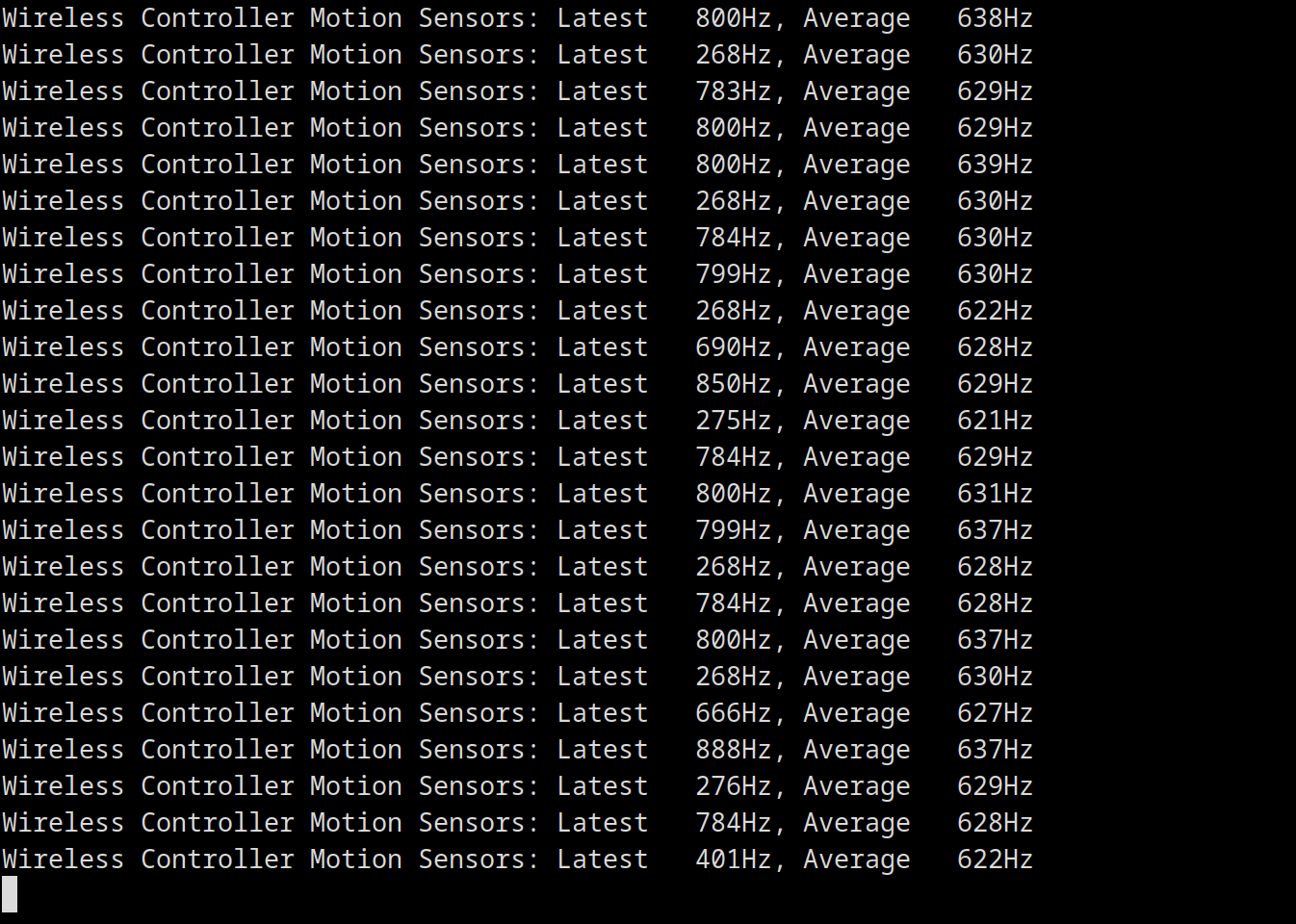
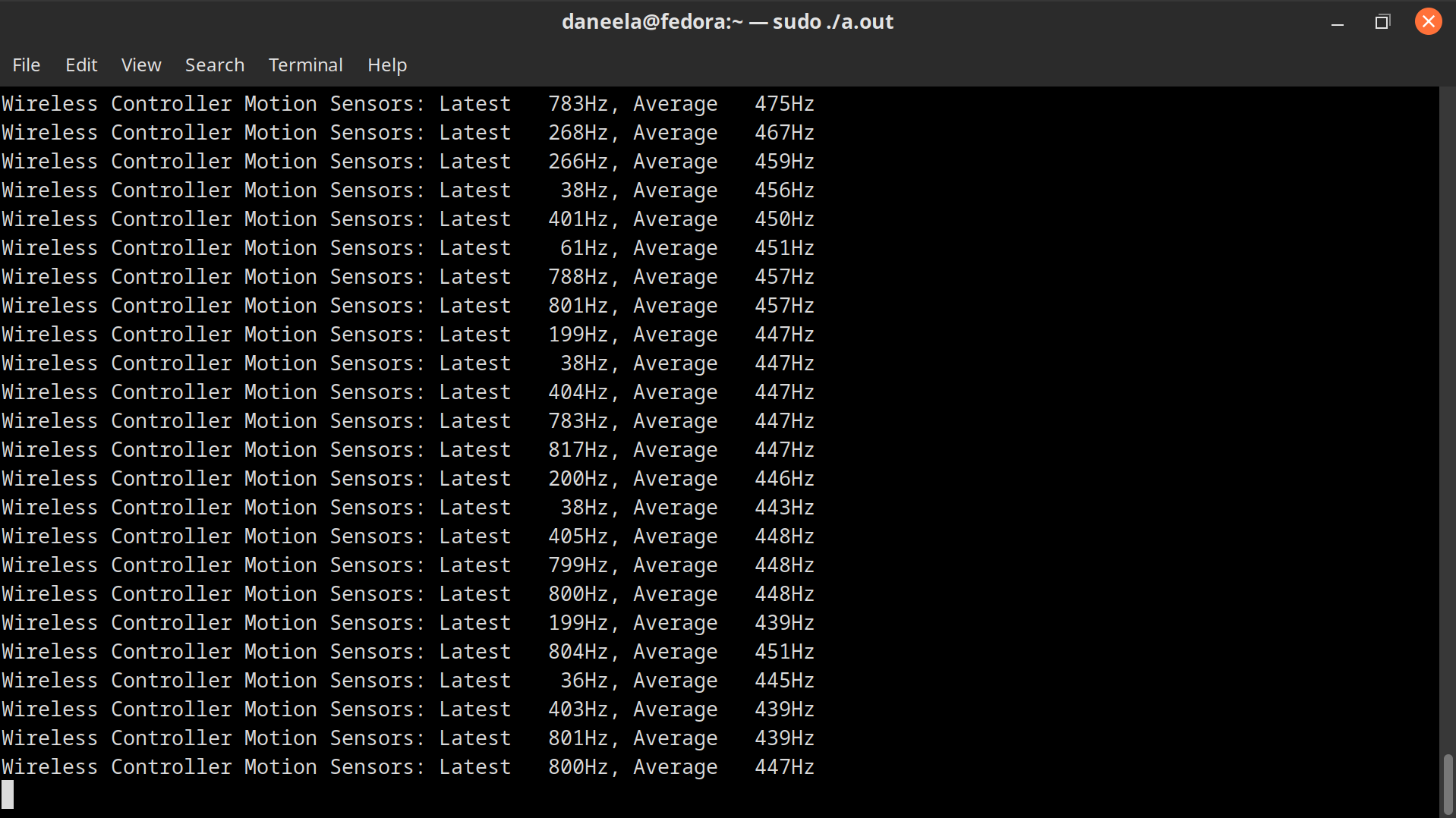
Where the Steam client comes in is where it "detects" my controller, taking control of its lightbar and reverting its polling rate back to 250hz, returning it to the unusable state, which means i cannot play my games with the fix i implemented as the moment i boot Steam it overrides it and keeps it that way until i close the client and reconnect the controller, where it starts working favorably again (until Steam is relaunched where this happens again).
I have looked through all the Steam files i could get my hands on and i could not find anything related to my issue, so my question is this: Is there a way to prevent Steam from altering the connected controller while still having access to all the features of Steam Input?
The udev rule i used is:
ACTION=="bind", SUBSYSTEM=="hid", DRIVER=="sony", KERNEL=="054C:05C4", ATTR{bt_poll_interval}="2"
and this one if using a v2 DS4:
ACTION=="bind", SUBSYSTEM=="hid", DRIVER=="sony", KERNEL=="054C:09CC", ATTR{bt_poll_interval}="2"
Steps for reproducing this issue: