Total War: Warhammer II low FPS
I can't do very much without an apitrace and with this little information. Are you CPU bound? GPU bound? Can you try setting d3d11.allowMapFlagNoWait = True in dxvk.conf?
Sure, I'll do it when I get home.
@doitsujin forgive my lack of experience. Am I to make apitrace on Windows or on Linux?
Haven't made apitrace yet, but got good results with allowMapFlagNoWait.
Without:
02_Warhammer2_dxgi.log
02_Warhammer2_d3d11.log

With allowMapFlagNoWait set to true:
01_Warhammer2_dxgi.log
01_Warhammer2_d3d11.log
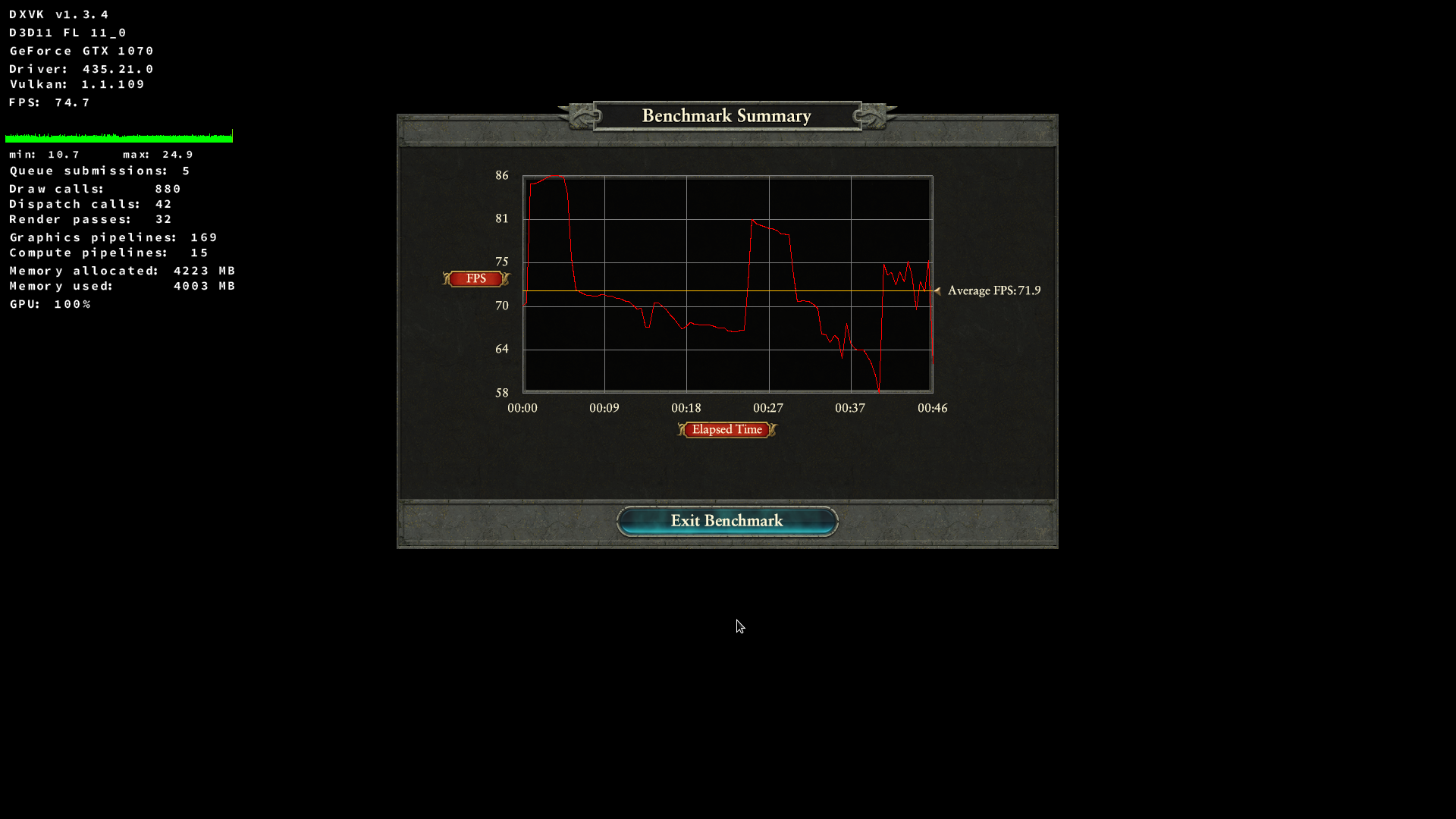
In the first case it looks like the GPU wasn't fully utilized. 40% increase in FPS, and now only 17% drop when compared to Windows. Much better!
Thanks, that explains the difference then. With that info there's no need to record an apitrace, although it could potentially be helpful regardless - if you do record one, please do so on Windows if you can.
I wish I had an idea why exactly enabling this option breaks certain games; it really should be on by default. For now I'm going to enable this by default in the configuration options.
For now I'll enable this in the default configuration for this game, but I feel like we really need a proper solution in the long run.
I'll try to do the apitrace now. I would gladly see the gap halved once again. Below 10% FPS loss would be perfect. I don't know what are average numbers though, maybe ~17% is around average already?
Yes, this option should be turned on by default. Sorry to hear it breaks some games. Maybe it could be detected somehow when to use it and when not to?
Maybe it could be detected somehow when to use it and when not to?
No, not without breaking stuff. The only reasonable way to improve the situation is to find a proper fix, and that's hard.
I somehow doubt Warhammer II performance can be improved further if your GPU utilization is 100% already (-17% isn't greap, but not out of the ordinary especially on Nvidia), but it might turn something up.
Sadly I'm unable to make apitrace work with their new launcher. Even if I run final exe it turns on launcher exe first.
Sent email to mod manager author, he has devised a method to bypass CA launcher. If he'll share - I'll make another attempt at this.
You could just try using the dlls.
https://github.com/doitsujin/dxvk/wiki/Common-issues#apitrace
Tried. No effect. Or wasn't able to locate trace file on my machine. Also, there was absolutely no slowing down of the game, so I assumed it didn't work.
The trace files are usually on your desktop (if your on Windows) or the desktop folder inside your wine prefix.
Indeed, stupid me. Now waiting patiently for the benchmark to finish.
1.7GB when compressed: https://drive.google.com/file/d/1OKW368UqyJ0EO1hUZ42Nvlift0xFnzOh/view?usp=drivesdk
I'd like to remove it once it's downloaded, since it's quite big :)
@doitsujin please notify me when it will be possible to delete the file. Thanks!
Thanks. I looked at the trace files but found nothing to further improve, feel free to delete the file.
Upstream links
- ValveSoftware/Proton/issues/2542x1 2019-09
As I have pointed out in https://github.com/ValveSoftware/Proton/issues/2542 Total War: Warhammer II sees 40% FPS drop when compared to Windows. I think this is a bit too much, and I feel maybe this is something that could be improved on dxvk's front.
Feel free to close this issue, if it doesn't pertain here. I had no way to consult before positing this, as I'm not aware there are any informal discussion channels about dxvk.