World of Tanks rendering issues
Have you tested RADV?
I think it's functional for Navi on latest master but I could be wrong there.
Driver bug, doesn't happen on my RX 480.
RADV with LLVM is also known to have issues with floating tracks, so the only way you're going to be able to play the game for now is to use D3D9 if that's still available. Or hope that Navi support in ACO is good enough, but I doubt it.
Trying with RADV was the first thing I did but it didn't even initialize.
I'm currently trying to get a capture under Windows.
Windows with native DirectX works fine but Windows with dxvk gives the same artefacts, so its must be an dxvk or an OS-independent AMD bug.
Trying with RADV was the first thing I did but it didn't even initialize.
What exactly do you mean by that, and were you running mesa-git? Mesa 19.1 obviously doesn't have any sort of Navi support (and I'm not sure if it made it into 19.2, probably not).
AMDVLK is basically the Windows driver with a different compiler backend, so yes, they share some bugs. Happened a few times in the past already.
I don't consider this a DXVK bug unless someone reports the same issue with a different GPU that has better driver support.
I'm using Xubuntu so I have to use a ppa or compile it myself. I haven't got the Vulkan drivers from the ppas to work and I'm currently trying to compile it myself.
Works with radv. Sorry for wasting your time.
Cool; feel free to report a bug on the AMDVLK bug tracker. This issue seems to be specific to Navi.
Hi!
Not really a Navi issue, I had exactly the same problem (ground texture issues and objects in the distance have purple alpha layers which are disappearing if I go closer) with Raven Ridge (Ryzen 5 2400G/Vega11) using the AMDVLK driver, until last week... I got some updates on my Arch system one week ago (which not included AMDVLK, but there was a kernel and Mesa update I think) and since then the whole GUI has texture issues with stroboscopic glitching everywhere with this setup (see the image attached).
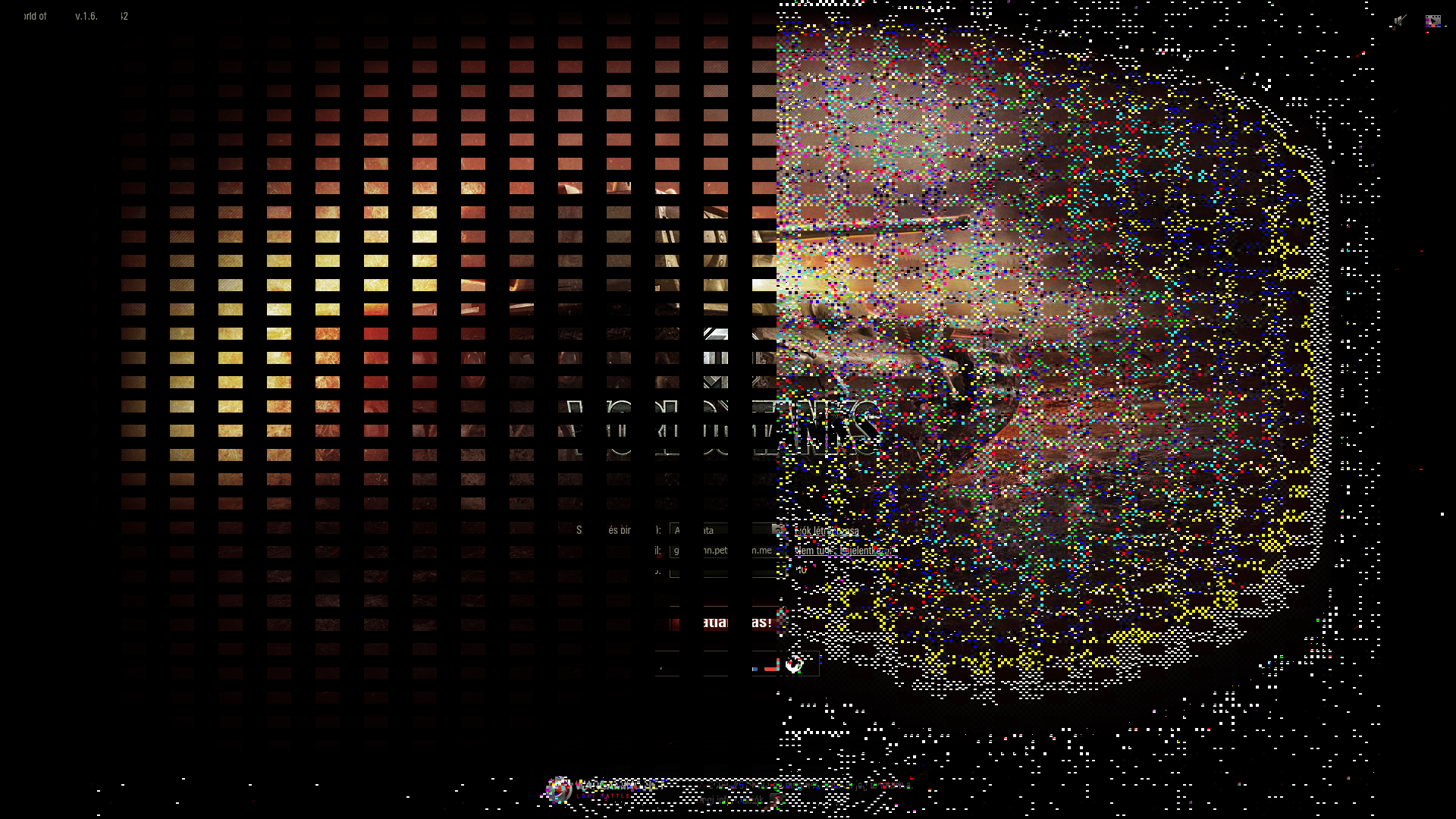
Which is sad, because otherwise DXVK+AMDVLK worked very well besides the texturing errors and because RADV has other problem in my case (but not DXVK related).
Works with radv. Sorry for wasting your time.
Just for documentation purpose:
-
make sure that you've "AMD RADV" installed .
vulkaninfo | grep "GPU id" -
use RADV via environment variable when starting wine:
DXVK_FILTER_DEVICE_NAME="AMD RADV" -
use environment
DXVK_HUD=fulland check if "RADV" shows as the driver when the game starts -
Enable experimental
RADV_PERFTEST=acoif you need/want more performance.
Launch options
DXVK_FILTER_DEVICE_NAME="AMD RADV"x1 2020-02DXVK_HUD=full`x1 2020-02RADV_PERFTEST=aco`x1 2020-02
Software information
World of Tanks (reproducible with maximum and lowest graphics settings)
System information
Apitrace file(s)
WoT does not run without DXVK
Log files
WorldOfTanks_d3d11.log
WorldOfTanks_dxgi.log