I can't reproduce this on RADV. What are your settings, and at which point exactly does this happen?
Also, please make sure to update your mesa build. There was a fairly major regression recently, the fix landed yesterday iirc.
i messed up with the export of VK_ICD_FILENAMES. yes radv worked. amdvlk still produces artifacts. will try with master (although amdvlk is from last week)
same results with amdvlk master
Probably a driver bug then.
how can i help further?
Report it to AMD:
https://github.com/GPUOpen-Drivers/AMDVLK/issues
https://github.com/GPUOpen-Drivers/AMDVLK/issues/120
btw did anyone reproduce it?
FYI that bug report is pretty terrible. You should add the precise version, a screenshot and an apitrace.
Seems to be fixed in the driver.
Nothing extracted yet.
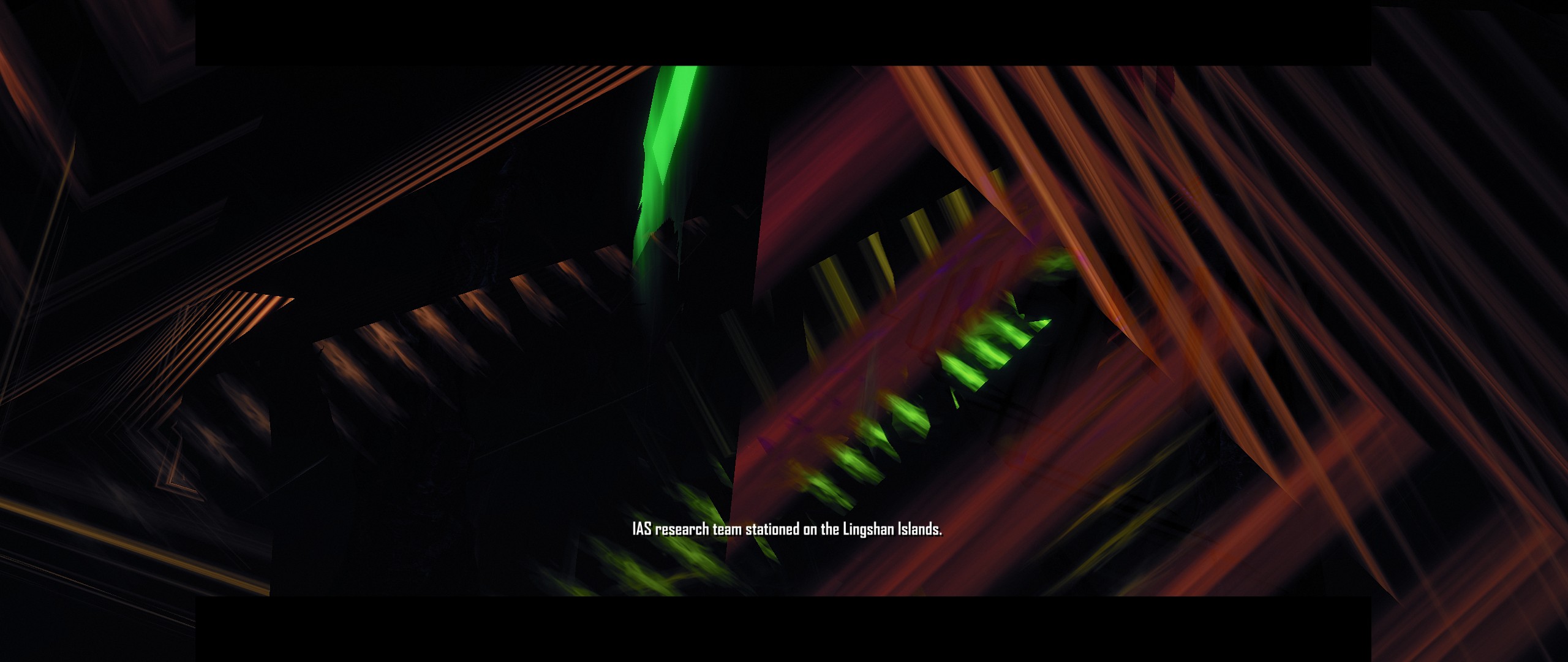
tried both on amdvlk and radv, still results in seemingly non random stretched colors upon loading the first mission (after the video cinematic)
Software information
Crysis 1 gog version with dxvk from winetricks and from self complied winelibs (tried both) and d3dcompiler_43 installed
System information
Apitrace file(s)
errm please help
trying to use the dlls of apitrace spams my terminal and the screen stays black:
002b:fixme:d3d10:d3d10_shader_reflection_GetResourceBindingDesc iface 000000000698D3D0, index 2090308, desc 000000000022C708 stub!
Log files
Crysis_d3d10.log
Crysis_d3d11.log
Crysis_dxgi.log