This is correct behaviour.
What Joshua said.
So x32 gives dll to syswow64 and x64 to system32? That is the correct behaviour? Kinda confusing.
I made a mistake in copypasting second USER@pop-os command. It went like this:
USER@pop-os:~$ ls -la /home/USER/.local/share/wineprefixes/test/drive_c/windows/system32/d3d11.dll
lrwxrwxrwx 1 USER USER 53 Nov 11 20:40 /home/USER/.local/share/wineprefixes/test/drive_c/windows/system32/d3d11.dll -> /home/USER/Desktop/temp/dxvk-1.4.4/x64/d3d11.dll
Yes it is, you'll have Microsoft to blame for that.
You can use the "file" command on any of the .exe and .dll files and it will tell you the exact same thing DXVK does.
Okay, nevermind then, I have one more 'bug' but I'll open a new ticket for it maybe, unless you'd rather first tell me if it's legit bug or not.
So Stalker Anomaly 1.5.0 runs after installing d3dcompiler and dx11 dlls from winetricks but dxvk hud shows that it's not running 1.4.4 but 1.0-7 something. Is this normal?
If the HUD shows 1.0.something then you're using 1.0.something and not 1.4.4. Again, this is something wrong on your setup, I can't really help with that.
you may want to update winetricks first: sudo winetricks --self-update
But it's only one game that has this issue. It happened even when I did fresh wineprefix without using winetricks.
DXVK works fine with everything else I've tried so far (as it's version is being displayed as 1.4.4 in DXVK_HUD=full). Only that one game stays at 1.0-7 something. I tried several wineprefixes. I tried several wine versions. It happens through Wine, Winetricks and Lutris all the same.
Have you tried running this game yourself? It's free, standalone mod.
https://www.moddb.com/mods/stalker-anomaly
Have you tried checking the game folder for any older rogue dxvk dlls?
I found them. Initially I tried running the game using this guide
https://www.moddb.com/mods/stalker-anomaly/forum/thread/anomaly-in-wine-linux-and-other-things
Which nowadays I find has plenty of unnecessary steps and one of them was getting some windows dlls inside game's /bin/ folder. The author wasn't describing those as DXVK dlls and I wouldn't have made the connection without someone mentioning what could actually be wrong in my configuration, so thank you very much.
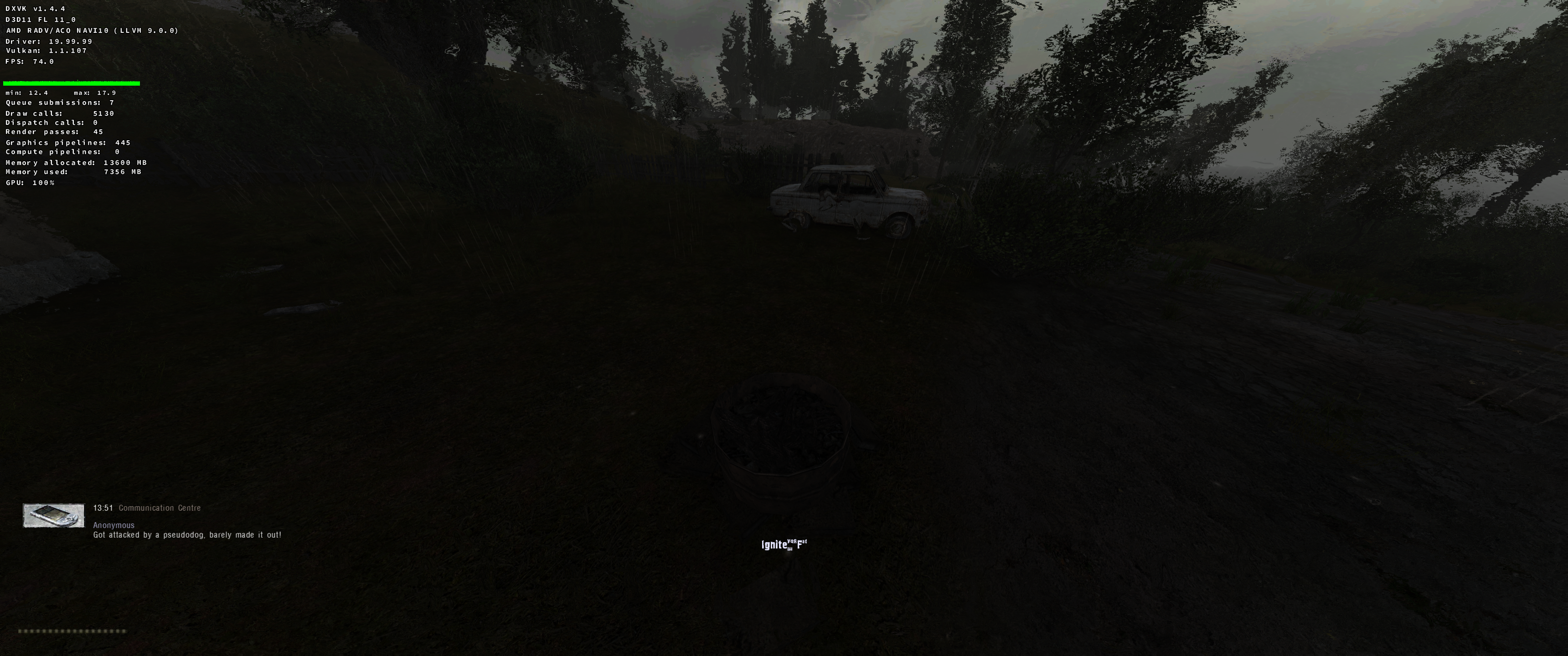
Now however I think I have a legitimate bug, just not gamebreaking. With the 1.0-7 dlls text like "F to ignite" or "F to open" was working fine but with 1.4.4 it has glitches - like several lower case fonts.
Here are some screenshots:
https://files.catbox.moe/hnmab4.png
https://files.catbox.moe/ndjt29.png
https://files.catbox.moe/nkc632.png
What would I need to include to make informative bug report for this one?
Try using winetricks/protontricks to install native d3dx11 and d3dcompilers
If that doesn't fix it then make a new issue and provide an apitrace.
Hopefully it isn't baked in.
DXVK_HUD=full).x1 2019-11WINEPREFIX=/home/USER/.local/share/wineprefixes/test/x1 2019-11d3d11.dllx2 2019-11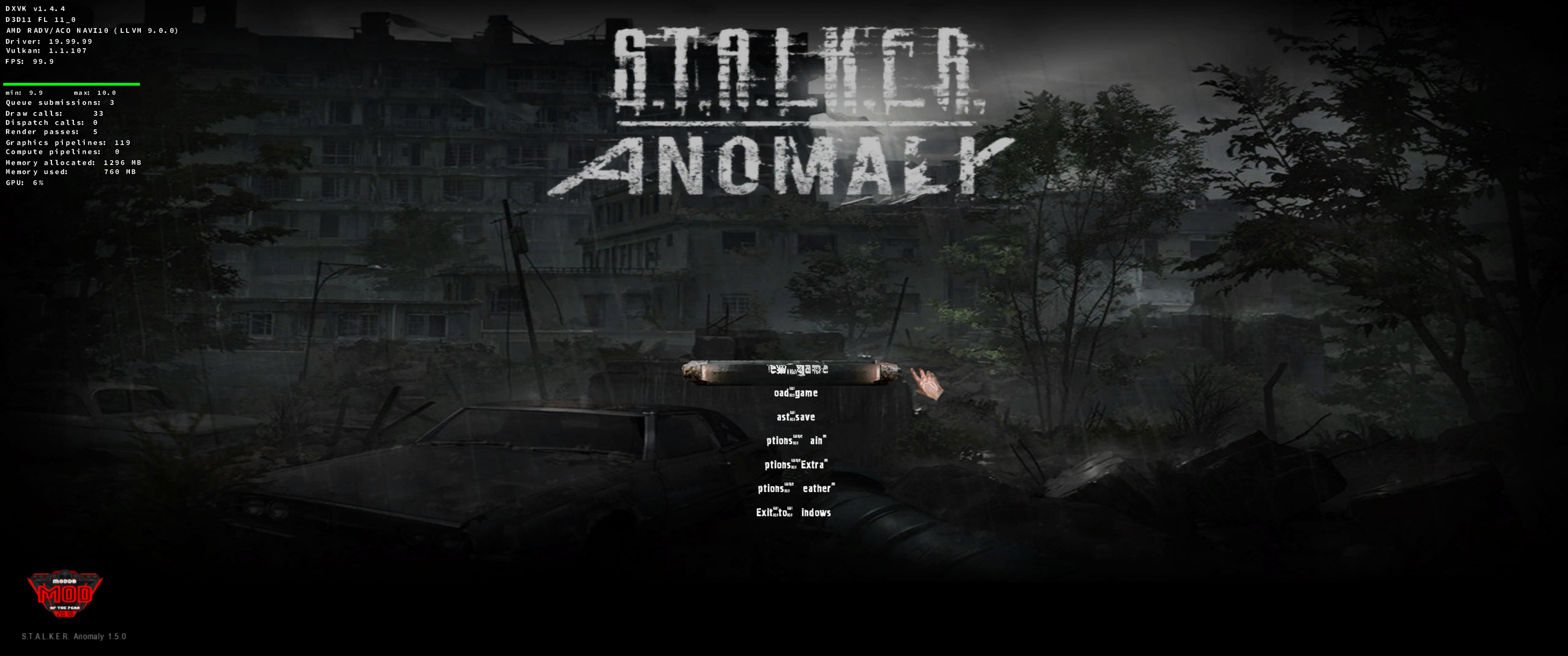

Software information
NA.
System information
Apitrace file(s)
NA
Log files
Steps:
USER@pop-os:~$ ls -la /home/USER/.local/share/wineprefixes/test/drive_c/windows/syswow64/d3d11.dll
lrwxrwxrwx 1 USER USER 53 Nov 11 20:40 /home/USER/.local/share/wineprefixes/test/drive_c/windows/syswow64/d3d11.dll -> /home/USER/Desktop/temp/dxvk-1.4.4/x32/d3d11.dll
USER@pop-os:~$ ls -la /home/USER/.local/share/wineprefixes/test/drive_c/windows/syswow64/d3d11.dll
lrwxrwxrwx 1 USER USER 53 Nov 11 20:40 /home/USER/.local/share/wineprefixes/test/drive_c/windows/syswow64/d3d11.dll -> /home/USER/Desktop/temp/dxvk-1.4.4/x32/d3d11.dll