GW2 flickering texture with 1.5.1
Seems that flickering starts with b738c4220b7f2ea71cf2f1f61521a08606ee7022
Can you please post a screenshot that highlights what the issue is? The apitrace looks 100% fine at a first glance, but I also don't know how it's supposed to look.
Depth bias issues aren't really something that can be fixed at the moment due to the lack of Vulkan support for D3D9 depth bias.
i've uploaded a short movie there. Watch this area

this flickering disappear if i zoom in. it seems to happen on certain distance from the texture.
I've also notice some small black triangles on the ground while flying over (in game :D). its like the triangles are render as i get close to them. but that is hard to duplicate cause i have to take similar paths and i've notice this only 2 times so far.
Tried to recreate it ingame, but RADV and AMDVLK show no problem here.
Tried DXVK 1.5.1, 1.5.0 and D9VK 0.40, 0.30 with no visual difference between them.
these are my settings. can you try with these settings? try 1.5.1 and walk around and look for far away objects.

here is another sample
this is with 1.5.1

and this is with b376417f203ae066fe18ca5ed35ada5074bd6897
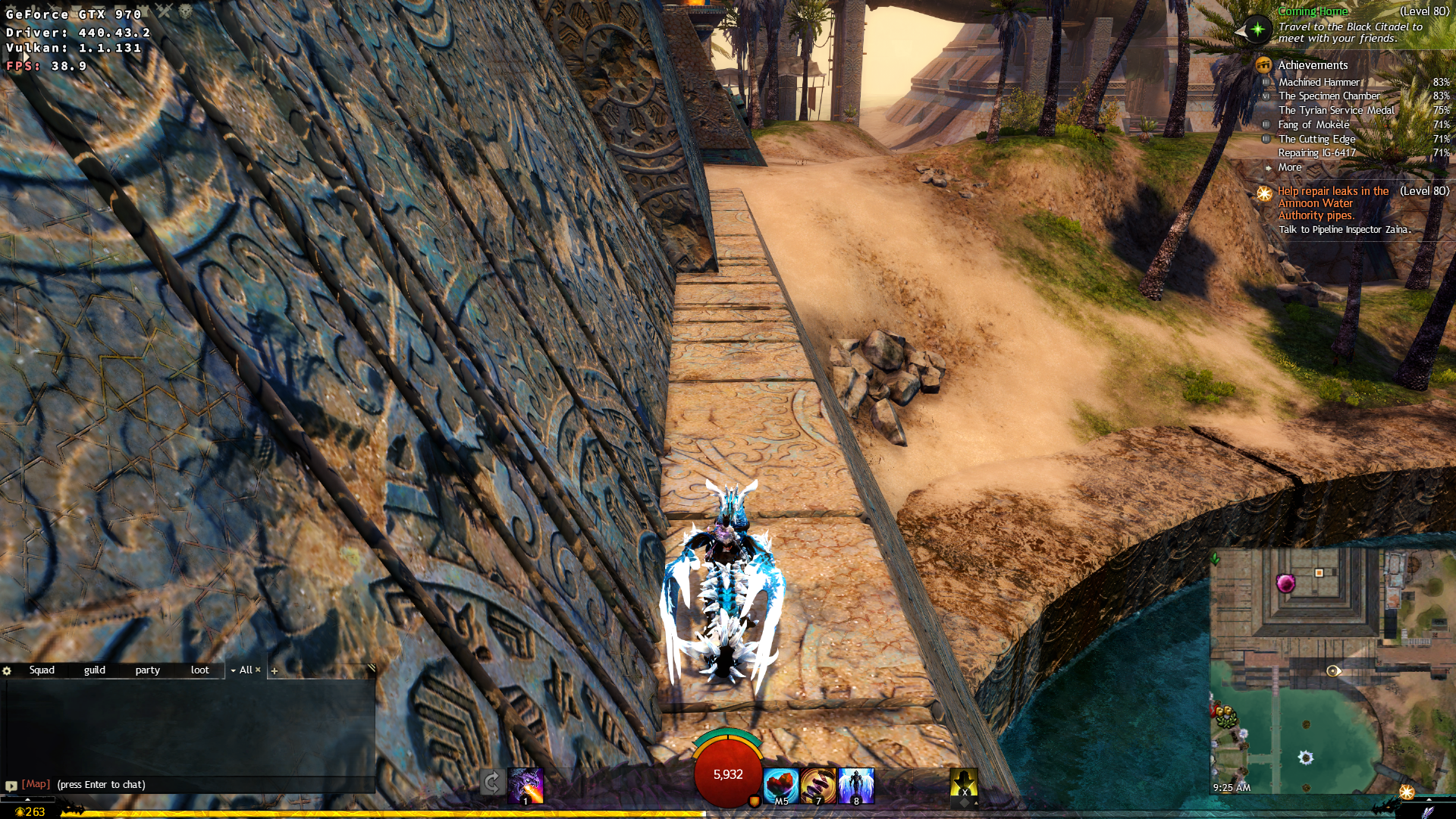
those black triangle change as i move around or just rotate camera while staying in same place
I played around with the settings when I tried to recreate it, but with your settings on the same spot, I can move the camera around as much as I want with both RADV, and AMDVLK with no visual bugs.
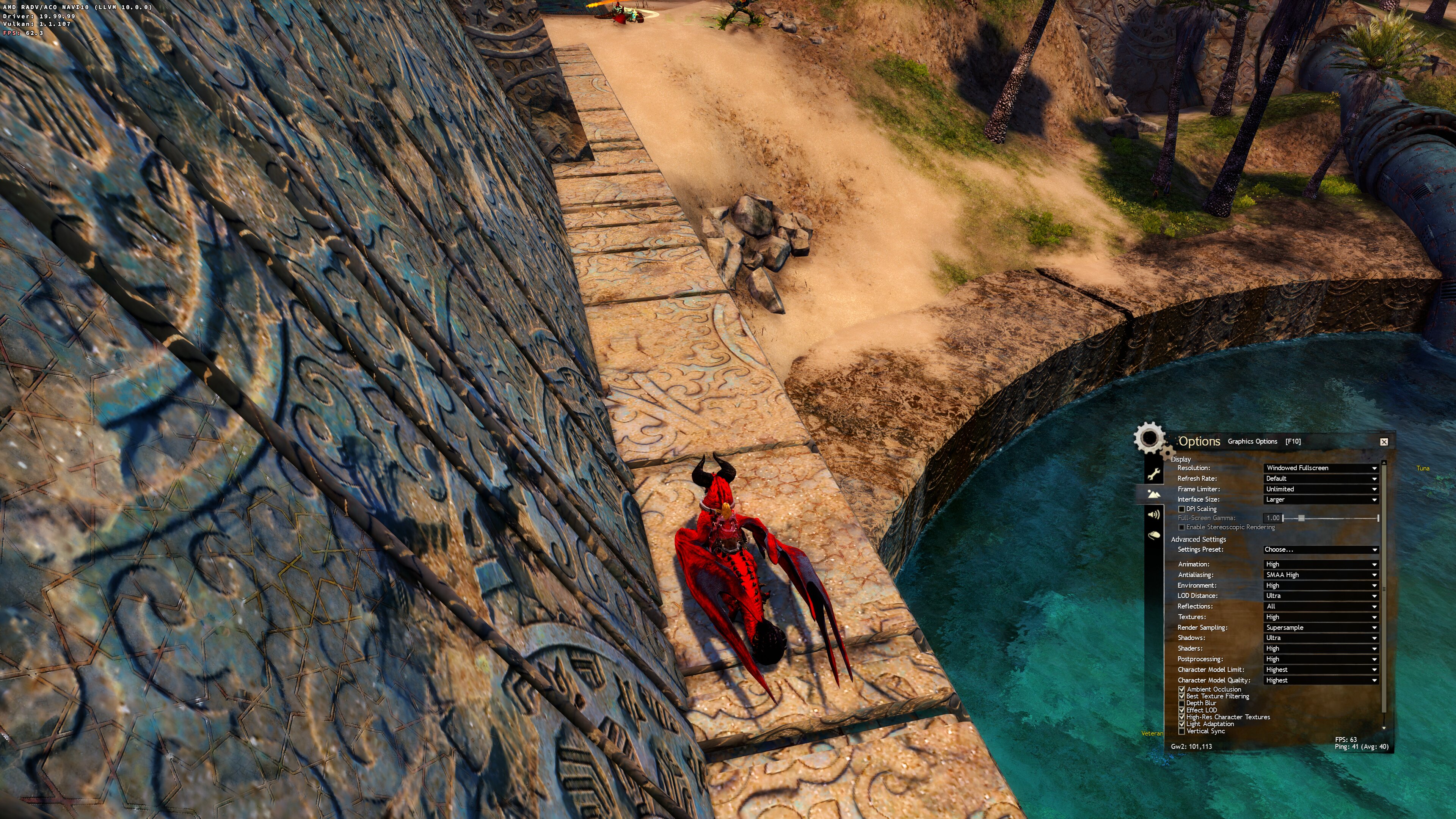
i see. is this an nvidia only problem? it would be nice if someone else with nvidia can try this.
i see. is this an nvidia only problem? it would be nice if someone else with nvidia can try this.
Never saw those triangles ingame. I will go to the same spot using your settings and report back.
I've succeeded in reproducing the issue on my system, apparently it only occurs when setting the Shadows to 'Ultra'. I couldn't see them before because I always keep it at 'Medium' to avoid the fps from tanking too low.
I played around with the other graphics settings and the issue is present regardless of what I set, the only way to remove them is by setting the Shadows to 'High' or any lower setting. Furthermore it doesn't seem to happen in all areas either, I tried a few maps and everything worked perfectly.
Later tomorrow I will give it a try on on my laptop with Intel HD (not much of a gaming system but should be enough indication if it's an Nvidia exclusive issue or not).

Driver version: 440.43.02
GPU: RTX 2060 Super
can you please try this patch?
index 50be2daf..58e923b3 100644
--- a/src/d3d9/d3d9_util.h
+++ b/src/d3d9/d3d9_util.h
@@ -182,10 +182,9 @@ namespace dxvk {
       case VK_FORMAT_D16_UNORM:
         return float(1 << 16);

-      case VK_FORMAT_D24_UNORM_S8_UINT:
-        return float(1 << 24);

       default:
+      case VK_FORMAT_D24_UNORM_S8_UINT:
       case VK_FORMAT_D32_SFLOAT_S8_UINT:
       case VK_FORMAT_D32_SFLOAT:
         return float(1 << 23);
There might be an extra scale NV applies here for depth bias actually -- I don't see how this can happen for VK_FORMAT_D24_UNORM_S8_UINT unless that is the case.
the patch seems to fix it.
and only with nvidia apparently.
i've uploaded another trace taken where these triangles are visible.
this happens only with dxvk on both windows or wine. without dxvk there is no issue. also this seems to happen only with nvida card when shadow is at max (see jrugia comment)
the bug is not about the flickering that occurs while walking when almost entire screen turns black for a split second . that is present with dx9 too. it feels like the game tries to load texture for the map or something. it happens more often when you run with pets.
this bug is about some texture not rendering well in certain angles or something.
that video.... i have no clue.
its not fixed. the bug is still there. its just that this place or probably some more places are fixed. i have to make another trace where the bug is still there.
here it is

and here is the new trace
what i've also notice aside the dark/flickering triangle is that the shadow of the character on the ground will turn into a circle when you go high above ground.
This is also due to depth bias, use my old patch as a workaround until there is a proper fix: https://github.com/doitsujin/dxvk/issues/1329#issuecomment-574419167
:) i know the patch works. its just another example of the bug, cause the area that i mention previously got fixed somehow (game or video driver)
just put together some information into one post
Description issue
Guild Wars 2 (on dx9 mode) has shadow issues. Seems to be a problem with Nvidia only.
Apitrace
since it is known that dx9 support will be removed from this game (oneday), I will keep apitrace for tests on replays.
Proper solution are still in progress
- https://github.com/doitsujin/dxvk/issues/1329#issuecomment-574419167 helps as simple hack (just for proof)
- @K0bin https://github.com/K0bin/dxvk/tree/depth-wiggle-room helps too in this case
@logan001 https://github.com/doitsujin/dxvk/commit/e30b783505247753723c95eab5239c802b19b047 helps for me, maybe you know other locations in the game where the issue remains on current master?
(as far as I understand, this is not a proper solution, so it's probably preferable to keep this thread open)
I can reproduce the issue from https://github.com/doitsujin/dxvk/issues/1329#issuecomment-739483408 on AMD with the DX11 renderer and DXVK 2.1 (which contains https://github.com/doitsujin/dxvk/commit/e30b783505247753723c95eab5239c802b19b047, but that would only help DX9 on NV anyway). Screenshot is from the north east of Snowden Drifts:
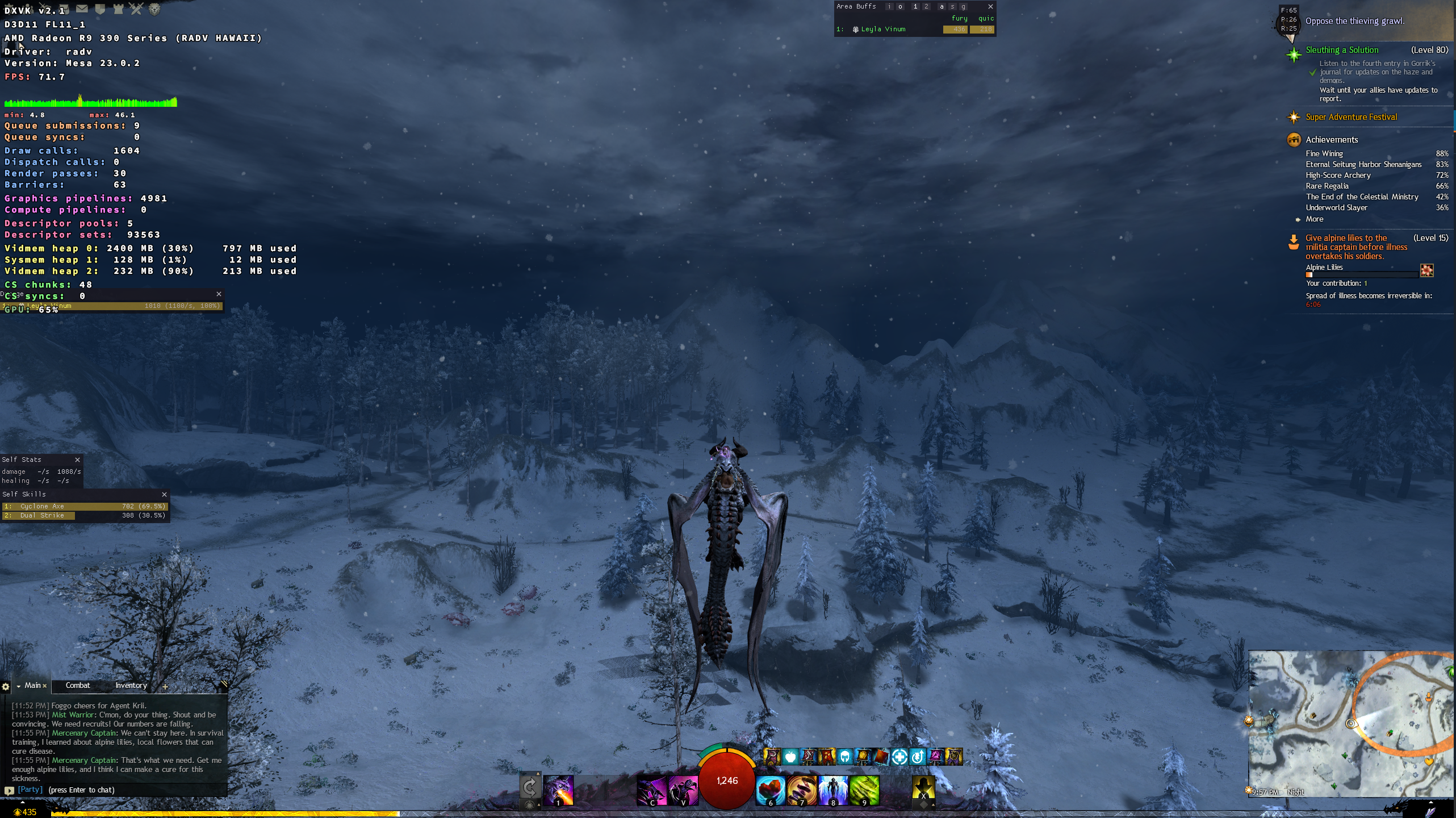
The game have quite alot of visual bugs on its own from square shadows at Ultra shadows setting to flickering lights on the terrain. I'd except the above to be a game issue but I'll check it out to make sure thanks.
Tried checking out both @Iglu47's (posted on Discord) and @LingMan's issues ingame but couldn't reproduce those. (tho i don't have flying mount for the one above). But i did reproduce similar in the area which also showed in native game on Windows. So reported with the ingame bug tool.
GW2 no longer supports D3D9.
Upstream links
- doitsujin/dxvk/issues/1329x3 2023-04
With 1.5.1 seems to be some flickering in textures when you rotate camera.
i've tested the game in windows too. and i get the same flickering with dxvk
The trace is also from windows using dx
System information
Apitrace and logs files here. Logs are also from windows.