[d3d9] Sins of a Solar Empire - Rebellion hangs on load screen
Forgot to mention I also get this sort of issue with other games, such as Act Of War (Direct Action & High Treason), so I doubt it's a glitch specific to Sins of a Solar Empire.
Can you record a trace with DXVK if possible and let me know if the HUD appears over the top of the loading screen?
Can you record a trace with DXVK if possible
Sins_of_a_Solar_Empire_Rebellion_dxvk.trace.tar.xz
and let me know if the HUD appears over the top of the loading screen?
Hmmm... not sure if any of the latest commits changed anything, but now I don't even see the loading screen any more when the mouse shows up (and is controllable). It's just a black screen with a pointer you can move around.
this was a problem with nine which i believe ended up being something about mouse messages being sent to the game heres the link to the issue if anything there helps https://github.com/iXit/Mesa-3D/issues/173
Tried a couple of other things today after upgrading to 440.59.0, but no go.
Running it in windowed mode made the DXVK overlay appear for some reason and it seems to get stuck during shader compilation, or immediately after that. Moving the cursor over the game window renders the game cursor with flickering, just like in the original video I posted.
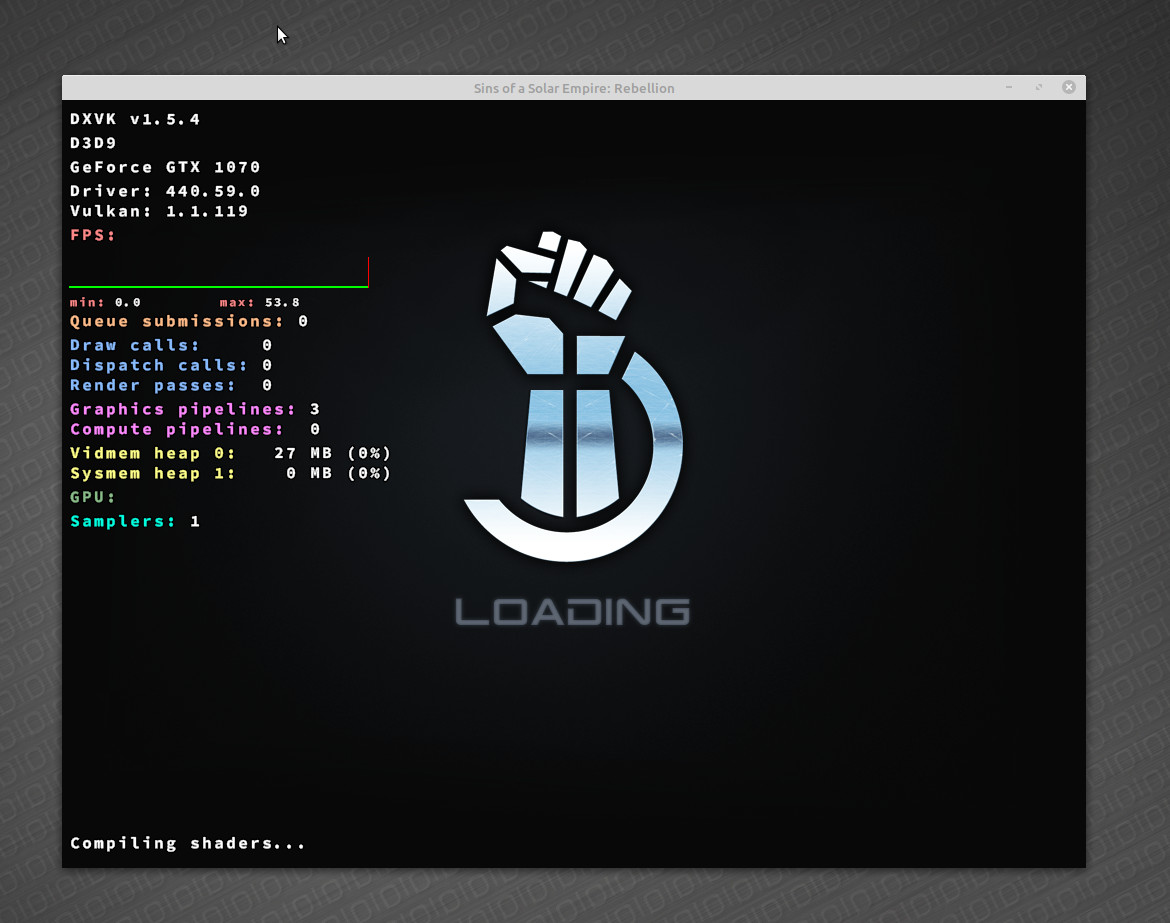
I've managed to get as far as the game menu by making sure the game window did not capture the mouse cursor, which seems to confirm @Altosk 's suggestion related to the similar nine bug. As soon as I hover the cursor over the window and try to click on any of the menu options, the rendering hangs again.
I've tried the same approach with the Act Of War games with similar results. I expect all the games mentioned in the nine bug report to be affected as well.
Nothing extracted yet.
The game hangs after showing the loading screen. A mouse cursor (which you can move around) shows up at some point, but neither frantically clicking or pressing any keys has any effect. Needless to say, without dxvk the game shows the intro cinematics and takes you to the main menu without issues.
What I tried and had no beneficial effect with dxvk:
Since it's hard to capture all I said in pictures, here are videos of:
Sins of a Solar Empire starting up with dxvk
Sins of a Solar Empire starting up with WineD3D (I skipped the long intro video to land on the menu)
The second video was recorded in the same Wine prefix, after uninstalling dxvk.
Software information
Sins of a Solar Empire - Rebellion (GOG version, with the latest official patch + Outlaw Sectors DLC).
System information
Apitrace file(s)
Sins_of_a_Solar_Empire_Rebellion.trace.tar.xz
Log files