[d3d9] Dark Messiah Of Might And Magic "item effect over-glow"
Hm, it looks the same as running the trace back on native for me. Out of curiosity, can you try this build?
Hm, it looks the same as running the trace back on native for me. Out of curiosity, can you try this build?
Nah sorry, but It didn't fix anything. :(
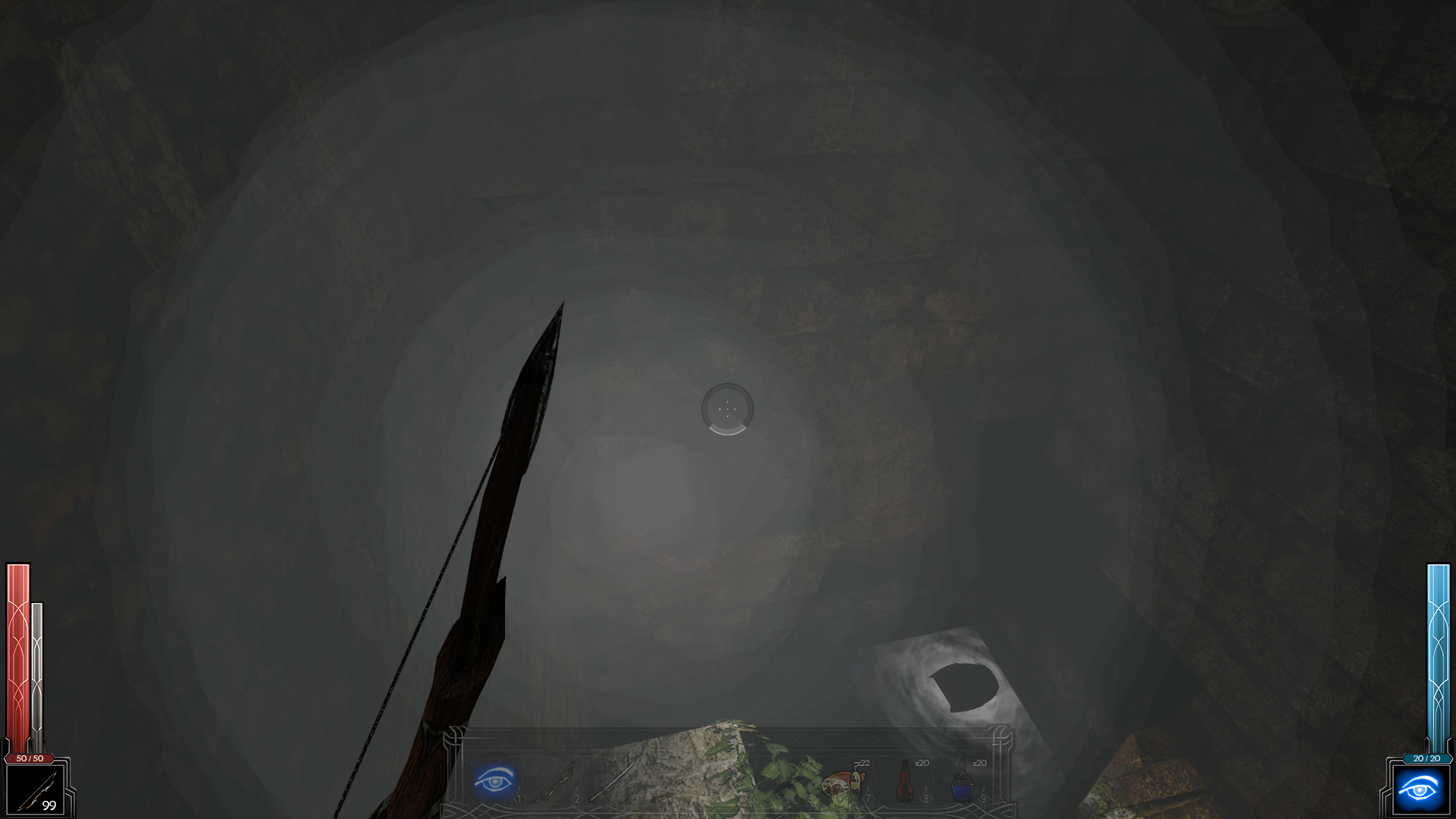
In the chest there are 3 magic scrolls and they are blinking (corona effect). It's really hard to catch, but I managed at their max intensity.
dx9 - max glow
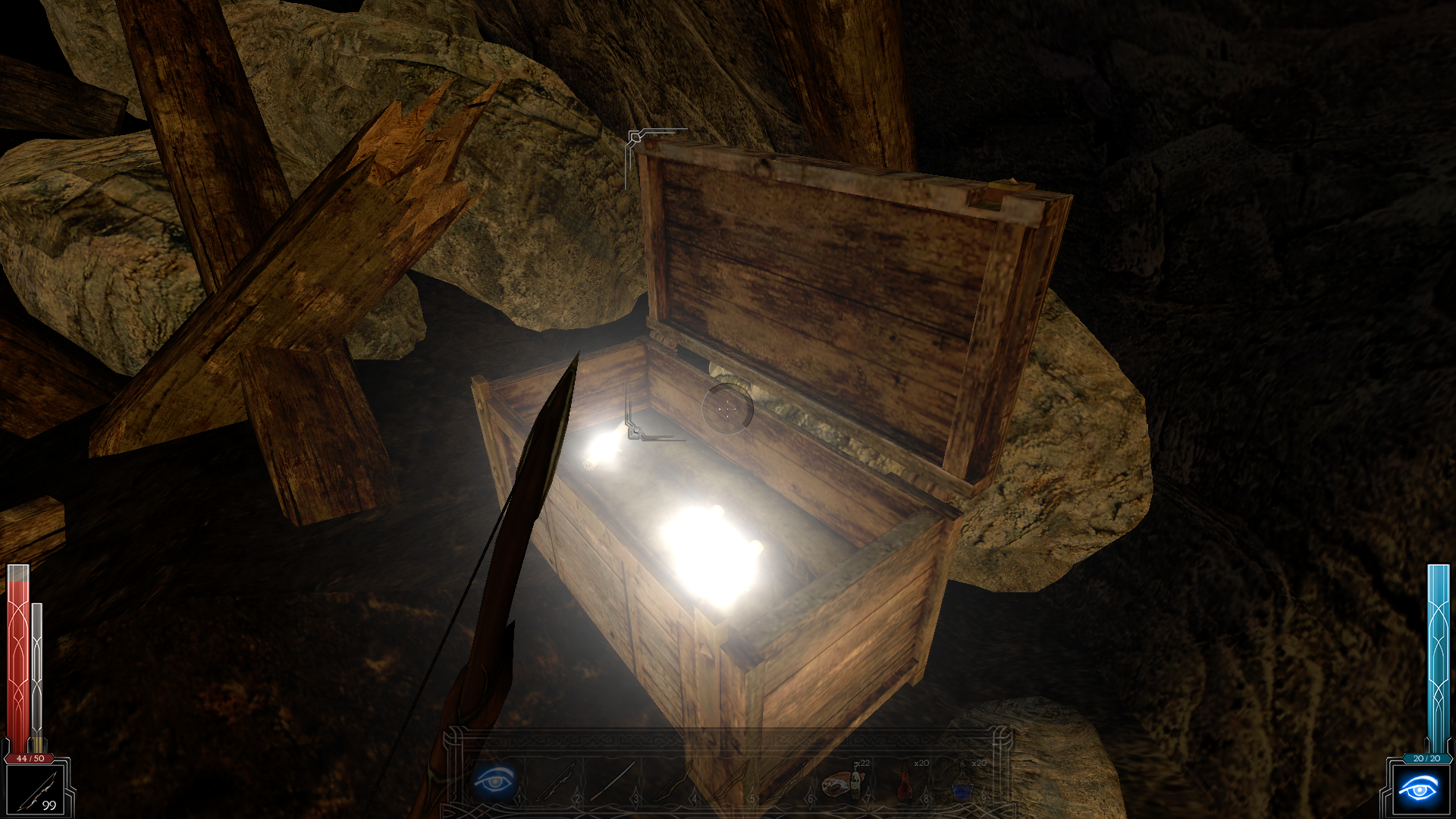
dxvk - max glow
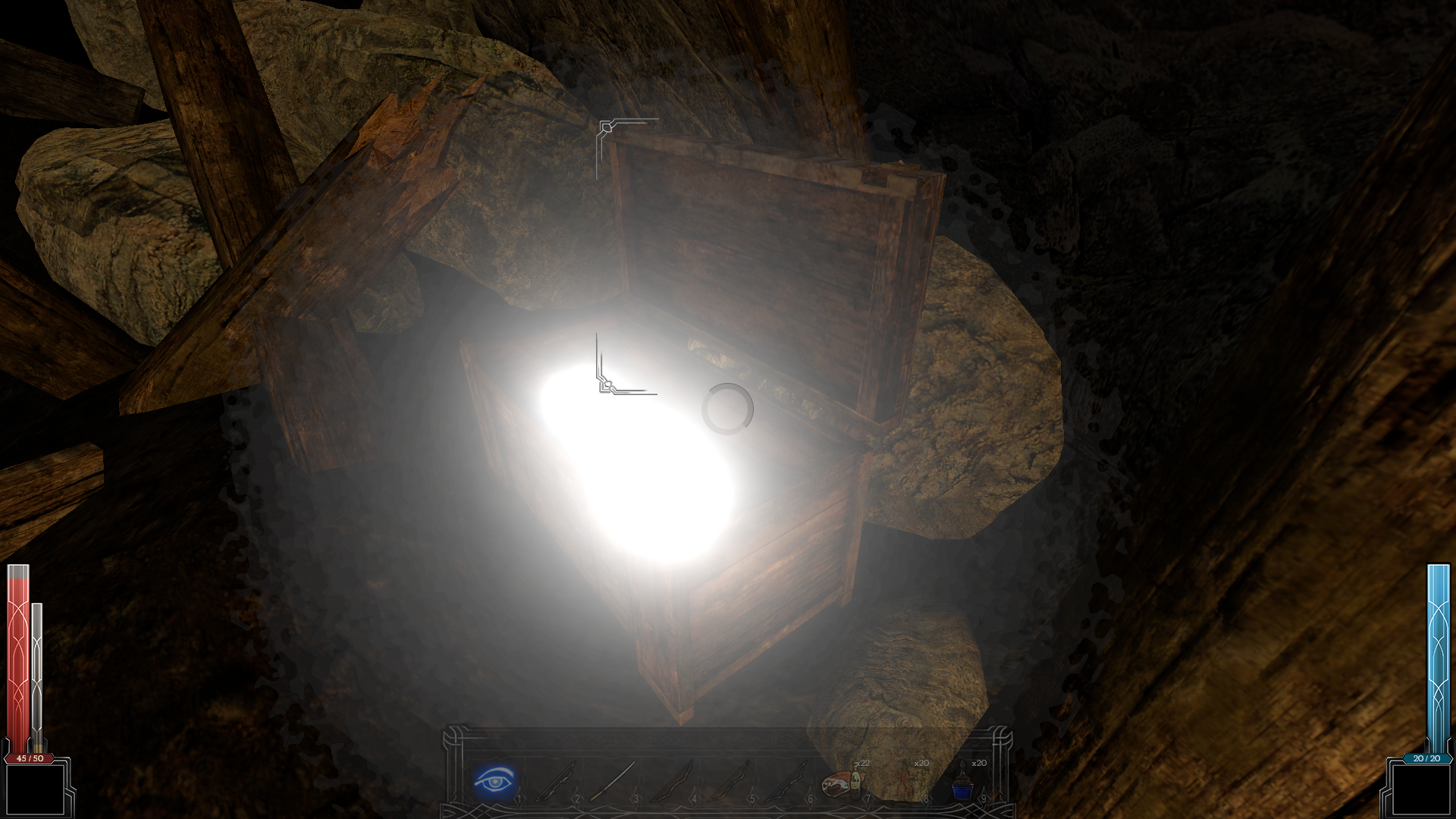
Driver: 440.48.02
Can you try the latest stable driver (440.59)? The current Vulkan beta is known to have some issues.
And the lastest Wine, 3.11, it's old.
Can you upload a save ? I would like to test ingame.
Driver: 440.48.02
Can you try the latest stable driver (440.59)? The current Vulkan beta is known to have some issues.
I can, but I do not think it would help. Because someone, else confirmed this issue on discord with radv drivers.
And the lastest Wine, 3.11, it's old.
Can you upload a save ? I would like to test ingame.
Tested both, wine version: version: 3.11-5.0
I can, but I do not think it would help. Because someone, else confirmed this issue on discord with radv drivers.
In that case it we'll probably need a trace recorded with DXVK as well, which should show the issue.
@NerosTie save file: https://drive.google.com/file/d/1YCTh0zM2IVL_q12dUrZVS3FbW-qafS5X/view?usp=sharing
So I think I managed to make apitrace + dxvk, I hope this works: https://drive.google.com/file/d/11WznlJxcTdz52-5-njk1YPpeayt5VNLb/view?usp=sharing
It looks fine on my side:
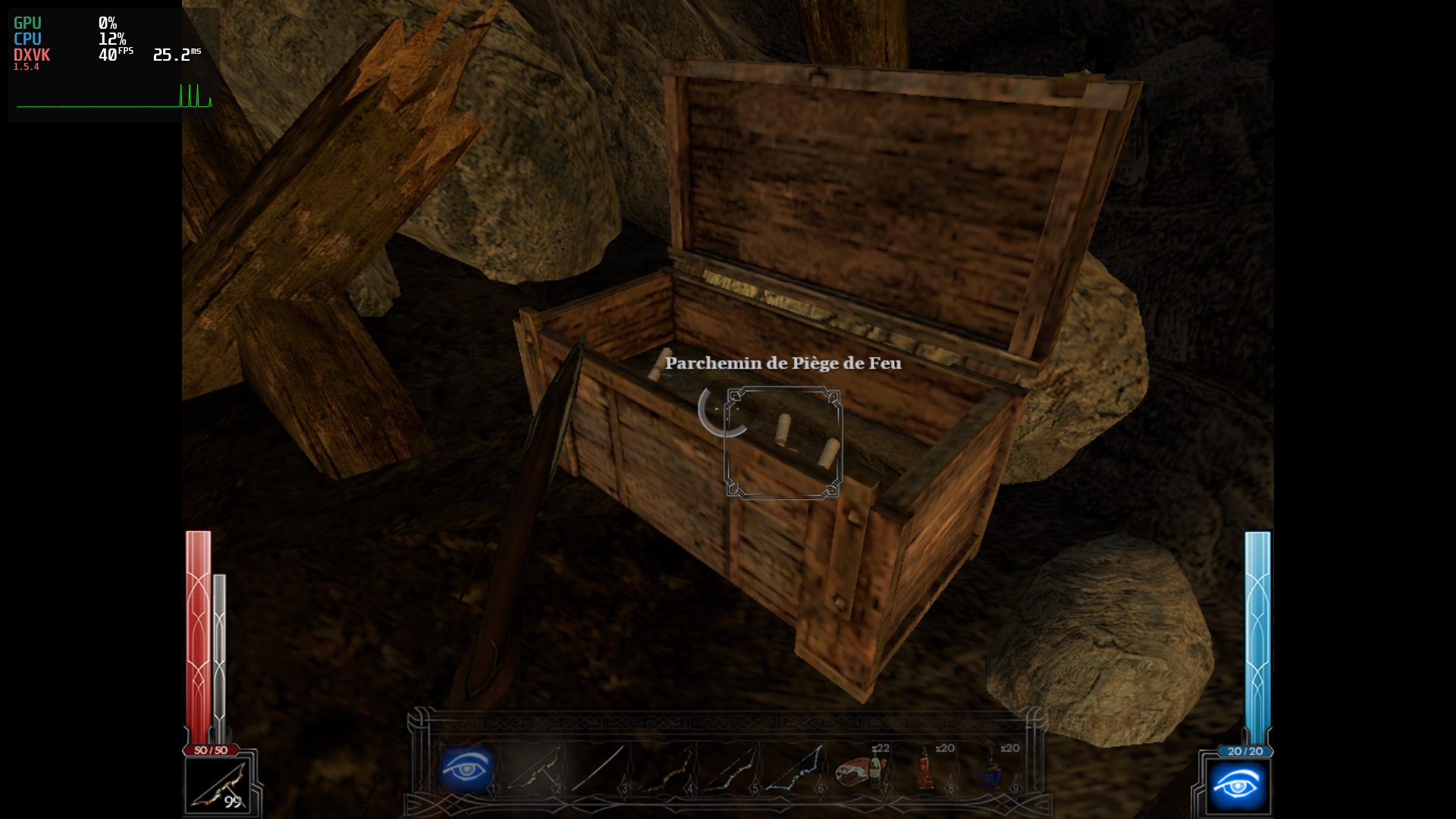
(edit: btw, the game is absolutely awful to launch, but it's the same thing with wined3d)
It looks fine on my side:
After fresh in game, reload save game. Quick save, then Quick Load.
This is what I did. Now I would like to relaunch the game but I'm stuck on a black screen...
For some reason then you get in game (first time) the game doesn't render "blinking corona" effect (wine or windows doesn't matter), I think it's game bug. Fine. But after reload save game, the issue appear with dxvk. Also tried Windows + dxvk and enormous blinking issue remains.
Ok, the game can't launch on Steam because of Proton 5 and 4 (it works with 3.7). So I will report it first.
But I'm like 99% sure it's an issue on your side. Try to update your driver and Wine (maybe my issue comes from Proton and not Wine).
Ok, the game can't launch on Steam because of Proton 5 and 4 (it works with 3.7). So I will report it first.
But I'm like 99% sure it's an issue on your side. Try to update your driver and Wine (maybe my issue comes from Proton and not Wine).
First this issue is not only on my side, because another person reported the same thing on discord, and he was with AMD video card (radv). And the second it's not wine either, because dxvk+windows gives the same result. Downgrading nvidia drives didn't help either. So we have eliminated all possible options.
It's just edge case issue for edge case simulator (dx9 api).
It's not the end of the world. I managed to finish this game yesterday and it runs great apart from this nonsense.
How did you get Windows Steam version of DMOMAM to run with DXVK on Windows 10? Did you just copy the d3d9.dll from 32 bit windows release?
I'm planning to use it to wrap to vulkan and run ReShade on top of it...
On native Windows 10 that is.
Also you can adjust the glow effect I think with mat_bloomscale but I might be mistaken...
Tested many times to quick save / quick load and everything looks fine.
Tested with DXVK 1.6.
DLLs
d3d9.dllx1 2020-02
The game runs great with dxvk (dx9). At first game doesn't render "glow effect" (this happens on windows too for some reason), but after save game reload (that's important), the glowing effect becomes enormous with dxvk, not on windows. And if there is a more then one item in the room then prepare to put the sun glasses on. :)
You should look at the apitrace after loading save game, it's at the end of trace.
P.S. Source engine game.
dx9 (windows)

dxvk (wine)
Software information
Dark Messiah Of Might And Magic
System information
Apitrace file(s)
https://drive.google.com/file/d/1N1UgQRqQc2IcEbFuWkc2twDEtV78HmoV/view?usp=sharing
Log files