Wolcen: Lords of Mayhem - Character head is surrounded by big blob
I'm aware, but I'll need an apitrace to debug the problem. (obligatory rant about how I don't really like having bug reports just sit there for days or even weeks before I get something to work with)
Would also be useful to test DXVK on Windows to rule out any unrelated issues.
Wow, since you responded so fast i'll try to catch up with IRL friend of mine who can help me get those from his windows machine.. stay tuned :P
Windows + dx11 (native) = NO BIG BALL HEAD
Windows + dxvk = NO BIG BALL HEAD
Wine + dxvk = BIG BALL HEAD
Wine + wined3d = BIG BALL HEAD
Where did you place the .dll to make it work? (Like load dxvk wolcen on windows)
i am trying to do it no success, (not in bin, not in win_x64,not in Wolcen itslef) :\
It seems like its not dxvk issue, but i still want to confirm here too (and learn ;))
Also, what do you think is the next to culpit?
NVidia Drivers? Wine/Proton itself?
Yes, I put dlls in win_x64 folder, and it just works. p.s. I tested on win 8.1 (lol)
Just retested right now and no visual gliches so far. So it's not dxvk but wine issue.
well thats the first directory i tried, and with set DXVK_HUD=1 in console, then launch Wolcen.exe, i dont see any indication wolcen is indeed ran by DXVK.. :
how did you verify you get DXVK backend and not native dx11?
First the d3d11.log and dxgi.log were properly filled. Then MSI Afterburner overlay shows VULKAN. And the performance difference between dx11 and dxvk is noticeable.
Sigh...
@doitsujin
Here you are:
https://my.pcloud.com/publink/show?code=XZO2sskZx6M8Su7Qauua2YCYTCixryyjkkpy
Thanks, will take a look later.
One thing you could try is setting dxvk.enableOpenVR = False in dxvk.conf (also set DXVK_CONFIG_FILE=/path/to/dxvk.conf). vrclient is currently causing all sorts of issues unfortunately.
And the performance difference between dx11 and dxvk is noticeable.
Got any numbers? CryEngine is known not to run very well on DXVK, but if you're on somewhat recent hardware (AMD Polaris / Nvidia Pascal or newer) then it shouldn't be more than a 20% hit.
Unless of course there's some jankiness going on where the game magically runs much better when it thinks it's on an Nvidia card (cough Crysis 3).
Setting dxvk.enableOpenVR = False doesn't help with the "afro" problem. It continue to show some VR unable to find strings.
Reporting Nvidia card doesn't help with performance. It's ~50 on Linux with DXVK and ~150 on Windows.
Intel 9900K, NVIDIA 1080 Ti here.
Do you need some Wine logs?
Has anyone tried protontricks [appid] d3dcompiler d3dcompiler_43 d3dcompiler_47? If that fixes it then it's d3dcompiler related.
yes, didn't help
Well, i am not sure how other people tested it but on -another- windows 10, ive tried throwing d3d11 dll in all directories there more or less, (yes including win_x64 where it makes most sense)
Then using sysinternals process explorer ive seen that indeed system32 one is loaded and not local one.. (but funny thing that i do see most of the loaded dlls are from win_x64 system)
Ive left windows systems more then a decade ago but i have to say this really doesnt act as expected and i would really like to see on my own how it works on windows with dxvk.. :/
Any idea if i can do something similar to linux LD_PRELOAD and force it to use my dll? (As trying to replace system32 one ends up with some guard system ?!?! :/)
(p.s, i did try gw2 with dxvk on that system and it works perfectly as expected and reacts to dxvk_hud/log)
As long as the dxvk dlls (dxgi.dll, d3d11.dll, ...) are in directory of the exe, windows should prefer them over the system32 ones.
Just d3d11.dll wont work, you need the dxgi.dll
Yeah thats what i know from win 7 and below which i knew great.
But now on windows 10 it doesnt seem to be the case anymore..
And i am launching from cmd so i control the cwd..
Dlls from release x64 directory ( in wolcen/win_x64)
Shot:
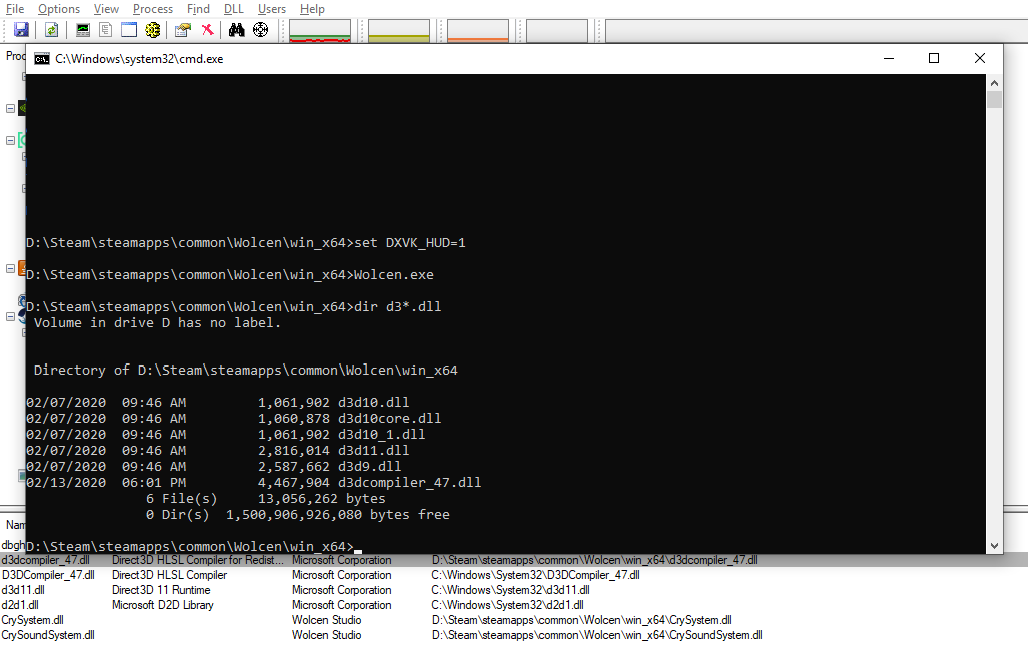
Looking at the pic i was listing "d3*" so dxgi wont show :( but to be clear dxgi.dll is also in there..
02/07/2020  09:46 AM         1,061,902 d3d10.dll
02/07/2020  09:46 AM         1,060,878 d3d10core.dll
02/07/2020  09:46 AM         1,061,902 d3d10_1.dll
02/07/2020  09:46 AM         2,816,014 d3d11.dll
02/07/2020  09:46 AM         2,587,662 d3d9.dll
02/13/2020  06:01 PM         4,467,904 d3dcompiler_47.dll
02/13/2020  06:01 PM         1,514,688 dbghelp.dll
02/07/2020  09:46 AM         1,885,710 dxgi.dll
As long as the dxvk dlls (dxgi.dll, d3d11.dll, ...) are in directory of the exe, windows should prefer them over the system32 ones.
Actually not.
Some applications prefer to use system ones using LoadLibraryEx with LOAD_LIBRARY_SEARCH_SYSTEM32 flag.
https://docs.microsoft.com/en-us/windows/win32/api/libloaderapi/nf-libloaderapi-loadlibraryexa
Yeah well looks like i will have to belive in others when they say they got dxvk to load on windows for this game.. i couldnt, so i cant verify if thats indeed dxvk issue or not..
Do you want to close this issue based on @dlshinobi analysis?
Sigh..., ok there is the MSI Afterburner Overlay in Wolcen:
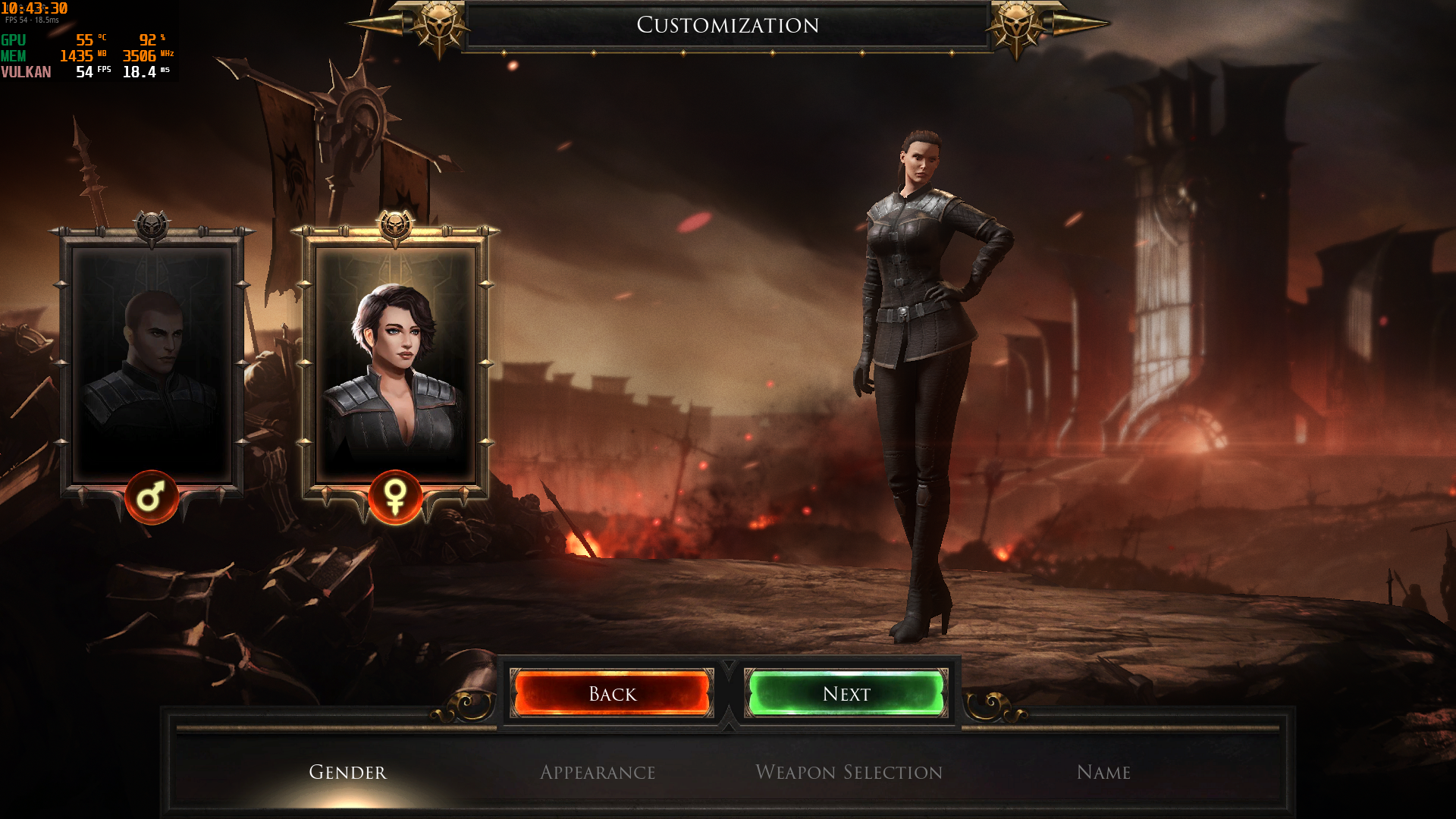
But still I wonder what the actually problem is in wine to cause this issue. And not only that, but also there is a bug with clothes (especially with female ones).
But still I wonder what the actually problem is in wine to cause this issue. And not only that, but also there is a bug with clothes (especially with female ones).
That's exactly what I noticed as well. It is, however, not the clothes itself, but rather the character model. If you put a helmet on that hides the hair, you also hide the "afro". So the afro is related to the hair.. very likely at least. You can also see that by changing hair color.
The whole model looks untextured, with the exception of the armor of course.
Sigh..., ok there is the MSI Afterburner Overlay in Wolcen:
By the way, DXVK HUD works for me in Wolcen.
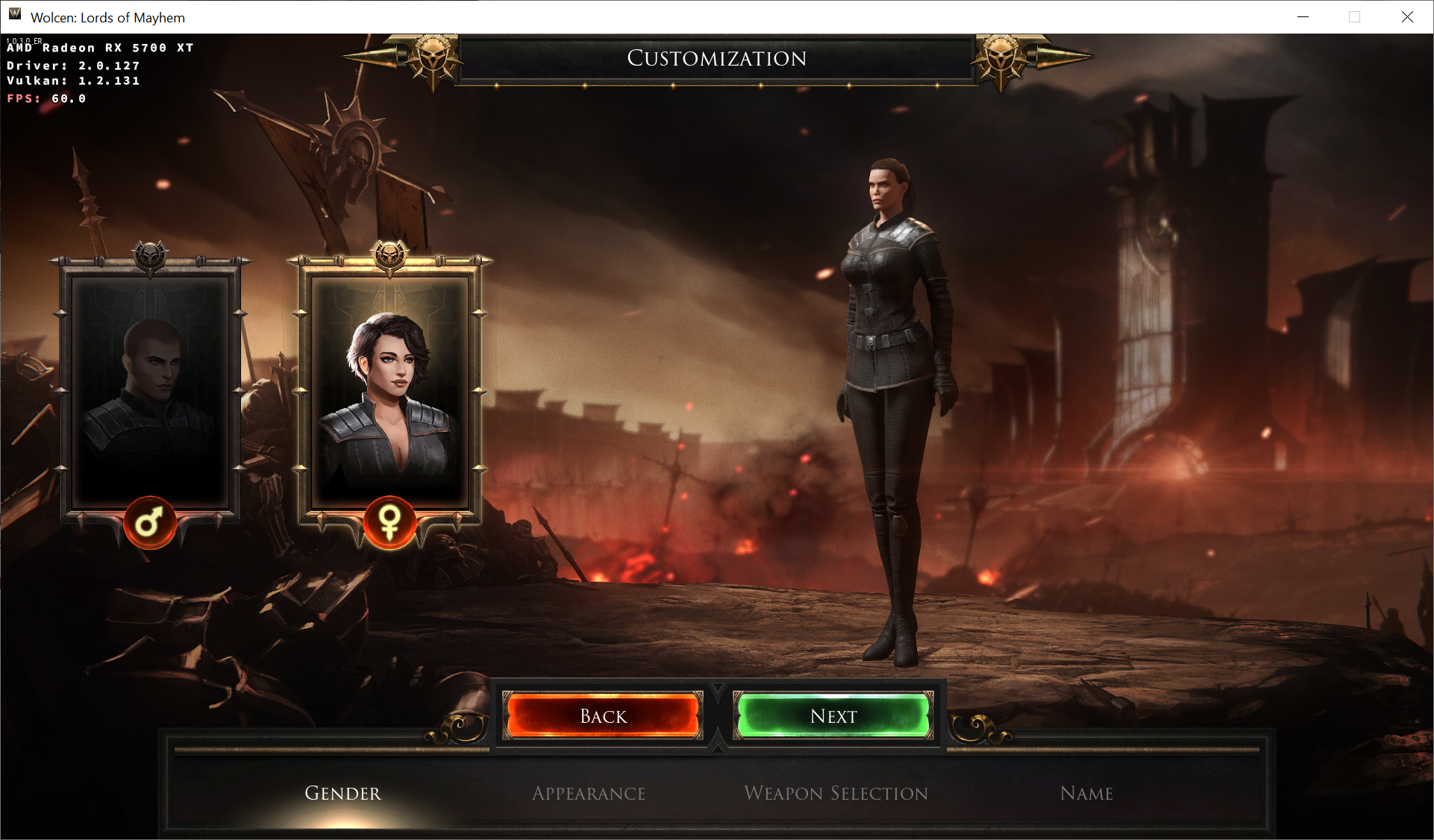
Nvidia 440.59
GTX 2070
DXVK 1.5.4
Kernel 5.5
Me too :
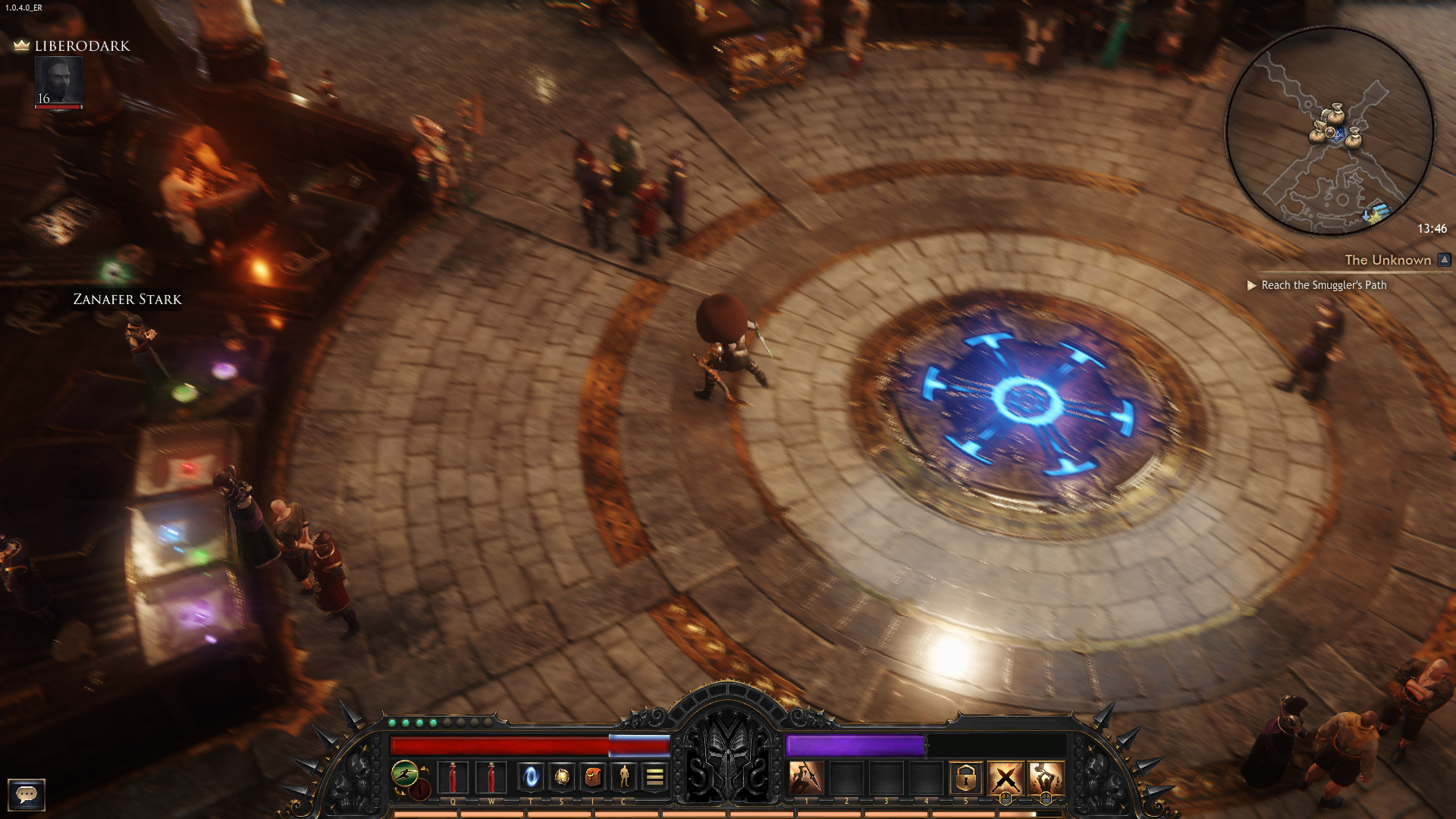
Ok nice. Thanks for helping me out :)
So @doitsujin i assume we should close ticket here..
Any idea where i should open this ticket? Wine bug tracker?
Either Wine bug tracker or existing Proton GitHub issue for Wolcen. Wine bug tracker may get attention of Wine devs, or at least it's possible.
Proton versions
proton 5.0-2x1 2020-02
Launch options
DXVK_CONFIG_FILE=/path/to/dxvk.conf`).x1 2020-02DXVK_HUD=1`x1 2020-02
Upstream links
- ValveSoftware/Proton/issues/496x1 2020-02
DLLs
d3d11.dllx3 2020-02dxgi.dllx3 2020-02d3d10.dllx1 2020-02d3d10_1.dllx1 2020-02d3d10core.dllx1 2020-02d3d9.dllx1 2020-02d3dcompiler_47.dllx1 2020-02dbghelp.dllx1 2020-02
Software information
in
Wolcen: Lords of Mayhem, when launching the game (and while playing) there is a big blob around the character head. (sometimes it blinks away, but its just there -_-)Example Picture:

I'll Try to run the game on windows later this week to provide API Trace + "how it should be".
but i belive i am not the only one it bothers, so if someone else can feel this info by then, it will be great! \o/
System information
Apitrace file(s)
Log files
Wolcen_d3d11.log