Satisfactory (UE4 Game) crashes when installing with dxgi
I gave it some further testing:
Also tested on:
wine 1.5.2 staging
wine 1.5.3 devel
dxvk 1.5.5 (the one that got released a few hours ago)
All log files are created when starting the game but are staying empty.
Console log stops directly before it would output the dxvk debug lines:
info: Game: FactoryGame-Win64-Shipping.exe
info: DXVK: v1.5.5
To be clear, these lines are missing.
Even waiting several minutes does not change anything. The exe just sits there burning ~205% cpu time:
PID USER PR NI VIRT RES SHR S %CPU %MEM ZEIT+ BEFEHL
2964 martin 20 0 2280768 207052 26700 R 205,3 0,6 26:23.16 FactoryGame-Win
Something strange I noticed: Even when installing with dxgi, every 10th try or so the game starts.
When installing without dxgi the game starts reliably.
Sometimes it also outputs this (additionally as last line, right before the dxvk output would start):
double free or corruption (!prev)
resulting in this:
PID USER PR NI VIRT RES SHR S %CPU %MEM ZEIT+ BEFEHL
3753 martin 20 0 2350304 220432 36052 S 17,2 0,7 0:23.79 FactoryGame-Win
I do not overclock my hardware or so. When the game runs I can play for hours and it never crashes.
Can you please at least post the full log files (if there's no DXVK log, attach the full wine console output) and, if possible, record an apitrace?
This is definitely very concerning, but right now I have nothing to work with.
Do other games work with DXVK's DXGI?
Actually, did you by any chance install the official Windows Vulkan loader, or does the game itself ship a vulkan-1.dll? If so, setting vulkan-1.dll to builtin in winecfg might be necessary.
The official Vulkan loader for Windows uses DXGI to enumerate Vulkan devices, which obviously doesn't work with our DXGI implementation since it uses Vulkan to enumerate DXGI devices.
As said above, the log files are empty (0 Bytes) when it happens and the console output stops right before the interesting part (the dxvk output). I do not have access to a Windows machine, does it help if I try to do an apitrace with wine? If so, which settings should I use (wined3d, dxvk with dxgi, dxvk without dxgi, ...)?
Starting the game with wined3d works somewhat but the lighting looks very wrong then.
This is the console output:
LogPakFile: Display: Found Pak file ../../../FactoryGame/Content/Paks/FactoryGame-WindowsNoEditor.pak attempting to mount.
LogPakFile: Display: Mounting pak file ../../../FactoryGame/Content/Paks/FactoryGame-WindowsNoEditor.pak.
LogStreaming: Display: Async Loading initialized: Event Driven Loader: true, Async Loading Thread: false, Async Post Load: true
LogHAL: Display: Platform has ~ 34 GB [35696885760 / 68719476736 / 34], which maps to Largest [LargestMinGB=32, LargerMinGB=12, DefaultMinGB=8, SmallerMinGB=6, SmallestMinGB=0)
And sometimes this:
LogPakFile: Display: Found Pak file ../../../FactoryGame/Content/Paks/FactoryGame-WindowsNoEditor.pak attempting to mount.
LogPakFile: Display: Mounting pak file ../../../FactoryGame/Content/Paks/FactoryGame-WindowsNoEditor.pak.
LogStreaming: Display: Async Loading initialized: Event Driven Loader: true, Async Loading Thread: false, Async Post Load: true
LogHAL: Display: Platform has ~ 34 GB [35696885760 / 68719476736 / 34], which maps to Largest [LargestMinGB=32, LargerMinGB=12, DefaultMinGB=8, SmallerMinGB=6, SmallestMinGB=0)
double free or corruption (!prev)
When searching for the last line on the internet all results have an address that follows, but this output ends there.
No, never heard about vulkan-1.dll. Is it necessary? if so, it might be good to add that to the installation instructions of dxvk. Can you point me to a page that explains how to install them?
The game does not ship such a dll. But I read that UE4 has these *.pak files which are similar to AES encrypted zip files, so I cannot look into them.
I have these files installed:
/usr/lib/i386-linux-gnu/libvulkan.so.1
/usr/lib/i386-linux-gnu/libvulkan.so.1.1.70
/usr/lib/x86_64-linux-gnu/libvulkan.so.1
/usr/lib/x86_64-linux-gnu/libvulkan.so.1.1.70
I do not know if that matters, but running Unity3D games works just fine with dxvk. The ones that I tried also do not ship a vulkan-1.dll.
But they have different issues out of scope of dxvk (Mouse movement issues and focus issues). I did not report them because the Wine Bugzilla looks quite abandoned.
That said, thanks a lot for actively supporting this project!
I do not have access to a Windows machine, does it help if I try to do an apitrace with wine?
Yes, it would be helpful to at least get an idea what the game is trying to call. With wined3d.
Looking at my own code again, it seems like DXVK fails very early during initialization which leads me to believe that there's an issue elsewhere with that game, since DXVK doesn't even get the chance to execute any significant amount of code.
No, never heard about vulkan-1.dll. Is it necessary?
It's the Vulkan loader. Wine provides its own one so you definitely do NOT want to install any other version of it.
Anyway, I asked around and apparently the game works fine with DXVK on Windows.
Working fine here.
@martin771 Friendly ping. Could you try again with latest version?
should work fine on Wine-Staging builds (so usually without dxvk-nvapi) with latest nvidia-drivers
Satisfactory (EGS-version)
[Early Access] 188609.823
- GPU: Nvidia GTX 1080 Ti
- Driver: 515.49.10 (proprietary)
- Wine version: Wine-Staging-7.7 (with some TkG-patches)
- DXVK version: https://github.com/doitsujin/dxvk/commit/b67d5c8c1d83084587ed66acde0ddbb5db822881
FactoryGame-Win64-Shipping_d3d11.log
FactoryGame-Win64-Shipping_dxgi.log
screenshot
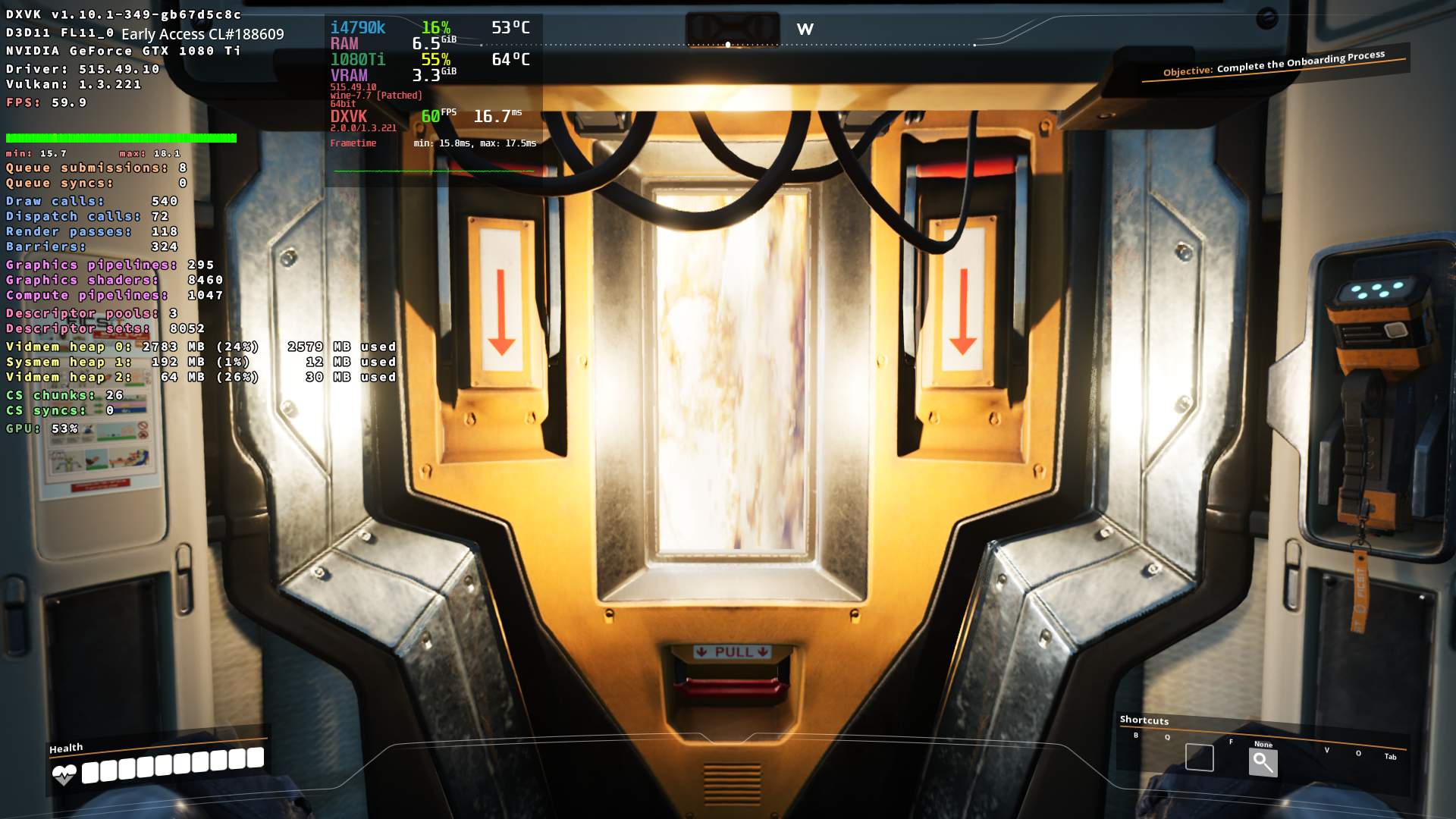
DLLs
vulkan-1.dllx3 2020-03
Game crashes on startup.
Workaround: "setup_dxvk.sh install --without-dxgi"
Tested with dxvk-1.5.4, dxvk-1.4.1 and dxvk-1.3.2.
(Need to run the game in fullscreen mode otherwise you will get mouse capture issues)
Software information
Satisfactory
System information