Just disable DXVK's D3D9 if that's causing an issue. That said, it's working just fine here.
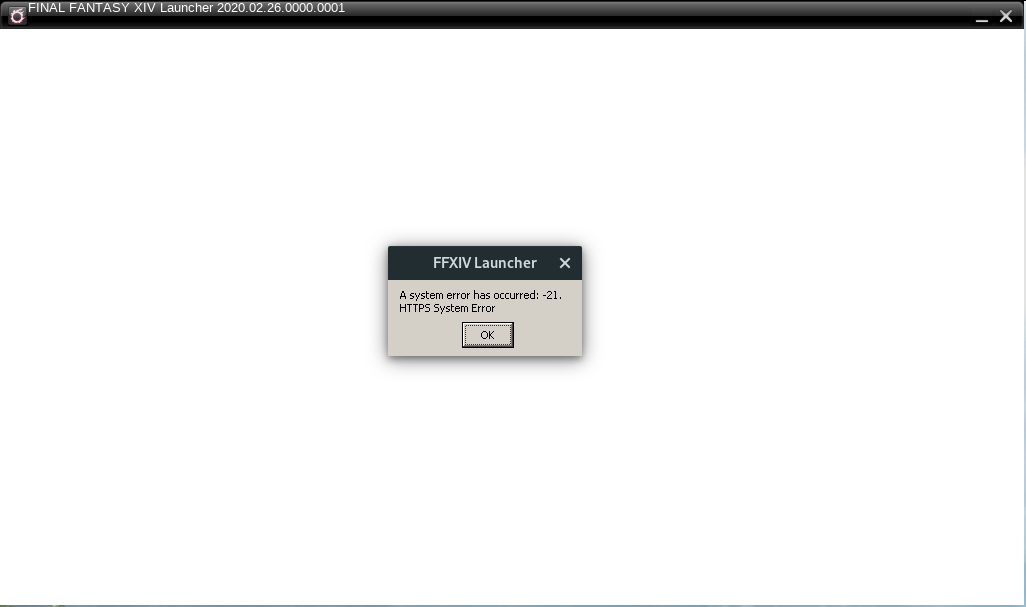
Note that the HTTPS error has absolutely nothing to do with D3D.
Hey so I was able to get it running, wasn't sure if there was an official method to disable it so I just deleted the d3d9.dll so that does solve my issue, should I keep this open for debugging this issue with dxvk's d3d9? that HTTPS error has been something that I've seen with any generic error getting this up and running
I cannot reproduce the problem, so there's not much I can debug here.
d3d9.dllx1 2020-04
I'm having troubles launching Final Fantasy XIV if I used any version of DXVK past 1.4.6 which seems to be when D9VK was introduced, when trying 1.5 or 1.6.1 instead of ffxiv_dx11_d3d11.log being filled this file is generated ffxivlauncher_d3d9.log. I do believe the game is meant to run in dx11 but perhaps the launcher isn't?
I've attached those logs here as well as a screenshot showing the launcher launching but error out instantly
ffxivlauncher_d3d9.log
ffxivlauncher_d3d11.log