[d3d11] Rocket League is becoming slower
I generally don't care much about performance issues since there's usually nothing I can do anyway, but are you saying that Windows Dx11 is more than twice as fast? That's a bit much for my taste, even considering that Unreal Engine 3 is very buggy and inefficient.
Please provide an apitrace if you want me to look into this, just be aware that increasing performance by 1% is very hard at this point, increasing it by 100% is going to be impossible unless the game unexpectedly hits a pathological path somewhere.
Thanks for your response. I will provide the apitrace shortly.
In the meantime I have tested the same scenario with a friend that has a 1700x and a 1080ti. The issue does not occur, performance seems to be similar between dxvk and windows 10 native dx11.
I regularly play on similar conditions, and I have no issues at all.
My settings:
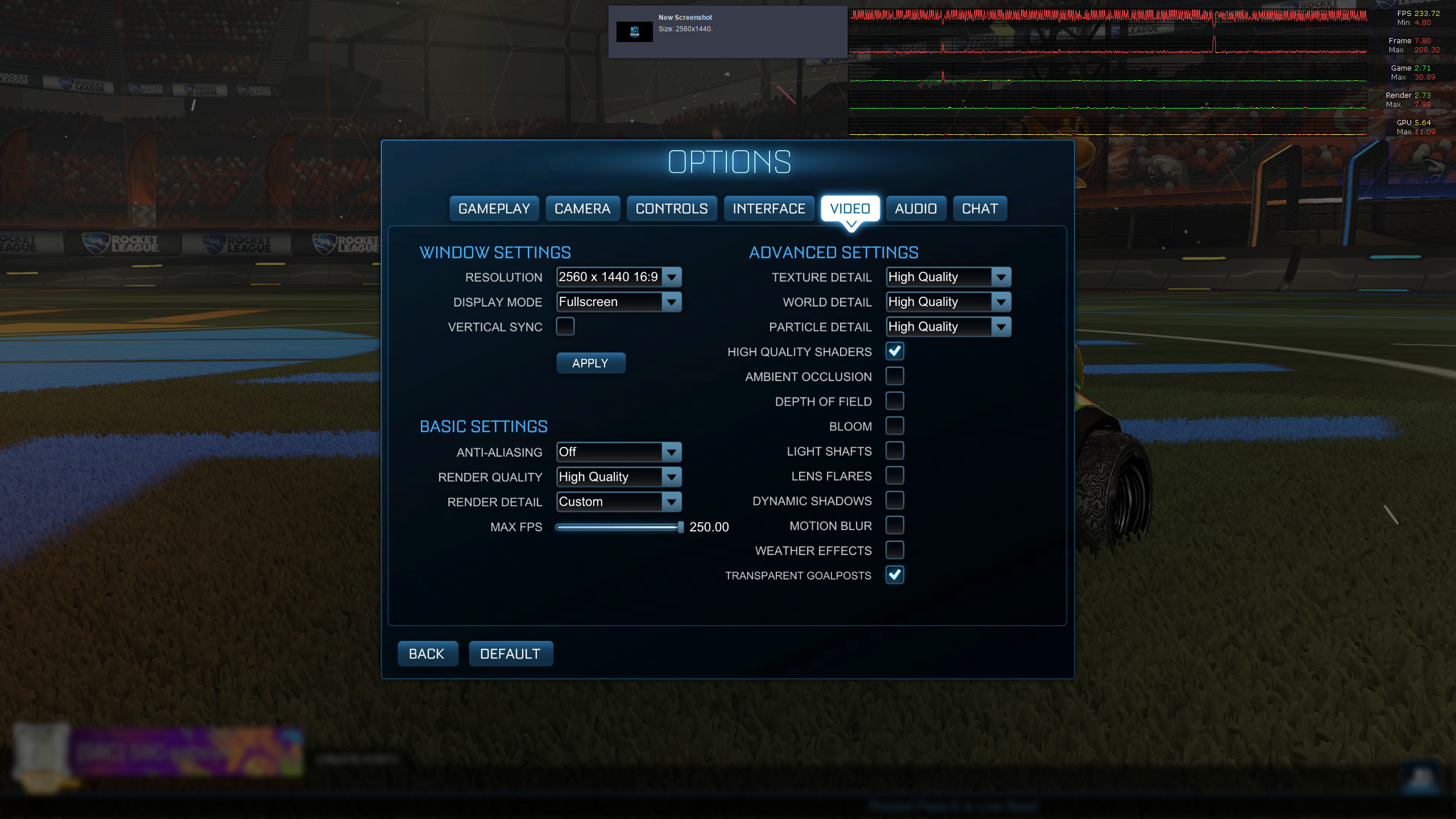
In training mode with performance HUD:
Specs:
- CPU: Ryzen 3600 @ 4.2Ghz
- RAM: 32GB DDR3600
- GPU: GTX 1070
- Driver: 440.82 (current latest stable)
- Wine version: Proton 5.0-7
- Kernel: 5.6.6 with fsync patch
I am closing the bug: I have tried in a real Windows 10 instead of my Linux VM with GPU passthrough. I have no issue with dxvk. The issue is somewhere else, maybe the new Ubuntu kernel of 20.04. I don't know.
BTW sorry for the inconvenience and have a nice day.
just be aware that increasing performance by 1% is very hard at this point
Just out of curiosity, are you referring only to the dx10/dx11 part of DXVK here, or is this the case for dx9 as well?
I was primarily talking about the D3D11 part since that's what the report was about, but I wouldn't expect any huge improvements with D3D9 either, except maybe when a game hits a pathological path somewhere that's reasonably easy to work around.
I am closing the bug: I have tried in a real Windows 10 instead of my Linux VM with GPU passthrough. I have no issue with dxvk. The issue is somewhere else, maybe the new Ubuntu kernel of 20.04. I don't know.
BTW sorry for the inconvenience and have a nice day.
@StarAurryon - Did you ever find out what your issue was, if not with dxvk? I'm seeing similar performance and was curious if you resolved things.
Yes, I was using my vega64 as a discrete gpu with a wx3100 as main GPU. Passing the rendered video between the two card seemed to have a huge impact on the performance. And I did that to also do kvm GPU pass through.
To give you an example, I have now around 140 fps ultra, maxed out @ 1440p with a 2700x and a vega64 with a single card. And I use to have 120fps with huge drops on ultra low @ 1440p with the rendering done by the vega 64 and the display with the wx3100. All with RADV of course.
Copying 2560h x 1440w x 24bit x 120fps ~= 10¹⁰ bits/s = 10Gbits/sec = 1.25 GB/sec for a x8 pci-e bus supporting 7.8GB/sec does not seem that much but it has definitely an impact. I don't know if it is a hardware limitation or a bad mesa optimization. Back in the AMD enduro days on Windows the 7970m did not perform as well as the 7870, that was the same kind of issue.
Hope I answered your question.
Proton versions
proton 5.0-7x1 2020-05proton 5.0x1 2020-05
Hello everyone,
Next to some Rocket League/DXVK updates, I am now barely able to get a constant 60fps on Rocket League matches on Linux. I have tested the following conditions:
I have noticed that the rendering thread response time rises when using dxvk. Are there people with the same issue as me, even on the Nvidia side? And should I provide an apitrace as it is not a texture/rendering issue? If yes from which scenarios?
Thanks in advance,
Aurryon
Software information
Rocket league, played in 1440p with textures set to maximum, rendering set to performance, no msaa, no VSync.
System information