[D3D9] Blade & Soul graphic glitches when typing Chinese words
dxvk1.6.1修正版(稳定).zip
希望这个能帮到你,我只是个搬运工
dxvk1.6.1修正版(稳定).zip
希望这个能帮到你,我只是个搬运工
感謝你,問題解決了!
Please provide an apitrace.
Please provide an apitrace.
It's seen impossible to launch Blade & Soul with apitrace, I have tried several times, and always get an error about: Connect failed. System Error - (100: Network verification failed), and it never connects to game's server.
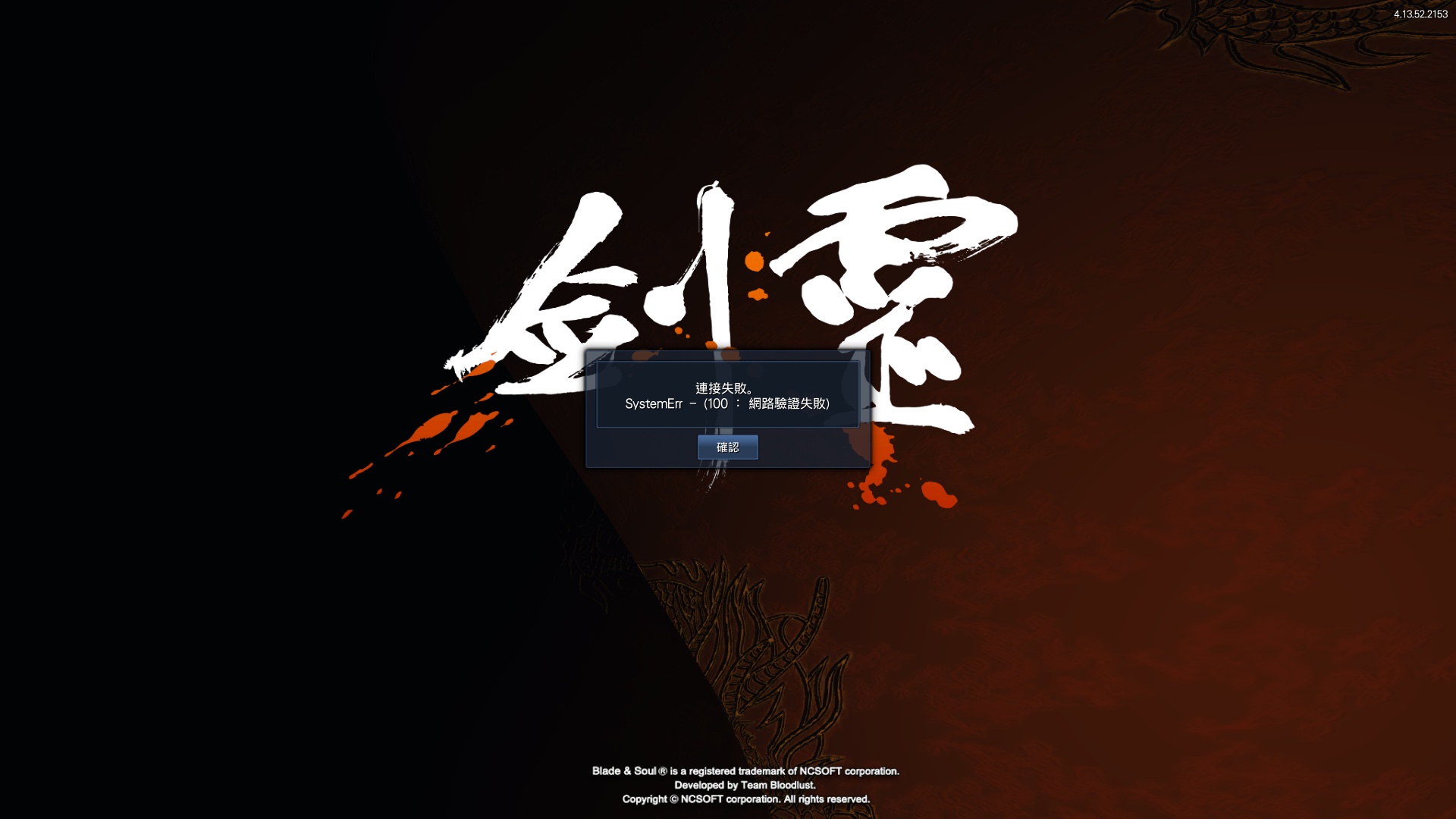
By the way, I have tested shijiediyo's fix for DXVK1.6.1, and work perfectly! The problem has been resolved.
It would help to know what that fix is and how it works. In English...
It would help to know what that fix is and how it works. In English...
shijiediyo upload this, but he says this fix doesn't made by him.
dxvk1.6.1修正版(稳定).zip
It just replace the d3d9.dll file, and resolved the problem.
@allen820814 Friendly ping. Are you still having this issue with latest official dxvk?
@allen820814 Friendly ping. Are you still having this issue with latest official dxvk?
Hello, thank you for your reply.
The game has been remake with Unreal Engine 4 and uses DirectX 11, so I don't use DXVK anymore since the game's performance is great now.
Sounds good.
Would you be able to run a quick test with dxvk on the new engine and verify it's not a issue there either? 🙂
Sounds good.
Would you be able to run a quick test with dxvk on the new engine and verify it's not a issue there either? 🙂
Test result: In UE4 client using DXVK Version 1.10.2, the graphics issue caused by typing Chinese does not exist.
But after using DXVK, the game seems to have a performance problem, maybe it is the first time to run the need to load assets or something like that,
FPS will be reduced to less than 10, then although it seems to be back to normal, but in the same scene compared to the original DX11, DXVK maximum FPS is 32, DX11 (vanilla) maximum FPS is 53.
Description
P.S. Sorry, my English is pretty limited.
I think this is Same issues:
https://github.com/doitsujin/dxvk/issues/1330
This problem has not been resolved since DXVK version 1.5.1.
This problem may only happen when typing in Traditional Chinese Bopomofo (zhuyin) IME call "微軟注音". (Or Maybe any other Chinese IME)
As you can see in the video:
https://youtu.be/ekl8G6fkKXw
When IME is in "中" (Default, Chinese input mode)
You will spell some Symbol to typing Chinese word,
And you can press Arrow down key, there will pop-up a window (this window doesn't record in the video) let you can select the correct Chinese word.
When you are typing in Chinese input mode, you will see a screen flickering and cause graphical glitches.
(Press SHIFT switch English/Chinese input mode)
But if the IME switch to "英" (English input mode)
Everything was fine.
Software information
Blade & Soul (64bit)
System information
OS: Windows 10 Home 64bit 1909 build 18363.836
CPU: Intel Core i7-6700HQ
GPU: NVIDIA GeForce GTX 1060
Driver: 445.87
DXVK version: 1.7 (since version 1.5.1)
Apitrace file(s)
N/A
Log files
Client_d3d9.log