[d3d9] TES4 Oblivion: Anisotropic Filtering is not being applied by Oblivion Reloaded
In dxvk.conf you can force anisotropic filtering
So uh.. what exactly are you trying to do to enable anisotropic filtering?
The Nvidia driver option does not apply to Vulkan, so it's normal that it doesn't work with DXVK.
what exactly are you trying to do to enable anisotropic filtering?
What part of my post wasn't clear? I separately tried applying AF through the Nvidia control panel and through the Oblivion Reloaded mod.
The Nvidia driver option does not apply to Vulkan, so it's normal that it doesn't work with DXVK.
Fair enough but that leaves the question of why Oblivion Reloaded's method doesn't work unanswered. Looking at the source code, OR enables AF in Oblivion by doing two things:
- Writing the value for the amount of AF you want to two bytes in the in-memory copy of Oblivion.exe (at 0x007BE1D3 and 0x007BE32B).
- Calling the SetSamplerState function with the desired value.
In dxvk.conf you can force anisotropic filtering
Thanks. Forcing AF through DXVK worked. This revealed that the stretched colour mapping was also caused by the lack of AF. So this entire issue was caused by AF not being applied. So I guess the only thing unresolved at this point is why OR's patches to apply AF to Oblivion isn't working.
Also, is there any particular reason AF isn't enabled by default? It's been a long time since AF had a noticeable performance impact on even low-end GPUs. Does it cause artefacts in some cases?
Can you try this?
Also, is there any particular reason AF isn't enabled by default? It's been a long time since AF had a noticeable performance impact on even low-end GPUs. Does it cause artefacts in some cases?
If it's not what the game requests, it shouldn't be a default and in some games it doesn't work properly at all.
It is however exposed as an option for you to play with to force it.
Code is here: https://github.com/doitsujin/dxvk/tree/d3d9-anisotropy
@Joshua-Ashton
Thanks for the help. Unfortunately, your DLL didn't work. When I ran Oblivion, a messagebox appeared with an error: Failed to initialise renderer. No D3D Device description found.
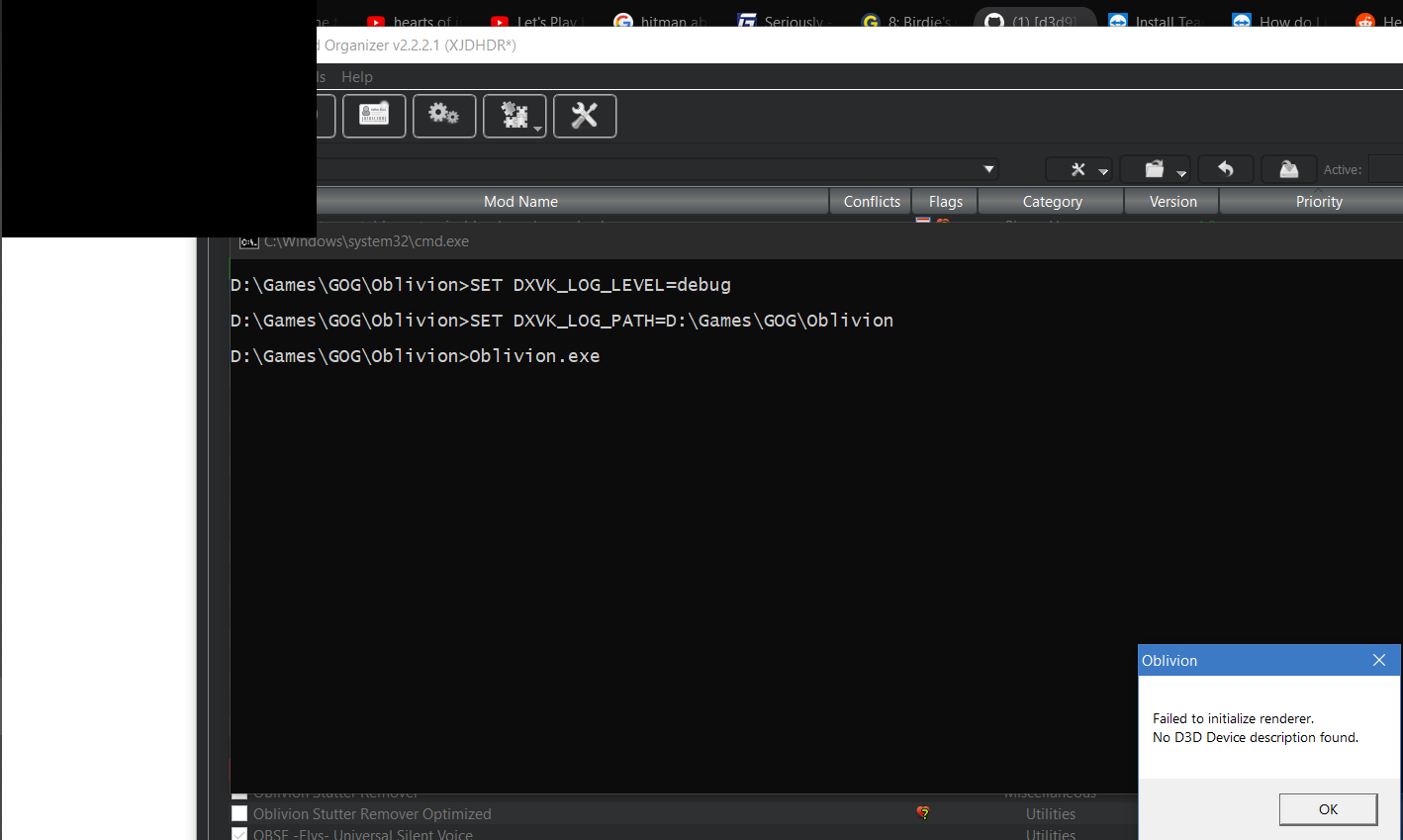
After clicking OK, the game exited. There was no d3d9.log created either.
If no log file gets created at all (not even an empty one), the DLL doesn't get loaded, i.e. you're doing something wrong. Did you pick the correct DLL (the 32-bit one)?
Try the froggi.es version of the build:
https://git.froggi.es/doitsujin/dxvk/-/jobs/1290/artifacts/download
My local one might be dodgy cause of binutils or whatever.
Okay, I just did some more testing and found that:
- With the 64-bit version of the DLL, both builds that Joshua provided fixed the issue. AF works if I use either of the 64-bit versions.
- For the 32-bit DLLs, the local build that Joshua provided gave the error message above. For the froggi.es build, the game does start and work but AF still wasn't being applied.
So it looks like AF is now working but there appears to be some sort of build issue that is affecting the 32-bit version.
Of course it does, because the game is 32-bit and the 64-bit version is just straight-up getting ignored.
Sorry, my mistake. I thought that the game would crash and burn or something if the 64-bit DLL was incompatible. Ignoring it was not what I expected.
Unfortunately, that means Joshua's changes didn't fix the issue.
the game does start and work but AF still wasn't being applied.
No idea then, the game isnt specifying anisotropy anywhere.
I just realised that I've made a big mistake here. I did some more testing and found that the patched in AF support that Oblivion Reloaded claims to add to the game doesn't actually do anything. All this time, the AF support I was seeing was actually what the Nvidia driver forced onto the game.
I'm so sorry I wasted your time.
Nothing extracted yet.
I have noticed a difference between how Oblivion renders textures on native DX9 vs. with DXVK installed.
This is a screenshot of what I see when running Oblivion on the native Windows 10 DX9:
https://i.imgur.com/U5OJNeu.png
This is what I see when Oblivion is running with DXVK installed:
https://i.imgur.com/qusFApQ.png
You can see some stretched colour maps especially on the stone wall to the left.
The normal maps for the dirt textures and rocks appear to have been flattened out or something as well. That said, I tried disabling the forced Anisotropic Filtering in the Nvidia control panel and the resulting normal mapping without DXVK looked very similar to the DXVK image. I also have a mod called Oblivion Reloaded that, amongst other things, enables AF in the game. I tried installing that as well and got the same result; AF didn't appear to have an effect while DXVK was installed. Thus, it seems that DXVK is not allowing Anisotropic Filtering to be applied.
Software information
The Elder Scrolls 4: Oblivion
Ultra High preset with all graphics settings set as high as they can go.
Qarl's Texture Pack 3 installed for high resolution textures.
16x Anisotropic filtering forced through Nvidia control panel.
System information
Apitrace file(s)
Log files