Teenage Mutant Ninja Turtles does not start
And this game works correctly with wined3d?
А эта игра корректно работает с wined3d?
To make DXVK work. I run all games through the dgvoodoo2 wrapper. TMNT is the first game to refuse to launch with DXVK.
This doesn't answer my question. Does this game work without DXVK and with dgvoodoo2 or not?
Это не ответ на мой вопрос. Эта игра работает без DXVK и с dgvoodoo2 или нет?
Yes, it runs fine with DX9 without wrappers. And with dgvoodoo2 it runs as DX11.
Try using DXVK D3D9 implementation instead of DgVoodoo.
Try using DXVK D3D9 implementation instead of DgVoodoo.
Yes it starts without dgvoodoo2.
Is it possible to somehow combine dgvoodoo2 with DXVK?
The reason is simple. We need 4K upscale and anti-aliasing to work correctly, while the HUD interface is in native resolution, without downscaling.
If dxvk.conf had the ability to forcibly set a high resolution, and in the game it's native, it would help me a lot.
tmnt_d3d9.log
The reason is simple. We need 4K upscale and anti-aliasing to work correctly, while the HUD interface is in native resolution, without downscaling. If dxvk.conf had the ability to forcibly set a high resolution, and in the game it's native, it would help me a lot.
Can you elaborate on that, but in your native language please?
Can you elaborate on that, but in your native language please?
Я понимаю что переводчик гугл так себе.
Старые игры имеют одну особенность, интерфейс (HUD - жизни, количество патронов и т.д.) на 640x480 или 800x600. Через dgvoodoo2 я назначаю разрешение в 4K или 1080p, при этом меняется только 3D окружение, интерфейс игры остаётся в родном разрешении, если в самой игре назначено 640x480. То есть такая обманка upscale внутри игры.
К примеру Wheel of Time (1999) может поддерживать 1280x720 widescreen, но при этом если ставишь в самой игре 1920x1080, то интерфейс становиться очень мелким и субтитры в том числе.
В DXVK я не нашёл такой функции, чтобы не пользоваться.
В соседней теме про Властелина Колец, там ещё сложнее ситуация. Так как игра работает исключительно на DirectX8, у DXVK нету самой dll библиотеки. Тем самым мне приходится в любом случае использовать совместно dgvoodoo2+DXVK.
Так как игра работает исключительно на DirectX8, у DXVK нету самой dll библиотеки. Тем самым мне приходится в любом случае использовать совместно dgvoodoo2+DXVK
Для таких игр можно использовать d3d8to9 вместе с d3d9.dll из DXVK
Для таких игр можно использовать d3d8to9 вместе с d3d9.dll из DXVK
Огромное спасибо за наводку. Работает стабильно и fps не падает.
Есть ли способ upscal'ить в dxvk.conf? Принудительно выставлять нужное разрешение.
@legionpheonix Is this still a issue with newer versions?
This game seems very hard to get a hold of.
If any of you still have this issue then comment here again.
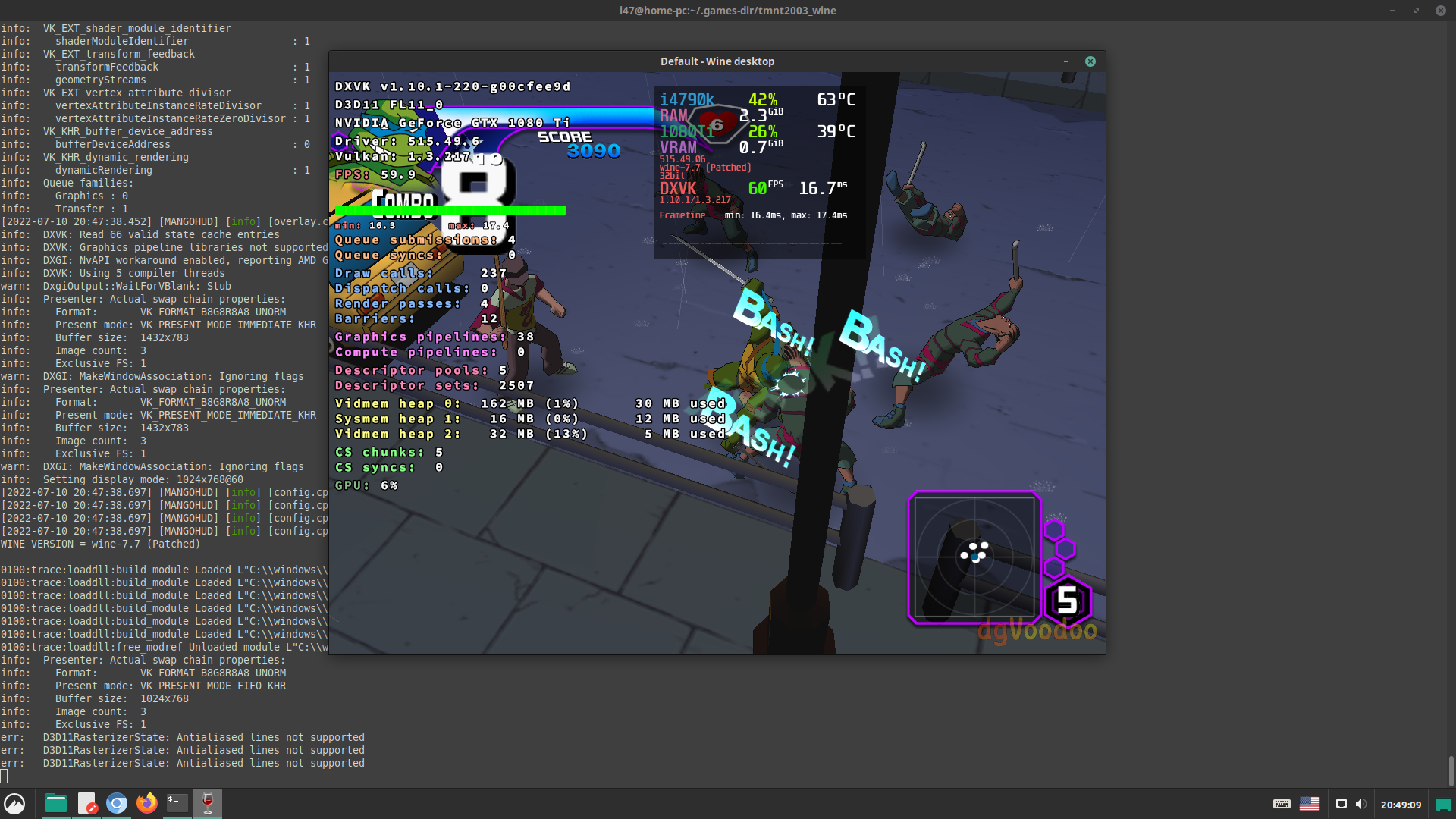
just a little note for Wine users:
it seems that in some cases the use of a virtual desktop can help for this game.
screenshot
DLLs
d3d9.dllx2 2020-08
I run the tmnt.exe file and nothing happens. The game just crashes instantly. It does not display any errors at startup.
System information
Log files
tmnt_d3d11.log
tmnt_dxgi.log