[d3d9] Hearts of Iron IV - nation flags are not rendered correctly
Try using latest master. 1.7.1 has a regression in D3D9. FWIW DXGI.dll is unnecessary for D3D9 games like Hearts of Iron IV.
As stated above, the issue is also reproducable with the latest master. And thanks for the hint about the DXGI.dll, I wasn't aware of it.
If thats the case, please actually provide the logs and (most importantly) the apitrace that the issue template asks for.
Also, what exactly isn't being rendered correctly? On the screenshot it's not at all obvious what's wrong and what it should look like.
The flags work fine for me on the latest nvidia dev driver.
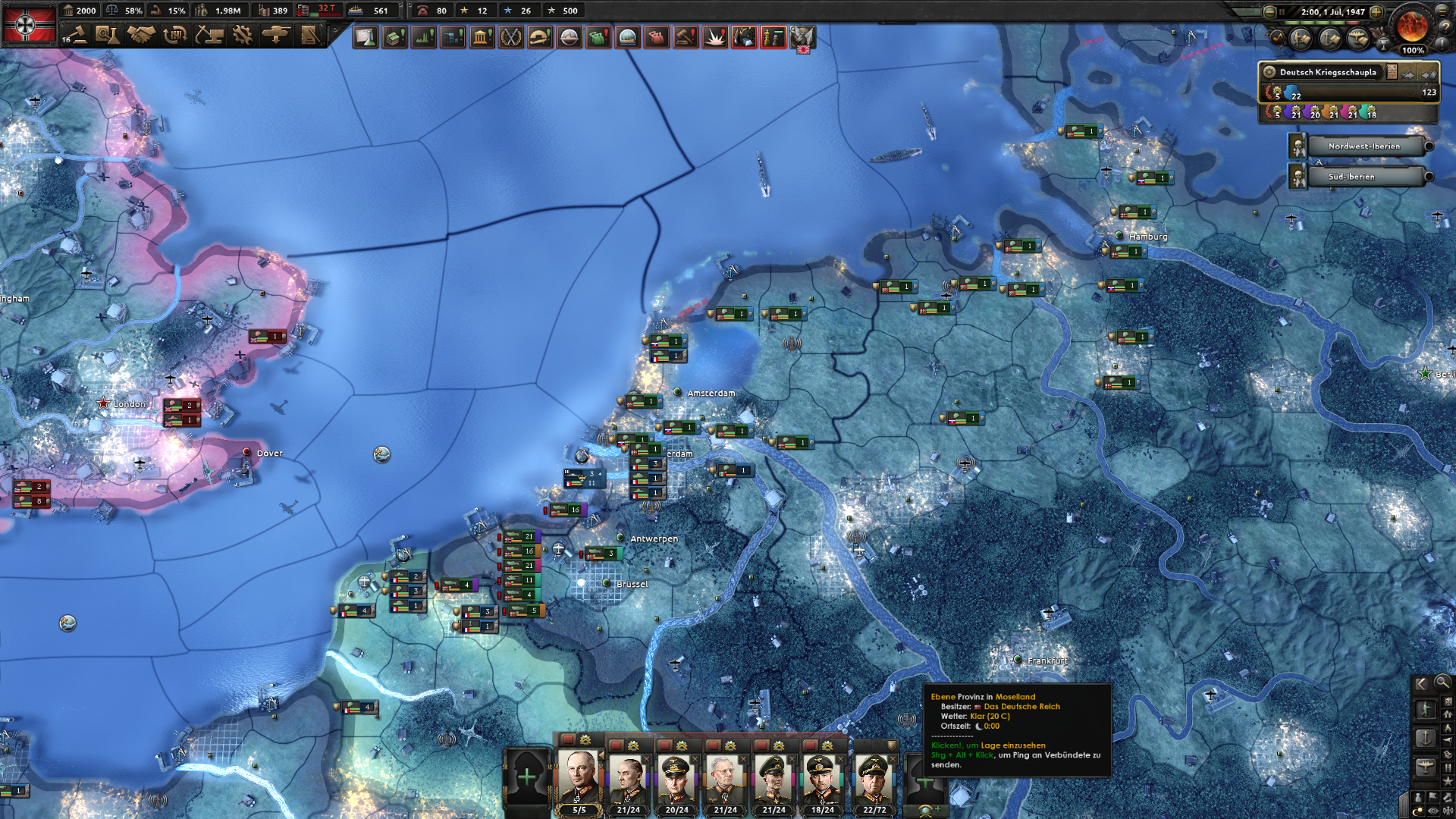
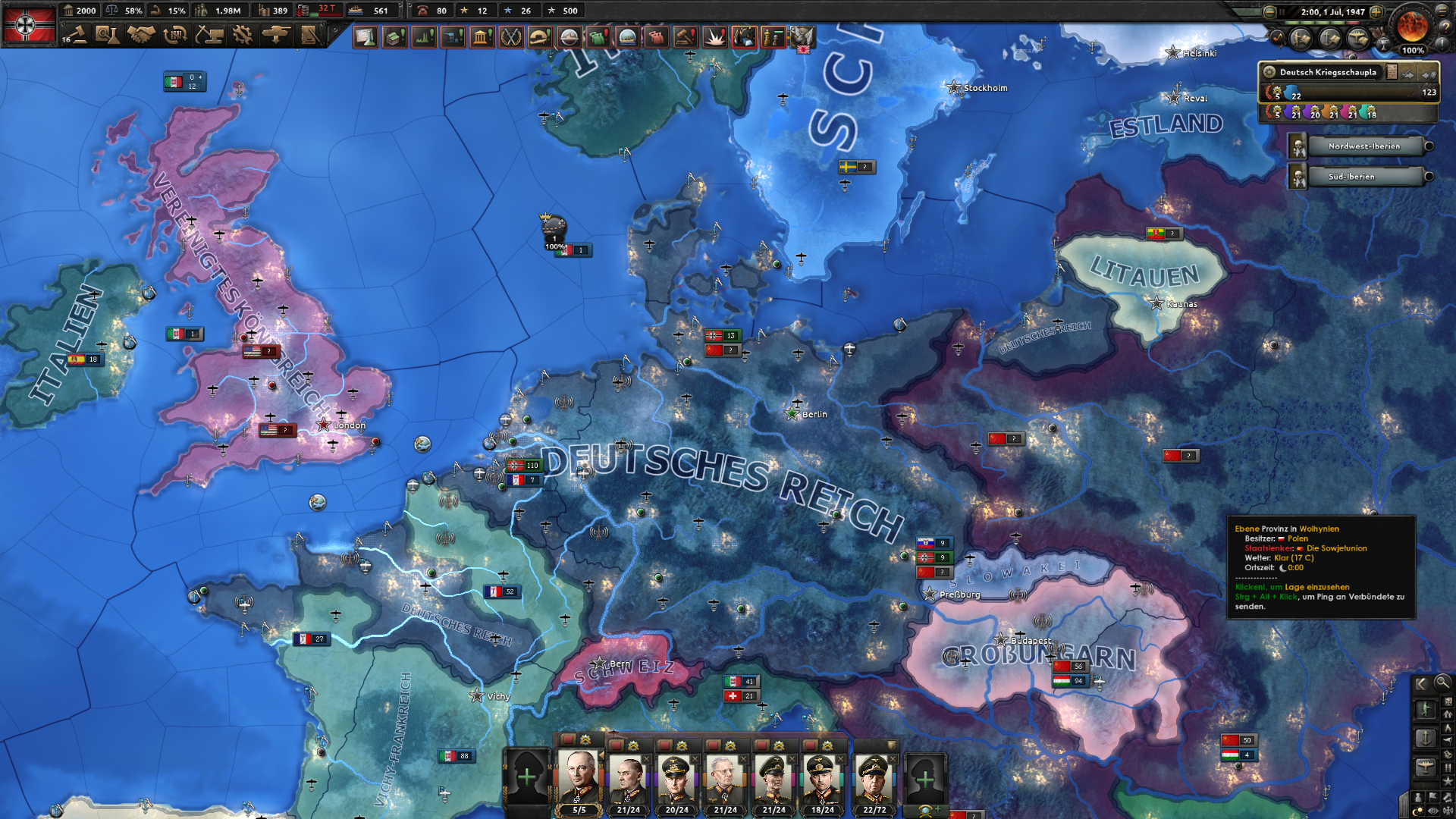
@doitsujin I've attached screenshots how it should look like. The flags are also missing/wrong in the menu.
Here is the log:
hoi4_d3d9.log
In there, two warnings stand out:
warn: ConvertFormat: Unknown format encountered: D3D9Format::AL16
warn: ConvertFormat: Unknown format encountered: D3D9Format::R16
@ms178 can you try to create an apitrace? Here's how: https://github.com/Joshua-Ashton/d9vk/wiki/Making-a-Trace (but download apitrace from https://apitrace.github.io/). The one I created replayed fine for everyone, but there might be a difference on AMD vs nvidia. I'm also not seeing the log spam btw.
@DadSchoorse Thanks for the hints. Unfortunately I cannot reproduce the error with the provided d3d9.dll which came with apitrace-latest-win64/lib/wrappers which is dated from 12th August 2020 and smaller in size than latest master. If I use the d3d9.dll from latest DXVK master though, the issue re-appears.
[UPDATE] I got Apitrace to run [but I am not sure if it runs with the DXVK provided d3d9.dll or its own wrapper], the odd thing is that all the flags are rendered correctly when opening the game through the QTApitrace application.
Here is the new d3d9.log when run with Apitrace:
hoi4_d3d9.log
[UPDATE] Removed the Apitrace, as it wasn't showing the problem anyway.
I've read online that the game does some caching. Can you clear that cache and rerun the game (with that build: https://git.froggi.es/doitsujin/dxvk/-/jobs/1344/artifacts/download) please?
@K0bin I've deleted the cache with the game launcher (and did use the DLL from the build you mentioned already), but unfortunately the issue remains present. I've also installed the most recent Vulkan runtime from LunarG, this also makes no difference.
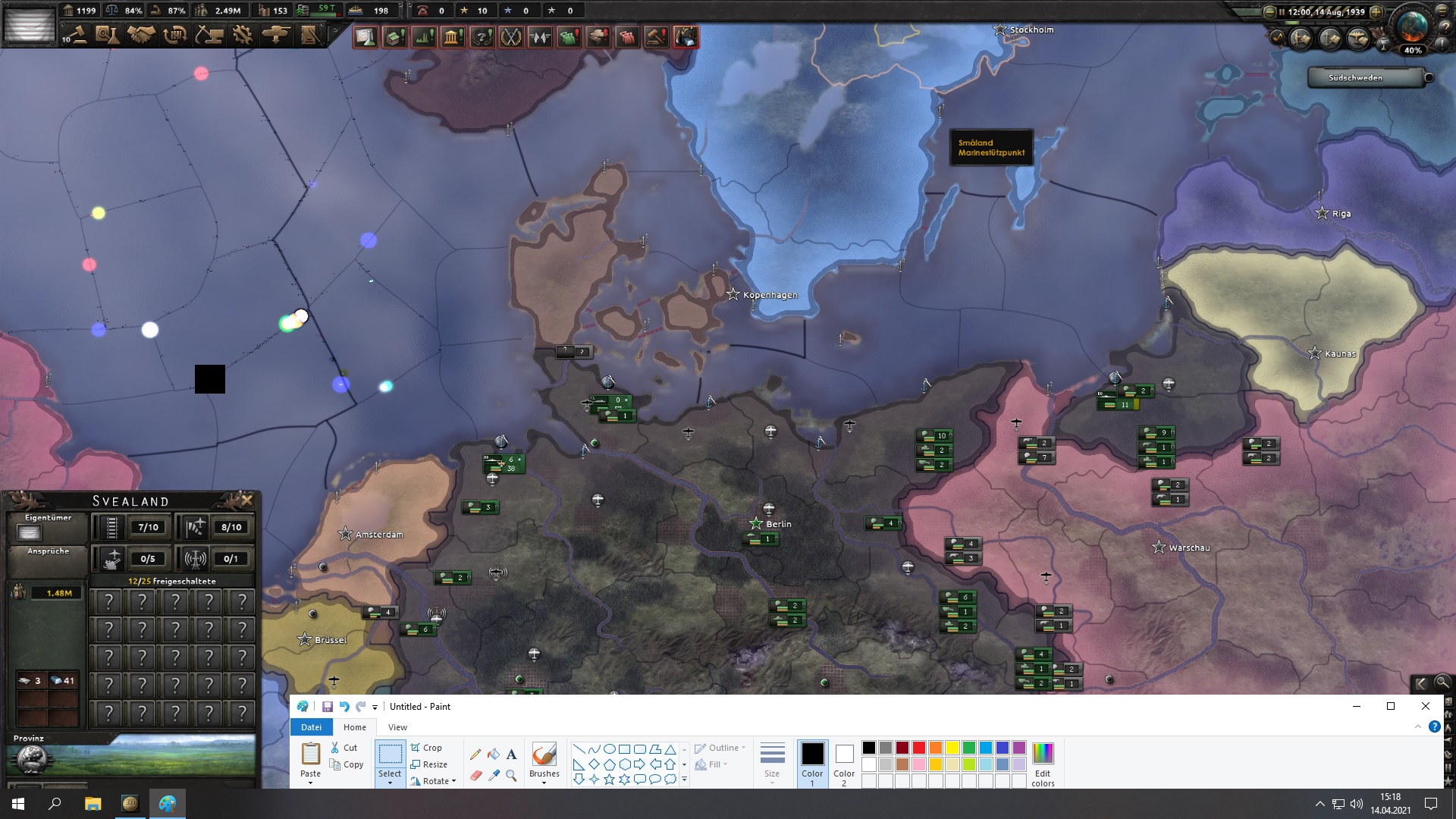
By the way, some times the nation flag in the upper left corner is white [as shown in the first screenshot] and sometimes it appears black with some greenish dots in a weird pattern - I guess it is just a random rendering artifect.
@K0bin I've re-tested this with my Vega 56 on the latest Windows 10 Insider Preview 10.0.21354, AMD Driver 27.20.21001.7005 from April 1st 2021 (which comes through Windows Update) and most recent DXVK-fb0b11903 as of April 14th 2021. The game version is at 1.10.4.
In addition to the already described issues with the nation flags, I now get funny christmas decoration-like graphical issues on the sea water. See the attached screenshot. The screen also flickers which isn't captured in the screenshot (I use a HP 25x, 144 Hz with Freesync enabled). The issue is reproducable in borderless window and fullscreen exclusive mode.
Can you find out which DXVK commit caused those?
@K0bin I cannot bisect, but I tested recent releases and could narrow it down, 1.8.1 is the first release which introduced the funny colored circles, 1.8 is fine in this regard. I hope this helps.
Does it happen with this build: https://github.com/doitsujin/dxvk/actions/runs/729499140
Yes, the screenshot was taken with the latest DXVK-master. The stability is
better with DXVK-master over DXVK 1.8. While the latter doesn't show the
colored circles, it crashes the game after 5 - 10 minutes and returns to
the desktop. I didn't get such a crash with DXVK-master after an hour of
gameplay.
Am Mi., 14. Apr. 2021 um 15:59 Uhr schrieb Robin Kertels <
@.***>:
Does it happen with this build:
https://github.com/doitsujin/dxvk/actions/runs/729499140—
You are receiving this because you were mentioned.
Reply to this email directly, view it on GitHub
https://github.com/doitsujin/dxvk/issues/1735#issuecomment-819540599,
or unsubscribe
https://github.com/notifications/unsubscribe-auth/AEVHFQKJDE2UWZGKW2T37CTTIWNVLANCNFSM4QFA4XKA
.
I think this one can also be closed.
I can reproduce this on proton 6.3-8 and it now renders fine on 7.0-1 and bleeding edge (yes i know there is a native version :grin: ). (Can also test on windows if you want me to)
(Can also test on windows if you want me to)
Yes please, I recall there were some issues specific to native d3d9x.
Okay yes.
R9 380 driver 21.5.2 win10
I first tried 1.8.1 which i reproed the Missing flags and disco nukes hitting poor Finland. (Missed the flashing lights part of the issue)
I then tried 1.10 and the portraits were fixed. But the weird flashing colors (disco nukes) are still present. Also with latest master artifact. I did not notice them on Linux. They are kinda hard to miss.
If you need apitrace or anything just say so and i will make one tomorrow.
Edit: Image attached.
It looks like it's the Multisample level settings that does it. Since when i set it to 0 i can't reproduce anymore.
Try setting it to 4 and you will see the lights towards the edges of the screen.
It's much easier to see if you also have weather turned on since it seems to happen alot with the snow effect. Which is what happens in Finland
Image
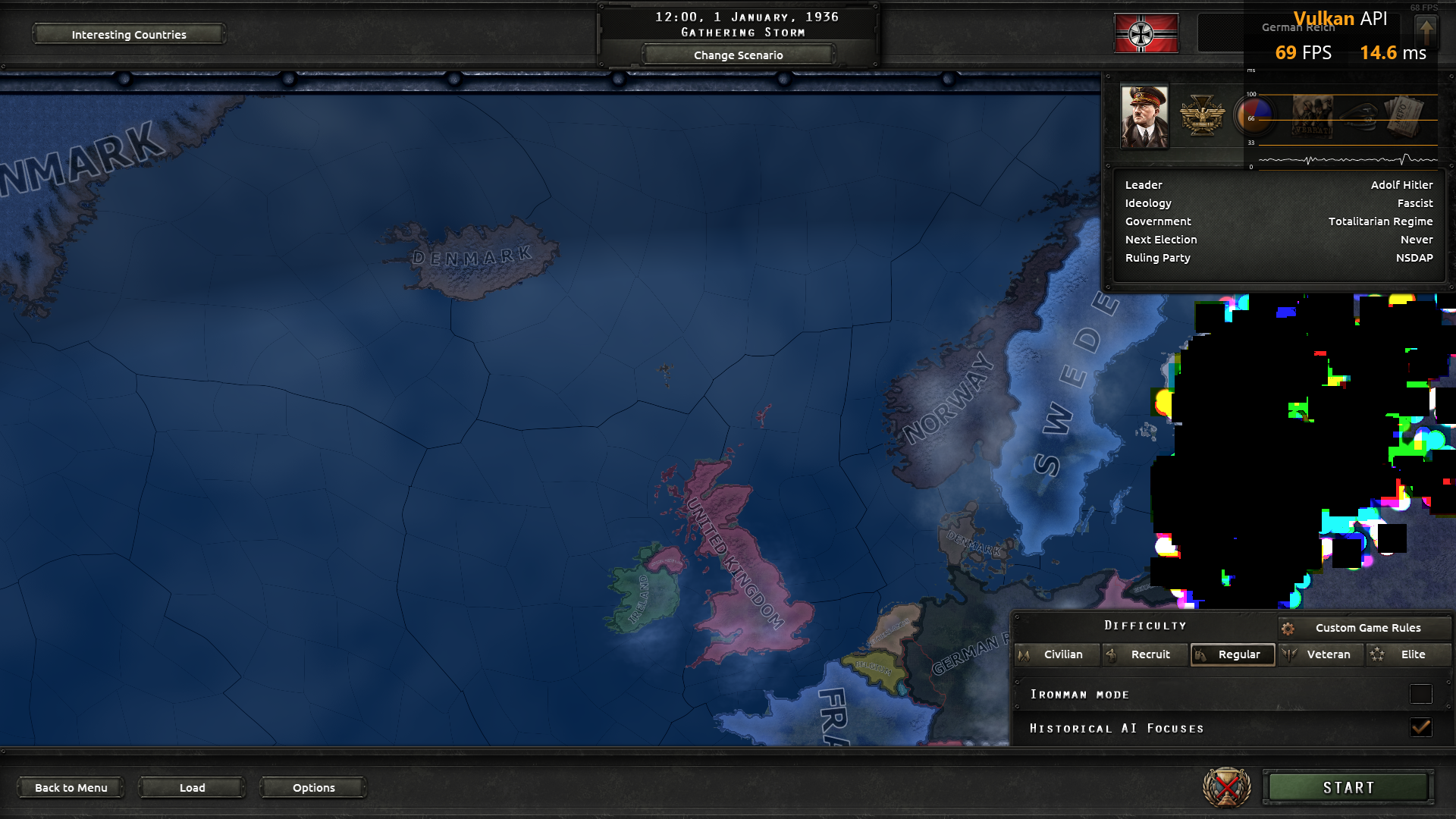
That looks like a feedback loop.
I will attempt a test tomorrow on my gfs Nvidia windows setup of that's of any help.
Also i quickly double checked my Linux setup again and yes it's not a issue there.
This is with radv.
Not necessary.
Please make an apitrace of that issue.
Will do when I get home today.
I for the funs tried to launch with the amdvlk driver to see if it could reproduce the issue on Linux. But game wouldn't start with it.
Even tho you said it isn't necessary i will also take a quick peek with another rig, which has a Nvidia gpu, on both windows and Linux. Just to see what happens.
Okay i managed to get it running on amdvlk 2021q2.5, which is also around the same time where amd dropped driver support for my GPU on windows. So i guess it makes sense no newer amdvlk works.
Anyway i can reproduce the issue on linux with that driver. But i'm not able to check if the issue has been fixed in the later versions.
Trace from windows if that's still relevant.
@Blisto91 You didn't nuke anyone in that trace so it doesn't show that bug. I cant see anything wrong with the trace you uploaded.
Oh my bad. I thought a trace was supposed to be without dxvk enabled so i just plucked it into my windows folder next to the exe.
And if i misunderstand and you are not joking then no i didn't nuke anyone (disco nukes was a joke :grin: ). I can get it showing just by going into country selection by picking Germany and it shows in the corner in Finland when Multisample level is on along with weather effects.
I thought a trace was supposed to be without dxvk enabled so i just plucked it into my windows folder next to the exe
Shouldn't matter whether the trace is made with DXVK.
And if i misunderstand and you are not joking then no i didn't nuke anyone (disco nukes was a joke grin ).
Now I'm a bit confused. What did you do to cause the graphical issues in your earlier screenshot then? Did you do the same thing in your apitrace?
This is most likely an AMD graphics driver bug.
Now I'm a bit confused. What did you do to cause the graphical issues in your earlier screenshot then? Did you do the same thing in your apitrace?
On windows i launch the game with dxvk. Make sure Multisample level isn't set to 0, i have it at 4 and put weather on so it's easier to notice.
I then select new game -> pick 1936 -> click the hitler picture -> when the map shows it will be showing in finland. It's cuz the snow storm effect is showing. It will also appear in other places with flakes flying around.
If weather isn't on you can still get it to appear if you zoom in to some of the border lines between provinces, but it's harder.
Ye i did the same. But without dxvk. I can try to get a trace through proton on linux with the amdvlk driver if you want to.
Edit: Added picture of the snowflakes on radv without the issue.
These snowflakes will show the funny colors and black squares when the issue is present.
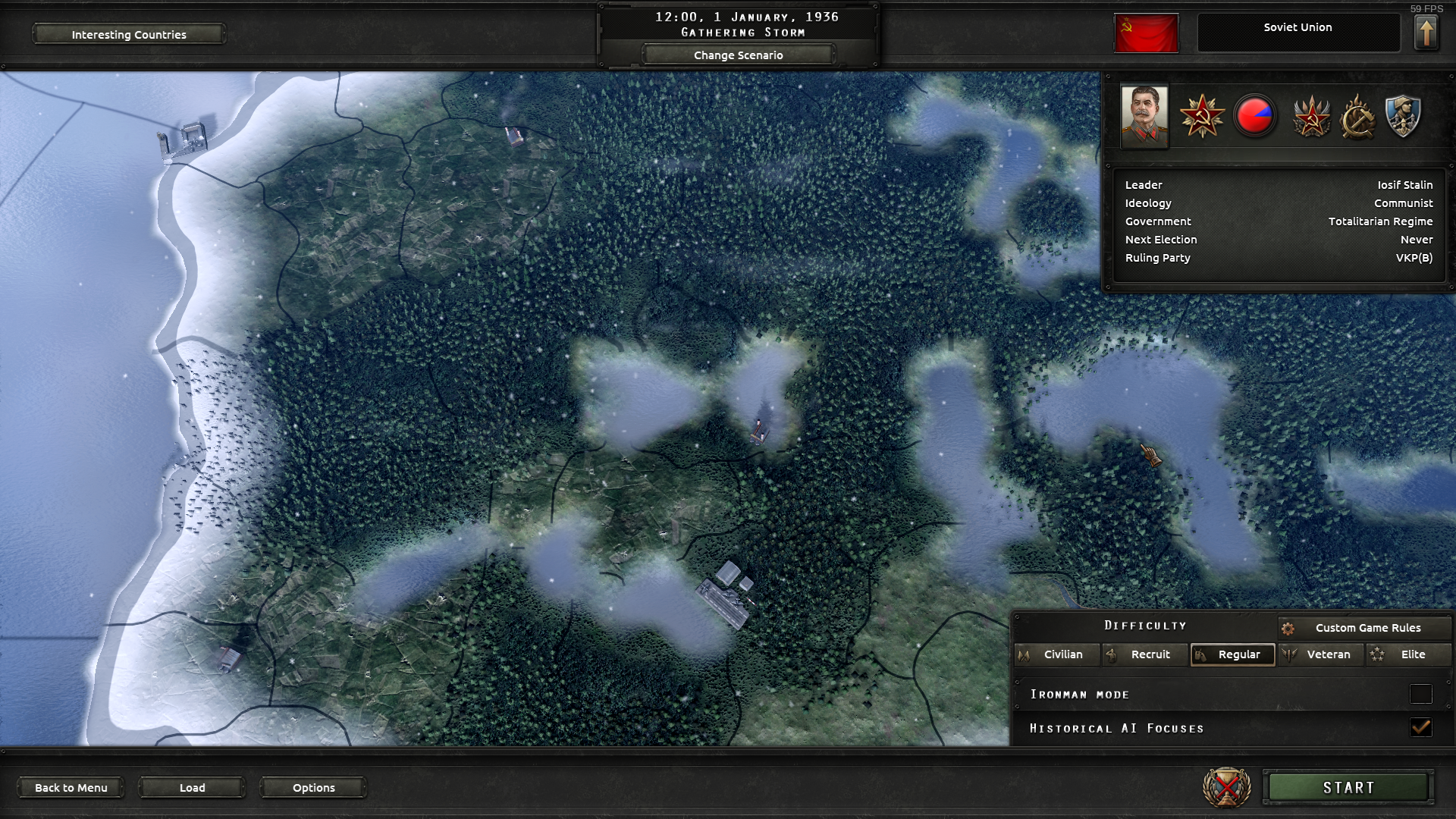
Okay, I get it now. Looked perfectly fine when replaying the apitrace on Nvidia, so I'm writing this off as an AMD Windows/AMDVLK driver bug. We don't really support either of those, so there's nothing to do here.
Ye i don't mind. The game has a native version and i use radv anyway.
I just wanted to say the original issue was solved and then didn't notice the OP had another issue :grin:
I reported the issue while using Windows and the AMD Windows driver at that time. I understand that this is not a focus of the project, so closing this issue is fine with me if it is not easily fixable on the DXVK side.
@ms178 The flag issue have been fixed in the newer versions of dxvk.
I am not able to use the newest Radeon driver on Windows so i can't test if the colored lights and black squares are still present. But if they are then i could work around it by setting Multisample level to 0 in the games settings.
@Blisto91 Thanks, I'll try it out next time I get back to Windows. The native Linux version used to work fine albeit with the latest patch, the game doesn't start anymore but that is off-topic. I couldn't get the Windows version to run on Linux either, but that might be due to the same problem with that patch.
Both with DXVK 1.7.1 x64 and latest master, there are some rendering issues on Windows 10 using dxgi.dll and d3d9.dll in Hearts of Iron IV. The flags of the nations in the game in several occasions are not rendered correctly, this affects also the rendering of the units (and other parts of the games where flags are shown, the screenshot below illustrates it).
The GPU is a AMD Vega 56 with Adrenalin 20.8.2.