[d3d9] Significantly lower performance than gallium-nine in Dragon's Dogma
Does this build improve the situation?
No real change compared to master with this build.
Been playing Dragon's Dogma myself a few days also, this time under wine-staging 6.3 and with a RX 5600 XT (Navi10) on a Ryzen 7 1700 @3.6Ghz & 48GB RAM
What I don't understand is that both GPU/CPU Usage is around the mid 20% mark, and the FPS drop as low as 30s and peak as high as 150 (the cap), seems so inconsistent, what is causing the low resource usage?
GPU synchronization, which is an absolute shitshow in D3D9 with pretty much every single game being horribly broken.
FWIW, master with the recent locking changes doesn't affect this game.
While i was testing this i noticed what appeared to be a performance regression between 1.9.4 and 1.10.
Here i was testing a specific spot where i loaded in each time without touching the mouse. In 1.9.4 i was getting a stable 50ish fps and in 1.10 i was getting a stuttery 30 - 40 fps.
I have tried going through the github actions master artifacts to find out somewhat where the issue happens. But these are not the specific commits where the issue occurs, just close to the behavior change.
Stable fps
Here in a build from commit 25ebf948 we see the steady fps behavior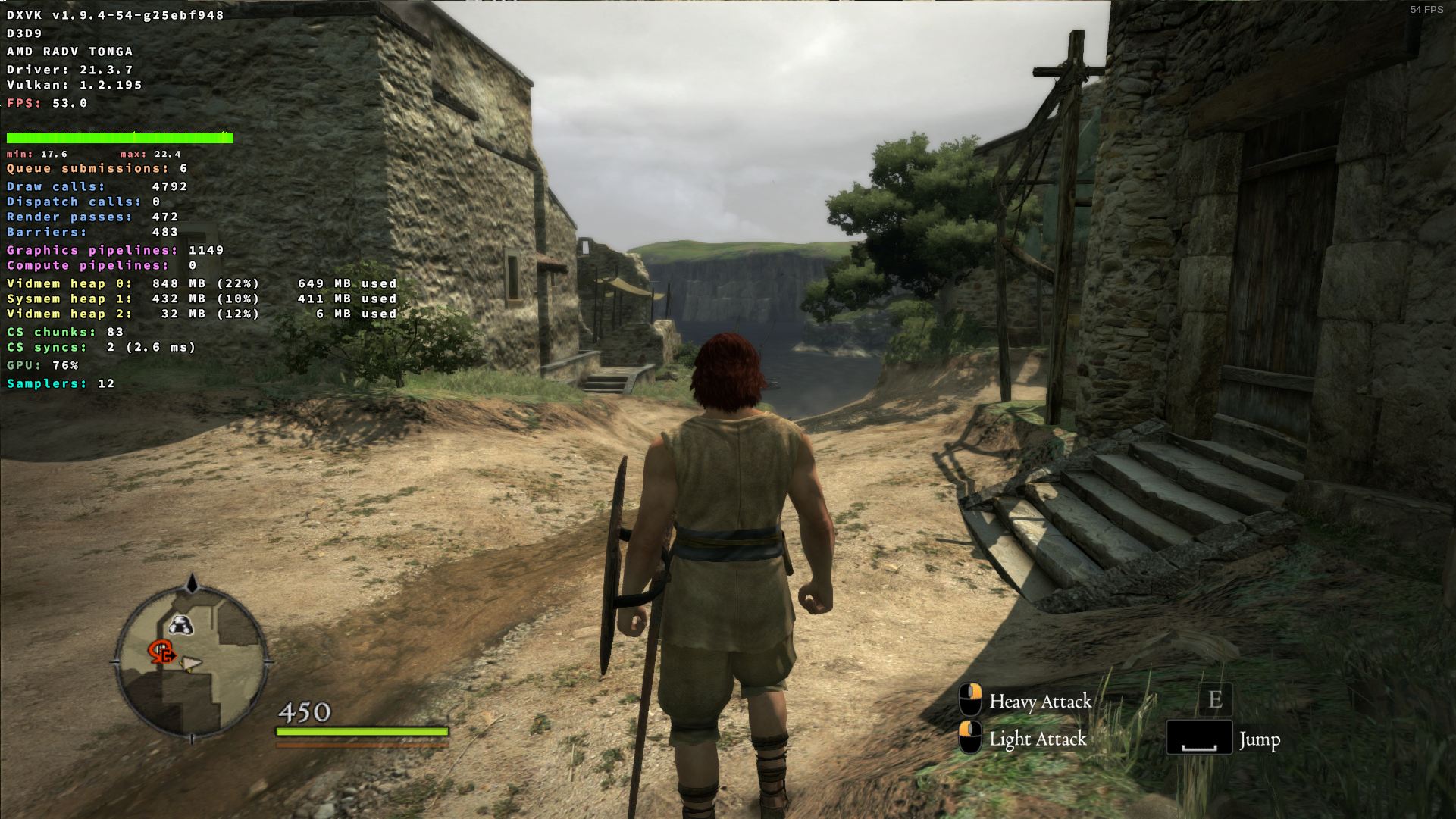
Low stuttery fps
Then somewhere between the commit above and 4e464327 the issue appears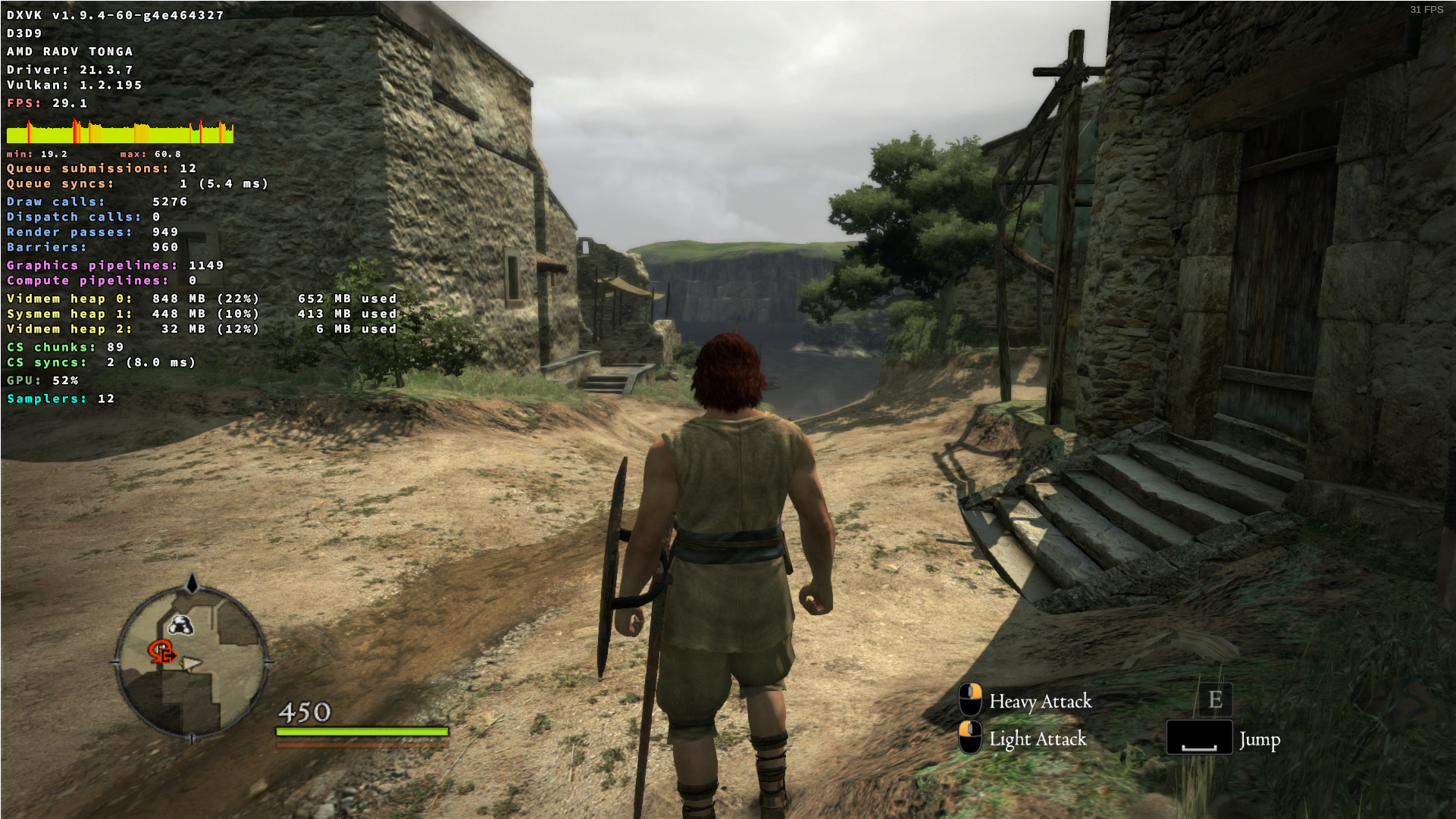
High stuttery fps
Then somewhere between the commit above and 29d88127 the fps suddenly improves, but have these high stutters that come relatively often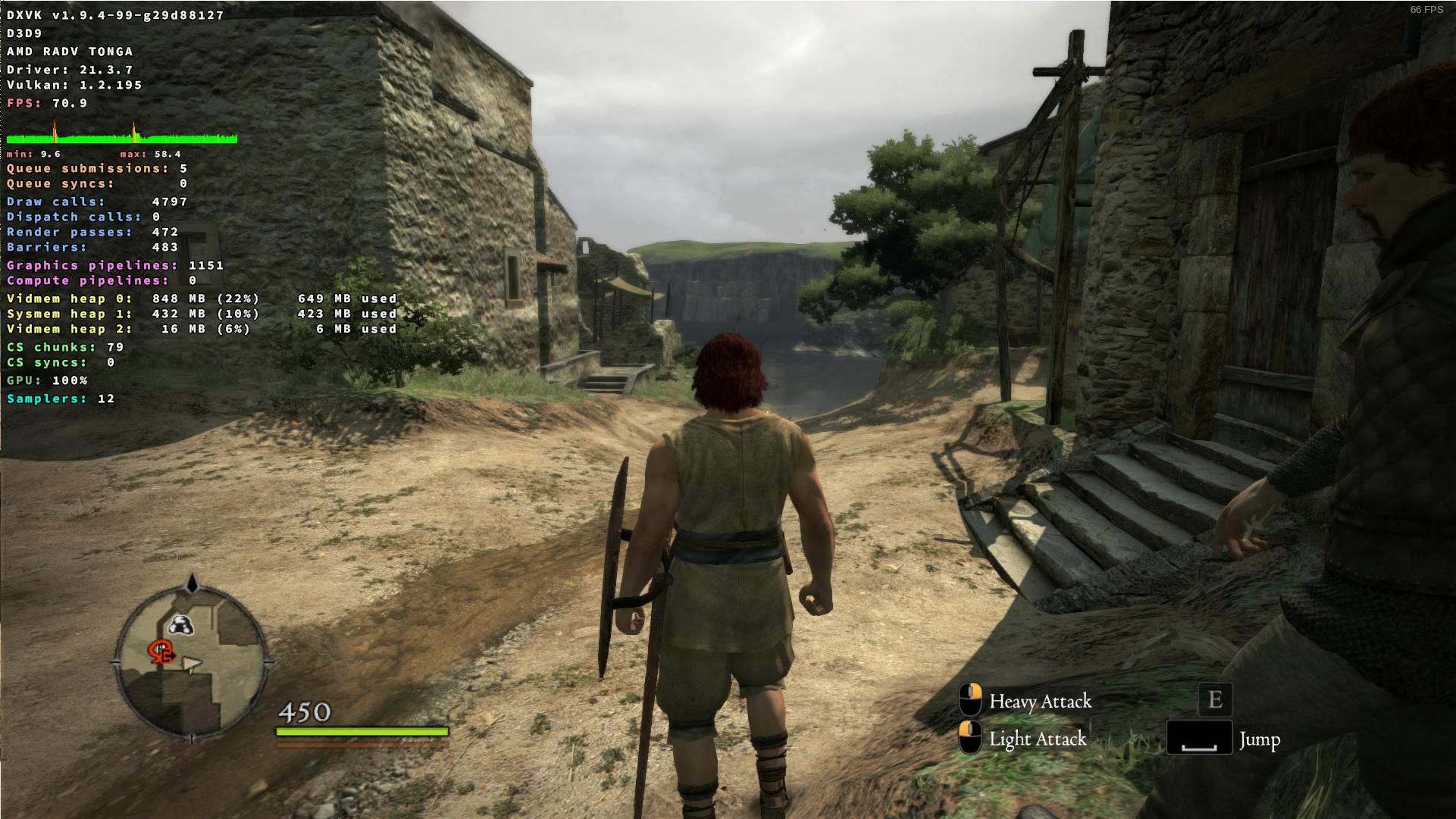
Low stuttery fps
Then somewhere between the commit above and b42c0725 we are back at low fps with stutter. This is also how it is on bleeding edge proton with latest master.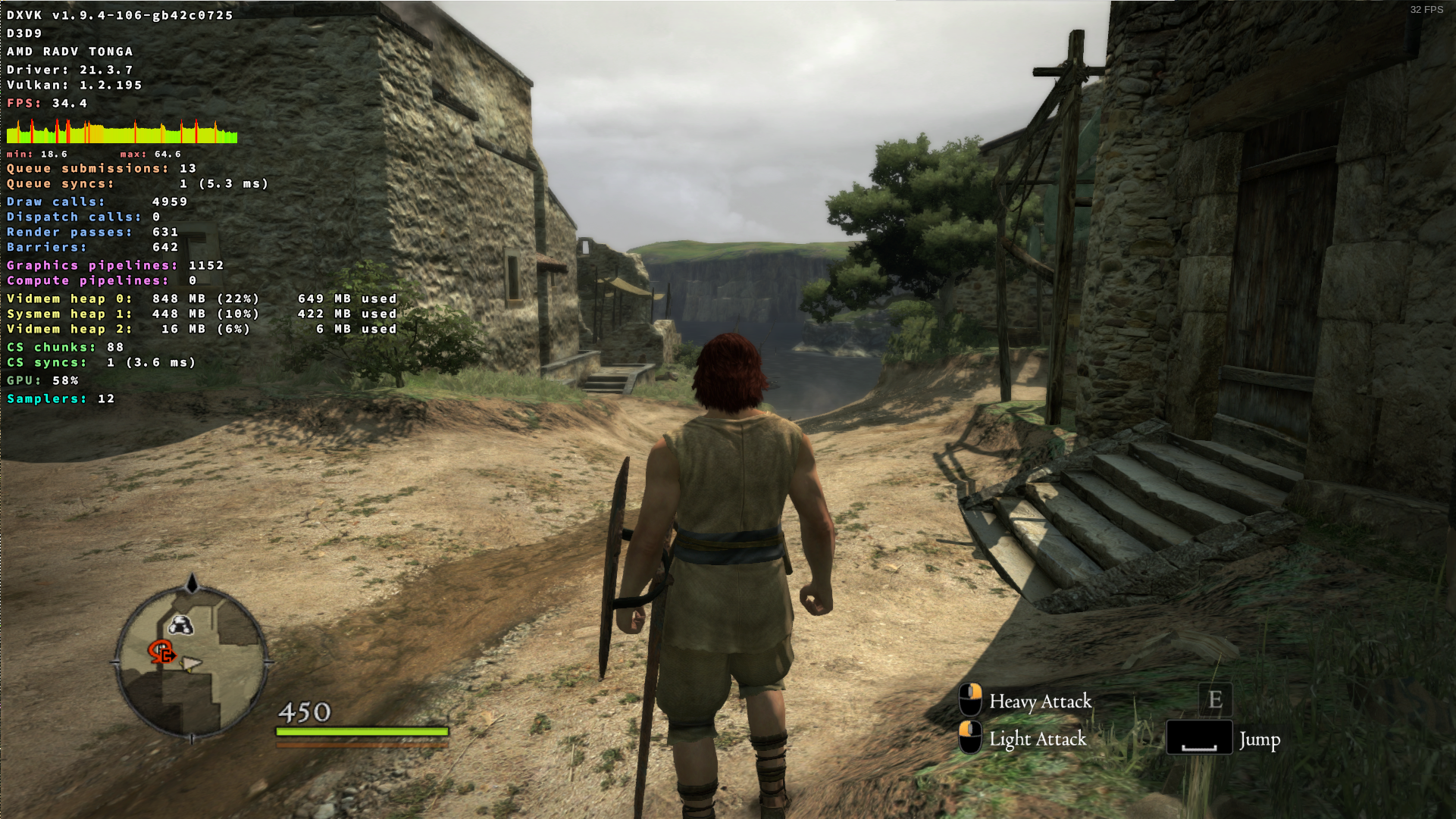
I don't see a regression with dxvk master on my end:
screenshot
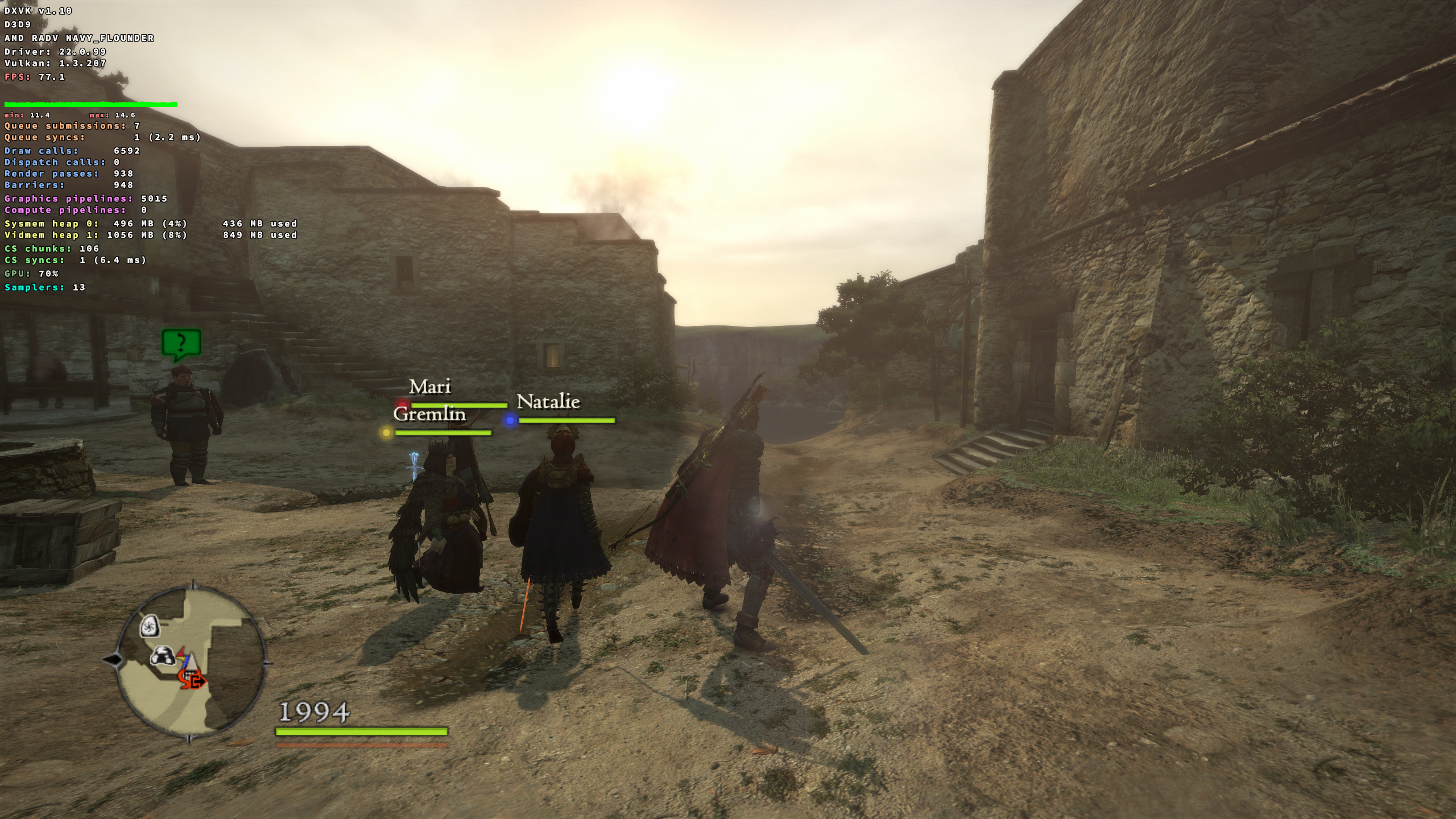
This is with dxvk master on proton experimental bleeding edge, despite the HUD saying 1.10.
Odd. Can reproduce it quite consistently by loading up my save.
I had to make sure i stayed in the same spot cuz this games performance can change quite a lot just by moving a few meters or look to the side which makes it hard to do proper performance comparisons unless you stay in one spot xd.
But even then when running around a bit, on my system comparing proton 7.0-1 to bleeding edge the latter gets frame timing spikes relatively often whereas the former don't. And looking at mangohud it didn't look like gpu or cpu utilization seemed to have changed (not a very scientific test)
Edit: I just noticed that launching the game with gamemode on bleeding edge gets rid of the frame spikes. ffs :grin:
@Blisto91 The game copies the rendered image onto another texture and immediately reads it, causing a full GPU sync. This is very slow and there's not a lot we can do about it. I accidentally broke this which is why the game ran fast for a couple of commits.
Roger roger. 👍
I still find it odd that i now need to use game mode to make it non stuttery like the old versions. But there is probably a good explanation for that somewhere and I'm not knowledgeable enough 😁
Proton versions
proton 7.0-1x1 2022-03proton experimentalx1 2022-03proton 5.13x1 2021-03
Dragon's Dogma Dark Arisen is about 15 fps slower than gallium-nine in a cpu-bound case on my system. This is most prominent in the first village area of the game after completing the tutorial when standing at the city gate looking towards the sea.
DXVK (master is at about 60 fps):

gallium-nine:

perf shows most of the cpu time spend in WaitForResource:

As discussed on discord, here is some debug logging before every WaitForResource call:
DDDA_d3d9-WFR.log
Patch used to generate the log:
frog.txt
Software information
Dragon's Dogma Dark Arisen https://store.steampowered.com/app/367500/Dragons_Dogma_Dark_Arisen/
Medium settings 720p
System information
Apitrace file(s)
recorded with DXVK:
https://drive.google.com/file/d/1GgxS5V2GLSysmMWf6ZQzZEGeN7x3Cmui/view?usp=sharing
recorded with wined3d:
https://drive.google.com/file/d/11YHQBLHzjDpdxlO5Z82Llwhw0VZ7hkGN/view?usp=sharing
Log files
DDDA_d3d9.log