Dragon's Dogma Square Artifacting
dxvkclosed
This doesn't occur on RX580/Polaris with RADV.
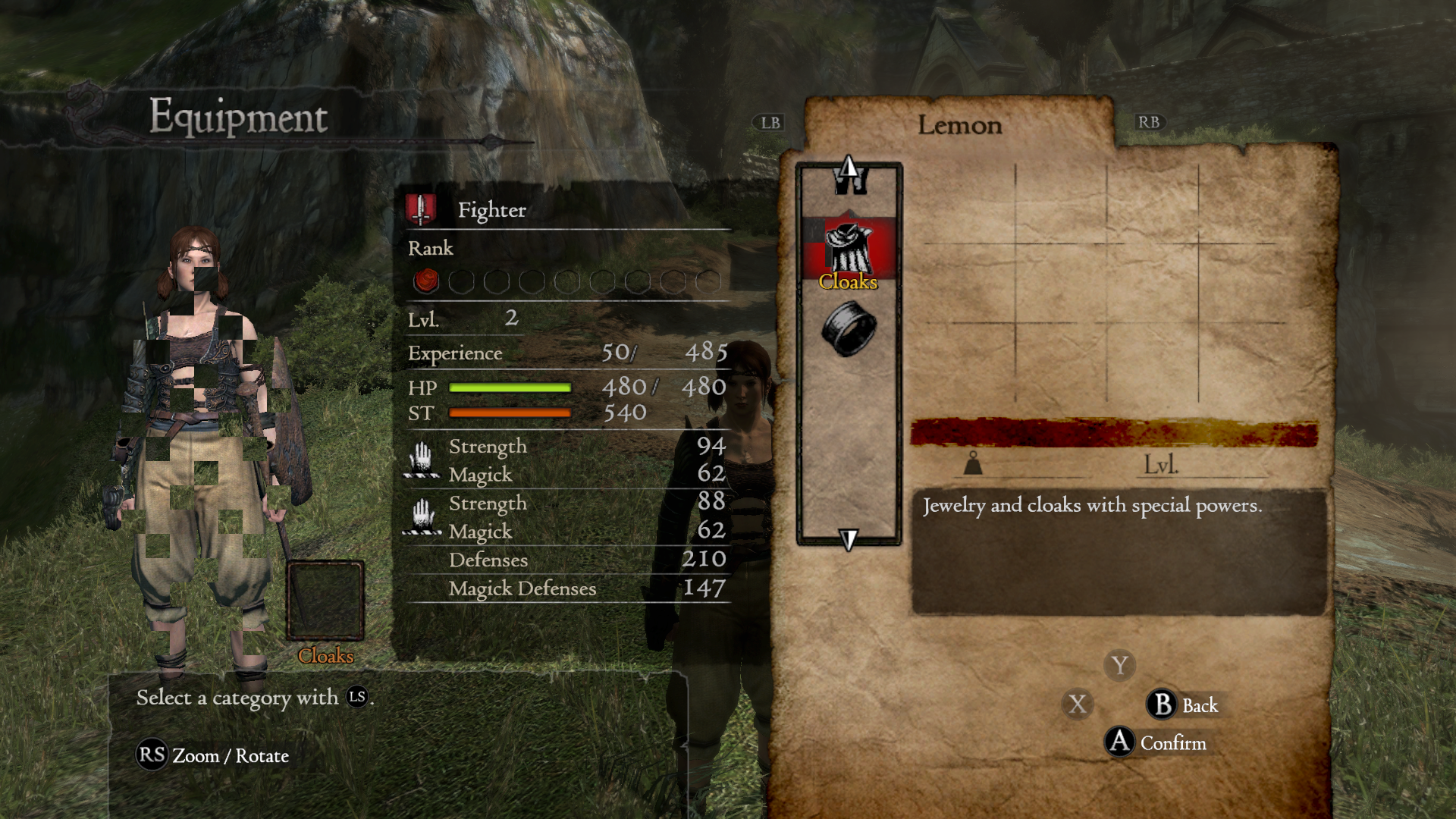
Another Pic
We don't need more pictures, one is enough...
Does this work with Mesa 20.3.4?
I'm on the Fedora Linux 34 Pre-Release, so the lowest I think I can currently go is 21.0.0 rc5, So I just tried downgrading to the supplied mesa and it still artifacts on 1.8/1.8.1 and 1.7.3 is still free of artifacts. the mesa git I'm getting is from the copr
https://copr.fedorainfracloud.org/coprs/xxmitsu/mesa-git/
Edit: Just manually downloaded mesa-20.3.3-7 from koji and installed that, couldn't get it to artifact with 1.8.1
Looks like I'll be making a bug report to mesa then
I'll close this, now I know its a mesa issue, thanks for the help
Nothing extracted yet.
Please describe your issue as accurately as possible. If you run into a problem with a binary release, make sure to test with latest
masteras well.When accessing the Equipment Screen and rotating the avatar square artifacts appear over them, this does not occur with DXVK 1.7.3
Important: When reporting an issue with a specific game or application, such as crashes or rendering issues, please include log files and, if possible, a D3D11/D3D9 Apitrace (see https://github.com/apitrace/apitrace) so that the issue can be reproduced.
In order to create a trace for D3D11/D3D10: Run
wine apitrace.exe trace -a dxgi YOURGAME.exe.In order to create a trace for D3D9: Follow https://github.com/Joshua-Ashton/d9vk/wiki/Making-a-Trace.
Preferably record the trace on Windows, or wined3d if possible.
Reports with no log files will be ignored.
Software information
Name of the game, settings used etc.
Dragon's Dogma Dark Arisen, Maxed everything
System information
GPU: Radeon RX 5600 XT (NAVI10)
Driver: Mesa RADV git dfb0e0d
Wine version: Wine-Staging 6.3 + Win Steam
DXVK version: 1.8/1.8.1
Apitrace file(s)
Log files