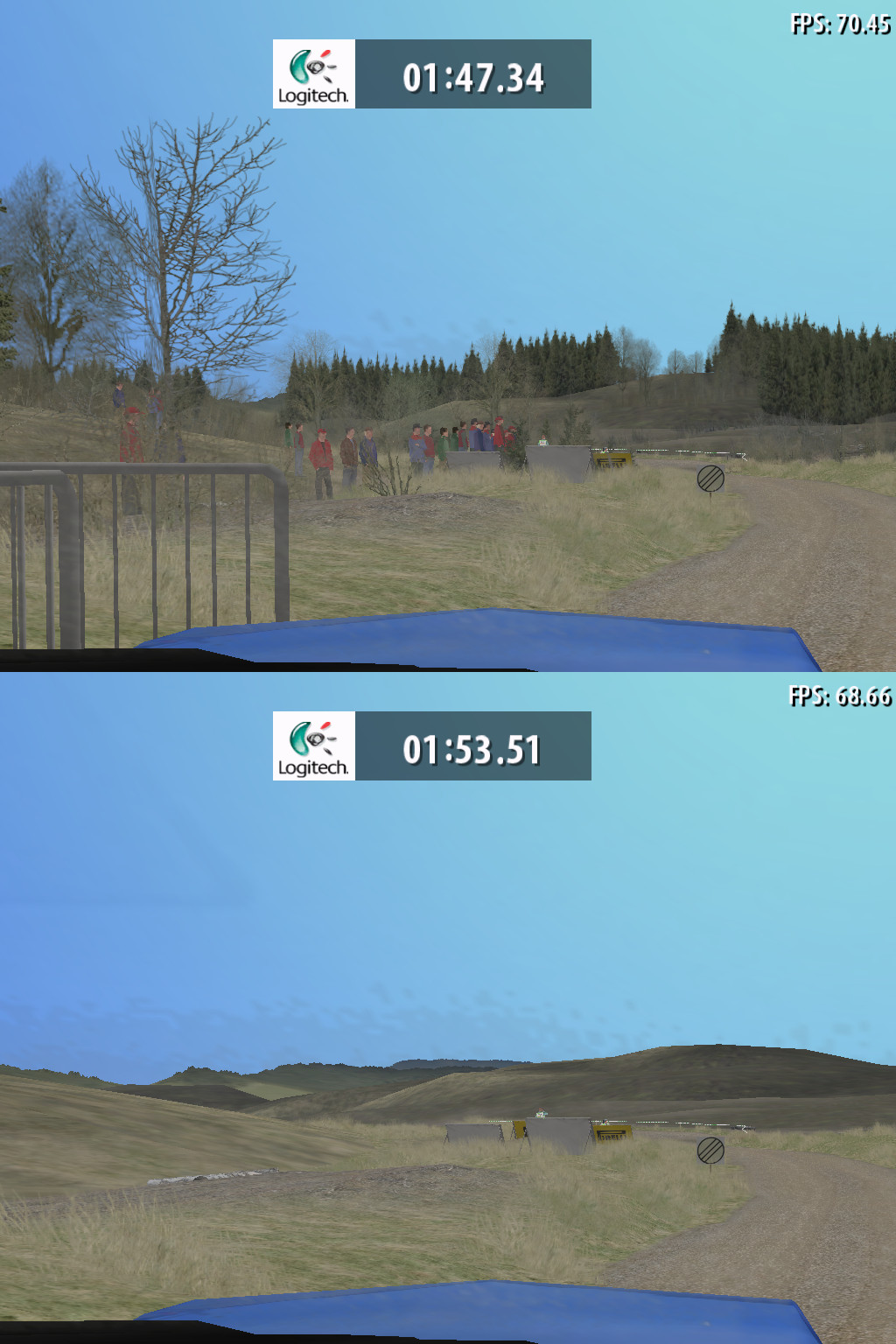
[D3D9] Richard Burns Rally trees and objects disappear after about 2 minutes.
not sure if its even DXVK issue. still happens with regular wined3d also at least with the 5.xx versions of wine, havent tried with 6.x yet.
https://bugs.winehq.org/show_bug.cgi?id=11531
I just tried 6. Keeps crashing and 10fps for me but eventually I got to go for long enough and it happen on wine3d too. If this was fixed in wine3d would it be fixed in dxvk too or are they diffrerent?
I just tried 6. Keeps crashing and 10fps for me but eventually I got to go for long enough and it happen on wine3d too. If this was fixed in wine3d would it be fixed in dxvk too or are they diffrerent?
it depends if its caused by some GPU side of things (aka rendering) or some other crap. does it also happen in Windows with DXVK?
Yeah happens in windows with DXVK.
not sure if its even DXVK issue. still happens with regular wined3d also at least with the 5.xx versions of wine, havent tried with 6.x yet. https://bugs.winehq.org/show_bug.cgi?id=11531
I see over at GamingOnLinux forums you had this working on an older version of d9vk? I tried all the versions up to around the time you posted that but still no joy. Perhaps the version of d3d9 or d3dcompiler I have is messing it up? I'm using lutris's versions. Although it should work on windows if that was the case I guess.
Can confirm that this PR fixes the issue for RBR
https://github.com/doitsujin/dxvk/pull/2359
Awesome! Thanks everyone.
I can compile the master branch and it runs but when i add the pull request it crashes before the game loads.
I suspect I'm doing something wrong either compiling or something with my system.
@xpander69 Could you possibly send me the compiled working binary? Thanks.
Awesome! Thanks everyone.
I can compile the master branch and it runs but when i add the pull request it crashes before the game loads. I suspect I'm doing something wrong either compiling or something with my system. @xpander69 Could you possibly send me the compiled working binary? Thanks.
make sure you use the 32bit dll's as the game is 32bit:
compiled master-branch with that PR applied: https://drive.google.com/file/d/1ygikbNBBq6RHE3sO93pfKmgam04Ekf7b/view?usp=sharing
compiled master-branch with that PR applied: https://drive.google.com/file/d/1ygikbNBBq6RHE3sO93pfKmgam04Ekf7b/view?usp=sharing
No joy here still have the trees. Disappearing.
Why when I compile do i get v1.9.2-52? The one you sent says -43
I dont know..i built it the day i messaged here. So there might be some changes since then
are you launching the game from correct executable?
you can try dxvk.conf with d3d9.floatEmulation=true
as its only enabled for one executable of RBR
/* Richard Burns Rally */
{ R"(\RichardBurnsRally_SSE_.exe$)", {{
{ "d3d9.floatEmulation", "Strict" },
you can try dxvk.conf with d3d9.floatEmulation=true
You need d3d9.floatEmulation = strict and the matching git branch.
But yeah, as you wrote, it should be applied automatically unless there are different versions of the game with different exe names.
d3d9.floatEmulation = strict fixed it.
I see in the code is says. { R"(\RichardBurnsRally_SSE_.exe$)", {{
Is it meant to be { R"(\RichardBurnsRally_SSE.exe$)", {{
Without the extra underscore?
Is it meant to be { R"(\RichardBurnsRally_SSE.exe$)", {{
Fixed. Thanks for the heads up.
yeah strict i meant, thanks for pointing out. Tested again just to be sure i wasn't seeing ghosts. Was lazy to hook up my wheel atm though, so i drove a bit with the keyboard and all is still fine (i have loads of mods though)
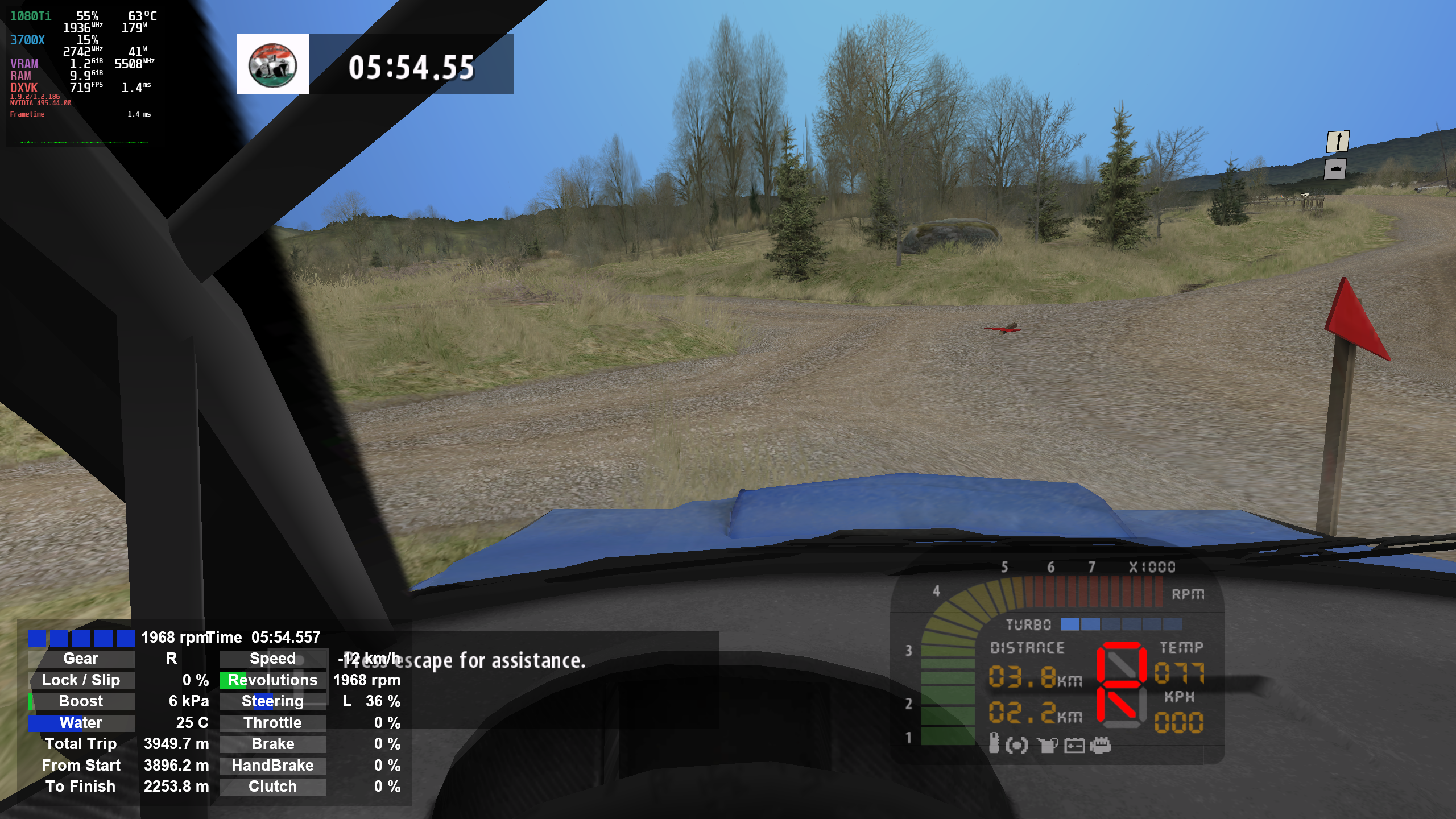
Awesome! I tried with Rallysimfans today all good. Thanks again.
Should be fixed by c13395db970d16a5631a7c0926e2c4529d2710c3
Sorry for necroposting, but thank you everyone! You are the best!
Upstream links
- doitsujin/dxvk/pull/2359x1 2021-11
- show_bug.cgi?id=11531x2 2021-10
Trees and other objects disappear after about 2 minutes.
dgvoodoo2 by dege has fixed this in their closed source wrapper. From change log if this is of any help.
"- Fixing a minor incompatibility for generated shader code (Richard Burns Rally)"
Windows Apitrace
d3d9.log
RichardBurnsRally_SSE_d3d9.log