Kingdoms of Amalur: Re-Reckoning anisotropy rendering artifacts
dxvkclosed
not a bug
This is not a bug; if you mess around with settings like this then this kind of thing may happen. Some rendering techniques the game uses just don't play nicely with anisotropic filtering.
I have same issue on latest version of drivers, same version of game, same GPU, DXVK 1.9.2. Is it possible now to fix these red artifacts and keep anisotropic filtering enabled? I tried every combination of ingame and Nvidia Control Panel settings for AF, no luck so far, only forced through dxvk.conf.
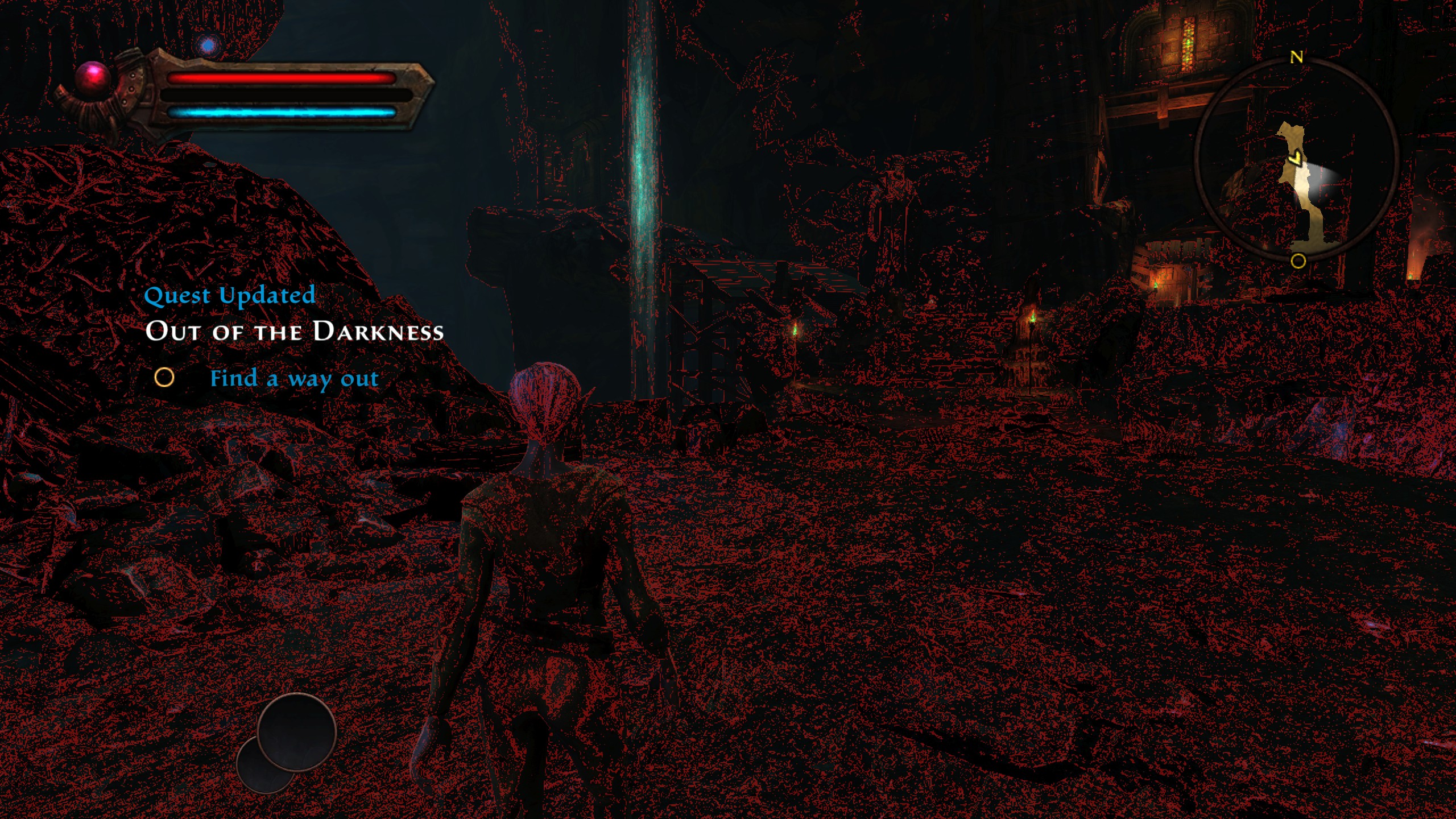
Nothing extracted yet.
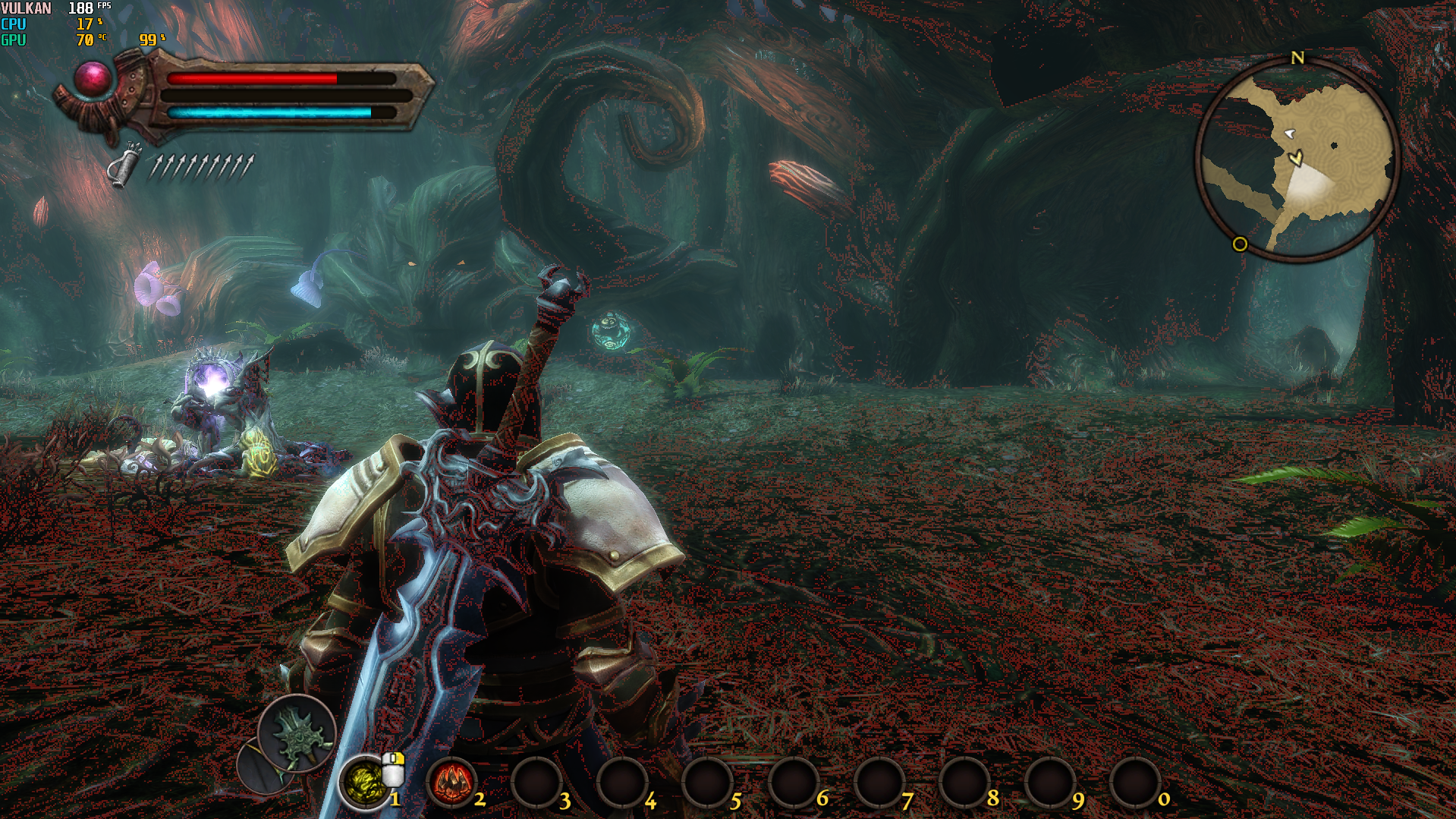
Greetings. I have a problems with this game after enabling anisotropic filtering (d3d11.samplerAnisotropy = X) through dxvk.conf (only this line enabled, other values by default). As shown on screens: the greater the level of anisotropy, the more red pixels it shows.
AF x2
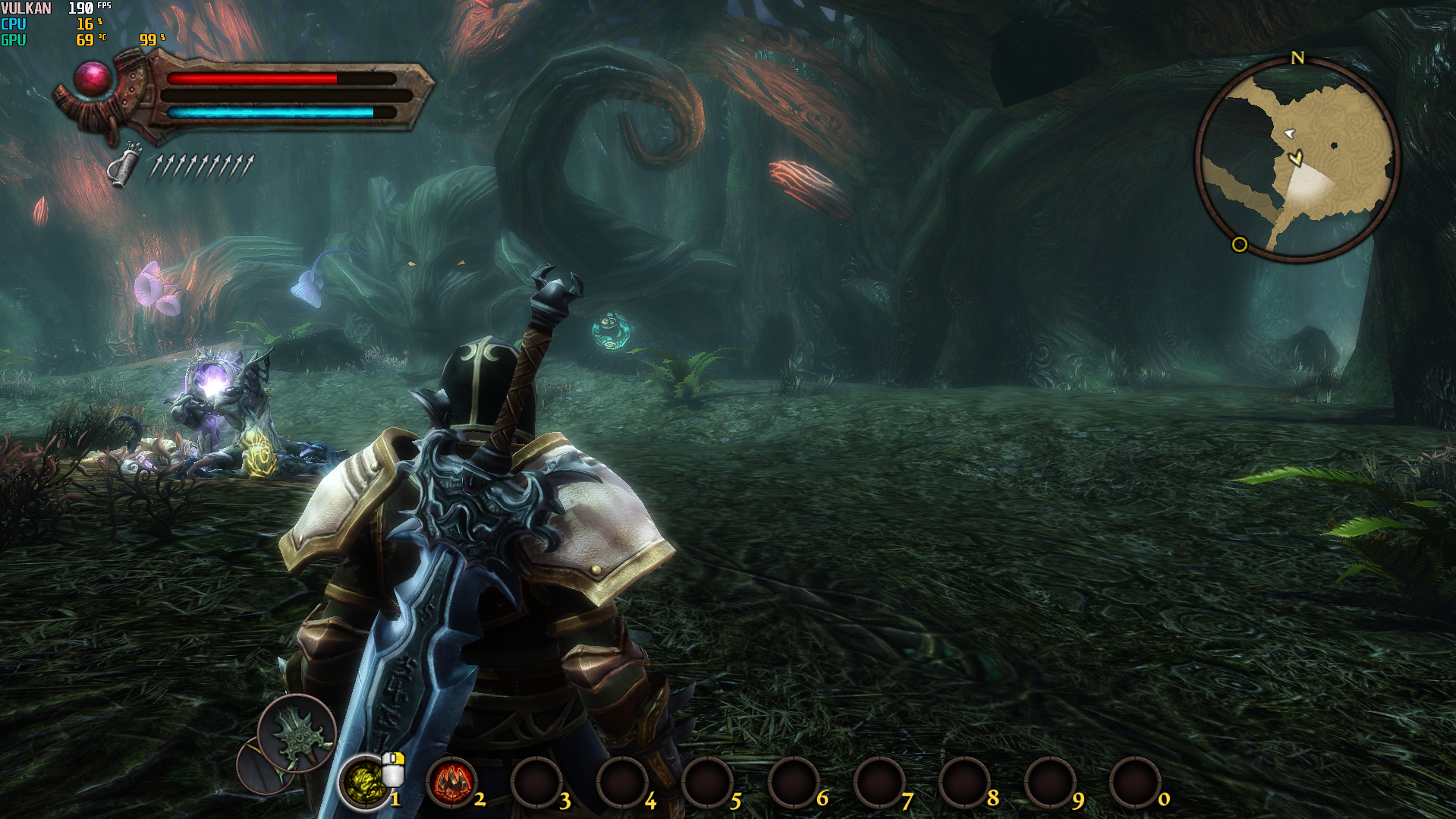
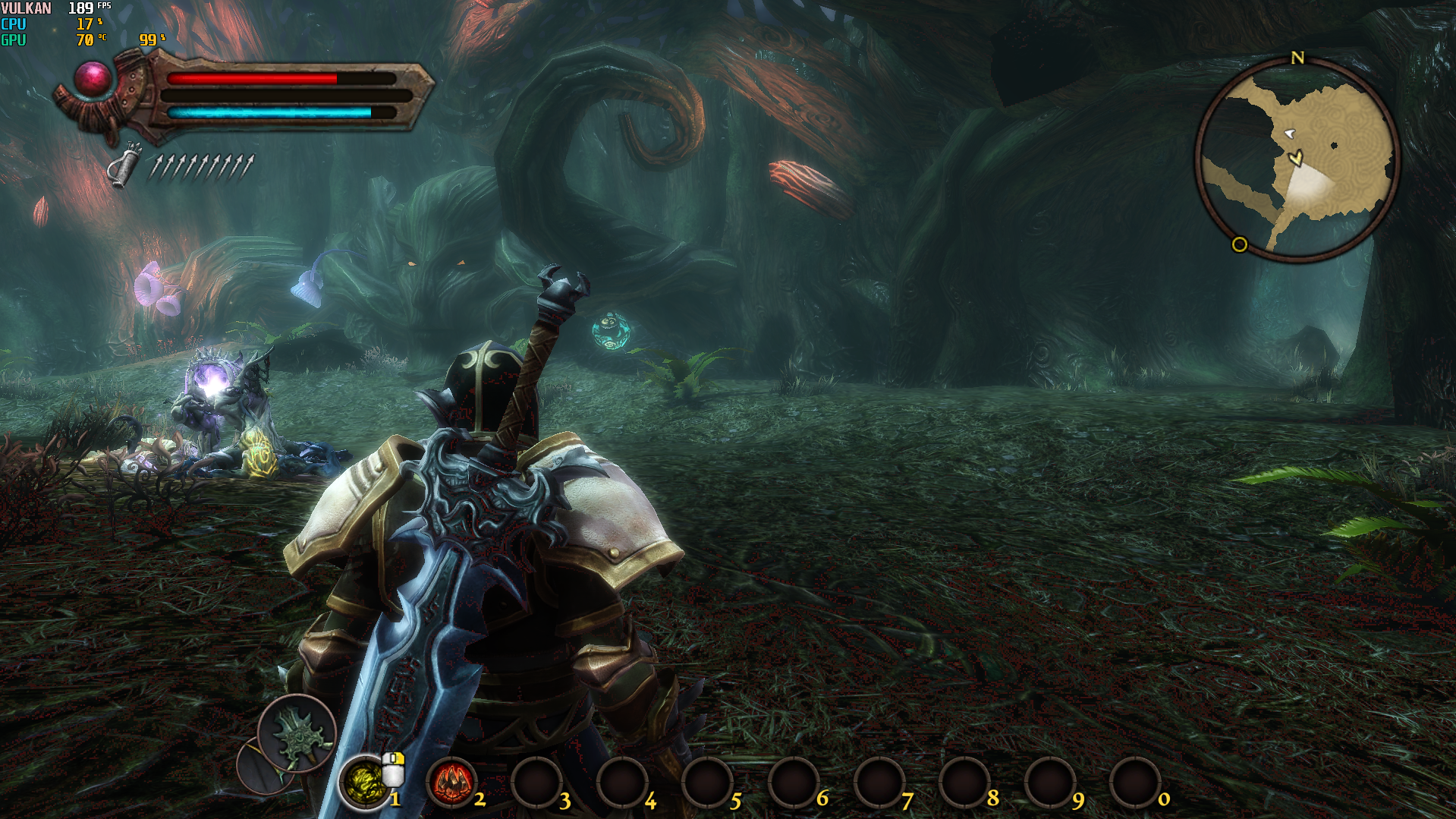
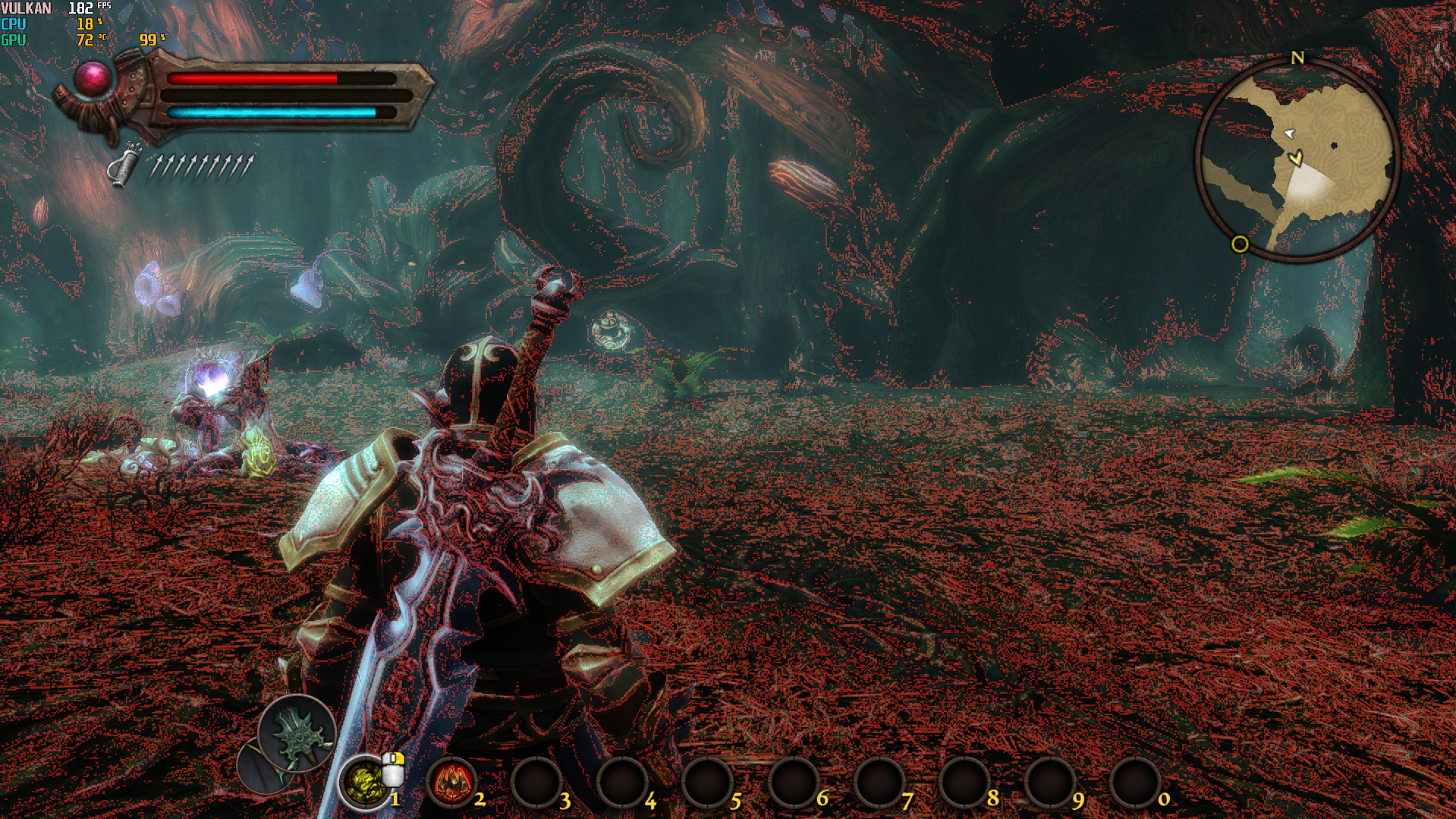
AF x4
AF x8
AF x16
Software information
Kingdoms of Amalur: Re-Reckoning [GOG 1.5 (42638)]
System information
Log files
koa_d3d11.log
koa_dxgi.log