Can't debug this without a trace that shows the issue, I'm afraid. If D3D12 works better, just use that.
Also, for future reference, do not set DXVK_LOG_LEVEL=debug unless explicitly asked to, it's usually useless and just creates huge files for no reason.
D3D12 is less performant and for some reason I can't select D3D12 with newer versions of wine
I'll try again with the apitrace, but I'm pretty sure the program will just die again
I started the game on wine 6.0 in d3d12 mode and mid-game switched to d3d11
It rendered 2, maybe 3 frames then it died from an access violation again. I doubt it's any use but here you go:
https://drive.google.com/file/d/1j6mtds0na5L7tJRmW7GVtmfjZeG6EFwx/view?usp=sharing
OK nvm the d3d12 issue was the modprobe -u -c0 thing...
I'll try to find a windows user to get an apitrace done, but I'm pretty sure the issue doesn't exist on windows, so how would an apitrace help? I'll try to get one done anyway, thank you for your help so far!
The whole point of an apitrace is to record what the game does so that replaying it on DXVK triggers the bug. Then again, apitrace is super buggy with multithreaded renderers so it might not work correctly.
Speaking of, does WOW still have the single-threaded "D3D11 Legacy" render path? Might be worth checking if the problem exists there as well.
It does and I'll try thank you!
Sorry, I misunderstood what apitraces are for. I'll try to get you one asap!
OK, I'm getting an apitrace made today, a friend has offered to make one for me.
In the meantime: I can force the exact same shader-flicker issue to also occur on vkd3d-proton if I set the config force_static_cbv or upload_hvv.
Without that it doesn't occur on vkd3d-proton at all
The issue also doesn't seem to be present in the dx11_legacy path
Edit: OK, turns out I now also experience the flickering issue in vkd3d-proton, regardless of additional parameters. I was 100% sure of not having experienced it before, but maybe I'm wrong, or maybe it's a hardware issue.
So the flickering is probably unrelated to dxvk.
The liquid textures are most likely related to dxvk tho. I'll have an apitrace for that soon :)
Closing the issue due to reproducibility issues. I'll re-open if I can confirm more parts of this.
DXVK_LOG_LEVEL=debug`x1 2021-09
Using the latest master after some time shadow related shaders are starting to flicker (for a single frame shadows are drawn wrong and the next frame they're drawn correctly again).
When trying to apitrace the game crashes with an access violation before it even gets to rendering, so I can't provide an apitrace unfortunately.
https://www.youtube.com/watch?v=pMusCvBGdQw
this shows the issue in question
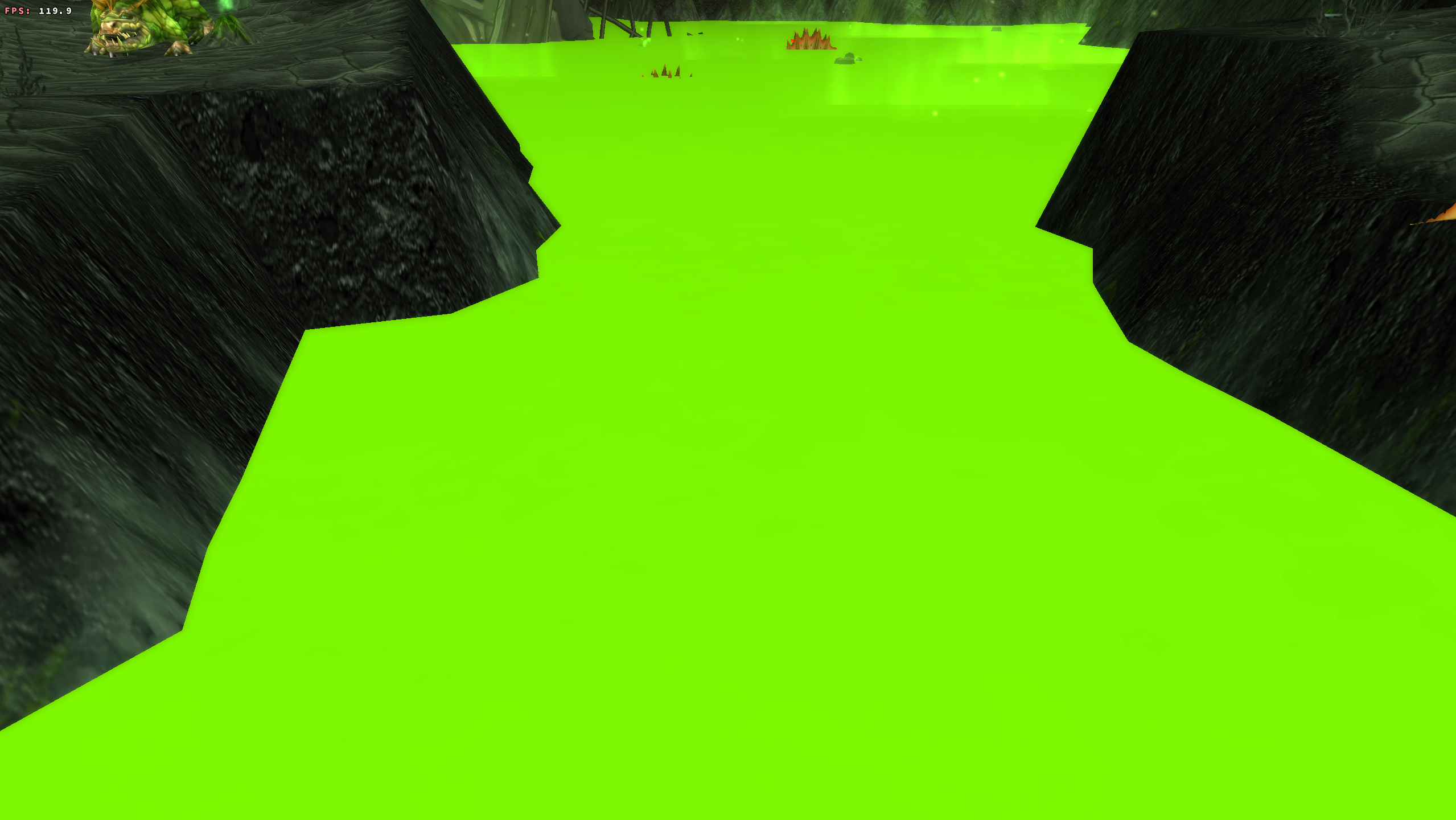
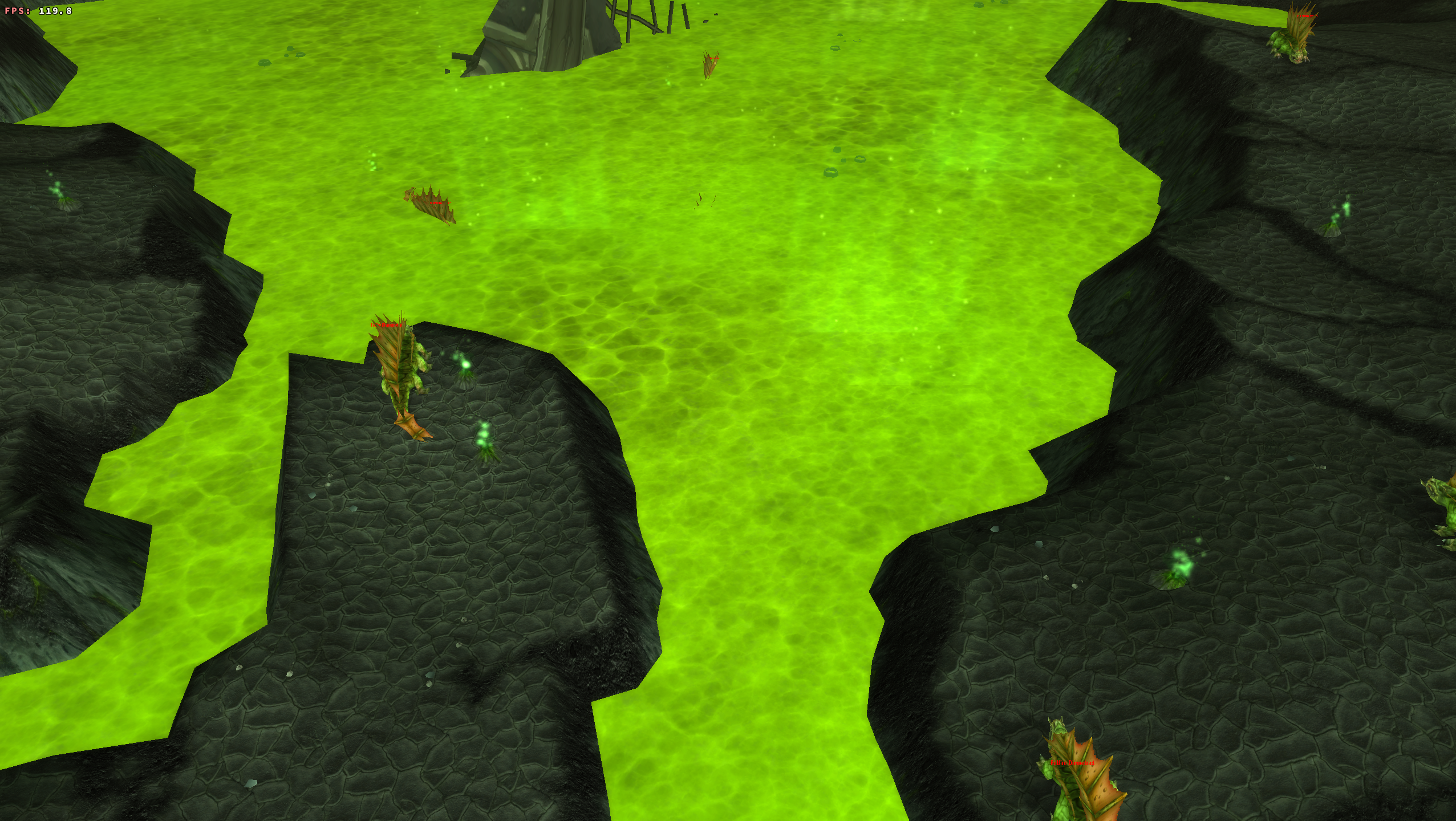
Sometimes liquid textures become flat colors for a while and then later turn back to textured surfaces (the texture just fades away to solid and after a minute or two slowly fades back to correctly textured)
Correctly textured:
The screenshots were taken at different angles/distances to show that it really is a solid color, the effect is persistent to angle changes, distance changes and off-screen-culling
Using VKD3D and running the game in dx12 mode, none of these issues are present.
Software information
Name of the game, settings used etc.
WoWClassic.exe version 2.5.2
any settings
(my current settings are every graphical setting at maximum except liquid detail which is one below maximum)
Resolution is 2560x1440
and the game runs vsynced to 120hz
System information
Edit: Confirmed that the issue also occurs on f0e9700f
Apitrace file(s)
Tho I do have a 100mb apitrace file, no idea how useful that would be tho
Log files
WoWClassic_dxvk_dxgi_logs.zip
The logs were taken such that both issues occurred during the logging. First I was at the place where the flickering issue is very prominent, the same place as seen in the video.
Then I re-logged to a character that has the liquid in view. At first the liquid was fully textured and slowly faded into the flat color (same area as seen in the screenshots above)
I quit the game immediately after the liquid texture had fully turned to a solid color.