World of Warcraft (TBC Classic) - performance issue
Hardware? And please make an apitrace of that spot.
Working on it, but getting in-game with apitrace enabled is nearly impossible!
WoWClassic_d3d11.log
WoWClassic_dxgi.log
I have a GTX970, 32GB RAM and an AMD R5 3600.
We can't look into this without an apitrace.
Like I said, Im working on it!
The link doesn't work.
That said, it's normal for DXVK to have different performance behaviour compared to native Nvidia, there is probably no issue here. It's also not clear whether you're CPU-bound or if your VRAM is full.
As for the crash, you'll need to record a trace on Windows for us to be able to debug that.
Ok, someone reuploaded the trace on a site that I can actually access and it's broken. You need to copy d3d11.dll, dxgi.dll and dxgitrace.dll from the apitrace directory next to the game, just d3d11 isn't enough.
Sorry, my server suffered a full disk I had to take it down to increase the disk space :(
I did have those three files copied over into the game folder. I got them from here: https://github.com/apitrace/apitrace
I can tell you I am not CPU bound, my VRAM is only utilized at 51% there and GPU utilization is at 100% due to VSYNC being off. I can even put everything to low, then set liquid details to ultra and have 250ish FPS. Move the camera just tad to the right and it drops to sub 60 FPS. In contrast to every other zone with "liquid" in it, like Zangarmarsh, Hellfire Peninsula is the only place where this performance decrease occurs.
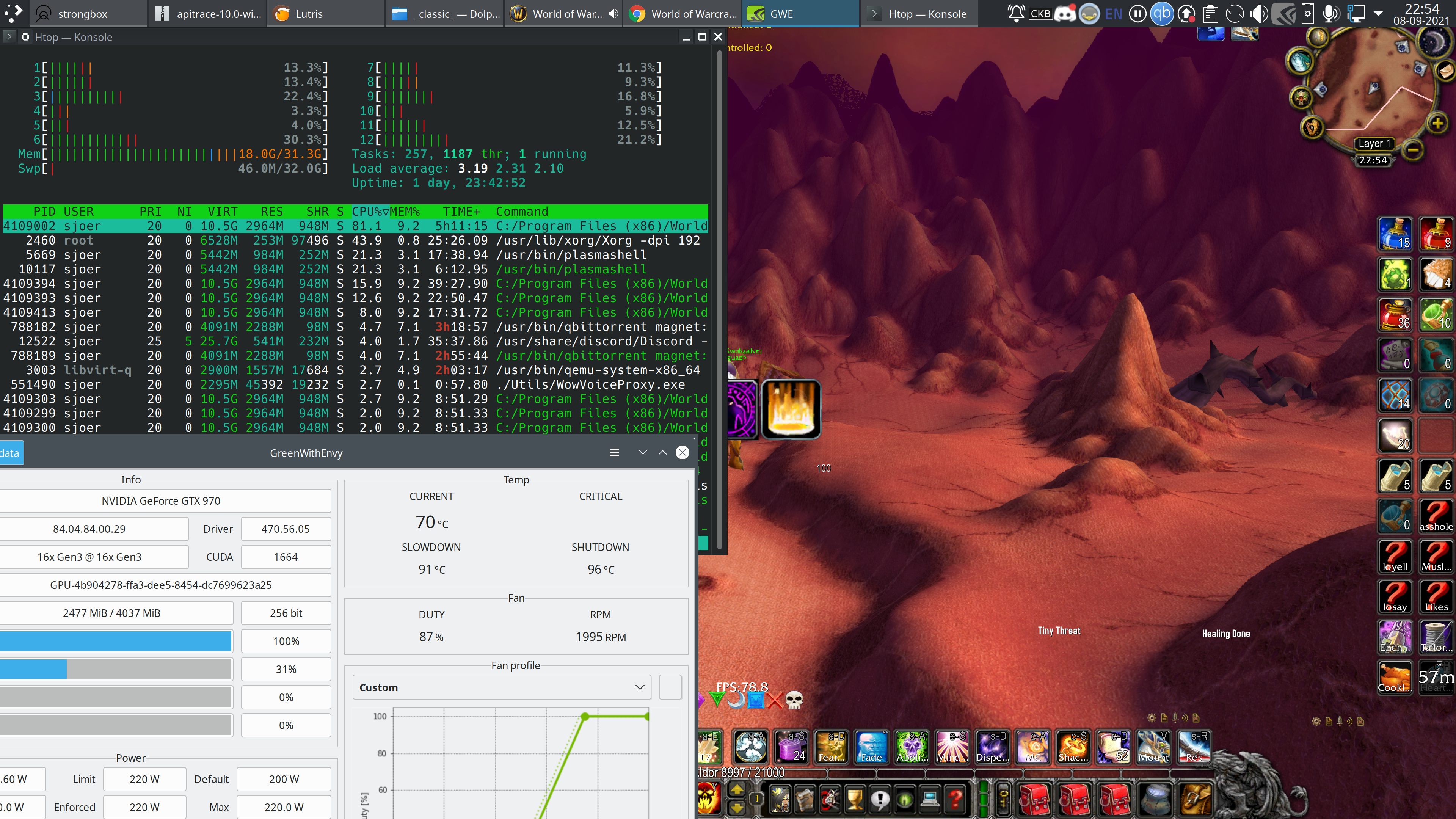
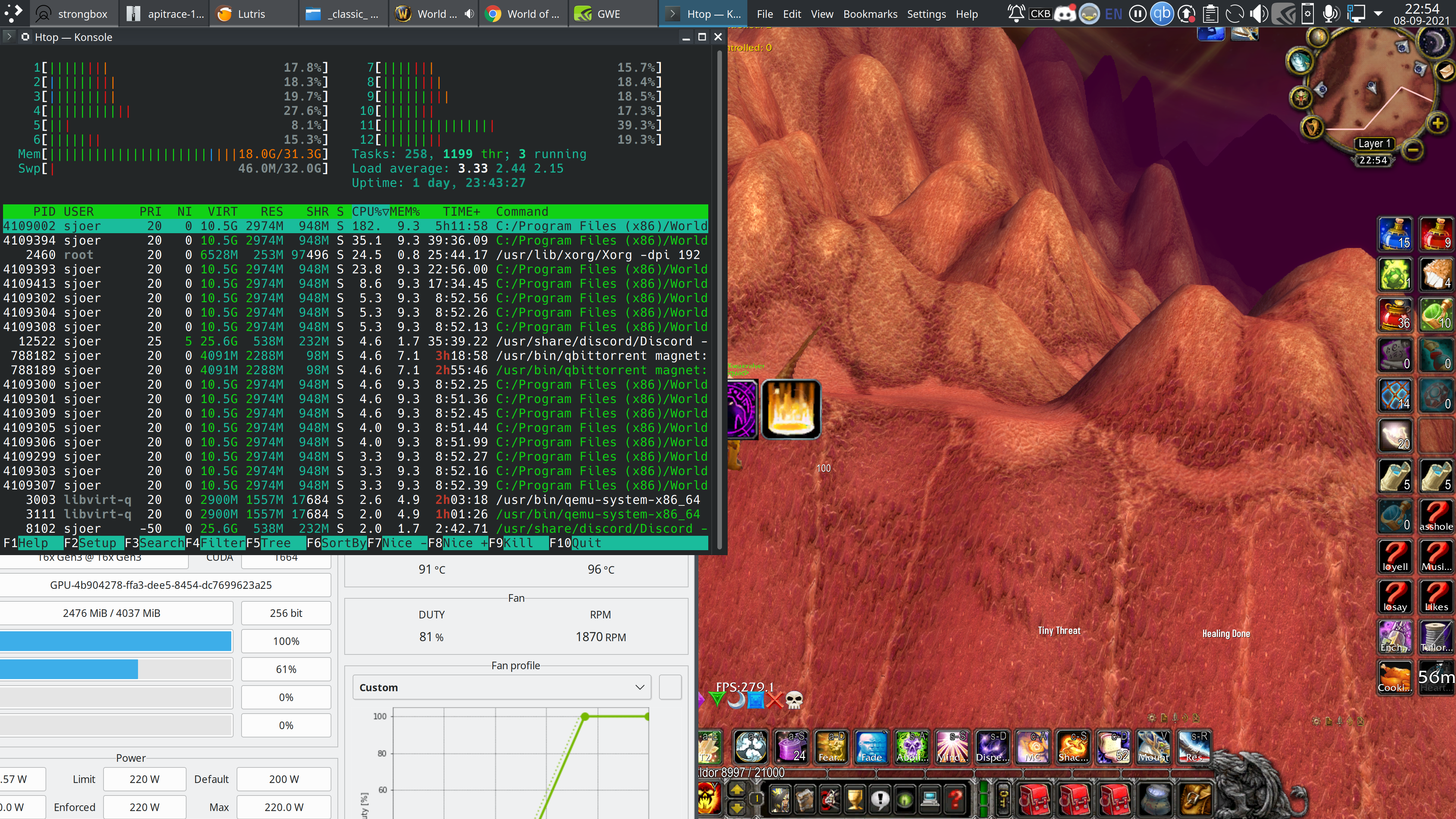
I just think it is a pretty big discrepancy?
I put the three files into the game folder again and will make another trace for you, the fact that the game is running at 0.4FPS with those three files should be a tell that it is working right?
Same problem, it's missing all the DXGI calls. If this was done on Windows then there's a chance that the game simply does not load the DXGI DLL from the game's directory, in which case we're basically just screwed and can't do anything.
Ah ok, so I need to make the apitrace on Windows?
I do not have a Windows install.
@sfjuocekr Friendly ping. Is this still an issue with latest dxvk and drivers? :slightly_smiling_face:
I have not flown past the place recently, but I will have a look!
Also have a working Windows installation now where I could make an apitrace if needed!
Sounds good! And ye that would be great 🙂
The FPS drop is less profound now, it maybe goes from 300 to 150. But, previously I had the 3060 and now I have the 3080.
Will give it a go on Windows today or tomorrow to see what the behavior is there.
@sfjuocekr Sorry for pinging again. Did you get to check this on native windows? 🙂
Sorry, completely forgot to check!
Ill do it right now, got to reboot anyway!
Tested it, it behaves more or less the same on Windows. The drop in performance is slightly more profound on Linux, but I'm talking five frames per second tops here.
I forgot to make an apitrace, if that is still of value I can make one later today or tomorrow.
It sounds like it's the game doing it then.
But sure a trace would be nice to verify anything doesn't stick out.
@sfjuocekr Friendly ping :grin:
Sorry, completely forgot about it again.
Once we get leveling settled in WotLK and I have some free time, I'll go back to Windows to make an apitrace.
@sfjuocekr Innocent ping pong hello 👋
I'm god awful when it comes to booting to Windows to run some tests as I usually just want to get out asap before I get suckered into yet another Edge/Office advertisement.
There is a reboot on my agenda for nvme firmware, I'll try to not forget about us <3
http://downloads.sjoer.org/apitrace/WowClassic.zip
There you go, bit late <3
I do have to add, when I reported this issue the performance regression was a lot worse than it is today and can be regarded as fixed.
DLLs
d3d11.dllx1 2021-09dxgi.dllx1 2021-09dxgitrace.dllx1 2021-09
I have found a specific spot in the game world where there is a 50% performance decrease observed when changing a single setting inside the game.
This does not happen on Windows, the DXVK version used is irrelevant.
Here is a video showing the location and method to reproduce this:
https://www.youtube.com/watch?v=QRXRTnNUs_0&ab_channel=SjoervanderPloeg
I also observe a crash at the gates of Karazhan with 1.9.1, any version before that works fine. This evening we will raid it again, Ill open another issue with logs for that crash.