Far Cry Primal, Low Performance
This needs more info, or otherwise I can't and won't do anything about it.
- What CPU are you using?
- What's the expected framerate (i.e. what do you get on Windows)?
- I need at least an apitrace to figure out what the game is doing.
I do not have windows to test this, i can provide apitrace later. CPU info is updated on the first post.
Well i imagine it would run over 60 fps on windows. I understand that performance is not a priority atm but something must be off if the GPU usage is only around 20%
Two things I forgot to ask:
- What's the
wineserverCPU load? - Performance on wined3d?
On AMD CPUs I'd recommend setting the CPU governor to performance when running games (i.e. cpupower frequency-set -g performance) for a few extra FPS, although it won't magically make this game playable.
I understand that performance is not a priority atm
Performance has always been a priority and in general you shouldn't expect any major improvements anymore, there's very little headroom for further optimization. In other words, unless the game runs into some weird bottleneck that i can fix, it won't get any faster.
- wineserver load 4% game 11% thats from 100%
- last time it didnt work on wined3d (will test later tonight and update the info)
- I always set to performance governor when going gaming, its known to have fps dips on ondemand with AMD CPUs.
anyway thanks for contacting, i will have some more time later today so i will try apitrace and regular wined3d also.
2560x1440, low settings:
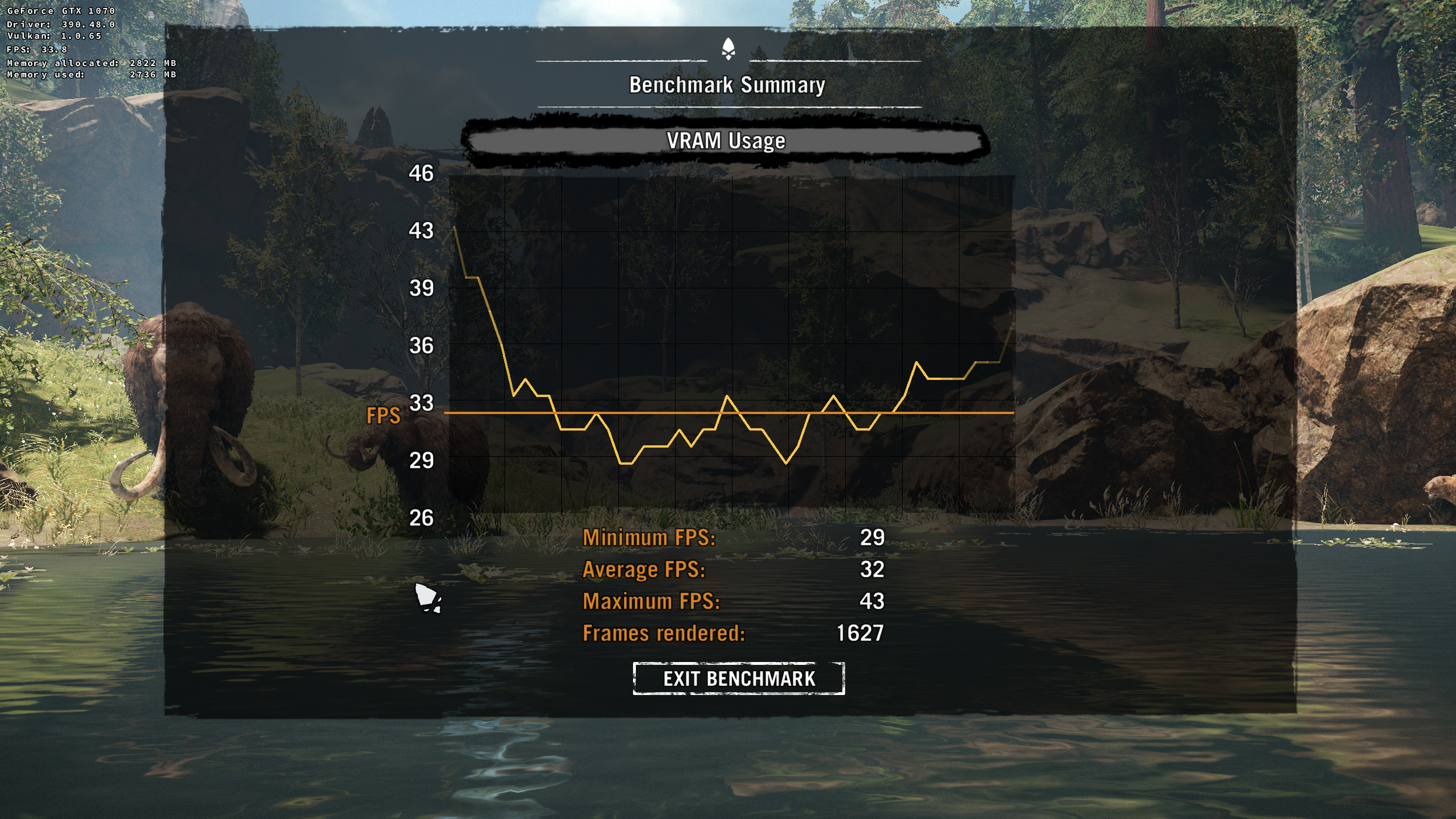
2560x1440, high settings:
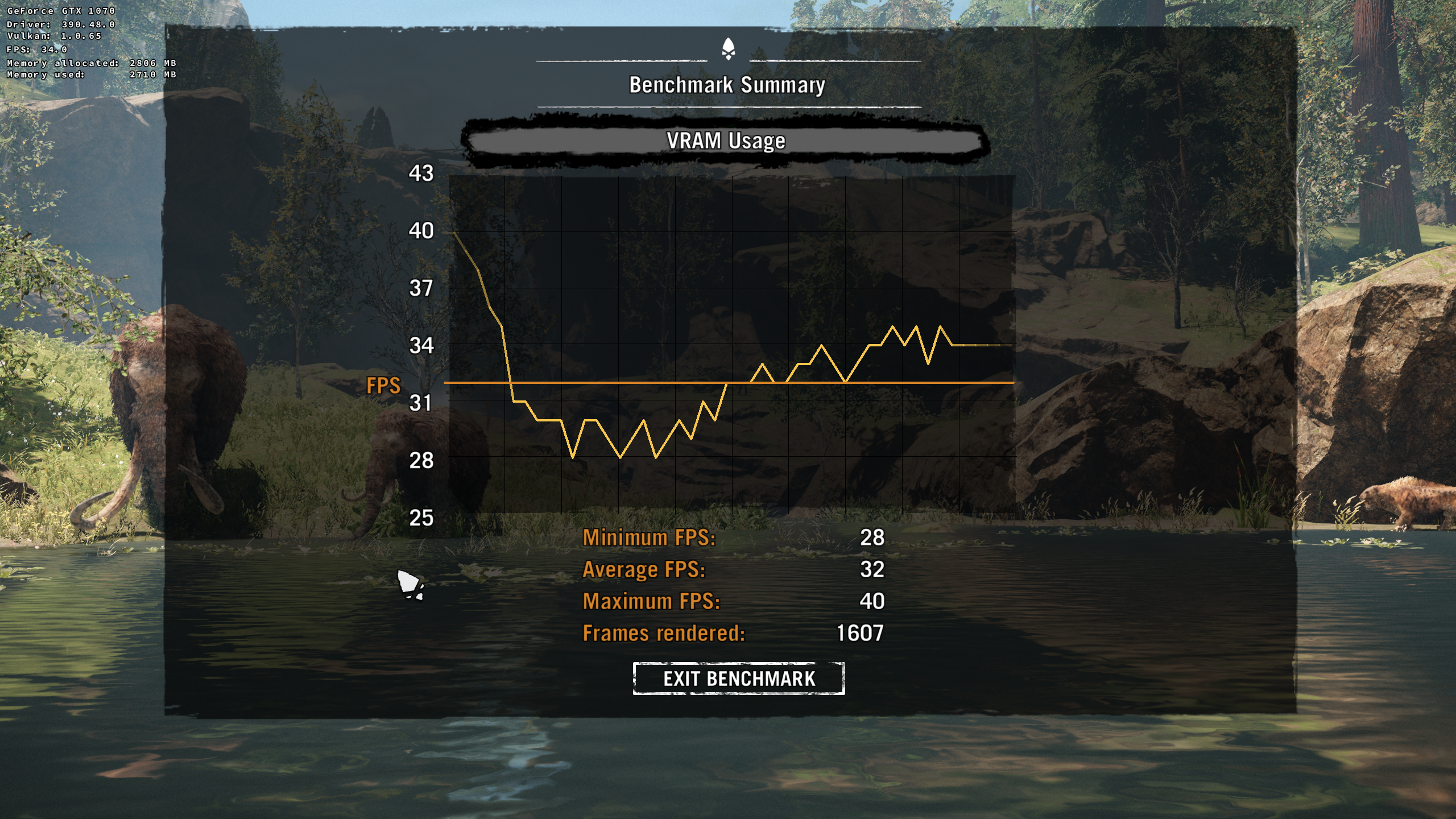
i upgraded to wine-staging 3.5 and CPU usage went to 17% and wineserver 5%, doesnt launch with regular wine 3.5 as well as can't make it work with using of wined3d, it gets unhandled page fault after loading.
for apitrace, do i need to install windows apitrace into the prefix i use?
on windows with similar hardware and ultra settings:
https://www.youtube.com/watch?v=Kt4xZ4tU6IE
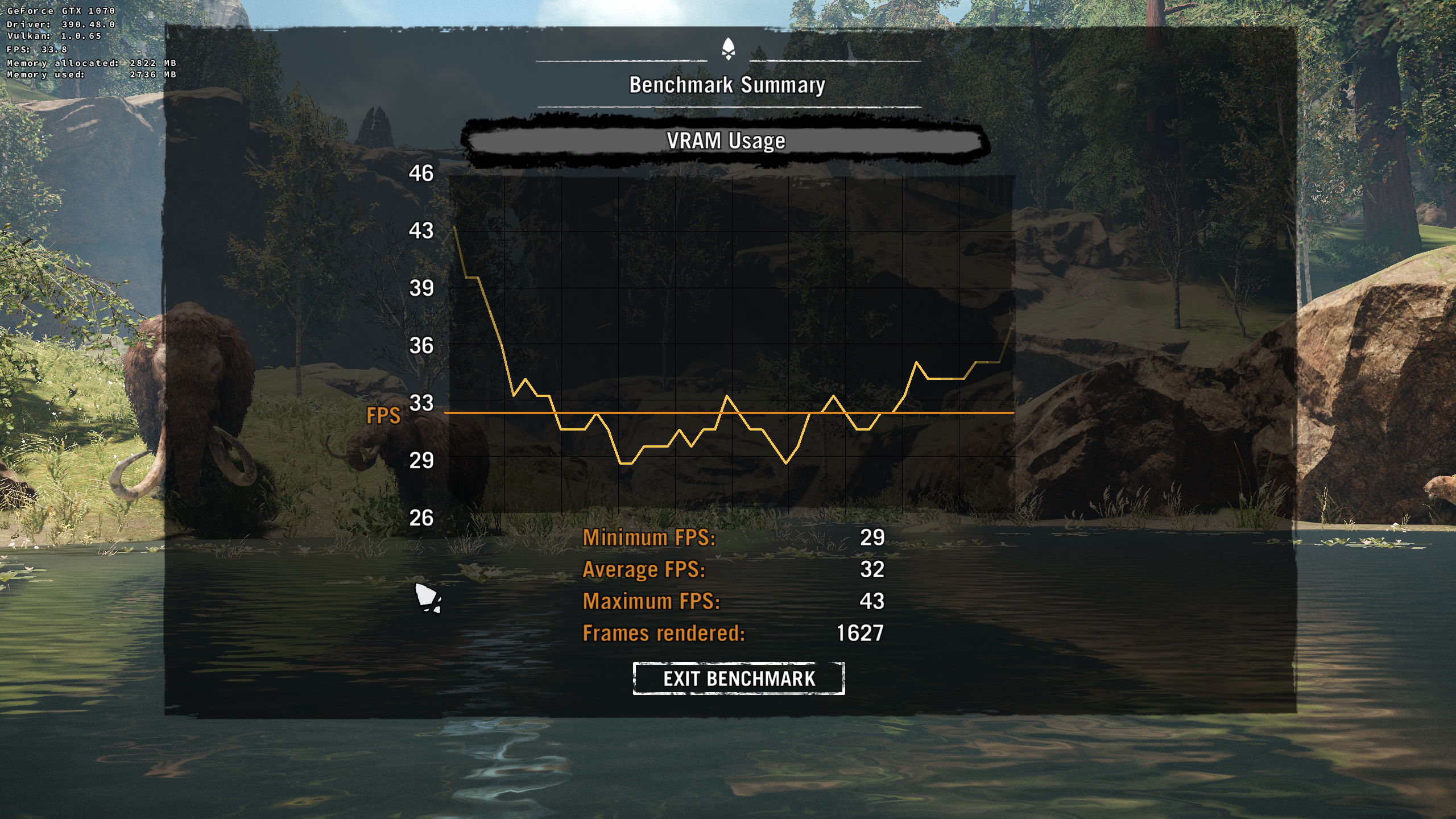
same settings as in this video (1080p and ultra):
I'm not sure I understand your load metrics correctly, does "wineserver 5%" mean that it shows up as 80% in htop (and the game as >250%)? If so, the low performance is likely caused by a bottleneck in wine and probably unrelated to dxvk.
It would be helpful if someone could actually test this with DXVK on Windows, if my assumption is correct, then the performance on Windows should be higher than on Linux.
for apitrace, do i need to install windows apitrace into the prefix i use?
You don't need to install it, but yes, the windows version is needed. Run the game with
apitrace.exe trace -a dxgi FarCry5.exe to generate a trace.
i haven't used htop, i have conky script that measures this and for me 100% is all my 16 threads, which is 6.5% per core so to speak. so yeah its around 80% i guess if we take that 16 threads is 1600%
ok will check the apitrace soon
ok 1.3GB apitrace, took some time to get into the benchmark, ubisoft and its logo screens etc.
https://mega.nz/#!4HpDyAwI!zBmhcwAY61bQc1W4K8OqSTBtnFeibGq9DZYL3-HEXVw
wow, 80% wineserver usage is even worse what i have seen so far, damnit, If that happens without any loading in place, ouch.
@xpander69 : have you tried limiting the game to your 8 physical cores, does that help ?
same applies to FarCry 4 also so if someone has windows and can test this or FC4 it would be nice.
@pingubot yeah i actually tried to limit to 8 physical, 6 phsyical with taskset -c 0,2,4,6 etc, no changes
seems to be issue with Ryzen+wine+dunia engine.
disabling some cores via:
echo 0 > /sys/devices/system/cpu/cpu1/online
echo 0 > /sys/devices/system/cpu/cpu3/online
echo 0 > /sys/devices/system/cpu/cpu5/online
echo 0 > /sys/devices/system/cpu/cpu7/online
echo 0 > /sys/devices/system/cpu/cpu8/online
echo 0 > /sys/devices/system/cpu/cpu9/online
echo 0 > /sys/devices/system/cpu/cpu10/online
echo 0 > /sys/devices/system/cpu/cpu11/online
echo 0 > /sys/devices/system/cpu/cpu12/online
echo 0 > /sys/devices/system/cpu/cpu13/online
echo 0 > /sys/devices/system/cpu/cpu14/online
echo 0 > /sys/devices/system/cpu/cpu15/online
will give 2x performance, but its still nowhere near perfect.
this issue can be closed as it doesnt seem to be related to DXVK, as regular wined3d has the same effect with this engine+ ryzen.
Just some notes that might be helpful for others:
The steam version works just fine, no drm issues. Wine needs xact and d3dcompiler_43.
The game would crash for me on startup unless I turn off at least one CPU core with e.g. echo 0 > /sys/devices/system/cpu/cpu31/online, this seems to be a game bug since it also affect Win.
I got flickering objects with DXVK >= 0.96, but 0.95 works perfectly fine. The commit that breaks it is this: https://github.com/doitsujin/dxvk/commit/9dbe352c514fd259590c84d162ded8c6165812b0
Reverting it makes master run fine as well, but it's a bit unclear how to properly fix this.
I get a lot better performance with the nvapi workaround enabled (15 fps -> 70 fps).
Nothing extracted yet.
Low performance, no matter the graphical settings used. ~20FPS low or high 2560x1440
5-6FPS with vulkan layers enabled
System information
Log files
FCPrimal_d3d11.log
FCPrimal_dxgi.log