Need for Speed SHIFT 2 Unleashed graphical artefacts
Please upload an apitrace and also some screenshots or a video so we know what you're talking about.
Please upload an apitrace and also some screenshots or a video so we know what you're talking about.
Hi @K0bin , thank you for your response. I can upload an image for you so long and will try apitrace later when I can do some further reading on its' usage.
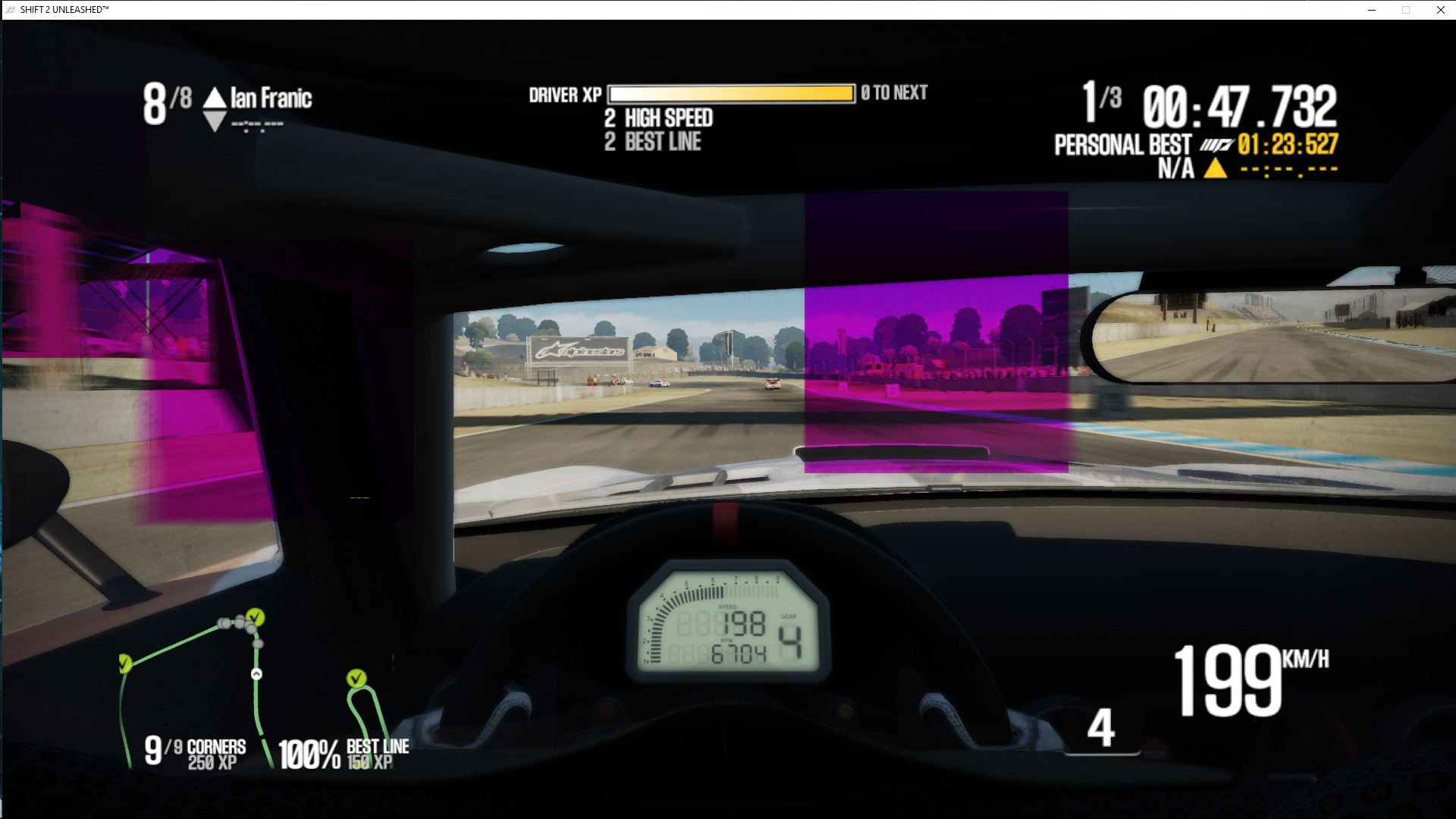
I think I might have found the culprit to the issue, when I was looking at the font in the game menu, I noticed it had this strange smoothness to it and then I remember reading a few years in the past that NFS Shift2 uses Morphological Anti-Aliasing for both presets. Furthermore, it also got me thinking now that I pretend myself reading in the past that MLAA is only supported in DirectX11; therefore, I disabled Anti-Aliasing in the game and I only had time to test one lap now, but I did not notice any artefacts popping up during that lap.
Here is the screenshot:
Kind regards
HitBM47
I think MLAA can be implemented with D3D9.
If the game allows you to enable it with D3D9, then it should probably work unless it's also broken without DXVK.
I think MLAA can be implemented with D3D9.
If the game allows you to enable it with D3D9, then it should probably work unless it's also broken without DXVK.
Hi @K0bin ,
The anti-aliasing option works with the native D3D9 implementation of the game, but it causes the purple artefacts when enabling the AA with DXVK. I guess it is not major issue for me, since I can use 3840x2160 VSR on 1080p and the normal preset AA just gave it that extra perfect smoothness. In contrast, I think it is a problem when someone relies on the in-game AA (which is MLAA in this case) to smooth their native resolution out for them.
DXVK seems like it is benefiting CPU performance by quite some margin in this game on top of disabling "Origin in-game overlay" (which also causes major performance drops in this game), since this game is heavy singlethread-/API- bound.
Kind regards
That's all great but without the apitrace I cannot look into this.
That's all great but without the apitrace I cannot look into this.
Ok so I was able to create an apitrace through command-line a few minutes after understanding how the basic parameters, etc works, I just want to make sure if did it in a way that would be useful to you and since it is a massive 1.75GB file to upload.
I removed the Vulkan wrappers from DXVK and replaced them with the 32bit wrappers from apitrace, otherwise the utility would not be able to track the D3D9 calls made from the game.
Just to check that it was working I ran "apitrace dump shift2u.trace" and after 4minutes I Ctrl+C'ed it when it was already at 80k lines of shaders and code.
Will this be fine for you?, since I did try closing Shift2 as quickly as possible after doing 1/4 of a lap. I might only be able to upload later, since it will hogg our Internet.
Huge files are perfectly normal. I suggest compressing them because that usually halves the size. It's also correct that you made it without DXVK, I will be able to replay it with DXVK and hopefully see the bug. I also don't need you to play the game for very long, just long enough so the bug would show up if you were using DXVK.
Hi,
That is good news and sounds like a very cool debugging tool. I compressed it to .tar first and then to .gz with the file size decreased by 700MB.
I believe I played the lap long enough, since the artefacts start appearing shortly after the start of the race.
Here is the google drive link to my apitrace:
https://drive.google.com/file/d/1KdE2yUr4apZ6qg-DClAZgNlJZyOYmNVY/view?usp=sharing
EDIT: I would like to add that my computer and the file is virus-free, since google play is warning that the file is too large to scan for viruses.
Kind regards
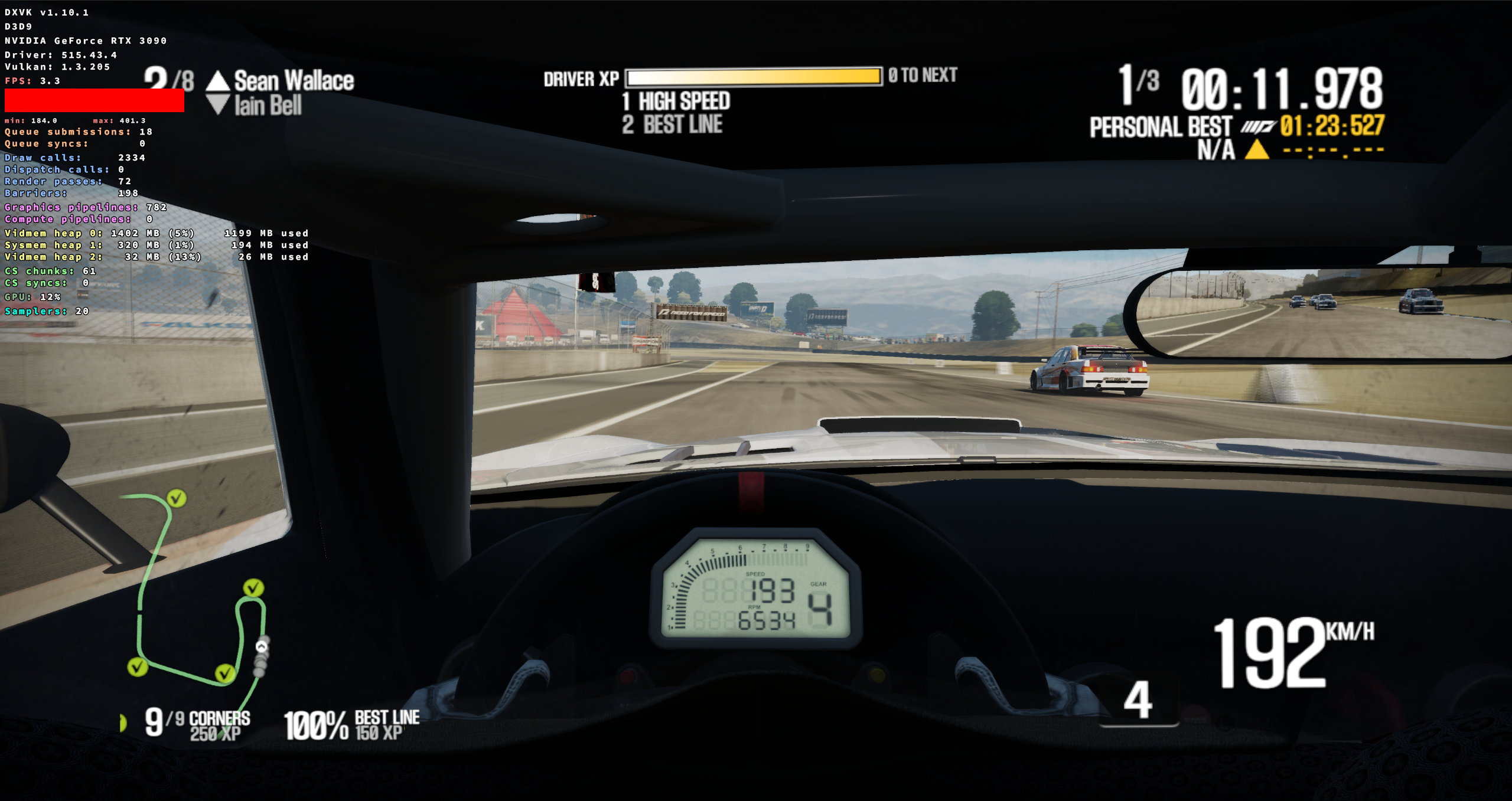
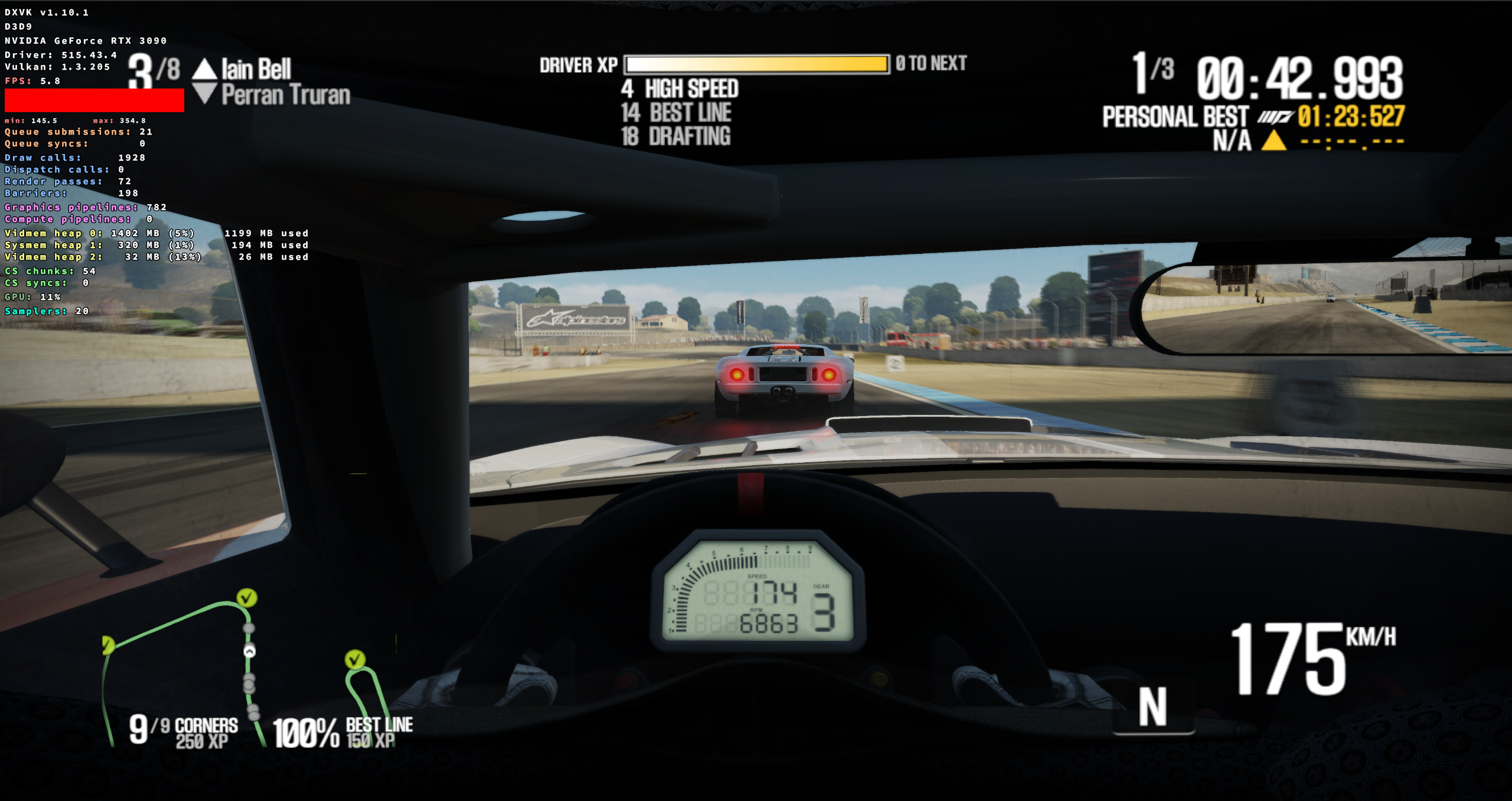
Looks fine here.
Hi @K0bin , excuse me for only replying after such a long time.
I see you did the test on a Nvidia RTX 3090, whereas I did the test on my Radeon RX 480. Therefore, that is unfortunately already a mismatch in drivers.
Furthermore, did you test on Linux or Windows? I tested on Windows 10.
Kind regards
Furthermore, did you test on Linux or Windows? I tested on Windows 10.
I tested it on Linux but the Nvidia driver is pretty much identical on Windows and Linux so it'll look exactly the same on Windows.
I see you did the test on a Nvidia RTX 3090, whereas I did the test on my Radeon RX 480. Therefore, that is unfortunately already a mismatch in drivers.
Exactly. It's most likely a Vulkan driver bug. That makes it AMDs responsibility to fix it.
Hi @K0bin , so you are assuming it is an AMD driver bug and therefore closing it as completed without ever testing it with Radeon hardware? You do not have anyone with a Radeon Linux/Windows system who can do the same test?
We don't support Windows and I don't have any AMD hardware to test it on. Driver bugs with AMDs Windows driver have unfortunately been somewhat common.
@K0bin I see, I remember reading in one of the DXVK guides that it is sometimes beneficial/recommended to do the apitrace tests or some of the tests on Windows. I guess that DXVK guide was outdated then.
I would have liked to move over to Linux, but the last time I tried a few months ago, it seemed as if the NTFS formats I have my HDD drives in caused Doom (2016) to stop loading assets for starting a level. Otherwise, I would try using DXVK in WINE on Linux for DirectX applications, but at the moment it is not feasible to move over to Linux.
I see, I remember reading in one of the DXVK guides that it is sometimes beneficial/recommended to do the apitrace tests or some of the tests on Windows. I guess that DXVK guide was outdated then.
It's usually recommended to create the apitraces on Windows. That recommendation mostly stems from the time when DXVK, in particular the D3D9 frontend with DXVK wasn't as complete as it is now.
it seemed as if the NTFS formats I have my HDD drives in caused Doom (2016) to stop loading assets for starting a level.
That's a bit weird but NTFS is definitely problematic on Linux, especially with Steam and Proton.
Anyway, other users have tested the game on AMD RADV and it apparently works fine. So it is a driver bug and there isn't a lot we can do for you. Sorry.
Hi @K0bin , so just to clarify, we should no longer report bugs then if we are on a Windows distribution? Since the D3D9 frontend in DXVK is advanced enough now.
Thank you for your help anyway Kobin. Furthermore, yes this issue which I was experiencing with Doom was specifically on PopOS with the downloadable Steam and recommended Proton for Doom, but my drives are and was formatted to NTFS, since I have very large files on my secondary HDD's, which I cannot simply re-download when considering to make the move to Linux.
I would've liked to move to Linux otherwise, since I have done C++ programming on it before.
Ok, I see, so the artefacts are specifically related to AMD's Windows Vulkan driver and I actually thought they were on their game with at least their implementation of the Vulkan API. I recently also discovered that they only re-included previously lost Unreal Engine 3 (DirectX9) optimizations for Navi RX 6000 GPUs when most of us reported the issue on Polaris and Vega for years. One can notice this when using the NimeZ modded drivers with the Navi Kernel.
we should no longer report bugs then if we are on a Windows distribution? Since the D3D9 frontend in DXVK is advanced enough now.
No, please do keep opening bug reports if you run into bugs, even if you use Windows. DXVK is far from perfect.
It doesn't matter as much which OS you use to create the apitrace. One made on Linux with DXVK is usually fine as well.
Nothing extracted yet.
Hi,
I just want to start of by saying thank you for the awesome job you guys are doing with DXVK, it has definitely improved over the years and especially helps in DX9 games where AMD lost optimizations for DX9 Unreal Engine 3 games after the removal of "Radeon Additional Settings" in 17.7.2 without a care of even finding someone who owns the game to test for the bug we have been reporting since 2017, even though they told me they were apparently working on a fix in 2018.
Back to the top of NFSP Shift 2 Unleased:
Software information
Need for Speed Shift 2 Unleashed, Highest settings, 3840x2160p, also using AMD Virtual Super Resolution.
So the game seems to be working 90% correctly, the only problem with using DXVK with it are these purple squared artefacts that pop up randomly across the screen, and they multiply as the race progresses. At first I assumed it was related to dirt splatting on the windscreen of the car, but when I zoomed out to exterior view the squares were still present.
But from what I remember, DXVK improved the CPU overhead in the game by quite some margin, so it would be great to be able to use DXVK properly with it.
System information
Apitrace file(s)
Log files
shift2u_d3d9.log