Problems starting with 3cfc3e77144c8058683868c35e4ce1dbee84d6ed and GuildWars 2
Logs should appear if you in lutris go into Configure on the game and then on the Runners options tab change Output debugging information to enabled
oops.
i selected differnt 7.1 wine from lutrins
lutri 7.1 does not crush on launch but crashes after a few minutes
but lutris fshack 7.1 crashes on launch
here are the logs when it crashes on start:
Gw2-64_dxgi.log
Gw2-64_d3d11.log
Maybe somehow related, but somewhere after 6ac5ca3bff2e2477aba4c0946056635d1de9c3fb ReShade 4.9.1 stopped loading. On earlier commits it runs without problems.
Probably related to the Vulkan adapter update
Trying to reproduce atm. The fshack crash at least seems unrelated to dxvk since that still happends when i turn off dxvk in the options.
@Blisto91 move around in the game. i think the game will not crash so fast if not much changes on the screen
Haven't experienced anything so far, but will continue to run around and do stuff for a little while.
I'm using lutris-7.2-2 and latest dxvk master + R9 380 mesa 22.1.3. And the settings below.
Settings
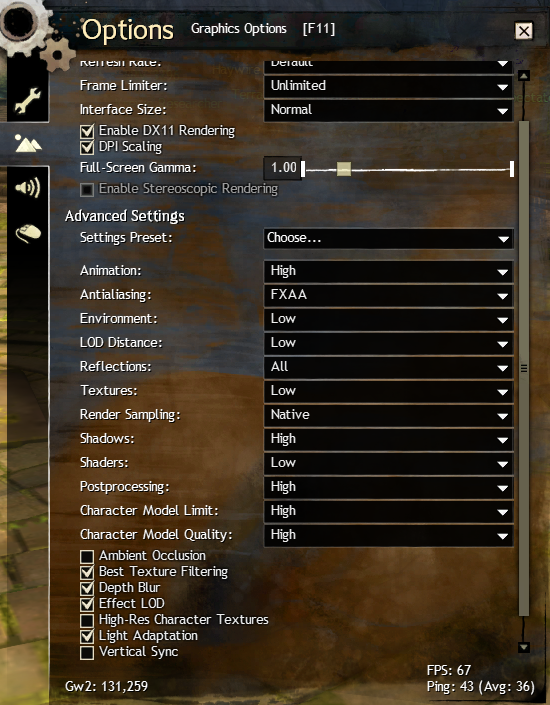
Edit: still nothing after playing a bit longer and trying a older master version
Starting with 3cfc3e7 the game started to crash on launch from lutris with wine 7.1 from lutris. with wine 7.2 from lutris the game launched but after a time the game crashes without any error. now i use lutris ge proton and the game works without problem
Now i don't know if the bug is with wine or with dxvk.
on the wine build side, it should contain patches for winevulkan (though I don’t know what version of the spec is required minimum for VK_KHR_dynamic_rendering to work. I'm already on 1.3.219 - works fine): https://github.com/wine-mirror/wine/commits?author=DadSchoorse
it’s also likely that on the system side from the distribution developers (or by the user’s efforts manually) the same fresh minimum versions are required: https://github.com/KhronosGroup/Vulkan-Loader/tags
probably just worth checking those 2 things and asking @tannisroot to update the Lutris Wine build (or should probably keep to use https://github.com/doitsujin/dxvk/commits/1.10.x branch until the minimum requirements are met.)
@logan001 are you using 7.2 or the latest updated 7.2-2? Because the latter contains a winevulkan update to 1.3.213 which is the same as Proton. Which would explain why @Blisto91 doesn't have this issue
first time when it started to crash was 7.1. then i move to 7.2 (wineconfig shows 7.2) and the game started to work for a few minutes and then crash again. now in lutris GE Proton 7.2 (not sure exactly what version is) works without problems.
so the problem is wine?
now in lutris GE Proton 7.2 works without problems. so the problem is wine?
well... if even on the same local machine, dxvk works with one build of Wine but fails with another - yea, that usually means it's not a dxvk problem.
wineconfig shows 7.2
on unofficial builds of Wine, it doesn't really matter what winecfg shows in the About tab -
there can be several builds based on the same tags of Wine: https://github.com/lutris/wine/releases
@logan001 make sure that it is in the list of installed wine runners (where you need to check the box on to the required versions)
and lutris-7.2-2-x86_64 is selected in Runner options of gw2.
I've tried lutris-7.1 and lutris-7.2 now.
7.1 does indeed crash during loading when using dxvk master and 7.2 crashes almost as soon as i start moving when i get ingame.
Doesn't seem to be the case with dxvk 1.10.2.
So ye stick with 7.2-2 or the GE proton build you are using when running dxvk master it seems :slightly_smiling_face:
Technical details i don't know about, but could be some wine vulkan stuff or similar as said above.
Can we have an apitrace (recorded on a build that does not crash)? This sounds concerning and probably shouldn't be happening, since wine 7.1 supports all required winevulkan bits.
https://mega.nz/file/x0RUGKpZ#XH_2zh2zq6y7bdq-fQT_H0dYRz9XITYrJhf1I9fsCsM
Not the best trace ever since fps was a slideshow so the game wasnt working tip top lol
So been trying to figure this out some more. I have another trace thats better than the one above where i can reproduce it in the trace when i add apitrace d3dretrace.exe as a "local game" in lutris and then launch the trace in it.
It seems to be some weird behavior between lutris-7.1 & 7.2 and mesa/radv shader cache.
If i delete all of my shader cache in ~/.cache/mesa_shader_cache/ and then replay the trace using lutris-7.2 using any dxvk version it crashes instantly.
If i play the trace with 7.2-2 it plays fine all the way through.
Now that the mesa cache has been generated through 7.2-2 i can now successfully play the trace all the way through with both 7.2 and 7.1.
If i delete mesa cache again it crashes again when i try with 7.2 until i've generated the full cache with 7.2-2 beforehand.
This happens with dxvk master, 1.10.2, 1.10.1 and 1.9 etc. Tho their caches aren't totally the same so i need to replay with 7.2-2 and a specific dxvk version before it works all the way through with the same dxvk in 7.2.
7.1 is the same as above except the trace doesn't necessarily crash but instead white screens.
Here is the trace.
https://mega.nz/file/5gJzjQzK#FWv_ziky1F7zQDO4WVwgcjJFEoC_y5QJG71ekDzvQxk
Just a quick add-on to the above that this is not something that changes when using mesa-git.
So solution appears to just not use lutris wine 7.1 or 7.2
@tannisroot I see that the guild wars 2 launcher and game now needs shared resources in the new update. So I'm guessing people will need to use 7.2-2 anyhow from now on.
Or other wines which support that
Clarify for launching after 19 Jul 2022 update:
I have completed the tests. The game runs on Proton, Lutris, GE builds (excluding corrupted prefix issues or other possible runtime issues).
"Vanilla" Wine or Wine-Staging requires patch for Vulkan child window rendering:
Wine-Bug: https://bugs.winehq.org/show_bug.cgi?id=45277
CW-Bug-Id: 16608
runs on a local build based on Wine-Staging
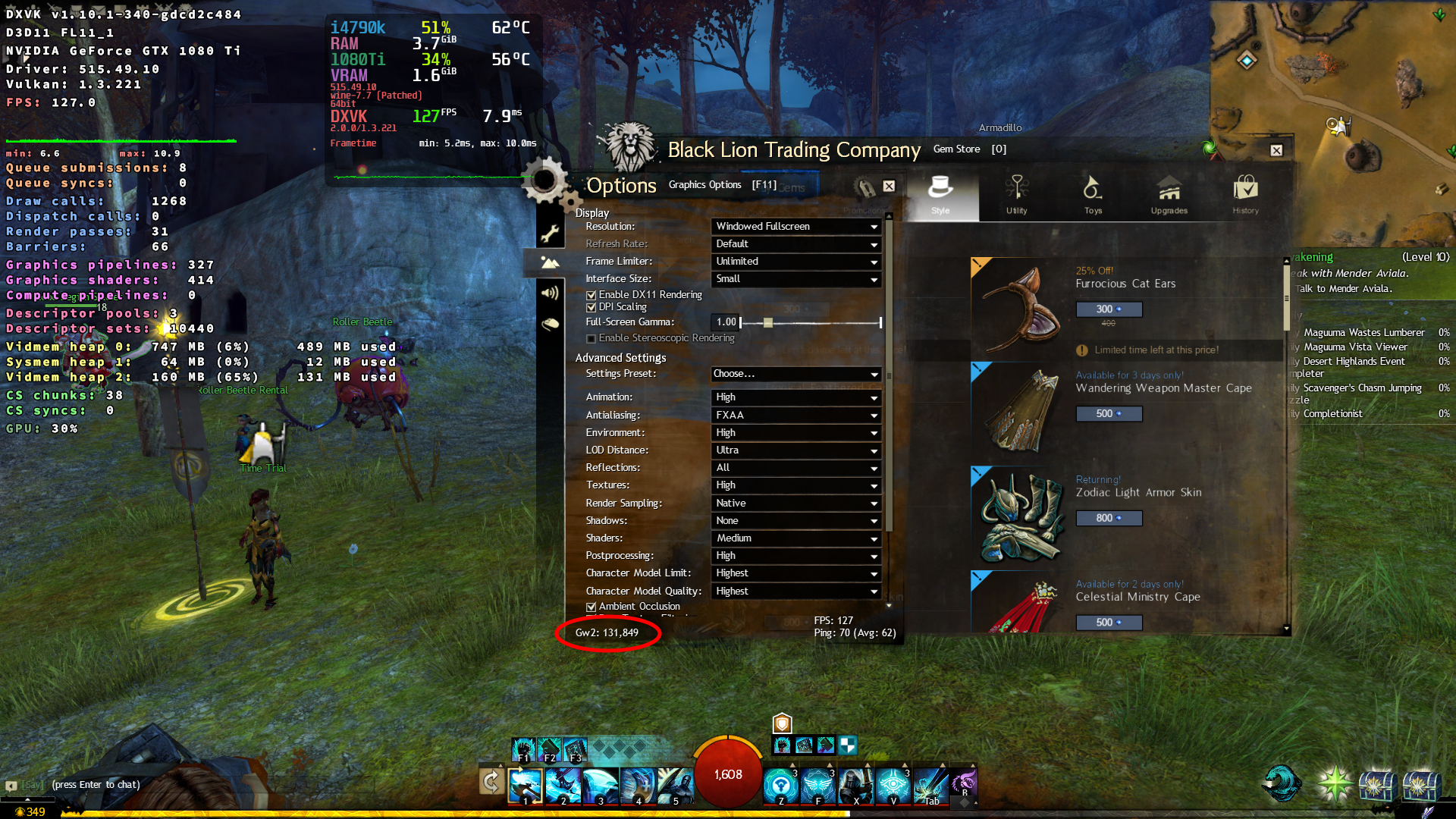
More offtopic to clarify for launching after 19 Jul 2022 update:
shared resources
yea, dxvk log gives many Failed to create shared resource, but this is not the cause of the application crash (works for me on Wine-Staging. So it can probably be safely ignored, but there may be a cases with a mess of patches on custom Wine builds).
err: Failed to create shared resource: VK_KHR_EXTERNAL_MEMORY_WIN32 not supported
warn: D3D11: Failed to write shared resource info for a texture
also most often I met two client errors:
- if you meet
Coherent GPU process crashed (375)- check for childwindow patch (I tested on nvidia, cinnamon, x.org. idk, maybe something might interfere with its work or something like that - be sure to re-create the prefix/clear caches) and make sure you have 32bit dependencies installed (at least for vulkan stuff - thanks @kelytha)
Assertion: Coherent GPU process crashed
File: D:\Perforce\Live\NAEU\v2\Code\Arena\Engine\ArenaWeb\CoherentUi\AwCohContext.cpp(375)
- if you meet
Launcher: Browser crashed (2554)- this means that the game uses WineD3D (I always had this error on the first launch after migrating the game client to a new prefix) and you need to set up DXVK to the prefix with the game (or make sure Lutris or some other prefix management environment does this correctly. Any way, this most likely means that DXVK is not even used).
Assertion: Launcher: Browser crashed
File: D:\Perforce\Live\NAEU\v2\Code\Gw2\Game\Launcher\LauncherCoherent.cpp(2554)
1. if you meet `Coherent GPU process crashed (375)` - check for childwindow patch (I tested on nvidia, cinnamon, x.org. idk, maybe something might interfere with its work or something like that - **be sure to re-create the prefix**).Assertion: Coherent GPU process crashed File: D:\Perforce\Live\NAEU\v2\Code\Arena\Engine\ArenaWeb\CoherentUi\AwCohContext.cpp(375)
That patch should already be in Proton, right? Because if that's the case there might be a separate issue that triggers the same crash, but is (probably) specific to AMD drivers.
That patch should already be in Proton, right? Because if that's the case there might be a separate issue that triggers the same crash, but is (probably) specific to AMD drivers.
yes it should work in Proton with https://github.com/doitsujin/dxvk/commit/5aa943f47594aefd20a7441386bc7e105b927dfd (binary can be found here: https://github.com/doitsujin/dxvk/actions/runs/2669737640)
Also Sejsel confirmed that this https://www.youtube.com/watch?v=Y5ECrMCbXuY problem exists on older (~1.10) versions of DXVK and that it has been fixed with the latest version.
if the error keeps appearing for a clean prefix/cache there is probably a specific problem. then need to look at the system information and logs (I don't have an amd card).
@kelytha what version of Vulkan loader is installed in your system?
if you have amdvlk installed on the system try the workaround to use radv
like VK_ICD_FILENAMES=/usr/share/vulkan/icd.d/radeon_icd.i686.json:/usr/share/vulkan/icd.d/radeon_icd.x86_64.json
That isn't supported by amdvlk by default anymore unless you also DISABLE_LAYER_AMD_SWITCHABLE_GRAPHICS_1=1
They have their own method which overrides it. AMD_VULKAN_ICD=RADV
@Iglu47 I don't have amdvlk installed, only radv. There is a slight difference between running the game with or without the ICD environment variable set though... I think manually setting it nudges things the right way. If I'm reading the output correctly, there is a Vulkan extension not supported by radv.
Without the VK_ICD_FILENAMES set, I have the following output on my terminal:
info:  Enabled instance extensions:
info:    VK_KHR_get_surface_capabilities2
info:    VK_KHR_surface
info:    VK_KHR_win32_surface
01e8:err:vulkan:wine_vkCreateInstance Failed to load physical devices, res=5
terminate called after throwing an instance of 'dxvk::DxvkError'
And with the VK_ICD_FILENAMES set it looks like:
info:  Required Vulkan extension VK_KHR_surface not supported
terminate called after throwing an instance of 'dxvk::DxvkError'
AMD RX570
"01e8:err:vulkan:wine_vkCreateInstance Failed to load physical devices, res=5"
sorry as I said above I dont have amd cards and experience for them. but maybe somewhere it refers to what are the minimum requirements or setups related to amdvlk and radv (?)
I hope someone else clears things up.
info: Required Vulkan extension VK_KHR_surface not supported just means the driver is fecked.
It's a base vulkan extension and you wouldn't be able to render anything to screen without it.
@kelytha Can you share a full dxvk log without the variable?
Okay, the weirdest thing just happened. I deleted the existing log files to make sure I could send fresh ones. After that I started seeing the errors related to the shared resource issue:
err: Failed to create shared resource: VK_KHR_EXTERNAL_MEMORY_WIN32 not supported
warn: D3D11: Failed to write shared resource info for a texture
And now the game runs under Proton. I'm very confused :laughing:
Yes when i tested in lutris by switching back and fourth between wine versions it would sometimes not function with one that should work. But then all of a sudden i could get it to work and then it worked fine afterwards. Not sure of the exact cause.
I figured it out. I was doing more cleanup than just the log files... at some point I noticed that for some reason I had the 32-bit version of amdvlk installed. Removing that was actually what fixed running the game with Proton.
It seems that for whatever reason, after the July 19th upgrade, GW2 requires that you have working 32-bit libraries for it to run.
Hehe sounds good. Glad you got it working
I figured it out. I was doing more cleanup than just the log files... at some point I noticed that for some reason I had the 32-bit version of amdvlk installed. Removing that was actually what fixed running the game with Proton. It seems that for whatever reason, after the July 19th upgrade, GW2 requires that you have working 32-bit libraries for it to run.
@kelytha good point.
yea, it looks like the Coherent component always had 32-bit dependencies, and now, due to an update, it just needed childwindow and vulkan 32-bit dependencies
[i47@home-pc bin64]$ file *.{exe,dll}
CoherentUI_Host.exe: PE32 executable (GUI) Intel 80386, for MS Windows
CoherentUI64.dll:    PE32+ executable (DLL) (GUI) x86-64, for MS Windows
d3dcompiler_43.dll:  PE32 executable (DLL) (console) Intel 80386, for MS Windows
d3dcompiler_46.dll:  PE32 executable (DLL) (console) Intel 80386, for MS Windows
ffmpegsumo.dll:      PE32 executable (DLL) (console) Intel 80386, for MS Windows
icudt.dll:           empty
libEGL.dll:          PE32 executable (DLL) (console) Intel 80386, for MS Windows
libGLESv2.dll:       PE32 executable (DLL) (console) Intel 80386, for MS Windows
pdf.dll:             PE32 executable (DLL) (console) Intel 80386, for MS Windows
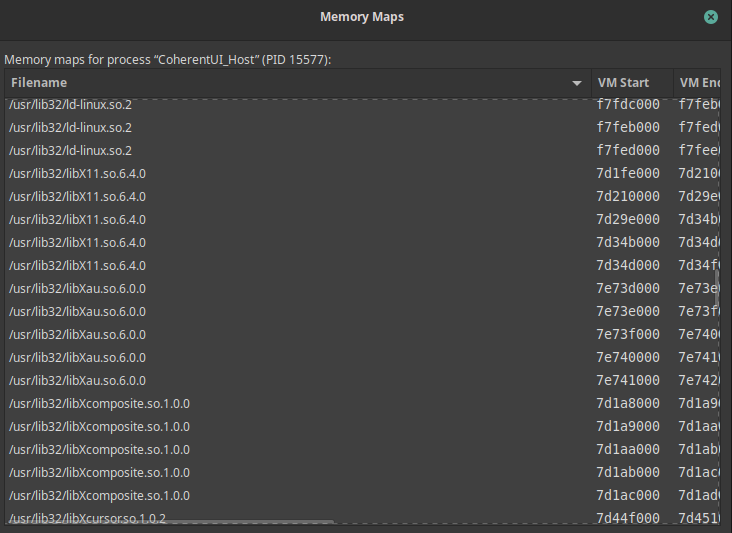
sorry, I didn't notice it right away because my main machine already has 32-bit dependencies installed (required for fully 32-bit games)
The thing about the shared resources being a new thing might not be totally true anyway actually since i have backup on my external ssd of the gw2 folder i used in bottles. I have a d3d9 log from may of the CoherentUI exe and there the shared resources lines appear too.
And it apparently isn't necessarily critical to getting it launched. Tho the new update is kinda fecked anyway.
Closed because the original issue seems to be a weird interaction between some of the lutris wine versions and mesa. Not indicating a dxvk bug.
If you start running into similar issues again even with everything updated then just comment or make a new issue. 🙂
Proton versions
proton 7.2x2 2022-07
Upstream links
- show_bug.cgi?id=45277x1 2022-07
DLLs
coherentui64.dllx1 2022-07d3dcompiler_43.dllx1 2022-07d3dcompiler_46.dllx1 2022-07ffmpegsumo.dllx1 2022-07icudt.dllx1 2022-07libegl.dllx1 2022-07libglesv2.dllx1 2022-07pdf.dllx1 2022-07
Starting with 3cfc3e77144c8058683868c35e4ce1dbee84d6ed the game started to crash on launch from lutris with wine 7.1 from lutris.
with wine 7.2 from lutris the game launched but after a time the game crashes without any error.
now i use lutris ge proton and the game works without problem
Now i don't know if the bug is with wine or with dxvk.
Unfortunately the game does not generate any logs to put here when i launch it from lutris. i even change the path for log files and still no logs.
Software information
Guild Wars 2 (dx11)
System information
edit:
loga
Gw2-64_dxgi.log
Gw2-64_d3d11.log
now the games launch even with 7,1 but it still crash after a few minutes. the logs is with d898eff3bed74aff619c40d6639d14c6e7c55bde