OS: Windows 7
Oh boy.
I'd strongly recommend playing the game on a system that actually meets the minimum requirements (i.e. most definitely not Windows 7). The game is known to run fine even on the Steam Deck.
Try https://github.com/doitsujin/dxvk/actions/runs/2724731729 which i'm guessing is supposed to help the game a bit.
Tho your pc might still be too weak.
I mean the screenshot in OP's post is clearly CPU-bound whereas that commit aims to slightly improve GPU-bound perf.
But yeah, game runs at a locked 144 FPS on my desktop, there is no obvious DXVK issue.
Try https://github.com/doitsujin/dxvk/actions/runs/2724731729 which i'm guessing is supposed to help the game a bit. Tho your pc might still be too weak.
Thanks for trying to help.
I downloaded and checked the proposed assembly, nothing has changed.
Previously, I already tried adding the "d3d11.ignoreGraphicsBarriers = True" parameter and it had no effect.
I understand that my PC is very outdated, but at low resolutions, many games run quite well. Stray is not a shooter, 25-30 fps would be enough for me.
The problem here is not your hardware, it's your hopelessly outdated software stack. I'm almost certain that the game would run reasonably fine on Linux on this kind of hardware.
This might also be another case of the game desperately trying to load vendor DLLs (nvapi and amdags) on Windows on every draw call, which simply doesn't work when DXVK is used, and isn't something that we can fix. In fact, (older) Unreal Engine games are the reason why DXVK reports itself as an AMD GPU by default because of this.
The problem here is not your hardware, it's your hopelessly outdated software stack.
That's why I'm trying to solve the outdated software problem with DXVK. Sometimes I can achieve an acceptable result with driver or game settings. This time it did not work out, sadly, but not a disaster.
@doitsujin @Shestoperd I have this issue https://github.com/doitsujin/dxvk/issues/2744 but fps is 16 frames per second. Any unreal game have this issue?
No not if the drivers, software and hardware is up to spec and working working properly. Also don't cross post in other issues plz.
not cross posting.issue is similar.
The issue you linked is about graphical issue not fps. :eyes:
Anyway, no that is not a known issue with unreal games in general. Note that a Radeon 530 is not a very fast GPU by modern standards (at least when i compare it to my own R9 380 which isn't fast anymore either) so any of these newer titles it will probably struggle a bit with. :slightly_smiling_face:
I'm an idiot. The problem was caused by Reshade. It did not interfere with other games in any way, but in Stray it caused a strong decrease in FPS. After the removal, the situation improved greatly.
Glad to hear it hehe :+1:
The problem here is not your hardware, it's your hopelessly outdated software stack. I'm almost certain that the game would run reasonably fine on Linux on this kind of hardware.
This might also be another case of the game desperately trying to load vendor DLLs (nvapi and amdags) on Windows on every draw call, which simply doesn't work when DXVK is used, and isn't something that we can fix. In fact, (older) Unreal Engine games are the reason why DXVK reports itself as an AMD GPU by default because of this.
Would these issues end up vanishing for the most part if DXVX-NVAPI is enabled/reaches a better feature parity?
Very low FPS in Stray. CPU and GPU are half loaded. I don't understand where the bottleneck is.
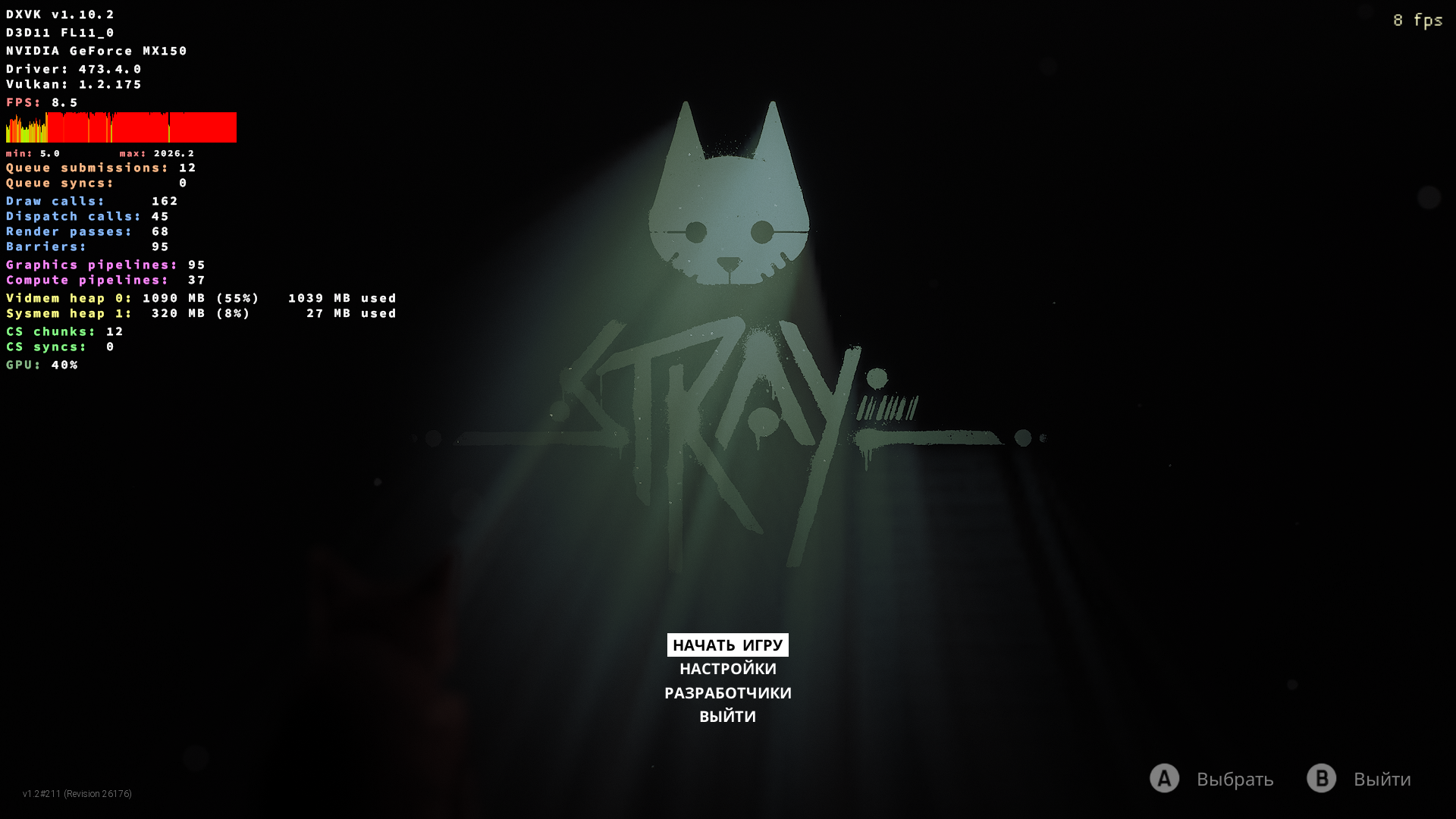
In menu: ~7-10fps
In game: ~5-7fps
Reducing the screen resolution and lowering the graphics settings does not lead to a significant increase in fps.
System information
OS: Windows 7
CPU: Intel Core i3 6100U
GPU: Nvidia GeForce MX150
Driver: 473.4.0
DXVK: v1.10.2
Apitrace file(s)
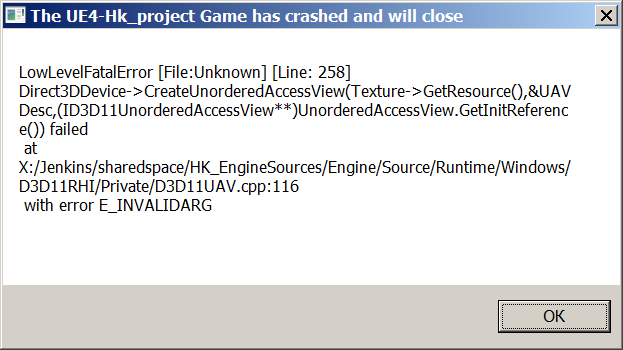
Crashes with an error
Log files
In d3d11.log file to infinity such a warning:
warn: D3D11DXGIDevice::QueryInterface: Unknown interface query
warn: bc09d320-ca95-452a-b7b2-5c94a4f07d07
Stray-Win64-Shipping_d3d11.log
Stray-Win64-Shipping_dxgi.log