Dead Rising 4 low framerate, low hw resources usage
Is this any better with wined3d?
Given that both CPU and GPU utilization are low and there are also no obvious GPU sync points I somehow doubt this is an issue on our end.
Is this any better with wined3d?
Given that both CPU and GPU utilization are low and there are also no obvious GPU sync points I somehow doubt this is an issue on our end.
Sadly, it does not launch when using wined3d. It only displays black window and just hangs forever. Maybe there's some bottleneck in Wine/Proton itself. I only have the game on Steam so not sure if I can test that with vanilla Wine, but Proton-GE doesn't make any difference either. Also I don't have any access to AMD graphics, so I can't test if it's NVIDIA specific issue.
@dklementowski Do you have access to windows?
If yes how does it behave with and without dxvk there?
In the same scene (when you start in capcom heroes mode) i get around 28fps with wined3d and around 44fps with dxvk.
This on 1080p, low preset, R9 380, mesa 22.1.7
Will check the game out on Windows with dxvk.
Note that the game have a amd_ags_x64.dll in it's folder. I don't know how that affects Nvidia GPU's with nvapiHack.
Comparison of native game on Windows vs dxvk 1.10.3. Still 1080p and low preset
Note that my driver is from around 2021 Q2 so i don't have any of the newer driver optimizations if that is relevant for d3d11.
Screenshots
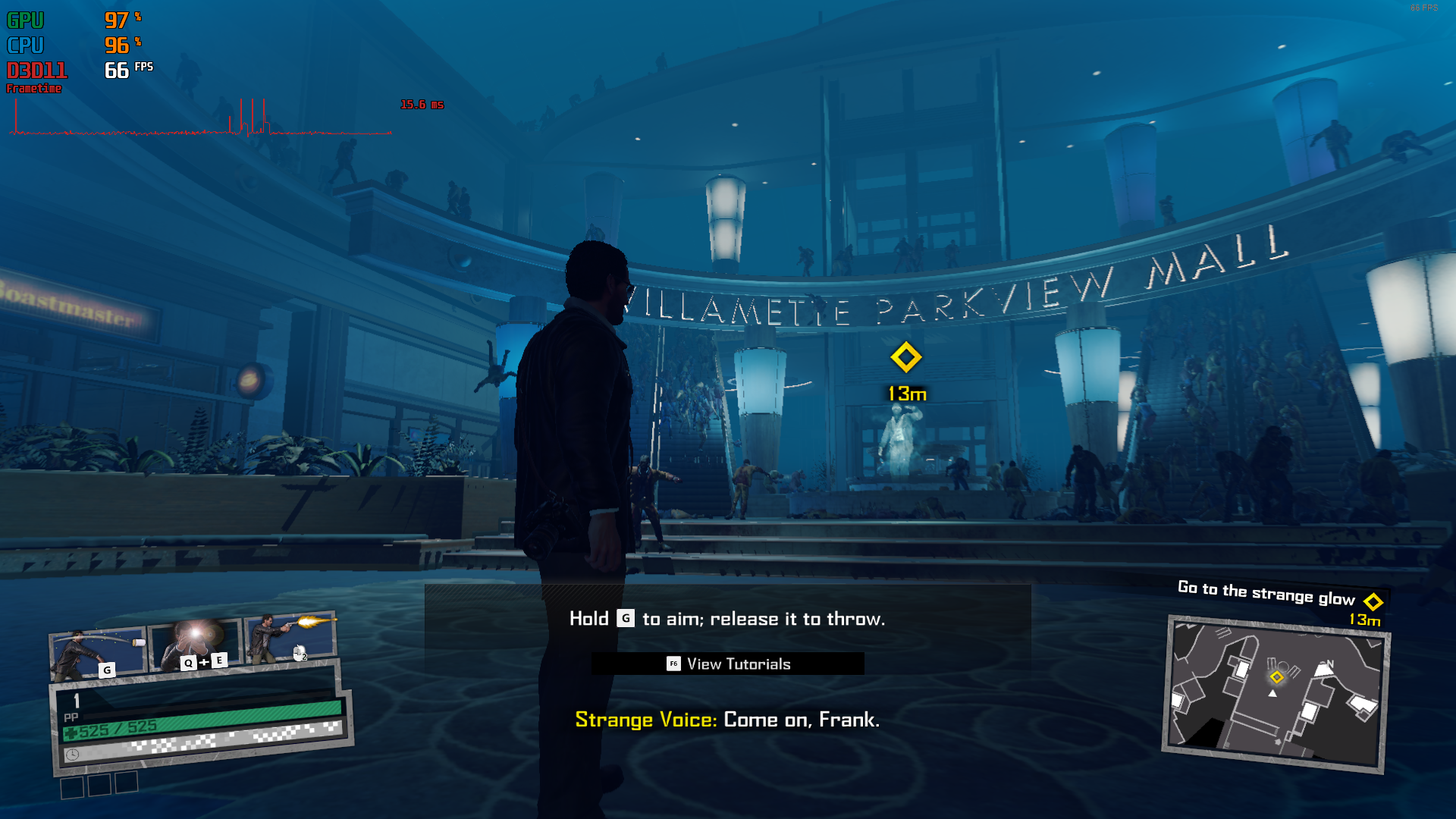
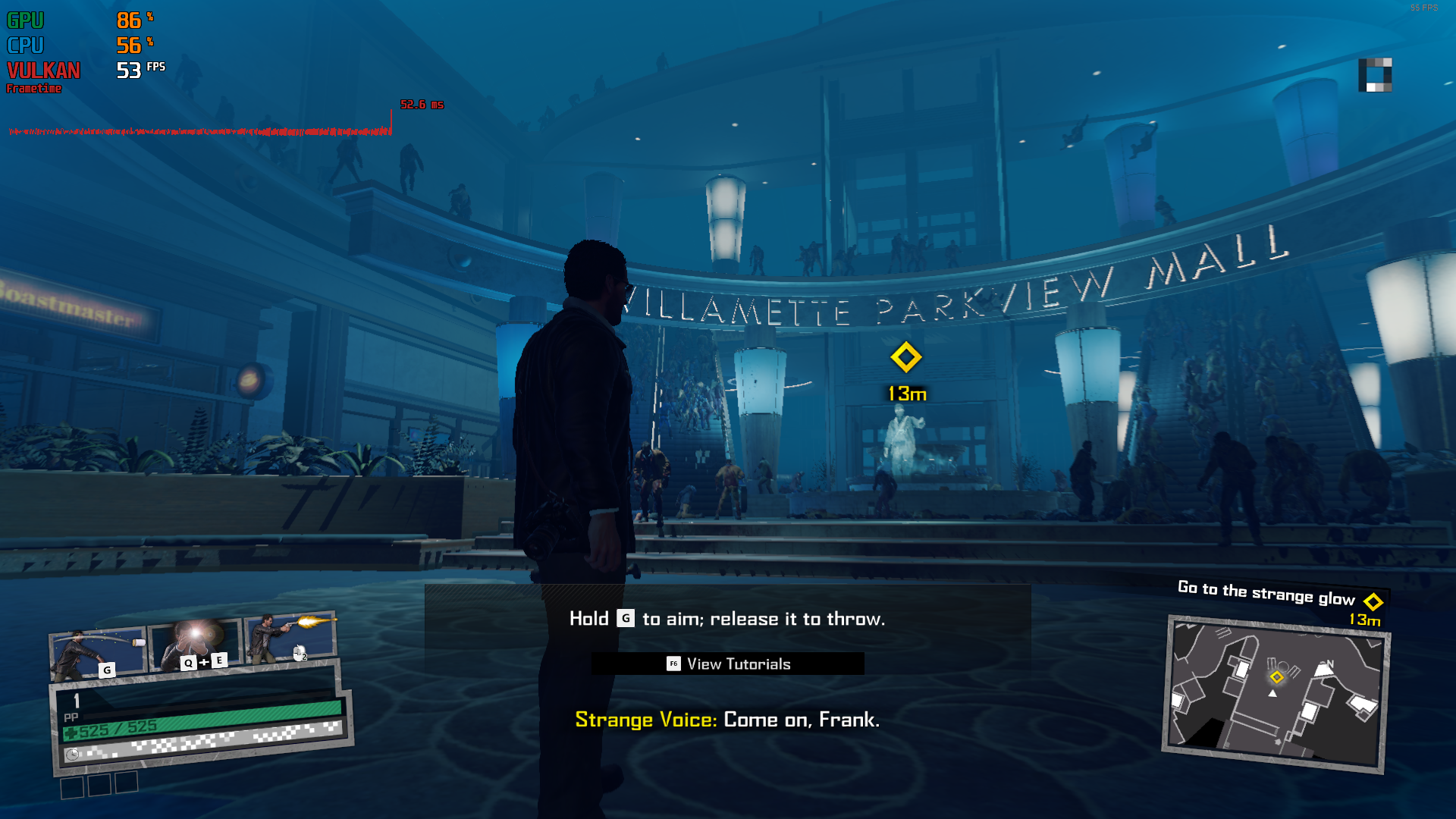
@dklementowski Do you still have this issue with latest dxvk, drivers, kernel etc?
@dklementowski Do you still have this issue with latest dxvk, drivers, kernel etc?
Yes, it looks like the performance is on par with what it was back when I reported the issue. Even though now I'm on AMD graphics.
I recorded some quick and lame gameplay https://www.dropbox.com/s/yzl4av24kj872if/2023-04-11 22-59-42.mkv?dl=0
I'm on bleeding edge distro with 6.2 kernel and freshly built mesa-git.
Unfortunately, still not planning on having Windows install to compare the performance.
DXVK: V 2.2 Stable on Windows for Performance check.
Gpu: GTX 1660 not TI or super (Not using Vega 5 Graphics) inserted by M.2 slot egpu
CPU: AMD Ryzen 3550h with VEGA 5 Graphics.
Ram: 32gb 3200mts that is limited by cpu at 2400mts.
MINISFORUM DMAF5
So I checked for performance for this testing issue. It appears DR4 has a scale performance issue. NOTE: That I'm in a safe house on Ch.1, and there is a setting for Dynamic Load Scaling and it is off for me.
Very High:
High:
Medium:
Low:
DR4 isn't using too much vram until I'm outside again without DXVK.
It might be caching the whole area for DXVK? @Blisto91
hi i have same problem, no matter what graphic settings i use the fps is always almost same ~40
please help
here is System Information:
System Information.txt
and here is the protonlog :
someone recommended me to use that trick :
Create a file named dxvk.conf next to game exe
Put this in it
d3d11.cachedDynamicResources = a
but it didnt worked too that low FPS makes this fun game unplayable T__T
@dklementowski @vuaieo Might be interesting to give this a go again with current master https://github.com/doitsujin/dxvk/actions/runs/15808988120
In Dead Rising 4 I get around 40-50 fps regardless of the graphics settings or resolution (it doesn't make difference if it's 2160p or 720p). The game is playable as those frames are presented evenly however, just not 60fps no matter what settings.
It says I'm using dxvk-async, because I did, but it doesn't matter if it's async or not, the result is exactly the same.
I thought that maybe it's CPU bound, but it doesn't look like it is, as the overall CPU usage is quite low on each core.
I collected some logs using DXVK_LOG_LEVEL=debug: https://www.dropbox.com/s/25yr0qzvbq2zl2d/dxvk_logs.tar.gz?dl=0
Please let me know if I can provide some more info. Thanks in advance for looking at this.