Spider-man: Shattered Dimensions Lightning is messed up while using dxvk
I tried to do a trace but the game wouldn't run with the trace dll files. But it does run with dxvk d3d9.dll.
this game is no longer available for purchase on Steam, so you'll have to get apitrace somehow.
just for sure: since you know the game is 32-bit did you double-check that the 32-bit apitrace dll was used?
this game is no longer available for purchase on Steam, so you'll have to get apitrace somehow. just for sure: since you know the game is 32-bit did you double-check that the 32-bit apitrace dll was used?
apitrace-10.0-win32.7z I assume its this one?
apitrace-10.0-win32.7z I assume its this one?
yes, this correct. try latest https://github.com/apitrace/apitrace/releases/download/11.1/apitrace-11.1-win32.7z
I dragged and dropped d3d9.dll since the game is using dx9. I get the same error as the previous versio

n
Sadly, I'm out of ideas. Maybe changing Windows compatibility will help, or an antivirus is present and interferes. I do not know.
I think the trace worked! I have to uncheck the windows compatibility mode!
I uploaded the trace in mega I hope thats alright!
- trace: trace file
Trace works, I'll take a look.
That PR should fix it.
Hello so how do you disable fetch4 or what should i do to fix this issue im having this issue on linux and would like to fix it as well so what do i do with the trace fill or how do i restrict fetch4 to single channel format thank you
Hello so how do you disable fetch4 or what should i do to fix this issue im having this issue on linux and would like to fix it as well so what do i do with the trace fill or how do i restrict fetch4 to single channel format thank you
thanks for the response, we have already received everything need and the problem will be fixed soon (thanks @K0bin)
so will this problem be fixed for windows and Linux, also will this problem be a file fix or a program fix thank you
@K0bin what do i do with this how do i set this up i’m on linux btw so is it going to be different for me
@K0bin what do i do with this how do i set this up i’m on linux btw so is it going to be different for me
For Proton 7.0 you can temporarily (you can make a backup d3d9.dll or download/restore Proton 7.0 completely) replace ~/.local/share/Steam/steamapps/common/Proton 7.0/dist/lib/wine/dxvk/d3d9.dll with the version from the build from the link above. You need to use the x32 version.
Or wait. Sooner or later it will be in Proton anyway.
@K0bin thank you it works on 7.0 proton but is it possible to use it on Proton GE or if you could make it work on if possible if not it's okay but if you are able to the one that I am using is Proton 7.1-GE 2 thanks again. P.S the reason that I need it on Proton GE is that i am using proton tricks to get the sound working and the sound doesn't work on 7.0
@Irinu the same for Proton-7.1-GE-2
but this path ~/.local/share/Steam/steamapps/compatibilitytools.d/Proton-7.1-GE-2/files/lib/wine/dxvk/d3d9.dll
hello yes i have tried this but every time i try to boot up the game it crashes i click play and then it starts up and then closes i will try this again thought to make sure
@K0bin ya it keeps crashing what should i do?
hello yes i have tried this but every time i try to boot up the game it crashes i click play and then it starts up and then closes i will try this again thought to make sure
probably related to increased minimum requirements (depends on hardware, distribution, Wine build, etc.)
@Irinu could you try this build? https://github.com/doitsujin/dxvk/suites/8002161646/artifacts/342963018 - it's based on 1.10.3 and has no increased minimum requirements yet
(don't download or use unverified files full build log here: https://github.com/doitsujin/dxvk/actions/runs/2935103575)
yes i will try it right now
@Iglu47 hello I have tried but to still no prevail i click play starts then crashes is there any way i can get xact to work on proton 7.0.3 i have tried protontricks but still ends up not working
@Iglu47 i was wrong it worked all it needed was a restart thank you so much yall are the best
ah, somehow misread about that it works on proton 7.0, then everything should be fine.
thanks for the tests.
Use this build: https://github.com/doitsujin/dxvk/suites/7638569632/artifacts/317650751
Alright I was finally able to test it out. The fix is working!
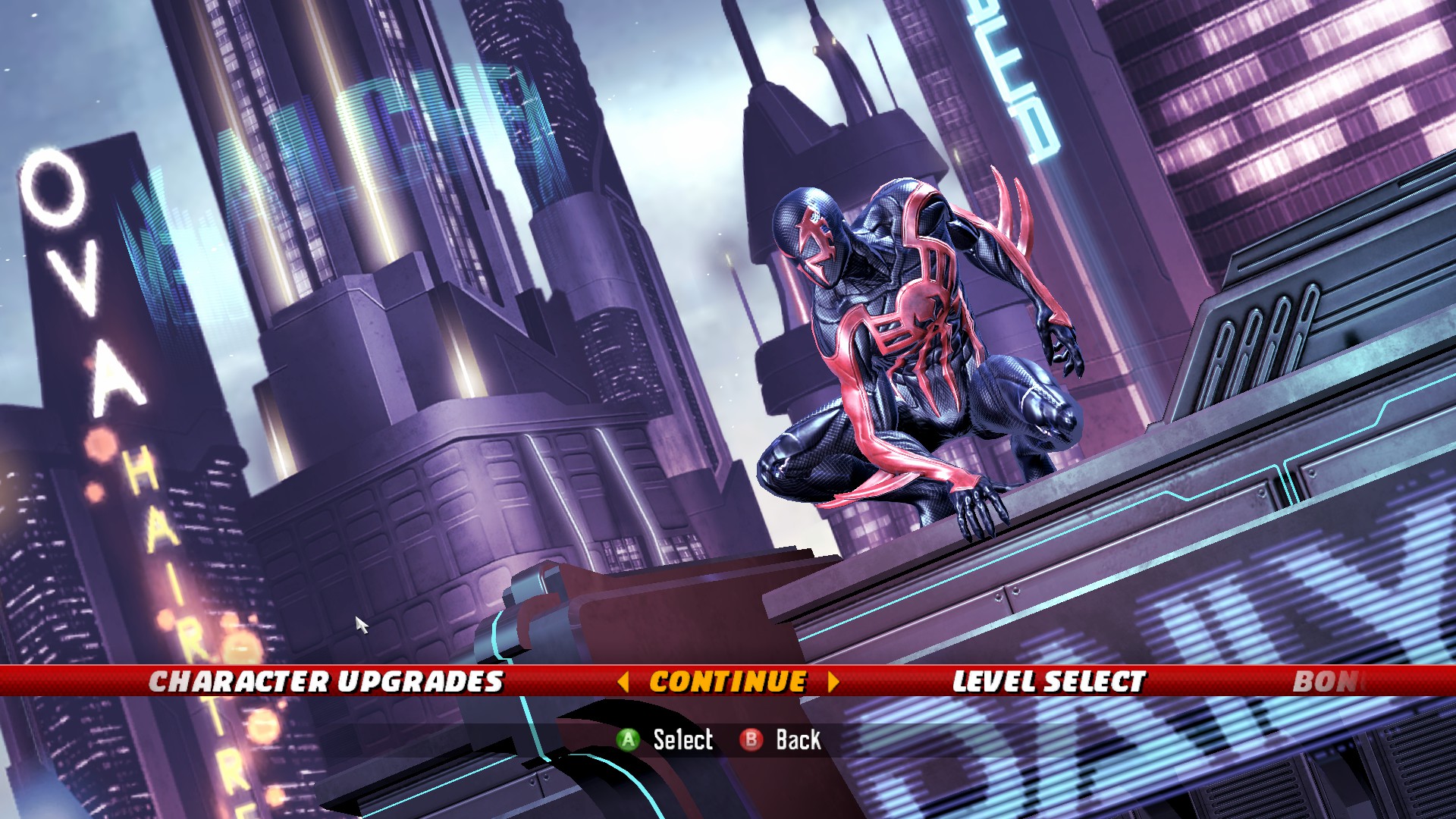

The lightning texture problem was also in-game too. But it seems the fix worked in-game too!
Great, thanks for confirming.
I'd prefer to keep this open until we merge the fix.
Oh, sorry for that then! Quick question is there a discord server?
@Laezor for spider-man shattered dimensions no but for steam deck yes there is just search steam deck discord and you’ll find it
Hi, this works great for the color, however on steam deck dvxh-async really boosts performance. Is it possible you can post a build with this fix and dxvh-async. Thanks a lot.
No. DXVK Async is not officially supported.
Proton versions
proton 7.0x3 2022-08proton 7.1-ge-2x1 2022-08proton 7.1x1 2022-08
DLLs
d3d9.dllx5 2022-08
Its not a very major problem. I think the lightning of the game is messed up while using dxvk. The color of the suits are wrong.
I tried to do a trace but the game wouldn't run with the trace dll files. But it does run with dxvk d3d9.dll.
Reports with no log files will be ignored.
Software information
Spider-man: Shattered Dimensions
32-bit
directx: 9.0c
System information
Apitrace file(s)
the game wouldnt run with apitrace dlls
Log files
Images