La Pucelle: Ragnarok - Rendering errors
Hi and thank you for a nicely filled out issue report.
Can you post a screenshot of what the issue looks like? I've tried replaying your trace on my Nvidia setup (will try amd later) but it looked fine to me.
Edit: Also tried replaying on amd setup (R9 380)
What exactly am I looking for here? Your trace looks fine at a first glance.
Sorry, I was about to post the screenshots but got sidetracked, here they are:
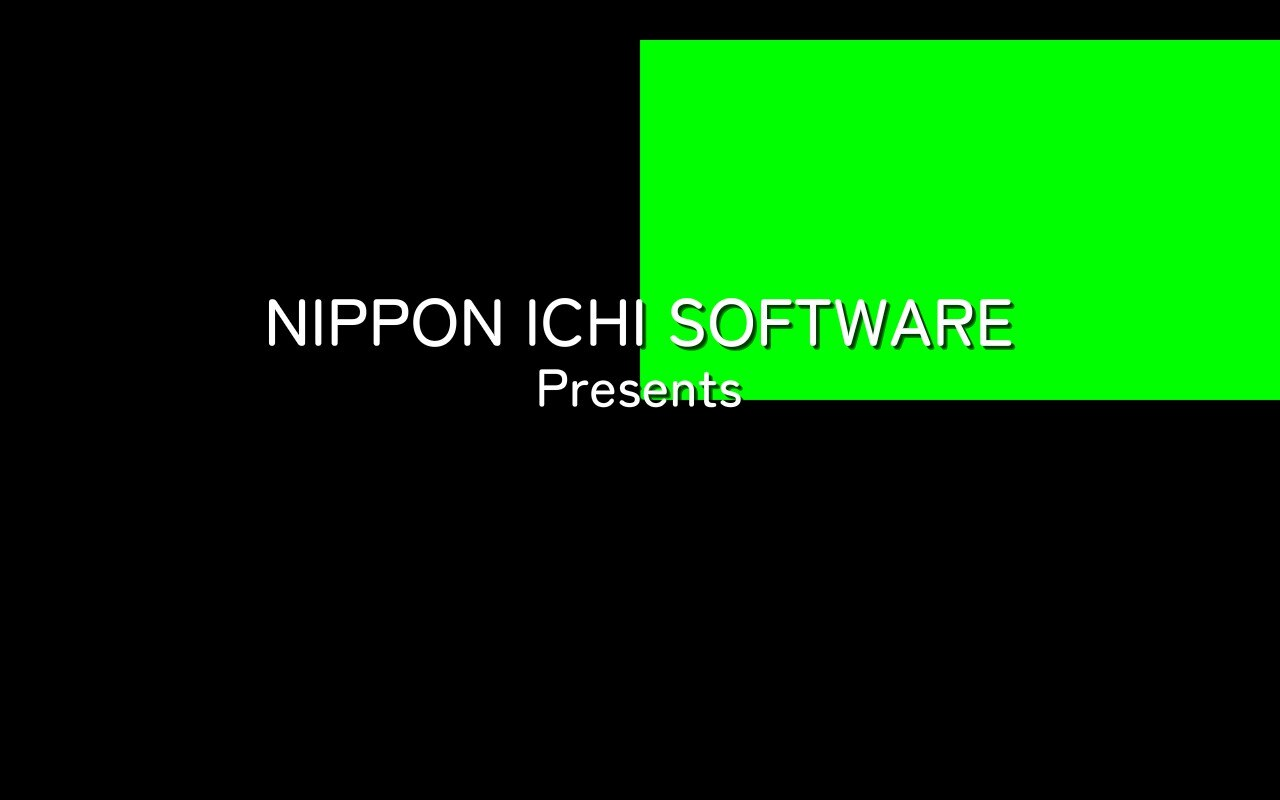
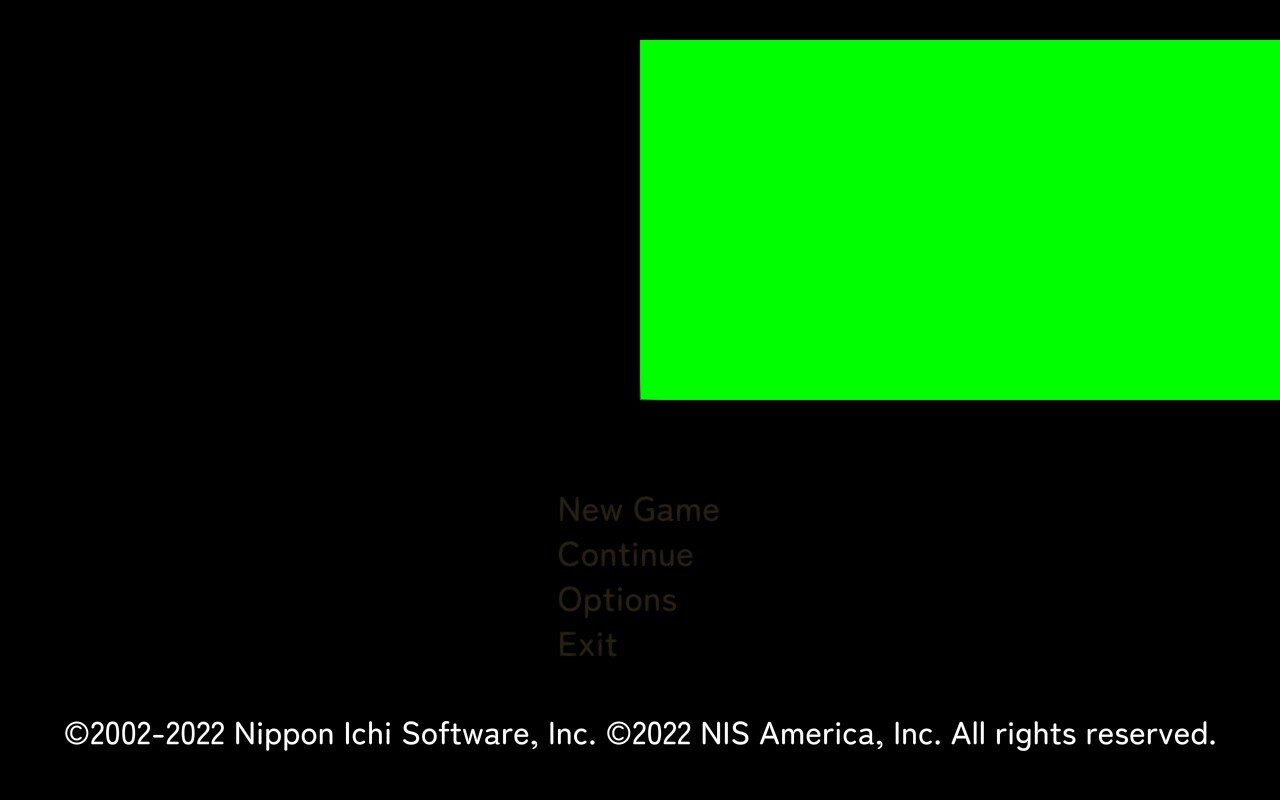
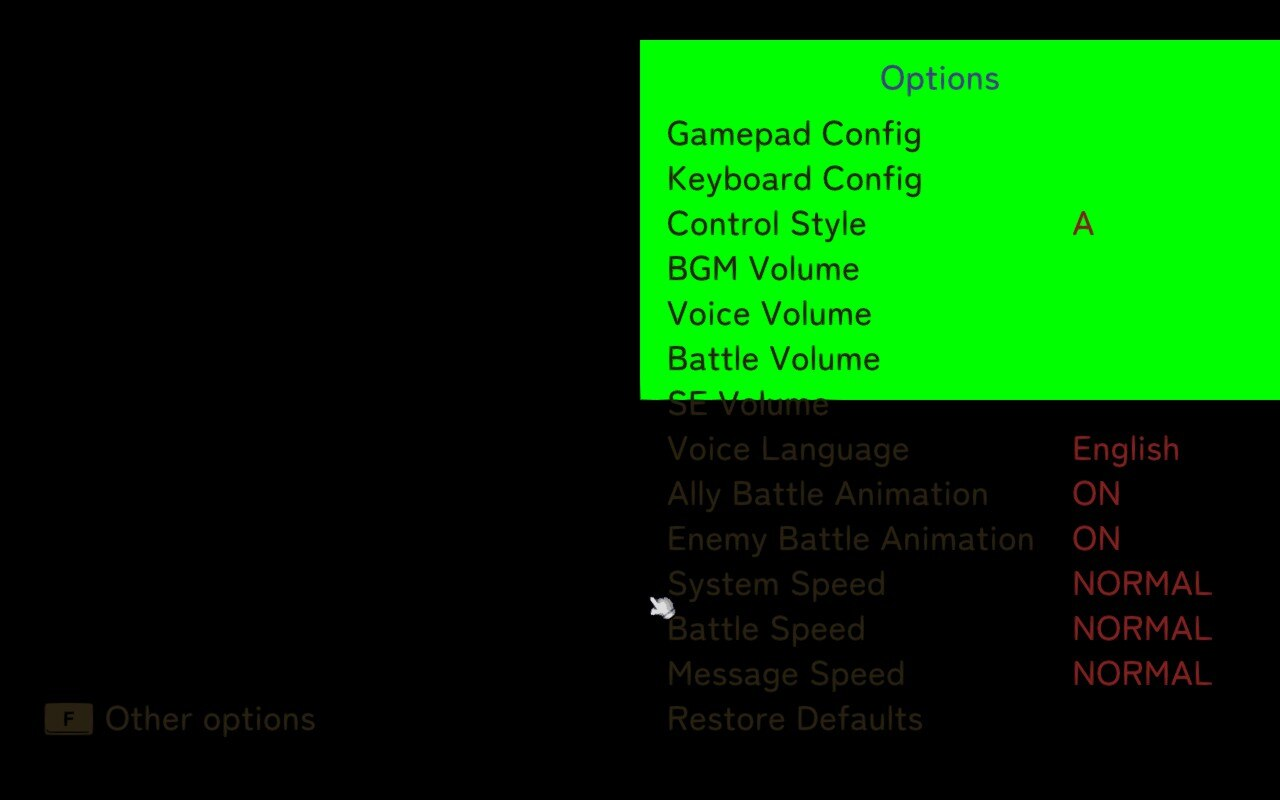
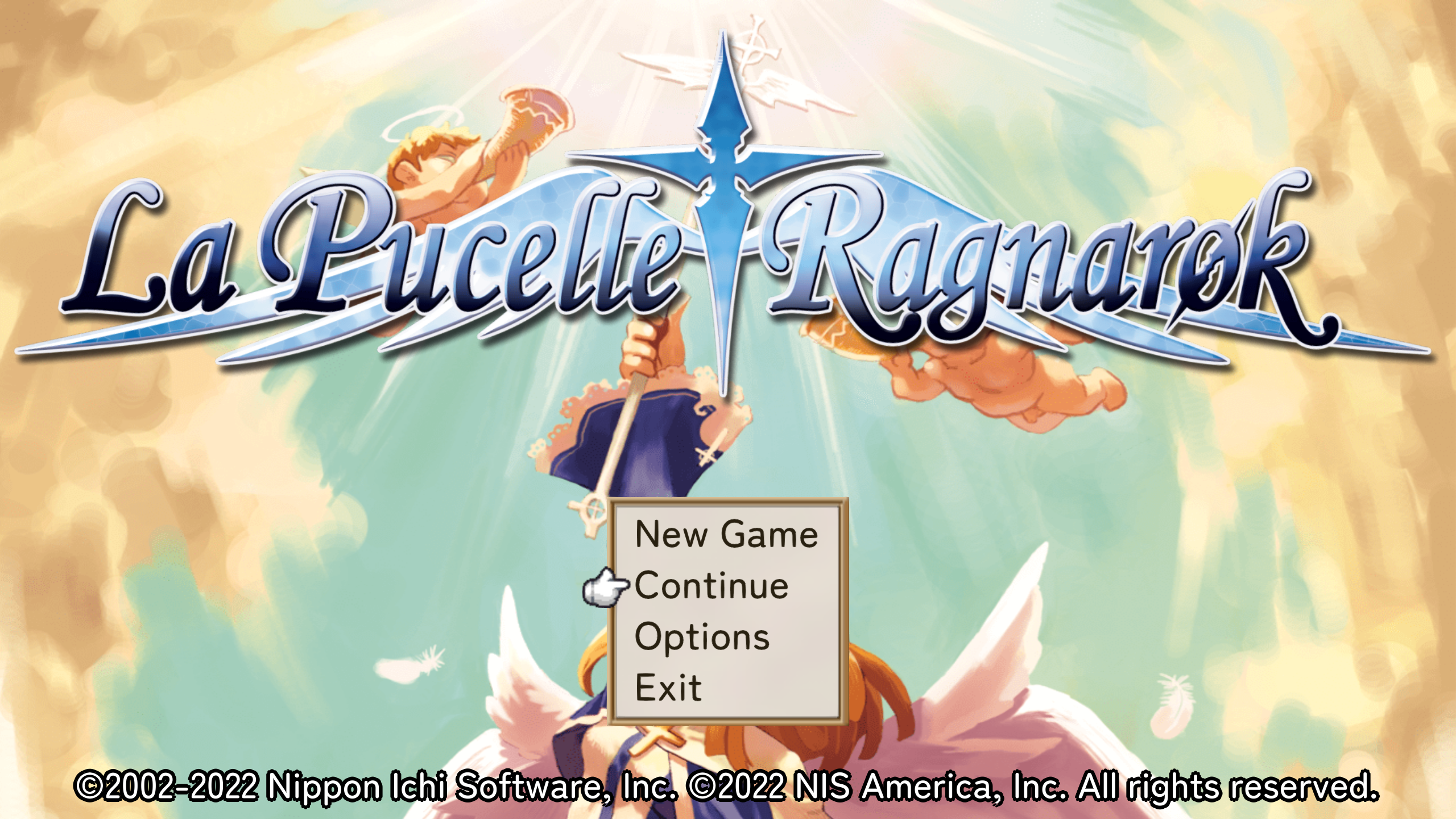
The same screenshots on Windows 11:

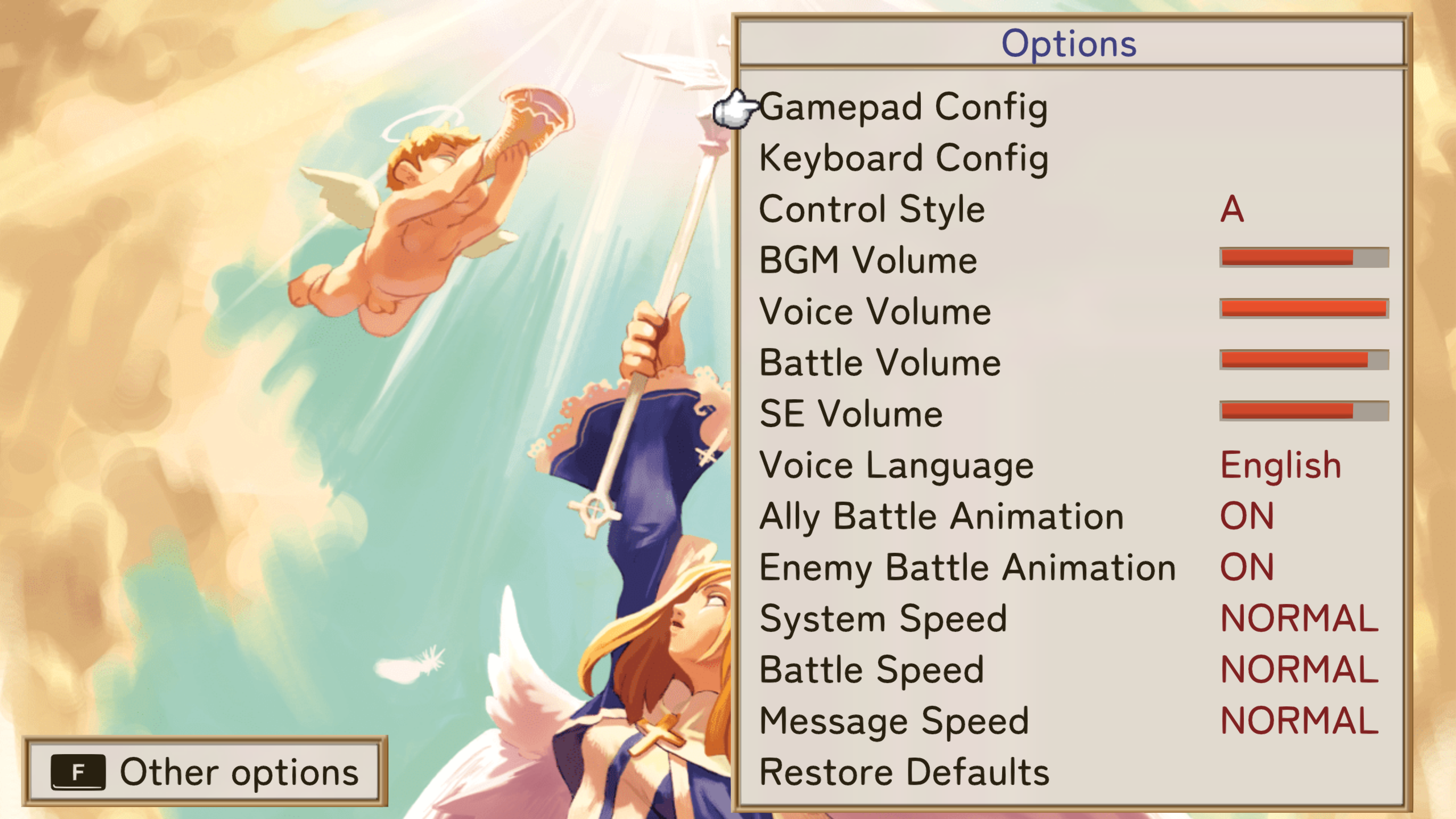
Could you try running the game with proton experimental. If that changes nothing then running with PROTON_USE_WINED3D=1 %command%
And if that also does nothing try using dxvk on windows and see if the same happens.
Edit: Also proton log as said below
When replaying the trace it looks exactly the same here as in your Windows screenshots. Whatever this is, it's likely unrelated to DXVK and we'd need a full Proton log to figure out where things might be going wrong.
Could you try running the game with proton experimental. If that changes nothing then running with
PROTON_USE_WINED3D=1 %command%And if that also does nothing try using dxvk on windows and see if the same happens.
Using Proton Experimental behaves the same.
WineD3D causes the game to crash (on both experimental and 7.0-4).
DXVK on Windows works like expected (identical to native d3d11), so it might not be a DXVK thing like mentioned.
Here's a proton log that ran with 7.0-4 and dxvk (I closed the game with its own Exit button if that matters):
steam-1866420.log
Also, if it's worth noting, the game is 32bit.
When replaying the trace it looks exactly the same here. Likely unrelated to DXVK.
Hmm, yeah, I also tried playing my Windows apitrace file on linux (apitrace's windows version on linux under same proton configuration as the game) on my Steam Deck, but it also seemed to look fine... the game on the other hand looks like on the screenshots.
It'd be great if you have time to help me figure out what's the problematic component (I can try any logging tool or whatever), but if it is indeed unrelated to DXVK then feel free to close this.
Log of Proton 7.0-4 with WineD3D (the game doesn't display anything and crashes/closes itself):
steam-1866420.log
Could you try installing d3dcompiler_47 for the game with protontricks? Or winetricks set to the games wine prefix
Could you try installing
d3dcompiler_47for the game with protontricks? Or winetricks set to the games wine prefix
Installing d3dcompiler_47 with Protontricks and the game now displays properly with DXVK!
Here's the relevant log files if helpful:
LaPucelle_en_d3d11.log
LaPucelle_en_dxgi.log
steam-1866420.log
May I ask why does this fix work? What implements d3dcompiler_47 if the normal version is missing?
I noticed in your proton log that it loads wines builtin of that DLL and saw there were some d3dcompiler fixme's that looked suspicious.
Builtin means that its using wines own version which seem to be incomplete or buggy here. When you use winetricks you install the official Microsoft DLL into your prefix and set it to be used.
Some games might also provide their own. This one doesn't it seems.
Valve can't include the official one on their own for legal reasons or as a safety precaution relating to that at least. Simplified explanation maybe.
It would be appreciated if you could open a proton compatability issue and mention this workaround. Then there might also come eyes on that the wine version have issues with the game
Thanks a lot for the explanation and the help everyone!
I'm sorry, but I'm completely new to linux. This thread seems really helpful, but I cannot get the gui for protontricks to work, nor do I understand how to install d3dcompiler from there. Can anybody explain this process further?
Specifically on the version Steam Deck uses
@otterboi12 Hi i was gonna take some screenshots showing how to do it. But it seems the protontricks gui indeed doesn't work on steam deck at the moment. https://github.com/Matoking/protontricks/issues/164
Sadly i wasn't even able to get the command line version working either.
Proton versions
proton 7.0-4x2 2022-08proton experimentalx2 2022-08
Launch options
PROTON_USE_WINED3D=1x2 2022-08
Launch lines
PROTON_USE_WINED3D=1 %command%x2 2022-08
Rendering is broken on the entire game, aside from the startup logos and some menus (eg. gamepad/keyboard config and save/load menus) that were implemented as part of the PC version of the game.
Software information
La Pucelle: Ragnarok - Default settings - Store Page
System information
Apitrace file(s)
(recorded on Windows with D3D11)
LaPucelle_en.zip
Log files
(recorded on Linux)