Heroes of Might and Magic V corruptions and lockups on Haswell
dxvkclosed
intel anv
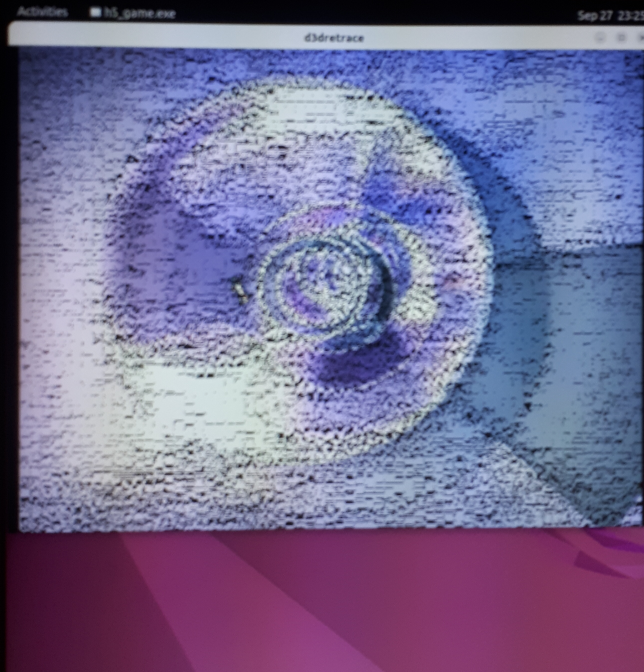
Can you post a screenshot of the graphical corruptions. Didn't notice anything obvious in the trace on my R9 380. Or is the trace just for the crash.
Also try latest master and see if it makes a difference https://github.com/doitsujin/dxvk/actions/runs/3137839527
I have an image captured by a smartphone. A screenshot wasn't possible because the graphical session crashed.
This is almost certainly a driver bug.
Vulkan support on anything before Maxwell is incomplete.
Nothing we can do here.
Is there a way for me to get a renderdoc?
It it crashes, not really.
Just attach the apitrace.
FWIW, I've replayed the apitrace on my Nvidia GPU and it finishes without any issues.
Software information
Heroes of Might and Magic V shows graphics corruptions when using dxvk that do not happen with wined3d. I captured an apitrace with dxvk v1.10.1 using apitrace-11.1-win32. Replaying the attached trace with apitrace-11.1-win64 and dxvk is a reproducible way to totally crash my graphical session (Gnome Shell using Wayland).
I also captured a trace with wined3d but I noticed that a trace captured with wined3d can not be replayed with dxvk. Curiously, the trace captured with dxvk can not be replayed with wined3d either. This is why I didn't include the wined3d trace here.
I could not create a renderdoc capture from the trace because this would crash wine:
I know that Haswell is a bit old but a crash of the graphical session is a bit much. That may be a Mesa bug, but for reporting a bug to Mesa I need a renderdoc capture ...
Edit: This is the Mesa bug
https://gitlab.freedesktop.org/mesa/mesa/-/issues/7374
System information
Apitrace file(s)
H5_Game_trimmed_packed.trace.zip
Log files
H5_Game_d3d9.log