D3D9 support in DXVK breaks Tomb Raider Underworld - massive stutters
Does the stutter go away once you've played a level once?
If yes then it's probably shader compilation stutter.
(You are using dxvk 1.10.3 btw not 1.7.3)
Edit: Also see https://github.com/doitsujin/dxvk/issues/2764
Fixed the version typo.
And yes, that's exactly the same problem. Sad to see it won't be fixed. :(
Looks like I'll have to keep a non-DXVK prefix around, then...
Try DXVK master. It should be fixed with that.
dxvk 2.0.0 will introduce a new way to deal with shaders that should allow them to compile in either main menu or during loading instead of only when they first appear ingame. Tho the exact effect depends on the how the game and engine handles it.
As K0bin said while i was writing, try this version here. https://github.com/doitsujin/dxvk/actions/runs/3317560552
You will need the 520 version drivers for it to work.
Thanks, I'll have a look at the master build.
I updated the NVidia drivers to the 520 series and gave the new DXVK build (v1.10.1-967-gcd21cd7f) a shot with the TR Underworld demo.
The stutters appear to be gone, but the game crashes halfway through the first cutscene with "LLVM ERROR: out of memory".
dxvkmaster.log
Then again, it is a pre-release build, so some problem are expected, I guess. ;)
Looks like it running out of memory/address space. On unpatched vanilla wine it's just 2GB, you should try either using a wine build that enables large address aware or patch the exe, see https://github.com/doitsujin/dxvk/issues/1607
I was not able to observe described problem.
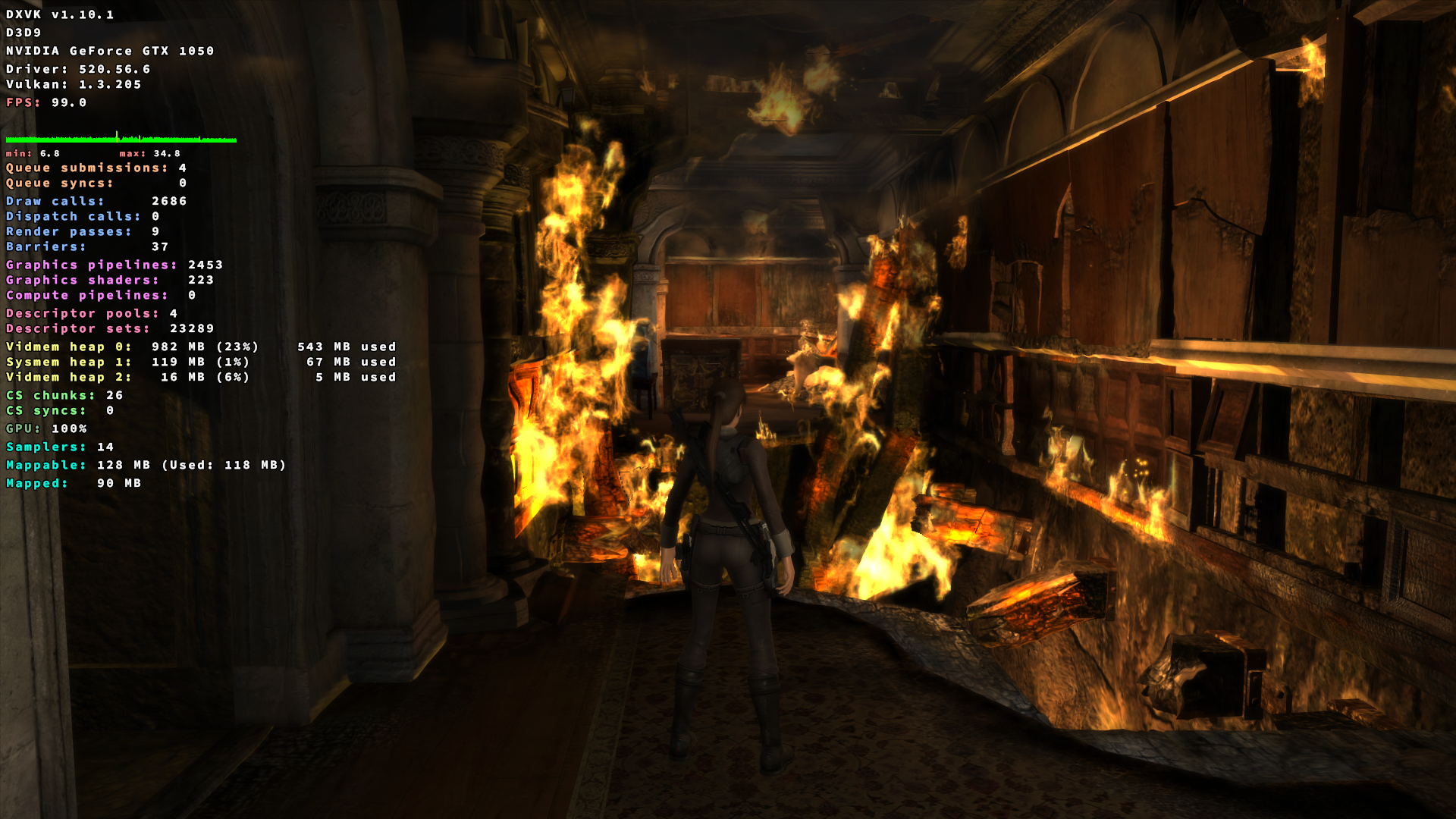
Proton Experimental- NV GTX 1050 4 GB- 520 driver
Fwiw this is like after 5 minutes in game. At level loading screen shader compiling process has begun and lasted for 3 minutes or so. ( 4C/8T system)
@arxo Does the same crash issue occur with the full gog version?
@Blisto91 The GOG release crashes during the intro level in Lara's mansion. Different error message, but also related to "out of memory". Game performance up to that point was fine, though.
gog_master.log
@mbriar I'm not going to mess around with patching Wine, I'd like to stick with the official winehq builds. This sounds to me like something they should make configurable, to be honest...
@arxo Try a Wine GE build at least to see if it improves anything.
https://github.com/GloriousEggroll/wine-ge-custom/releases/tag/GE-Proton7-32
It has patches from Proton so that is why "Proton" is in the name.
Can you try running it with a config file that contains the following line:
dxvk.numCompilerThreads = 2
@K0bin I cleared the game's existing dxvk cache and tried the config changes, which did improve things slightly.
I got through the mansion sequence now, but then the game froze with looping audio during the following cutscene on Lara's boat.
gog_hang.log
I don't think there's any way around using a Wine version that forces LAA for the game. Either that or you disable graphics pipeline libraries, which will bring back the initial stuttering.
Nothing we can do here. It runs out of address space and DXVK itself is not even using a lot of memory.
You can also patch the game's .exe to be LAA aware if you don't want to use a different wine build, script to do that is in the link i posted earlier.
@mbriar Looks like that script did the trick. Thanks a lot. :)
Closing this because there's nothing for us to do here.
Proton versions
ge-proton7-32x1 2022-10proton experimentalx1 2022-10
Upstream links
- doitsujin/dxvk/issues/1607x1 2022-10
- doitsujin/dxvk/issues/2764x1 2022-10
Ever since D3D9 support was added to DXVK I have experienced major issues with Tomb Raider Underworld.
Once a level is loaded I get massive stutters during gameplay and ingame cut-scenes, rendering it virtually unplayable.
On a Wineprefix without DXVK it works fine, and older DXVK versions without D3D9 support did not affect it negatively, either.
Screen mode: 1920x1200, 60 Hz (in case it matters)
Graphics options do not matter, it happens both with everything maxed out as well as everything turned off.
Software information
Tomb Raider Underworld (applies both to the original demo version as well as the full gog.com release)
System information
Log file
tru_d3d9.log