[Regression] GRID 2 texture artifacts
this (regression commit) seems to show up as a UI issue for nvidia during a race (doesn't reproduce on apitrace either).
screenshot - "white artifacts during race"
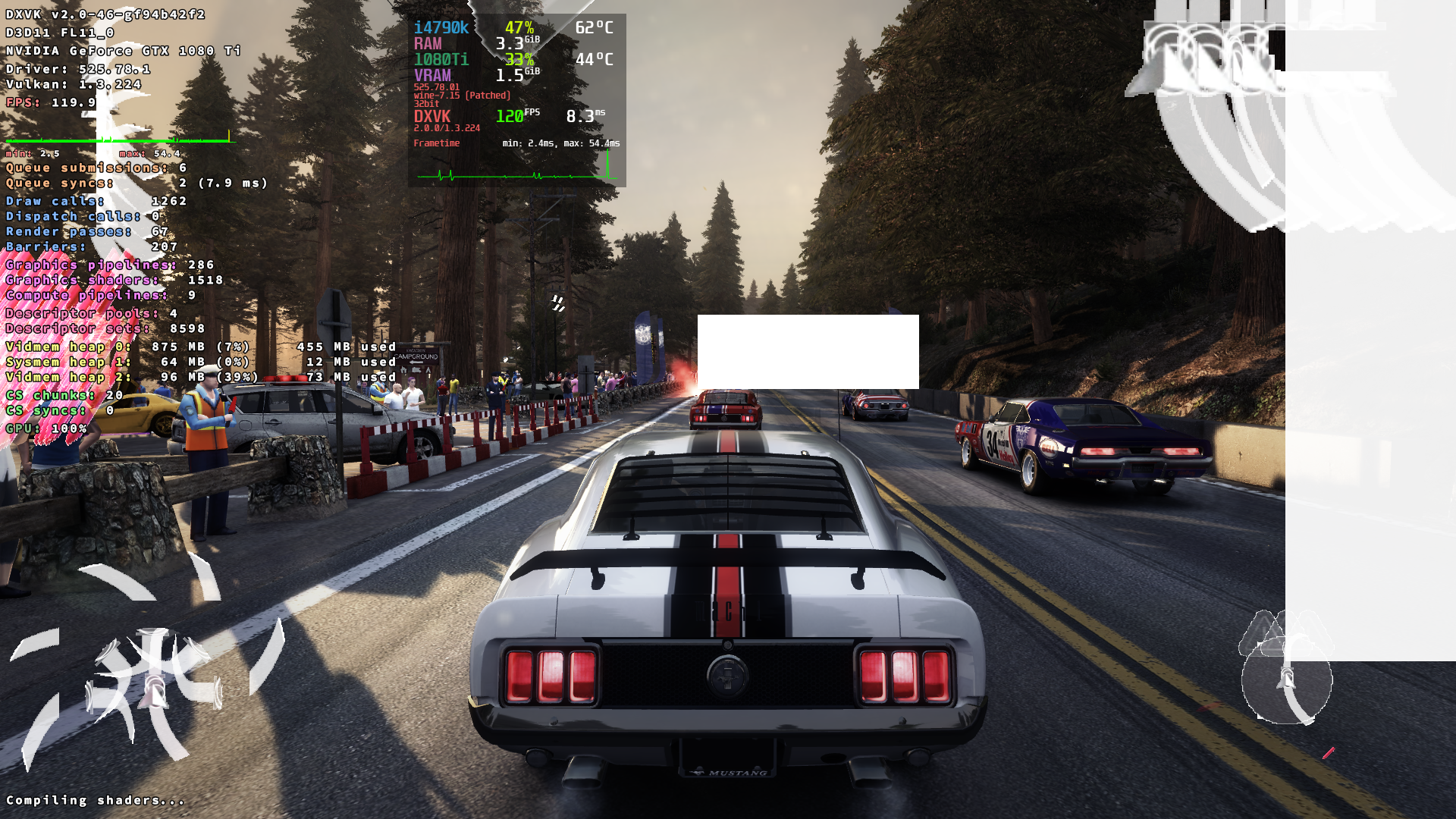
for Proton d3d11.floatControls = False helps as workaround.
@Blisto91 need tests with vanilla/staging and windows d3dcompilers
So i am not able to reproduce the issue with Windows steam installed through regular wine. Even if i force the game to use builtin d3dcompiler and d3dx11. So there seems to be some interaction between wine/proton and dxvk.
Might be worth waiting for proton 8 and see how it behaves after the upstream rebase.
Here are regular wine logs
grid2_avx_d3d11.log
grid2_avx_dxgi.log
The d3d11 one have warn: D3D11DeviceFeatures: External memory features not supported at the top
Edit: There is also no issue if i shove dxvk 2.0 into proton 7.0-5. So there might be shared resources involved and it won't be fixed with proton 8
@Blisto91 Yo Blisto you lazy bum. Retest this issue ASAP!
Yo Blisto you lazy bum.
No u!
Gotem
The issue seems to have been fixed in Proton 8. I can still reproduce by using the Proton 7 Experimental beta branch, but not with 8. If i take the dxvk dll's from 7 Experimental and put into 8 it is also still fine.
@Iglu47 are you able to confirm that the issue is no more?
@Iglu47 are you able to confirm that the issue is no more?
yea, game hud during race not broken for nvidia on proton8:
https://github.com/doitsujin/dxvk/assets/25866099/a3f5284f-6701-46cc-acc0-7f1be9ada8f0
System information
- GPU: NVIDIA GeForce GTX 1080 Ti (Pascal)
- Driver: NVIDIA 525.116.04 (proprietary)
- Wine version: proton-8.0-2d
- DXVK version: DXVK supplied with Proton 8.0-2 (https://github.com/doitsujin/dxvk/commit/caf31033d711460e86781b16a4d9b0f41fa9e817)
Thanks! :+1:
Proton versions
proton 8.0-2x1 2023-06proton 8.0-2dx1 2023-06proton 7.0-5x1 2023-01proton experimentalx1 2023-01
Since commit https://github.com/doitsujin/dxvk/commit/2a7706ba5395e197c80d59420043c06d511b8047 the game have issues with some textures. I've only tested on AMD setup's but it affects both my R9 380X and Steam Deck
Screenshot
The issue goes away again by launching with
d3d11.floatControls = Falsebut don't know if that is the correct thing to do.System information
Plus Steam Deck on beta branch
Apitrace file(s)
I have made an Apitrace on Windows but the issue doesn't reproduce with it, only ingame. If you want it anyway just say so.
Log files
grid2_avx_d3d11.log
grid2_avx_dxgi.log
(Ignore the
info: dxgi.customVendorId = 8086. I forgot to take it out and is unrelated)Edit: Also noticed later it can cause the screen to go mostly black or white when driving the map above